
WordPress runs a huge share of the web. So people assume any developer can handle any WordPress job. Indeed, at small scale that view holds...
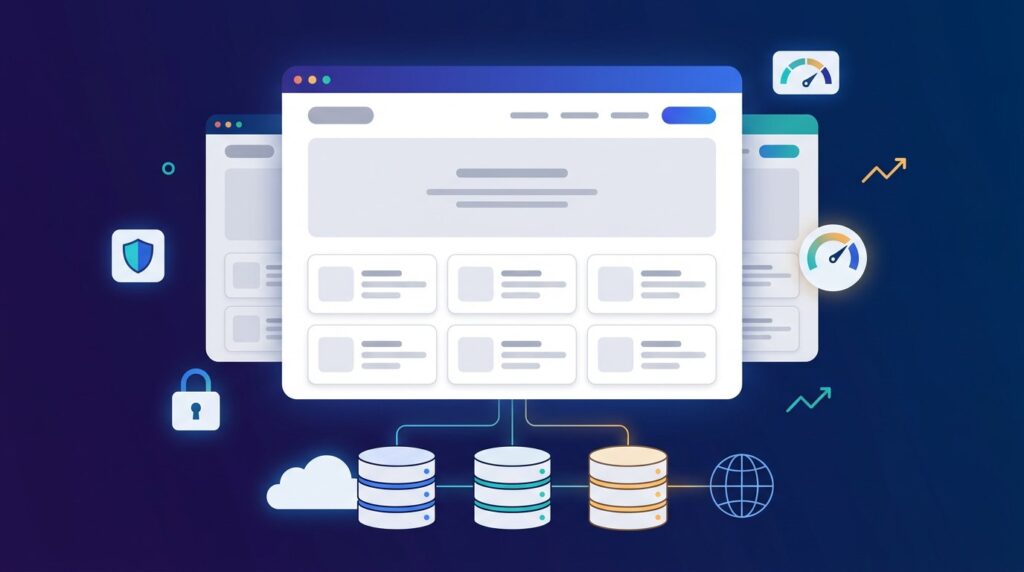
WordPress runs a huge share of the web. So people assume any developer can handle any WordPress job. Indeed, at small scale that view holds up fine.
At enterprise scale, it falls apart fast. However, traffic spikes change the problem. So do strict rules, forty regional sites, and a newsroom that publishes hourly. That is the point where enterprise WordPress experts earn their fee. This guide covers what they do, what the work costs, and how to judge one before you sign.
What Makes a Build Enterprise Grade
The word gets thrown around loosely, so let us pin it down.
A site becomes an enterprise build when any of five things apply. First, traffic runs high enough that caching matters. Second, several teams publish to the same platform. Third, the site links to core systems such as a CRM or an ERP. Fourth, rules such as SOC 2, HIPAA, or PCI apply. Fifth, downtime costs real money by the hour.
Notice that none of those points concern page count. A ten-page bank site can be an enterprise build. Meanwhile, a five-hundred-page blog might not be.
Enterprise WordPress experts work on that second set of problems. They spend less time on layouts. They spend far more on structure, control, and risk.
What Enterprise WordPress Experts Actually Do
The work of enterprise WordPress experts splits into six areas. Notably, only one is visible to visitors.
Architecture comes first. They decide how content is shaped, how sites relate, and where the caching layers sit. Consequently, bad choices here haunt a project for years.
Speed work comes next. That means object caching, database tuning, CDN rules, and query fixes. In most cases, a slow enterprise site has a database problem rather than a design problem.
Security and compliance follow. Think role permissions, audit logs, single sign-on, and locked-down releases. Notably, WordPress itself carries no compliance badge. Compliance lives in your hosting and setup, so someone must build it on purpose.
Integrations matter hugely at this level. Your site must talk to Salesforce, your ERP, your marketing stack, and your data store. In practice, that plumbing is where enterprise budgets really go.
Editor workflow gets ignored often, yet it drives daily mood. Approval chains, custom blocks, and preview tools decide whether staff enjoy the system or fight it.
Ongoing care rounds it out. Updates, monitoring, incident response, and steady tuning never stop.
Multisite, Headless, or Standard
Enterprise WordPress experts work with three main architectures, and picking wrong is expensive.
Standard single site suits most firms. One install, one domain, plain hosting. Do not add depth you cannot justify.
Multisite shines when you run many similar sites. Think franchise shops, university departments, or regional brands. Better still, one update can cover the whole network. Reported build costs vary widely. A small five-site network can start near $2,500. Complex networks with custom architecture and single sign-on reach $50,000 or more. Very large multi-region programmes run higher still.
Multisite has a break-even point, though. Below three or four sites, the extra work outweighs the gain.
Headless splits the WordPress back end from a separate front end. On the plus side, you gain speed and design freedom. However, you now run two stacks instead of one. Published estimates put headless upkeep near $500 to $3,000 monthly for small and mid-sized firms. The reason is simple. You pay for split hosting plus a developer retainer to stop version drift.
Good enterprise WordPress experts will talk you out of headless when you do not need it. Indeed, that advice alone can save six figures.
What Enterprise WordPress Really Costs
Numbers help, so here are the published bands. Treat them as ranges, not quotes. Always confirm current figures with vendors direct.
First, hosting sits at the base. WordPress VIP pricing starts around $25,000 per year and scales with monthly visitors. WP Engine and Kinsta offer lower entry points, with agency and enterprise tiers priced individually. Managed enterprise hosting is often quoted from a few hundred dollars monthly at the smaller end.
For professional website development, consider a reliable to build a website that meets your business requirements.
Meanwhile, build costs dwarf hosting by far. Industry write-ups put standard enterprise builds in the low hundreds of thousands. Complex global multi-site programmes run well past a million. Smaller projects land far below that, naturally.
Similarly, rates tell a similar story. Enterprise WordPress developers often bill $100 to $175 per hour. Top agencies quote higher, near $150 to $300 blended. Offshore and nearshore teams quote less.
Then comes the retainer nobody plans for. Agency support and upkeep is a yearly line item, not a one-off. Budget for it from day one.
Here is the honest view. WordPress carries no licence fee, unlike Adobe Experience Manager or Sitecore. That saving is real. Yet the build, the links to other systems, and the care still cost real money. Cheap licensing never means a cheap project.
The Hosting Decision
Your host shapes what is possible. So choose it with your partner, not before you find one.
Ask about the caching stack first. Specifically, you want full-page caching, an object cache such as Redis, and a CDN. Ask about database read replicas if traffic runs heavy.
Ask about environments next. Ideally, you need dev, staging, and live, plus a clean path between them. Manual file uploads to a live site are a warning sign.
Ask about compliance papers third. Several enterprise hosts offer SOC 2 certified infrastructure, HIPAA-eligible setups, and PCI-compliant environments. Get the paperwork, not the promise.
Finally, ask what support really covers. Some plans include true WordPress engineers. In contrast, others just restart servers.
Security at Enterprise Scale
Enterprise WordPress experts know most breaches trace back to plugins, weak credentials, or missed updates. The core software itself rarely fails.
That fact shapes the work. Skilled teams keep the plugin list short and checked. After all, every plugin is a supplier, so each one carries risk.
They also grant the least access needed. Editors do not need admin rights. Contractors do not need standing access. Single sign-on with your identity provider keeps this simple.
Then comes patch discipline. Teams test updates on staging, then ship them on a schedule. Waiting six months is how sites get hit.
Backups deserve a mention too. Above all, test the restore, not just the backup. An untested backup is a hope, not a plan.
Migration Without the Drama
Most enterprise projects involve moving from something else. That phase carries the most risk, so plan it early.
Start with a content audit. Teams routinely discover that a third of their pages get almost no traffic. Consequently, you can retire them instead of paying to move them.
Next, map your URLs carefully. Redirects protect years of accumulated search equity. Skip that step and rankings fall within weeks.
Then rebuild the content model rather than copying the old one. A web designing company can keep the content model editable while the team rebuilds it. A migration is your one clean chance to fix a messy structure. Otherwise you import the same problems into a shiny new system.
Run a parallel period as well. Keep the old site reachable while the new one settles. Finally, agree a rollback plan before launch night, because confidence is not a strategy.
Warning Signs When Hiring Enterprise WordPress Experts
Fortunately, some patterns predict trouble reliably. Therefore watch for them during the pitch.
Beware of anyone who quotes before asking what your site must connect to. That number is a guess, and it will move later.
Beware of heavy page-builder use on complex builds. Typically, bulky builders slow big sites. They also lock your content into closed markup.
Beware of teams with no written process for releases, testing, or rollback. Frankly, at this scale the process is the product.
Beware of vague answers on ownership. You should own the code, the content, and the hosting accounts. Confirm that in writing.
Lastly, beware of a team that never says no. Real enterprise WordPress experts push back on bad ideas. That pushback is much of the value you buy.
Questions Worth Asking Enterprise WordPress Experts
Bring these to your calls with enterprise WordPress experts, then compare the answers.
Ask how they would shape your content. A strong answer covers structure, reuse, and control. A weak answer just describes pages.
Ask who does the work. Some agencies sell senior staff, then send juniors. Request named people and their real hours.
Ask what happens after launch. Warranty length, response times, and retainer scope should be clear.
Ask about a project that went badly. Honest teams answer well. Evasive teams give themselves away.
Ask for a reference at a similar scale, then really call it. Generally, ten minutes on the phone beats a polished case study.
Building the Internal Side
Your own team decides whether the spend sticks. So plan for that too.
Name an owner inside the business. Someone must hold the roadmap and settle requests. Otherwise the site simply drifts.
Train the editors properly. Custom blocks help nobody if staff never learn they exist. Therefore a short session at handover pays for itself fast.
Agree the ground rules early. Who can install a plugin? Who approves a new template? Write it down while the build is fresh.
Keep the docs alive as well. Agencies change, staff move on, and memory fades. Thankfully, written notes on the setup protect you from all three.
Frequently Asked Questions
What are enterprise WordPress experts?
They are specialists who build and run WordPress at scale. Their focus sits on structure, speed, security, integrations, and control rather than page design.
Is WordPress genuinely suitable for large organisations?
Yes, with the right setup. It powers major publishers and global brands. Success rests on planned infrastructure, strict plugin choices, and proper hosting rather than the CMS alone.
How much should we budget?
It varies hugely by scope. Enterprise hosting often starts in the thousands per year and climbs with traffic. Builds run from tens of thousands to well over a million for global programmes.
Do we need WordPress VIP?
Not always. VIP suits large publishing teams with strict SLAs and control needs. Many firms run well on other managed hosts at lower cost.
Should we go headless?
Only with a clear reason. A shared front end across products or very high speed targets can justify it. Otherwise you double your upkeep for little gain.
How long does an enterprise build take?
Usually several months, and longer with migrations. Content structure, integrations, and sign-offs eat more time than the visual design does.
Conclusion
Enterprise WordPress is not ordinary WordPress with a bigger budget. The problems shift from looks to structure. Likewise, the risks shift from small bugs to breaches and downtime.
That shift is exactly why enterprise WordPress experts exist. You buy judgement about caching, content models, compliance, and integration. You are not just buying build hours.
So treat the hire like any major supplier choice. Define your real limits first. Work out which setup your case needs. Then compare cost across the full life of the platform, including hosting and the retainer, not the build alone.
Then check the human details. Ask who does the work, how they handle failure, and what you own at the end. Get those answers right and the platform quietly serves the business for years. That is exactly the outcome you are paying for.