
Early video generators outside an AI cinema studio with camera control felt like spinning a slot machine: type three sentences about a neon rainy street,...
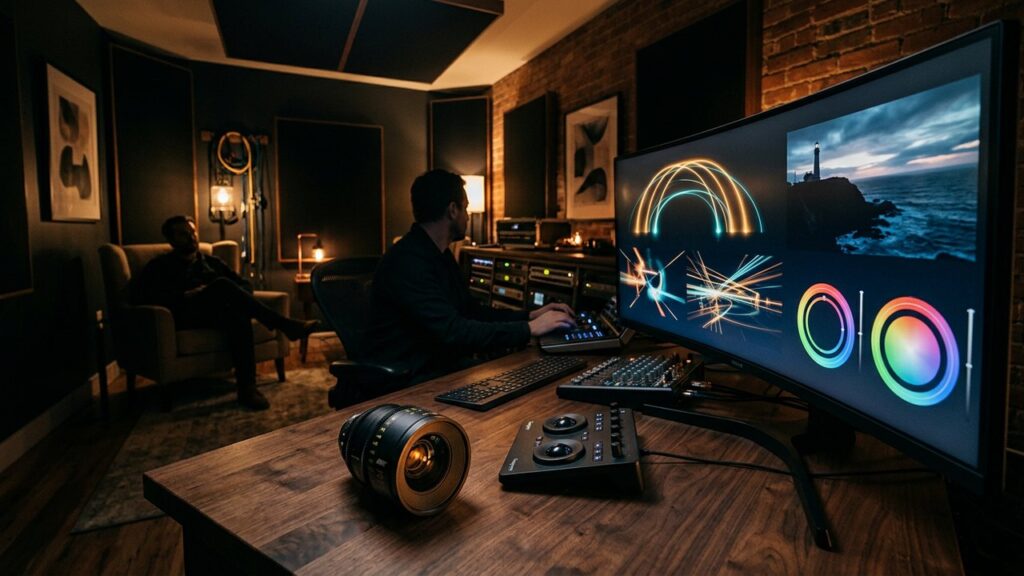
Early video generators outside an AI cinema studio with camera control felt like spinning a slot machine: type three sentences about a neon rainy street, cross your fingers, and hope the virtual camera stopped drifting unpredictably or morphing your main character’s face mid-clip. Stepping into an AI cinema studio with camera control puts genuine filmmaking syntax back into creators’ hands, replacing random prompt lottery spins with repeatable lens selection, intentional blocking, lighting tone, and directed camera choreography.
Built around dedicated an AI cinema studio with camera control such as WaveSpeedAI Cinema Studio, which pairs a structured Director’s Panel, eighteen precision camera movements, up to twenty reusable @ asset references for scene continuity, Shot Polish refinement, and top video models including Seedance 2.5, Wan 3.0, Kling 4.0, and MiniMax H3, this guide breaks down eight hands-on directing tricks so filmmakers, brand studios, and solo storytellers turn concepts into cohesive 4K visual sequences cleanly.
Why an AI Cinema Studio With Camera Control Changes Short-Form Production
Real cinematography communicates emotion visually before a single word of dialogue plays. A slow dolly-in builds intimate tension; a sweeping crane rise reveals geographic scale; a handheld close-up evokes documentary urgency; an anamorphic 21:9 wide frame whispers theatrical prestige. Text-only prompt boxes blur those deliberate choices into generic floating camera drifts.
An AI cinema studio with camera control separates visual directing into clear, modular controls mirroring physical film sets. Directors dial in era, genre mood, pacing tempo, camera body look, focal length, aperture depth of field, color grade, and lighting style independently, then lock physical camera paths and character reference sheets so Shot 2 matches Shot 1 smoothly inside the edit timeline.
Comparing Flagship Video Engines Inside Modern Cinema Studios
Different scenes demand different strengths: wide theatrical establishing shots, tactile close-up textures, locked first-to-last frame transitions, or vertical mobile drama. Modern an AI cinema studio with camera control let directors pick the best engine per shot rather than forcing one model onto every sequence.
| Model Engine | Resolution & Framing | Standout Directing Strength | Best Scene Use Case |
|---|---|---|---|
| Seedance 2.5 / 2.0 | Up to 4K, 4s to 30s clips | Coherent longer multi-shot narrative pacing | Commercial hero spots & story beats |
| Kling 4.0 | Up to 4K precision | First-frame & last-frame transition locking | Seamless scene bridges & exact blocking |
| Wan 3.0 | Crisp 1080p rendering | Rich physical material & atmospheric textures | Moody interiors, fabrics & close-ups |
| MiniMax H3 | 21:9 Cinema & 9:21 Vertical | Native theatrical widescreen or vertical drama | Trailers, social reels & cinematic epics |
8 Pro Directing Tricks Inside an AI Cinema Studio With Camera Control
Treating an AI cinema studio with camera control like a real film stage yields vastly higher visual polish in fewer render credits. Apply these eight director-level workflows across your next commercial, music video, or pitch trailer.
Trick 1: Lock Your Director’s Panel Visual Bible Before Generating Shot One
Never improvise lighting and lens styles randomly between clips. Start every project by configuring your core look inside the Director’s Panel: specify genre mood, period era, filmic tempo, virtual camera look, focal lens (such as 35mm environmental storytelling or 85mm intimate portraits), aperture shallow blur, lighting contrast, and color palette. Reusing that visual baseline keeps every shot feeling filmed by one unified cinematographer.
Trick 2: Match One Specific Camera Move to Each Emotional Beat
With eighteen cinema camera movements at your fingertips inside an AI cinema studio with camera control, restraint separates directors from amateurs. Pair a gentle Dolly In strictly with emotional realization, choose a steady Tracking Shot for forward momentum, deploy an Orbit around a hero product reveal, reserve Crane or Jib Sweeps for grand establishing context, and save Vertigo Dolly Zoom or Dutch Angle strictly for unsettling psychological twists.
Trick 3: Build a Clean Assets Library With @ References for Continuity
The fastest giveaway of amateur AI video is a protagonist whose jacket color, hairstyle, or kitchen background shifts every three seconds. Upload crisp reference sheets for your hero character, key wardrobe angles, recurring props, and primary locations into the AI cinema studio with camera control Assets library, then invoke up to twenty exact @ mentions inside shot prompts so characters remain unmistakably consistent across cuts.
Trick 4: Use First-Frame and Last-Frame Locking for Seamless Transitions
When cutting from a tight macro close-up of a steaming espresso cup straight into a wide cafe pull-back, engines supporting explicit start-frame and end-frame anchors (such as Kling 4.0) eliminate awkward jump cuts completely. Generate key hero stills first, verify exact lighting and framing, then direct the camera move cleanly from frame A straight to frame B.
Trick 5: Shoot Coverage in Intentional Wide, Medium, and Close-Up Sets
Classic film editing works because editors cut between complementary shot scales rather than dragging out one endless twenty-second shot. Plan concise four-to-eight-second bursts covering an establishing wide shot, a medium character action beat, and a crisp close-up reaction shot using consistent @ references and lighting presets, then assemble crisp rhythm inside your NLE editor.
Trick 6: Choose Aspect Ratio Deliberately Before Rendering Frames
Cropping a 16:9 widescreen render down to vertical 9:16 social video slices off vital visual composition and wastes render clarity. Set aspect ratio intentionally from frame one: 21:9 anamorphic widescreen for theatrical trailers and prestige brand films, 16:9 for YouTube and web commercials, or 9:21 and 9:16 vertical framing natively for mobile social stories.
Trick 7: Run Final Hero Clips Through Shot Polish Before Mastering
Rather than burning credits re-rolling an entire sequence from scratch when composition and camera motion already look strong, reserve Shot Polish passes selectively for your winning hero takes. Polishing micro-details, lighting sheen, skin naturalness, and edge stability upgrades selected storyboard winners cleanly into client-ready masters.
Trick 8: Budget Render Credits and Studio Retainers Like a Real Producer
Creative teams offering AI-assisted commercial video production need clear per-project economics covering subscription render tiers, human art direction, sound design, music licensing, and editing hours. Estimate clean client project pricing and sustainable agency margins calmly with the Nemin Break-Even Calculator before locking fixed deliverables for brand clients.
Practical Guide to Matching Camera Movements to Scene Intent
Keep this crisp directing cheat sheet open whenever planning shots inside an AI cinema studio with camera control.
| Camera Movement | Visual Effect on Viewer | Ideal Narrative Moment | Pacing Tip |
|---|---|---|---|
| Slow Dolly In | Draws attention inward; builds intimacy | Realization, subtle emotion, hero reveal | Pair with shallow aperture & calm tempo |
| Tracking / Truck | Moves laterally alongside subject motion | Walking dialogue, street energy, chase | Keep clear foreground & background parallax |
| Crane / Jib Rise | Lifts vertically to expose environment | Opening world-builder or finale pull-out | Start tight on subject, widen to skyline |
| 360 Orbit | Circles cleanly around central object | Luxury product showcase or heroic pause | Lock subject center with clean rim lighting |
| Handheld Subtle | Adds organic documentary immediacy | Action urgency, raw backstage authenticity | Keep motion subtle to avoid jitter artifacts |
Six-Step Pre-Production Pipeline for Client-Ready AI Cinema
Skipping prep turns exciting tools into expensive tinkering. Follow this disciplined six-step film workflow on every commercial or short-film shoot:
- Write a tight visual beat sheet specifying exact shot duration, framing scale, camera movement, and audio cue per beat.
- Curate or generate locked hero character, wardrobe, prop, and location reference images inside your Assets library first.
- Configure one unified Director’s Panel style profile (camera look, focal length family, lighting mood, and color grade).
- Run fast draft passes on core movement beats first to confirm physics, blocking, and camera trajectory cleanly.
- Lock winning compositions at full 4K resolution using the best-fit engine per shot and apply Shot Polish to hero masters.
- Finish inside a professional NLE with layered sound design, foley footsteps, room tone, voiceover, and light unified film grain.
Four Common Directing Mistakes That Break Visual Immersion
- Stacking three conflicting camera instructions (such as “fast whip pan plus slow crane zoom plus handheld spin”) inside one four-second clip.
- Skipping sound design: silent or flat stock music ruins even gorgeous 4K cinematography immediately.
- Forgetting character @ asset tags across shots, causing sudden wardrobe, facial, or lighting drift between consecutive cuts.
- Ignoring color continuity across multi-model renders instead of applying a gentle unified LUT grade in final assembly.
Where Human Filmmakers Still Define Great AI Cinema
An AI cinema studio with camera control democratizes dollies, cranes, anamorphic glass, and exotic locations that once demanded six-figure rental trucks, yet technology never supplies taste, emotional rhythm, sharp scriptwriting, or authentic human resonance. Directors who pair classic visual storytelling discipline with precision AI camera tools craft unforgettable work faster than ever before.
Designing Consistent Multi-Shot Commercials Inside an AI Cinema Studio With Camera Control
Single impressive four-second clips dazzle social feeds briefly, yet real commercial directors and brand studios get paid for cohesive thirty-to-sixty-second stories where lighting, wardrobe, geography, and emotional rhythm hold together seamlessly across twelve consecutive cuts. Working inside an AI cinema studio with camera control unlocks true sequence directing when creators organize assets and shot lists like a real film production office.
Rather than typing sprawling five-paragraph prompts hoping one lucky roll captures an entire scene, break your storyboard cleanly into disciplined three-to-six-second shots. Inside an AI cinema studio with camera control, locking your core Director’s Panel profile alongside crisp @ character, wardrobe, and location assets ensures wide establishing cranes cut seamlessly into intimate 85mm close-ups without jarring aesthetic drift.
Advanced Cinematography Techniques Inside an AI Cinema Studio With Camera Control
Borrowing timeless live-action visual grammar elevates generative scenes instantly from “neat AI experiment” to broadcast-caliber filmmaking. Combine camera movement, focal glass choices, and lighting contrast intentionally inside your AI cinema studio with camera control.
Five Cinematographer Techniques That Elevate Every Rendered Scene
- Motivated Camera Movement: Tie every dolly, pan, or tracking path inside an AI cinema studio with camera control straight to physical character motion or emotional revelation.
- Foreground Depth Layering: Place soft out-of-focus foreground frames (rain-streaked glass, foliage, doorway edges) inside an AI cinema studio with camera control to amplify three-dimensional parallax during tracking shots.
- Consistent Practical Lighting Anchors: Specify clear directional light sources, such as warm tungsten desk lamps or crisp blue twilight windows, throughout your AI cinema studio with camera control visual bible.
- Strategic Lens Compression: Switch deliberately from 24mm environmental wides to 85mm shallow-aperture portraits inside your AI cinema studio with camera control to control viewer intimacy.
- Controlled Transition Anchoring: Use start-frame and end-frame locking inside an AI cinema studio with camera control to execute smooth match cuts between scenes effortlessly.
Building a Fast Post-Production Polish Pipeline Around Your AI Cinema Studio With Camera Control
Even breathtaking 4K generative shots transform dramatically once layered inside a real post-production finish. Pairing an AI cinema studio with camera control with five crisp finishing habits delivers unmistakable theatrical sheen for commercial pitches, indie films, and brand campaigns.
- Cut Ruthlessly on Action and Motion: Trim soft opening or trailing frames inside your timeline editor so shots exported from your AI cinema studio with camera control snap cleanly on energetic movement.
- Build Layered Foley and Room Tone: Add subtle footsteps, wind rustle, cloth movement, and atmospheric room hum beneath every clip from your AI cinema studio with camera control to anchor realism instantly.
- Apply One Unified Finishing LUT: Run a gentle shared color pass and subtle 35mm film grain overlay across multi-model exports from your AI cinema studio with camera control so Seedance, Kling, Wan, and MiniMax shots blend invisibly.
- Pace Audio Rhythm Ahead of Cuts: Use crisp J-cuts and L-cuts where dialogue or ambient sound leads visual edits by half a second across scenes rendered in your AI cinema studio with camera control.
- Archive Reusable Prompt and Asset Templates: Save proven Director’s Panel presets and clean @ reference packs inside project folders so future shoots inside your AI cinema studio with camera control move twice as fast.
Commercial Rights, Client Transparency, and Creative Ownership
When delivering paid brand spots or pitch reels created with an AI cinema studio with camera control, confirm exact commercial licensing terms across each underlying video model tier, keep original storyboard scripts and asset approvals documented cleanly, and pair human creative direction with transparent client workflows that celebrate speed without sacrificing visual craft.
Practical Genre Lighting and Lens Presets Inside an AI Cinema Studio With Camera Control
Directors who build repeatable signature visual worlds save hours of trial-and-error prompting by mapping clear lens, lighting, and movement recipes per creative genre. Inside an AI cinema studio with camera control, combining deliberate optical language with restrained camera blocking elevates brand spots, narrative shorts, and music visuals dramatically.
- Luxury Product Commercials: Pair 85mm shallow-aperture glass, soft architectural rim lighting, and a measured 360 Orbit inside an AI cinema studio with camera control.
- Documentary Founder Stories: Combine natural window key light, subtle handheld framing, and warm 35mm medium shots inside an AI cinema studio with camera control.
- Atmospheric Sci-Fi Trailers: Deploy 21:9 anamorphic widescreen framing, cool cyan twilight ambience, and slow crane establishing rises inside an AI cinema studio with camera control.
- High-Energy Athletic Spots: Blend crisp lateral tracking shots, punchy directional backlight, and snappy four-second action cuts inside an AI cinema studio with camera control.
- Intimate Dramatic Dialogues: Anchor emotional beats with a calm slow Dolly In, warm practical tungsten lamps, and locked @ character continuity inside an AI cinema studio with camera control.
Managing Render Budgets and Fast Client Revision Loops
Agencies win repeat clients when iterations inside an AI cinema studio with camera control stay predictable. Use fast previews inside your AI cinema studio with camera control for client sign-off before rendering 4K Shot Polish masters inside an AI cinema studio with camera control.
Saving Director’s Panel recipes and @ assets turns an AI cinema studio with camera control into a repeatable boutique asset, letting teams ship commercial stories rapidly inside an AI cinema studio with camera control.
Standardizing Studio Shot Libraries Inside Your AI Cinema Studio With Camera Control
Production teams scaling commercial video volume build shared visual libraries inside their AI cinema studio with camera control containing approved brand color palettes, signature focal lenses, reusable @ environment assets, and tested movement presets. Whenever a fresh campaign brief arrives, directors assemble cohesive pitch animatics and final 4K masters inside the AI cinema studio with camera control in a fraction of traditional location timelines while keeping visual craftsmanship razor-sharp.
Reviewing retention metrics sharpens creative instincts inside an AI cinema studio with camera control, revealing which dolly moves and lighting moods hold attention across every screen.
FAQ’s
What makes an AI cinema studio with camera control different from basic text-to-an AI cinema studio with camera control?
Unlike basic prompt boxes where camera drift happens randomly, an AI cinema studio with camera control provides dedicated controls for focal lenses, aperture depth, lighting, color grading, eighteen explicit camera movements, reusable asset references, and multi-model shot selection for repeatable cinematic precision.
How do creators keep characters and sets consistent across multiple shots?
Upload clean visual reference images for each character, prop, and setting into the AI cinema studio with camera control’s Assets library and reference them consistently via @ tags (up to twenty references inside an AI cinema studio with camera control like WaveSpeedAI Cinema Studio) alongside a locked Director’s Panel visual style.
Which camera movements work best for product commercials and brand films?
Slow Dolly In reveals, smooth 360 Orbits around hero products, clean lateral Tracking shots, and measured Crane establishing rises deliver high-end commercial sheen cleanly without introducing dizzying motion artifacts.
Can I control exact starting and ending frames inside AI an AI cinema studio with camera control?
Yes. Advanced video models available in modern an AI cinema studio with camera control, such as Kling 4.0, support explicit first-frame and last-frame anchoring so directors can design seamless visual transitions between key storyboard frames reliably.
What video resolutions and aspect ratios do top AI an AI cinema studio with camera control support?
Depending on the chosen model engine, creators render crisp 1080p up to full 4K masters across classic 16:9, theatrical 21:9 widescreen, and vertical 9:21 or 9:16 social formats cleanly without awkward post-render cropping.
Do films built in an AI cinema studio with camera control still need external editing and sound design?
Yes. Assembling concise four-to-ten-second shots inside a standard video editor with crisp rhythmic cuts, layered foley sound effects, room ambience, clean dialogue, and a light cohesive color grade elevates scenes from an AI cinema studio with camera control into broadcast-grade cinema.
Conclusion
Great cinematography has always been about intentional perspective, lighting, movement, and visual continuity. Stepping into an AI cinema studio with camera control hands solo creators and production studios genuine directorial authority, uniting structured Director’s Panel presets, eighteen cinematic camera moves, reusable @ asset continuity, Shot Polish refinement, and premier 4K video engines inside one focused creative cockpit.
Lock your visual bible early, choose one purposeful camera movement per emotional beat, build crisp character asset sheets, finish with strong sound design, and direct stories that move audiences frame after frame.