
Almost every modern activity creates or relies on digital files, from photographs and invoices to spreadsheets, videos, contracts, design projects, and business records. As collections grow...
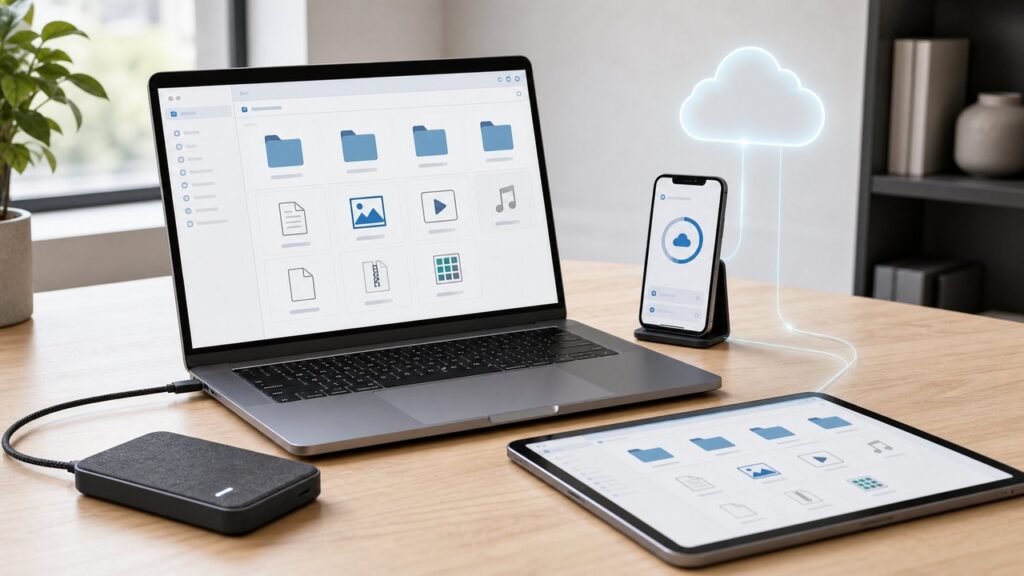
Almost every modern activity creates or relies on digital files, from photographs and invoices to spreadsheets, videos, contracts, design projects, and business records. As collections grow across computers, phones, cloud services, external drives, and workplace platforms, finding the correct version can become increasingly difficult without a reliable system. Effective file management combines sensible naming, logical folders, appropriate formats, secure storage, backups, access controls, and periodic maintenance. These practices help individuals and organizations retrieve information efficiently while reducing the risk of accidental loss or unnecessary exposure.
Not every file requires the same treatment. A temporary download does not need the same retention strategy as an important contract, irreplaceable photograph, financial record, or business database export.
Understanding file types and their value is therefore the starting point. Once information is classified, storage, backup, security, and sharing decisions become much easier to make.
What Are Digital Files?
A digital file is a collection of data stored electronically under a filename and usually represented in a particular file format. Files can contain text, images, audio, video, structured data, software information, or combinations of different content.
Common examples include PDF documents, JPEG photographs, PNG graphics, MP4 videos, MP3 audio, spreadsheets, presentations, compressed archives, and plain text documents.
The extension appearing after a filename, such as .jpg or .pdf, usually indicates its format.
The format can influence which applications open the file, how much storage it consumes, whether compression is used, and what information the file can preserve.
Why Digital Files Need Proper Management
Poor organization creates practical problems long before storage space runs out.
Multiple copies may appear with unclear names, important documents can become buried inside download folders, and employees may accidentally work from outdated versions. Files may also be shared too broadly or stored in locations without adequate backup.
A consistent management system improves retrieval and establishes clearer ownership.
It can also make migrations to new computers, cloud services, or business systems less disruptive.
How Digital Files Differ From Folders and Storage
A file contains data. A folder or directory provides a structure for organizing files and potentially other folders.
Storage describes the medium or service where that data resides.
Examples include a computer’s internal solid state drive, an external drive, a network attached storage system, or cloud infrastructure.
Understanding these distinctions helps when designing a system because organization, storage, and backup are related but separate concepts.
9 Powerful Digital Files Management Practices
Good file management does not require a complex collection of applications. A few consistent practices can make large collections significantly easier to manage.
1. Organize Digital Files With a Logical Folder Structure
A useful folder system should reflect how you naturally search for information.
A business might begin with departments or functions and then organize files by project, client, or year. A personal computer might use broad categories such as finances, household, photographs, education, and personal projects.
Avoid creating unnecessary layers of nested folders.
If reaching a document requires opening ten folders, the structure may be too complicated. Conversely, putting thousands of unrelated items into one directory makes browsing difficult.
Consistency matters more than designing a theoretically perfect hierarchy.
2. Give Digital Files Consistent and Descriptive Names
Filenames should communicate enough information to identify content without opening it.
A generic name such as Document1 provides little value. A filename containing a project, document type, date, or version can be much easier to search.
For example, a business could establish a convention based on date, client, document purpose, and status.
Choose conventions that work with the software and operating systems your organization uses.
Avoid characters that may be prohibited or interpreted differently by certain systems. If files will move between platforms, straightforward naming is generally more portable.
3. Store Digital Files in Appropriate Formats
The best format depends on what the file needs to do.
JPEG is widely used for photographic images and employs lossy compression. PNG supports lossless compression and transparency, making it useful for many graphics. PDF is common for documents intended to retain a consistent presentation across devices.
Editable source formats may need to be retained alongside exported versions.
A designer, for example, may keep an editable project file in addition to the final web image or print ready document.
Long term preservation requirements can differ from everyday convenience, especially for institutional and regulated records.
4. Back Up Important Digital Files
A second folder on the same physical drive is not a meaningful defense against drive failure, theft, or device damage.
Backups should create additional copies stored independently from the working data.
A widely used framework is the 3 2 1 backup approach: maintain three copies of important data, use two different types of storage, and keep one copy offsite.
Modern implementations may vary, but the underlying principle remains valuable: avoid allowing one event to destroy every copy.
Backups should also be tested periodically. A backup that cannot be restored when needed has limited value.
5. Secure Sensitive Digital Files
Not all information has the same sensitivity.
Financial records, identity documents, customer information, employee records, intellectual property, credentials, and confidential business material may require stronger controls than ordinary public documents.
Use appropriately configured access controls and strong authentication.
Encryption can protect data in suitable contexts, both when stored and during transmission, but it needs to be implemented correctly.
Organizations should follow applicable privacy, security, contractual, and regulatory requirements rather than relying exclusively on general consumer guidance.
6. Control Versions of Collaborative Digital Files
Version confusion is common when several people work on the same material.
Names such as final, final2, final_new, and final_really_final quickly become unreliable.
Collaboration platforms with built in version histories can reduce this problem by recording changes and allowing previous versions to be recovered where supported.
For specialized work such as software development, dedicated version control systems provide substantially more sophisticated change tracking.
Establish who owns the authoritative copy and how approvals are recorded.
7. Share Digital Files With Appropriate Permissions
Convenient sharing can become a security weakness when permissions are too broad.
Before sending a cloud link, determine whether the recipient should be allowed to view, comment, edit, download, or reshare the material.
Time limited access can be useful where the platform supports it.
Check recipient addresses carefully, particularly when dealing with confidential information.
Organizations may also need approved sharing tools rather than personal cloud accounts or consumer messaging services.
8. Archive Digital Files That Need Long Term Retention
Archiving differs from ordinary backup.
Backups primarily support recovery after deletion, corruption, hardware failure, or another incident. Archives preserve information that is no longer used frequently but must remain available for historical, business, legal, or personal purposes.
Retention periods should reflect the type of information.
Businesses should follow relevant laws, contractual requirements, and internal policies when deciding what to retain and for how long.
Keeping everything forever can create storage, privacy, discovery, and security problems.
9. Delete Digital Files That No Longer Serve a Purpose
File management includes removal as well as preservation.
Obsolete downloads, redundant duplicates, temporary exports, and unnecessary outdated copies consume storage and make search results less useful.
Deletion should nevertheless be deliberate.
Before removing business or regulated records, confirm that retention obligations, legal holds, policies, and backup implications have been considered.
For sensitive information, understand whether ordinary deletion actually removes data according to your security requirements.
Digital Files Formats You Should Understand
File formats influence compatibility, quality, storage efficiency, editing options, and preservation.
Choosing formats intentionally can prevent unnecessary conversions later.
Some formats are broadly standardized, while others depend heavily on specific applications.
Digital Files for Images
JPEG or JPG is widely used for photographs, especially when a relatively small file size is useful. Its lossy compression means repeated editing and saving can reduce quality.
PNG is useful for graphics requiring transparency or lossless compression.
Other image formats include TIFF, GIF, WebP, AVIF, RAW camera formats, and application specific source files.
There is no universally best image format.
The appropriate choice depends on whether the priority is editing flexibility, web performance, transparency, compatibility, print quality, or archival preservation.
Digital Files for Documents
PDF is widely used when preserving visual layout is important.
Word processing formats are more appropriate when a document requires ongoing editing. Plain text can provide excellent portability when formatting is unnecessary.
For archival requirements, specialized standards such as PDF/A may be relevant in some workflows.
Simply changing a filename extension does not convert a file correctly. Use appropriate software or conversion processes to create the desired format.
Digital Files for Video and Audio
Video files are more complex because a container format and the codecs used inside it are separate concepts.
MP4 is a widely supported container, but actual compatibility depends partly on its encoded video and audio.
Audio formats include MP3, AAC, WAV, FLAC, and others.
Lossy formats can significantly reduce file size by discarding information, while lossless formats preserve more of the original data at the cost of larger storage requirements.
Original masters may therefore deserve different storage treatment from delivery copies.
Digital Files Storage Options Compared
Storage decisions should consider capacity, speed, convenience, availability, cost, privacy, and resilience.
A laptop’s internal drive is convenient for active work but should not be the only location for important information.
External drives provide additional local capacity, while network storage can serve multiple devices in a home or organization.
Cloud services add remote access and synchronization capabilities.
Cloud Storage for Digital Files
Cloud storage can make information available across multiple authorized devices and facilitate collaboration.
Features vary between providers and plans, including version history, recovery windows, access controls, encryption, regional data storage, and administrative tools.
Cloud synchronization should not automatically be considered equivalent to an independent backup.
If deletion or corruption synchronizes across devices, the problem can propagate unless the service provides usable versioning or recovery.
Review provider documentation and build backup arrangements around your actual risk.
External Drives for Digital Files
Hard disk drives can provide substantial storage capacity, while solid state drives generally offer faster access and contain no mechanical moving parts.
Neither technology is immune to failure.
External drives can also be lost, stolen, physically damaged, or affected by the same event as the computer if stored beside it.
Important information should therefore exist in multiple independent locations.
Choosing Storage for Important Digital Files
Start by considering what would happen if the primary copy disappeared today.
Irreplaceable personal photographs and critical business records deserve more redundancy than files that can be easily downloaded again.
Consider recovery time as well.
A backup can technically preserve information while still taking too long to restore for a time critical business system. Business continuity planning may therefore require both backup and rapid availability strategies.
How to Back Up Digital Files Properly
A backup process should be regular, independent, and recoverable.
Automation reduces the chance that users forget to copy new information. However, automated systems still require monitoring.
A failed backup job can remain unnoticed until restoration is necessary.
Applying the 3 2 1 Rule to Digital Files
The traditional 3 2 1 concept provides a useful starting point.
Keep the working copy plus additional backups, diversify storage, and ensure that at least one copy is protected from an incident affecting the primary location.
Some organizations extend this concept with immutable or offline copies designed to provide additional resilience against ransomware and administrative mistakes.
The appropriate architecture depends on the value of the information and threat environment.
Testing Digital Files Backups
Select sample files periodically and verify that they can actually be restored.
For organizations, restoration testing may need to include complete systems, databases, permissions, and dependencies rather than individual documents alone.
Document recovery procedures so the process does not depend entirely on one person’s memory.
Testing turns backup from an assumption into a verifiable capability.
Protecting Digital Files From Cybersecurity Threats
Files can be exposed through phishing, malicious software, compromised accounts, stolen devices, incorrect sharing permissions, weak passwords, or unpatched systems.
Security therefore requires multiple layers.
Maintain supported software, apply security updates, use reputable security controls where appropriate, and enable multifactor authentication on important accounts.
Ransomware and Digital Files
Ransomware can encrypt or otherwise disrupt access to data and systems.
Backups can be an important component of recovery, but only when attackers cannot easily destroy or encrypt every backup alongside production data.
Organizations should consider access separation, monitoring, offline or immutable backup options, incident response planning, and professional cybersecurity guidance appropriate to their risk.
Users should also be cautious with unexpected attachments and links.
Encryption for Sensitive Digital Files
Encryption transforms data so that it cannot be meaningfully read without the necessary cryptographic key or credentials.
Modern operating systems and cloud services may provide encryption features, but effectiveness depends on configuration and key management.
Losing an encryption key can make legitimate data inaccessible.
Organizations handling sensitive information should implement encryption as part of a broader security framework rather than as a standalone solution.
Organizing Digital Files for Business Teams
Business file management becomes more difficult as teams grow.
Employees may create duplicate folder structures, keep important material in personal accounts, or share documents through uncontrolled channels.
A documented information architecture can reduce these problems.
Naming Standards for Business Digital Files
Keep naming conventions straightforward enough that employees will actually follow them.
A standard may define date formats, client or project codes, document types, and version indicators.
Avoid relying exclusively on filenames for complex metadata when a document management platform can track those attributes more reliably.
Provide examples and incorporate conventions into employee onboarding.
Access Control for Business Digital Files
Employees should generally have access appropriate to their responsibilities.
Permissions can be assigned to groups or roles rather than managed individually for every document, depending on the system.
Review access periodically, particularly after job changes and departures.
Sensitive folders should not become accessible to an entire organization merely because broad permissions are easier to administer.
Digital Files and Data Privacy
Privacy laws can affect how organizations collect, store, share, retain, and delete personal information.
Applicable obligations depend on jurisdiction, organization, industry, and data.
Good file organization can support privacy compliance because businesses are better able to locate and classify information they hold.
Personal Information Inside Digital Files
Sensitive information may exist in unexpected places, including spreadsheets, exported reports, scanned documents, email attachments, backups, photographs, and presentation files.
Metadata can also reveal information that is not obvious when viewing a document.
Before sharing externally, inspect the file and its relevant metadata.
Organizations should establish approved processes for redaction rather than simply covering sensitive text visually in a document, since incorrect redaction can leave underlying information recoverable.
Digital Files Sharing Without Losing Control
Sending an attachment creates another independent copy that may continue to exist after the sender deletes the original.
For collaborative documents, controlled links can sometimes offer better permission management than attachments.
However, link based sharing still needs secure configuration.
Safely Sharing Large Digital Files
Large video, design, and archive files often exceed email attachment limits.
Approved cloud sharing or managed file transfer services can provide alternatives.
Check whether the service meets relevant privacy and security requirements.
For particularly sensitive material, additional protections such as access authentication, encryption, expiration dates, or contractual safeguards may be appropriate.
Never use a public file hosting service for confidential business information simply because it is convenient.
Digital Files for Long Term Preservation
Long term preservation involves more than keeping a storage device in a drawer.
Hardware interfaces become obsolete, storage media degrade, software changes, and proprietary formats may eventually become difficult to open.
Important archives require periodic review.
Keeping Digital Files Accessible for Years
Maintain multiple copies, monitor storage health, and migrate data to newer media before older technology becomes unreliable or unsupported.
For especially important records, consider broadly documented formats suited to long term access.
Retain sufficient context to understand the files later.
A folder of cryptically named documents can technically survive while becoming practically useless because nobody remembers what the contents represent.
Frequently Asked Questions
What are digital files?
Digital files are electronically stored collections of data containing information such as documents, images, audio, video, software data, or structured records.
What is the best way to organize digital files?
Use a logical folder hierarchy, descriptive and consistent filenames, clear version practices, and separate active documents from archives and temporary material.
How should I back up digital files?
Maintain multiple independent copies and include an offsite option. The 3 2 1 backup principle is a useful starting framework, and restorations should be tested.
Are cloud stored digital files automatically backed up?
Not necessarily. Synchronization and backup serve different purposes. Review your provider’s version history and recovery features and maintain additional copies where necessary.
How can I protect sensitive digital files?
Use strong authentication, suitable access controls, encryption where appropriate, secure sharing practices, updated software, and backups designed for your risk level.
Which format is best for digital files?
There is no single best format. Choose according to content and purpose, considering compatibility, editing, quality, compression, preservation, and recipient requirements.
Conclusion
Digital files become much easier to manage when organization, storage, backup, security, and retention are treated as parts of the same system. Consistent filenames and folders improve everyday retrieval, while independent backups protect information when devices or services fail. Appropriate permissions and security controls are especially important for confidential or business data. By reviewing the system periodically and preserving valuable information in suitable formats and locations, individuals and organizations can keep their digital collections useful, secure, and accessible over time