
Buying the most expensive hardware has never guaranteed the best computer. In 2026, the smarter approach to PC components is to spend more where better hardware produces...
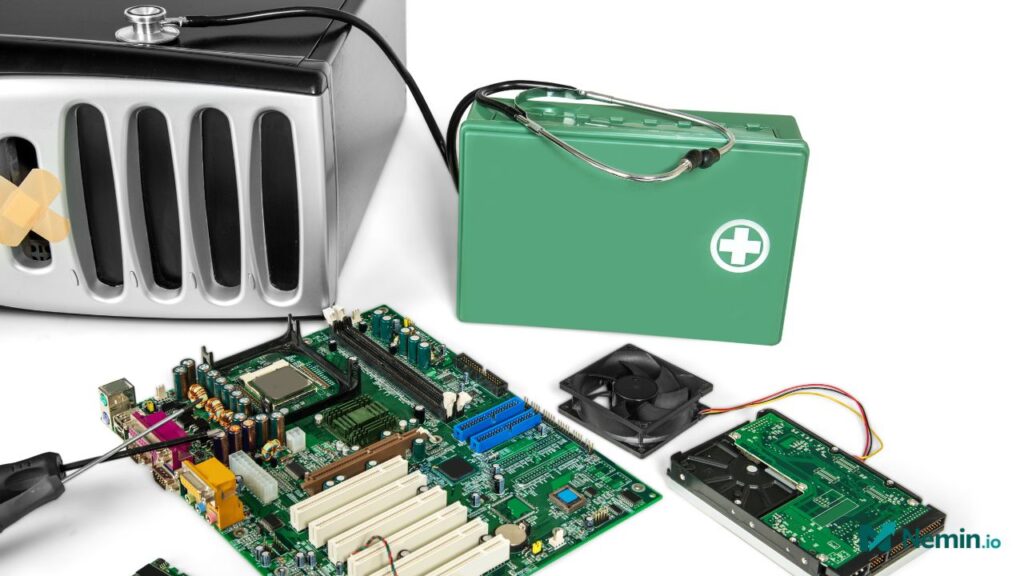
Buying the most expensive hardware has never guaranteed the best computer. In 2026, the smarter approach to PC components is to spend more where better hardware produces a measurable advantage and save where premium specifications offer little practical benefit. A balanced processor, graphics card, memory, storage, power supply, cooling system, motherboard, and case can provide better performance and reliability than a build dominated by one flagship part.
Premium hardware can make sense for demanding gaming, professional creation, local AI workloads, software development, simulation, engineering, and other sustained computing tasks. It can also become expensive overkill. The right PC components depend on workload, monitor resolution, software requirements, upgrade plans, acoustics, energy use, and budget. Smart buyers therefore compare whole-system performance rather than treating premium as a product tier that automatically deserves investment.
Why PC Components Matter More Than a Premium Badge
PC components work as an interconnected system. A fast graphics card depends on adequate processor performance, sufficient memory, a suitable power supply, appropriate cooling, compatible expansion, and a display capable of showing the resulting output.
This makes balance more important than prestige.
A flagship GPU paired with an unsuitable power supply or thermally constrained case can create a worse ownership experience than a carefully chosen upper-midrange system.
Likewise, expensive memory will not compensate for inadequate graphics performance in a GPU-bound game.
What Makes PC Components Premium?
Premium can describe several different characteristics.
A component might cost more because it provides:
- Higher performance
- Greater capacity
- Better efficiency
- Lower noise
- Stronger cooling
- More connectivity
- Higher-end materials
- Additional expansion
- Longer warranty
- More sophisticated power delivery
- Specialized professional features
Not all these benefits matter equally to every buyer.
Premium PC Components Versus Flagship Parts
Premium and flagship should not be treated as synonyms.
A premium power supply may justify its cost through electrical performance, efficiency, quiet operation, protection features, and warranty without being the highest-wattage unit available.
A flagship processor, by contrast, might cost substantially more for performance a particular workload never uses.
The strongest 2026 PC components strategy is selective premium spending.
Why PC Components Need to Be Balanced
A computer’s useful performance is often limited by the component constraining the current workload.
For gaming, that can frequently be the GPU, although resolution, graphics settings, game engine, frame-rate target, and CPU all influence the outcome.
Professional applications can behave very differently.
Build around workload rather than generic benchmark rankings.
PC Components in 2026 Need Workload-First Planning
Start by listing what the machine actually needs to do.
A competitive gaming PC targeting very high frame rates has different requirements from a 4K single-player gaming system. Video editing, 3D rendering, software compilation, virtual machines, CAD, scientific computing, and AI can each prioritize different hardware.
PC Components for Gaming
Gaming performance depends significantly on GPU and CPU capability.
Higher display resolutions generally increase GPU workload, while very high frame-rate targets can place greater demands on CPU performance.
The exact balance varies by game.
Premium PC components make sense when they help achieve the desired resolution, image quality, and frame rate rather than simply improving synthetic benchmark scores.
PC Components for Content Creation
Video editing, rendering, photography, audio production, and motion graphics can use CPU cores, GPU acceleration, memory, and storage in different proportions.
Check the software developer’s current hardware guidance.
A GPU feature valuable in one renderer can be irrelevant in another application.
PC Components for Local AI
Local generative AI and machine-learning workloads can place particular importance on GPU compute capability and available graphics memory.
Model requirements vary rapidly.
Before purchasing expensive PC components specifically for AI, check the models and software frameworks you genuinely plan to run.
1. Premium PC Components Start With the Right CPU
The central processing unit handles general-purpose computation and influences system responsiveness, gaming, compilation, simulation, and many professional workloads.
More cores are not automatically better.
Core Count Versus Per-Core Performance
Highly parallel workloads can benefit from additional cores.
Other applications depend more heavily on individual-thread performance or latency.
The ideal processor therefore depends on software.
Gaming-focused buyers should examine real game benchmarks, while professional users should prioritize benchmark data from their actual applications.
Avoid Paying for Idle CPU Performance
A top-tier processor can be poor value when the GPU limits gaming performance most of the time.
The additional money may deliver a larger improvement when allocated to graphics, display quality, storage, or another bottleneck.
Smart PC components budgets should reflect marginal benefit.
CPU Platform Longevity
Socket compatibility and motherboard support can affect future upgrade paths.
A platform with a plausible processor upgrade route may let an owner improve performance later without replacing the motherboard and memory.
Future product support can change, so rely on current manufacturer documentation rather than rumors.
2. GPUs Are Among the Most Important Premium PC Components
The graphics processing unit is central to modern gaming and many accelerated professional workloads.
It can also be the most expensive individual component in a high-performance PC.
Buy for the Target Resolution
A graphics card should be chosen around expected display resolution, refresh rate, graphics settings, and workload.
A card suitable for 1080p gaming can differ substantially from one intended for high-refresh 1440p or demanding 4K rendering.
Benchmark complete games rather than relying exclusively on theoretical compute specifications.
VRAM and PC Components Planning
Graphics memory requirements depend on game settings, resolution, professional datasets, rendering workloads, and AI models.
Insufficient VRAM can create performance or capability limitations in certain applications.
More VRAM than the workload can use provides little immediate benefit.
Upscaling and Frame Generation
Modern GPUs and games can use technologies that reconstruct higher-resolution images or generate additional frames.
These tools can improve perceived performance in supported software.
Quality, latency, support, and implementation differ.
Compare native and assisted performance when selecting PC components rather than treating generated frames as identical to traditionally rendered frames in every respect.
3. Premium PC Components Include Enough RAM
System memory capacity influences multitasking and applications that keep substantial datasets active.
Modern enthusiast systems often use DDR5-era platforms, but exact memory support depends on CPU and motherboard.
Capacity Before Extreme Speed
Running out of memory can create a far larger performance problem than having moderately slower RAM.
Start by choosing enough capacity for the workload.
Then optimize speed and latency within the platform’s stable operating range and budget.
Gaming Memory Needs
Many games can operate comfortably within mainstream memory capacities, but heavy multitasking, modding, background applications, creation tools, and newer titles can increase requirements.
Check actual usage rather than assuming every 2026 gaming PC needs an extreme amount.
Professional Memory
Large video projects, virtual machines, engineering datasets, and scientific applications can need substantially more system memory.
For these users, additional RAM can be one of the most productive premium PC components investments.
4. Fast Storage Makes PC Components Feel More Responsive
Solid-state storage has transformed everyday PC responsiveness.
NVMe SSDs provide high throughput and low latency compared with mechanical hard drives.
However, maximum sequential benchmark speed does not translate directly into equal improvements in every workload.
Premium NVMe SSDs
High-end SSDs can offer stronger sustained performance, controllers, NAND configurations, thermal management, endurance characteristics, or warranty provisions depending on model.
These advantages can matter for heavy file movement and professional work.
Ordinary gaming and everyday applications may show smaller differences between capable SSD tiers.
Capacity Matters
A nearly full system drive can become inconvenient quickly.
Modern games, media libraries, project files, datasets, and local AI models can consume substantial storage.
Smart PC components planning includes enough practical capacity rather than purchasing the fastest drive and constantly managing free space.
SSD Endurance
Write endurance matters more for heavy-write workloads than ordinary consumer usage.
Review the manufacturer’s rated endurance and warranty for the specific drive.
Do not assume all SSDs using the same interface have identical durability.
5. The PSU Is One of the Most Critical PC Components
The power supply is easy to overlook because it does not directly increase frame rate.
Yet every powered component depends on it.
Quality Matters More Than Oversizing
A very high wattage number does not establish quality.
Buyers should evaluate reputable independent testing, electrical performance, protection features, efficiency, connectors, warranty, platform design, and applicable current standards.
Choose capacity appropriate to the system with reasonable headroom.
Modern GPU Power Requirements
High-performance graphics cards can impose substantial loads and use newer power connector standards depending on model.
Follow GPU and PSU manufacturer guidance for compatible connections.
Avoid improvised adapters or cable arrangements that are not approved for the hardware.
Efficient PC Components
Higher efficiency can reduce the power lost as heat inside the power supply under defined operating conditions.
Efficiency certification does not by itself establish overall PSU quality.
It should be considered alongside electrical and safety performance.
Why a Premium PSU Can Outlive Other PC Components
A suitable high-quality PSU can potentially remain useful through future upgrades if capacity, connectors, standards, condition, and warranty remain appropriate.
Never reuse a unit merely because it powers on.
Age, condition, changing standards, and new component requirements matter.
6. Cooling Protects High-Performance PC Components
Faster processors and GPUs can generate substantial heat.
Cooling helps components maintain appropriate operating temperatures and performance.
Air Cooling
Large tower coolers can provide excellent CPU cooling with relatively simple maintenance.
Compatibility depends on socket, case clearance, memory height, motherboard layout, and processor thermal demands.
Liquid Cooling
All-in-one liquid coolers can provide high cooling capacity and different aesthetic or space-management options.
They also introduce pumps, tubing, and radiator placement.
A liquid cooler is not automatically superior to every air cooler.
PC Components and Case Airflow
The CPU cooler cannot solve a poorly ventilated case alone.
Fresh air needs a sensible path into and through the system.
GPU heat can substantially increase internal temperatures.
Case, fan, CPU, and GPU cooling should be planned as one thermal system.
7. Premium Motherboards Connect Your PC Components
Motherboards rarely improve application performance dramatically when a lower-priced compatible board already supplies the CPU correctly.
Their value lies largely in features, expansion, connectivity, firmware, and build quality.
Power Delivery
High-draw processors can require capable voltage-regulation hardware and suitable cooling.
Independent testing can help assess sustained behavior.
Do not assume the largest heatsink automatically indicates the strongest motherboard.
Connectivity
Consider:
- USB connectivity
- Networking
- Wi-Fi
- Audio requirements
- Storage slots
- PCIe expansion
- Fan headers
- Front-panel connectivity
- Display outputs where relevant
Pay only for interfaces you are likely to use.
BIOS and PC Components Compatibility
Check CPU support and firmware requirements before assembly.
A physically compatible processor may require a particular BIOS version.
Manufacturers provide compatibility lists.
8. Cases Are Functional PC Components
A computer case affects airflow, dust management, noise, component clearance, building experience, and future upgrades.
It is not merely decoration.
GPU Clearance
Modern graphics cards can be long, tall, and thick.
Check physical dimensions against case specifications.
Also account for cables and front-mounted radiators.
Cooler Clearance
Large air coolers require sufficient internal height.
Radiators require supported mounting positions.
Buying these PC components independently without checking dimensions is a common building mistake.
Dust Management
Filters can reduce internal dust when used with an appropriate airflow arrangement.
Filters themselves need cleaning.
A premium case should make routine maintenance reasonably accessible.
9. Premium PC Components Can Improve Acoustics
Performance is only one part of user experience.
A powerful computer that constantly produces intrusive fan noise may be unpleasant during long work or gaming sessions.
Larger Cooling Systems
Larger heatsinks and radiators can potentially dissipate heat using lower fan speeds under suitable conditions.
Fan quality and control curves also matter.
Coil Whine
Electrical components can sometimes produce audible high-frequency noise under certain loads.
Its presence and severity can vary even between individual units of the same model.
Premium pricing cannot guarantee complete absence of coil whine.
Tune PC Components for Efficiency
Power limits, fan curves, and undervolting can sometimes reduce heat and noise while retaining much of a component’s performance.
Any tuning should be done conservatively and with appropriate stability testing.
Premium PC Components and Reliability
Premium does not guarantee that a component will never fail.
Electronics can fail at any price level.
The relevant goal is selecting well-reviewed products from reputable manufacturers with appropriate warranties and known performance.
Independent Reviews Matter
Manufacturer specifications tell buyers what a component is designed to provide.
Independent testing can reveal thermal performance, noise, power consumption, sustained workloads, and real application results.
Use several reputable sources where possible.
Warranty
Longer warranties can indicate manufacturer support but do not prove reliability.
Read coverage terms.
Some modifications or operating practices can affect warranty eligibility.
Premium PC Components and Future-Proofing
Future-proofing is one of the most overused ideas in PC buying.
No component can guarantee relevance for an unknown future.
Buy Useful Headroom
Reasonable extra memory, storage, PSU capacity, and expansion can make upgrades easier.
Buying dramatically more performance than any foreseeable workload needs can waste money.
Upgradeability
Standardized PC components allow targeted replacement.
A good case, power supply, storage device, or cooler can potentially move between builds when compatible.
A balanced platform can reduce the need to replace everything at once.
PC Components for Gaming in 2026
Gaming PCs should be designed around games actually played.
Competitive shooters, simulation titles, strategy games, heavily modded games, and cinematic AAA releases place different loads on hardware.
High-Refresh Gaming
Very high frame rates can require strong CPU performance as well as GPU capability.
Low system latency can also matter.
Use benchmark data reflecting the target settings.
4K Gaming
High-resolution gaming typically creates heavy graphics workload.
A larger portion of the PC components budget may therefore reasonably go toward the GPU.
Individual games remain different.
PC Components for Professional Creators
Professional users should prioritize time saved in paid work.
A more expensive component can be economically rational when it reduces rendering, encoding, compilation, or processing time materially.
Software Certification
Certain engineering and professional applications maintain certified hardware or driver guidance.
Check vendor documentation before buying.
Gaming benchmark leadership does not automatically translate into professional application suitability.
Stability Over Maximum Speed
A workstation that crashes under deadline is not productive.
Stable memory, reliable storage, appropriate cooling, and proven drivers can matter more than extracting the last few percentage points of benchmark performance.
PC Components for AI Workloads
Local AI has become an important purchasing consideration for some users in 2026.
However, “AI PC” is an extremely broad description.
GPU Memory
Large models can require substantial GPU memory.
The exact requirement depends on model architecture, precision, quantisation, context size, software, and task.
Check target workloads before spending.
CPU and System RAM
Some workflows can offload work or datasets into system memory and CPU resources.
Balanced PC components remain important even when the GPU performs much of the computation.
AI Accelerators
Some modern processors and platforms include neural processing capabilities.
Software support determines usefulness.
Do not buy hardware based solely on an advertised AI performance figure without checking whether the intended applications can use that accelerator.
Premium PC Components Cost Versus Value
The highest-performing component frequently offers weaker performance per unit of currency than an upper-midrange alternative.
That does not make flagships pointless.
They can be justified when maximum performance has real value.
Cost Per Performance
Benchmarks can help compare relative performance with price.
Remember to include the complete build cost.
A power-hungry flagship processor may require a more expensive cooler and motherboard, changing system economics.
Total Ownership Cost
Electricity, upgrades, peripherals, storage expansion, and replacement can affect long-term cost.
For professional machines, downtime can matter as well.
PC components should be evaluated as a system investment.
Buying New Versus Used PC Components
Used hardware can offer excellent value, but risk varies by component.
Used GPUs and CPUs
Ask about condition, age, warranty transferability, previous use, modifications, and testing.
Visual inspection does not prove internal condition.
Use marketplaces with appropriate buyer protections.
Used Power Supplies
Extra caution is sensible with older PSUs.
Unknown electrical history, age, missing original modular cables, and evolving connector requirements can create problems.
Never mix modular PSU cables from different units unless the manufacturer explicitly confirms compatibility.
PC Components Compatibility Checklist
Before ordering, check the complete system.
| Component | Primary Compatibility Checks |
|---|---|
| CPU | Socket and motherboard support |
| Motherboard | CPU, RAM, case and expansion |
| RAM | Type, capacity and platform support |
| GPU | PCIe slot, physical clearance and power |
| SSD | Interface, slot and lane support |
| PSU | Wattage, quality and connectors |
| CPU cooler | Socket, thermal capacity and clearance |
| Case | Board, GPU, radiator and cooler dimensions |
| Fans | Mounting positions and connectors |
A few minutes of compatibility research can prevent expensive returns.
PC Components Best Practices for Smart Buyers
A premium build should allocate money according to actual benefit.
- Define workload before selecting hardware.
- Set target gaming resolution and frame rate.
- Check professional software requirements.
- Prioritize GPU memory when the workload genuinely needs it.
- Buy sufficient system RAM before chasing extreme memory speeds.
- Select SSD capacity as well as performance.
- Use a well-reviewed power supply.
- Match PSU capacity to realistic system load.
- Plan CPU and GPU cooling together.
- Check motherboard features before paying for premium tiers.
- Verify physical clearances.
- Use independent benchmarks.
- Consider power and noise.
- Maintain a sensible upgrade path where possible.
- Avoid purchasing solely for future-proofing.
- Compare complete system cost rather than individual part prices.
- Update firmware carefully according to manufacturer instructions.
These PC components practices focus premium spending where it creates practical value.
Common PC Components Buying Mistakes
One of the biggest mistakes is building around a flagship label.
Other errors include overspending on the motherboard while compromising the GPU, buying an unnecessarily large PSU of questionable quality, choosing RAM incompatible with the platform, overlooking GPU dimensions, using inadequate cooling, buying too little storage, and confusing benchmark speed with real application performance.
Aesthetic spending can also distort budgets.
Premium cables, lighting, glass panels, and decorative accessories can be worthwhile when appearance matters, but they should not compromise the performance or reliability required from core PC components.
The Exciting Future of PC Components Beyond 2026
PC hardware will continue evolving through new CPU architectures, GPU generations, memory standards, storage interfaces, chiplet designs, AI accelerators, power-management technologies, and cooling solutions.
That does not make a well-selected 2026 system immediately obsolete.
Computers remain useful when they meet the workloads their owners actually run.
Efficiency Will Matter More
Performance-per-watt can influence heat, noise, cooling cost, PSU requirements, and electricity consumption.
A slightly slower but substantially more efficient part can create a better everyday system for some buyers.
Local AI Will Influence PC Components
More applications are likely to use local acceleration for image processing, language features, audio tools, productivity, and creative tasks.
Hardware support will matter.
Software compatibility will matter even more.
Modularity Remains the Desktop Advantage
Desktop PCs allow individual components to be replaced.
This makes balanced purchasing valuable because a system does not need to predict the future perfectly.
A GPU, storage drive, RAM kit, or other component can often be upgraded when a genuine need emerges.
FAQ’s
Which PC components are worth buying premium in 2026?
Premium spending often makes the most sense on workload-critical parts, a quality PSU, sufficient memory and storage, effective cooling, and components whose features you will actually use.
Which PC components matter most for gaming?
The GPU and CPU are usually central, while RAM, storage, cooling, PSU quality, and monitor specifications influence the complete gaming experience and system stability.
Are expensive PC components always more reliable?
No. Price does not guarantee reliability. Independent testing, manufacturer reputation, component design, operating conditions, warranty, and correct installation all matter.
How much RAM should PC components include in 2026?
There is no universal amount. Gaming, everyday use, professional creation, virtual machines, and AI workloads can require very different memory capacities.
Should PC components be bought for future-proofing?
Buy reasonable headroom when it has plausible value, but avoid excessive spending for hypothetical future requirements. Desktop upgradeability allows components to be replaced later.
How do I know whether PC components are compatible?
Verify CPU socket and firmware support, memory type, GPU and cooler clearance, storage interfaces, motherboard expansion, PSU connectors and capacity, and case dimensions before ordering.
Conclusion
PC components are worth premium investment when their extra cost produces a benefit the owner can actually use. A stronger GPU can make sense for high-resolution gaming, more memory can transform demanding professional or AI workloads, a fast high-capacity SSD can improve data-heavy work, and a quality power supply or cooling system can support a quieter and more dependable machine. Paying more simply because a component occupies the flagship tier provides no equivalent guarantee of value.
Smart buyers choosing PC components in 2026 should therefore build around workload, balance, efficiency, compatibility, and measured performance. Independent benchmarks, software-specific testing, power requirements, thermals, noise, warranty, and upgradeability provide better buying signals than branding or theoretical specifications alone. When premium spending is concentrated on genuine bottlenecks and long-lived supporting hardware, a PC can deliver stronger performance today while retaining enough flexibility to adapt when tomorrow’s requirements actually become known.