
Videos have become one of the most powerful forms of digital communication, entertainment, and storytelling. With the advancement of artificial intelligence, editing techniques that once...
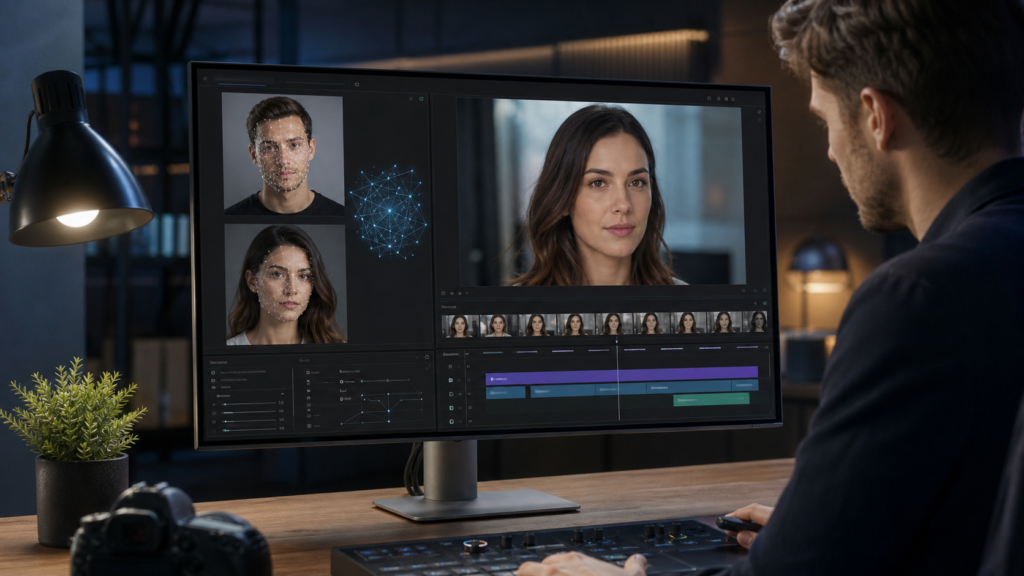
Videos have become one of the most powerful forms of digital communication, entertainment, and storytelling. With the advancement of artificial intelligence, editing techniques that once required professional software and advanced skills are now available to everyday users. One popular example is the ability to swap faces in a video, allowing creators to replace a person’s face with another face while keeping natural movements, expressions, and video flow.
AI-powered face swapping technology has changed how people create content for social media, marketing, education, entertainment, and personal projects. Instead of spending hours manually editing frames, users can now create realistic face transformation videos with automated tools.
This guide explains what video face swapping is, how the technology works, common uses, benefits, important considerations, and practical tips for creating better results.
What Does It Mean to Swap Faces in a Video?
To swap faces in a video means replacing the face of one person in a video with another face while maintaining the original body movements, expressions, and background. The process uses artificial intelligence and computer vision technology to analyze facial features and blend a new face naturally into the existing footage.
Unlike traditional editing methods, modern AI tools can detect important facial elements such as:
- Face shape
- Eye movement
- Mouth expressions
- Head direction
- Lighting conditions
- Skin tones
- Facial angles
The AI system then creates a realistic transformation by matching the replacement face with the movements of the original video.
This technology makes video editing faster and more accessible for beginners, creators, and businesses.
How Does AI Face Swap Technology Work?
AI face swapping relies on several advanced technologies working together. Although the process appears simple from a user perspective, multiple steps happen behind the scenes.
Facial Detection and Recognition
The first step involves identifying the face within the video. AI algorithms scan each frame and locate facial features such as eyes, nose, mouth, and overall face structure.
The system creates a digital understanding of the face position and movement throughout the video.
Face Mapping
After detecting the face, the AI creates a facial map. This map helps the software understand how the face changes when the person:
- Turns their head
- Smiles
- Talks
- Changes expressions
- Moves naturally
This information allows the replacement face to follow the same movements.
Face Replacement and Blending
The next stage involves placing the new face onto the original video. AI adjusts the replacement face according to:
- Video lighting
- Camera angle
- Facial movement
- Color balance
- Expression changes
Advanced tools create smoother transitions so the final video looks more natural.
Video Processing and Final Output
After completing the face transformation, the AI processes every frame and combines the changes into a final video file.
The quality depends on factors such as video resolution, face visibility, lighting, and the quality of the AI model being used.
Why Are People Using Video Face Swap Technology?
The popularity of AI face swapping has increased because it provides creative opportunities for different types of users.
Entertainment and Social Media Content
Many creators use face swap technology to make engaging videos for platforms like short-form video apps and social networks.
Examples include:
- Fun character transformations
- Comedy videos
- Movie-style edits
- Creative storytelling
- Trend-based content
AI face swapping allows creators to experiment with ideas without needing expensive production equipment.
Marketing and Advertising
Businesses are exploring AI video editing to create personalized marketing campaigns. Brands can produce creative advertisements, product demonstrations, and customized content using advanced editing techniques.
For example, marketers can create multiple versions of a video for different audiences without recording entirely new footage.
Education and Training
Educational creators can use face swap technology for interactive learning experiences. It can help create historical demonstrations, virtual presentations, and engaging training materials.
When used responsibly, AI-generated videos can make complex topics easier to understand.
Personal Video Projects
Many individuals use face swapping for personal creativity, including:
- Birthday videos
- Family projects
- Digital storytelling
- Creative experiments
The technology gives users more flexibility when producing memorable content.
Benefits of Using AI to Swap Faces in a Video
AI-based video face swapping provides several advantages compared with traditional editing methods.
Faster Editing Process
Traditional face replacement requires manual editing frame by frame. AI tools automate much of this process, saving significant time.
Creators can produce videos faster without needing advanced editing knowledge.
Beginner-Friendly Technology
Modern AI platforms are designed for users with different skill levels. Many tools provide simple interfaces where users upload a video, select a face, and generate results with minimal technical effort.
More Creative Possibilities
Face swapping expands creative options for video creators. Users can explore different characters, styles, and storytelling concepts.
It allows creators to test ideas quickly before producing final content.
Cost-Effective Video Creation
Professional video production can require expensive equipment, actors, and editing services. AI-powered editing provides an affordable alternative for many personal and business projects.
Improved Realism
Modern AI systems have become significantly better at producing natural-looking results. They can handle facial expressions, movement, and different lighting environments more effectively than older editing techniques.
Steps to Swap Faces in a Video
The exact process may differ depending on the tool, but most AI face swap platforms follow similar steps.
Step 1: Select Your Video
Choose a video where the face is clearly visible. Videos with good lighting and stable camera movement usually produce better results.
Avoid videos where the face is hidden or heavily blurred.
Step 2: Upload the Face Image or Source Face
Most face swap tools require a target face image or another video containing the desired face.
A clear image with visible facial features usually creates better results.
Step 3: Apply the Face Swap
The AI system analyzes the video and replaces the original face with the selected face.
Processing time depends on:
- Video length
- Resolution
- AI processing power
- Platform capabilities
Step 4: Review and Adjust
After processing, review the final video. Check whether:
- Facial movements look natural
- The face alignment is correct
- Lighting matches the original video
- Expressions appear realistic
Some tools allow additional adjustments for better results.
Step 5: Export the Final Video
Once satisfied with the result, export the video in your preferred format and resolution.
High-quality exports usually provide better viewing experiences.
Tips for Creating Realistic Face Swap Videos
Creating a convincing face swap requires more than simply uploading images. Following best practices can improve the final result.
Use High-Quality Source Images
A clear, high-resolution face image gives AI more information to analyze.
Avoid images with:
- Heavy filters
- Poor lighting
- Covered facial features
- Extreme angles
Choose Suitable Videos
The original video should have:
- Good lighting
- Clear facial visibility
- Moderate movement
- Stable camera quality
These factors help AI create smoother results.
Match Facial Angles
A face image that matches the angle of the original video often produces better outcomes.
For example, a front-facing image works better for a front-facing video.
Keep Expressions Natural
Videos with natural facial movements usually create more realistic transformations.
Extreme expressions or fast movements may reduce accuracy.
Ethical Considerations When Using Face Swap Technology
While AI face swapping provides many creative opportunities, responsible usage is important.
Users should avoid creating misleading or harmful content involving real people without permission.
Responsible practices include:
- Getting consent before using someone’s face
- Clearly labeling AI-generated content when needed
- Avoiding deceptive or harmful uses
- Respecting privacy and personal rights
Technology becomes more valuable when used creatively and responsibly.
The Future of AI Video Face Swapping
AI video editing continues to improve rapidly. Future developments may bring even more realistic results, faster processing, and easier creative workflows.
Possible advancements include:
- Real-time face swapping
- Better expression matching
- More accurate lighting adaptation
- Advanced video personalization
- Improved creator tools
As artificial intelligence evolves, face transformation technology will likely become a common part of digital content creation.
Conclusion
AI-powered editing has made advanced video transformation available to a much wider audience. The ability to swap faces in a video allows creators, businesses, and individuals to explore new ways of storytelling, entertainment, and communication. With the right tools, quality source material, and responsible usage, anyone can create engaging face swap videos without requiring professional editing experience. As AI technology continues to develop, video creation will become even more flexible, creative, and accessible.
FAQs
What is the easiest way to swap faces in a video?
The easiest way to swap faces in a video is by using an AI-powered face swap tool. These platforms automate facial detection, replacement, and blending, making the process simple for beginners.
Is it possible to swap faces in a video without professional editing skills?
Yes, modern AI tools allow users without technical experience to create face swap videos through simple upload-based workflows.
How realistic can AI face swap videos become?
The realism depends on video quality, source images, and the AI technology used. High-quality inputs usually create more natural results.
Can I swap faces in a video on a mobile device?
Yes, many AI video editing applications support mobile devices and allow users to create face swap videos directly from smartphones.
What type of videos work best for face swapping?
Videos with clear faces, good lighting, stable camera movement, and visible facial expressions usually provide better face swap results.
Is AI face swapping safe to use?
AI face swapping is generally safe when used responsibly. Users should respect privacy, obtain permission, and avoid creating misleading content.
Can businesses use video face swapping for marketing?
Yes, businesses can use face swap technology for creative campaigns, personalized content, demonstrations, and digital storytelling when used ethically.