
Choosing the right charger is essential for keeping your laptop powered, efficient, and protected. Many MacBook users search for a computer charger MacBook solution because...
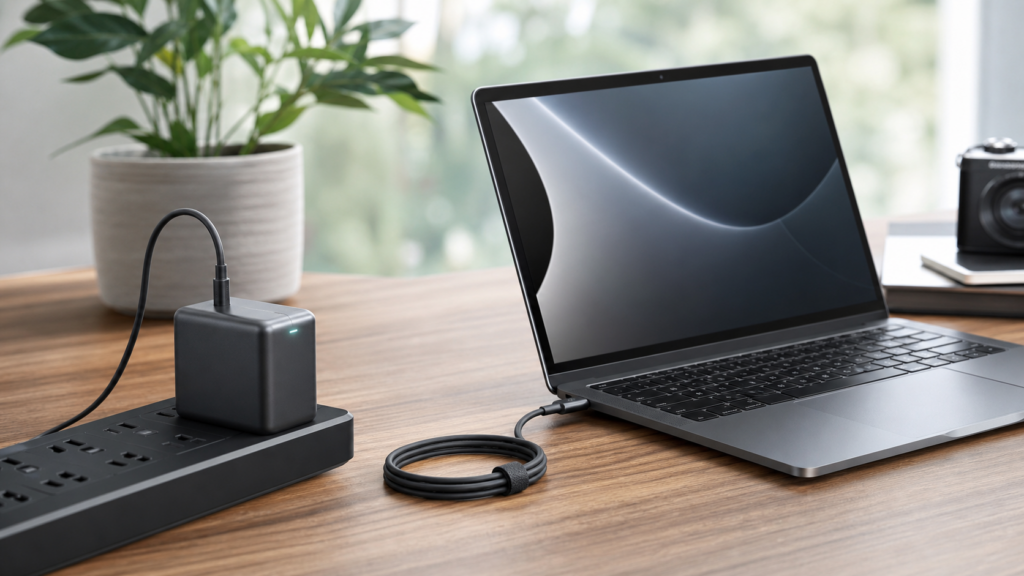
Choosing the right charger is essential for keeping your laptop powered, efficient, and protected. Many MacBook users search for a computer charger MacBook solution because they need a replacement charger, an additional charger for travel, or a faster charging option for their device. However, not every charger works the same way, and selecting the wrong power adapter can affect charging speed and overall convenience.
Modern MacBook models use different charging requirements depending on the model, processor, and size. Some MacBook Air versions require lower wattage chargers, while powerful MacBook Pro models may need higher-power adapters for faster charging. Apple provides different power adapters, including USB-C options designed for specific MacBook models.
Understanding wattage, cable compatibility, charging technology, and safety features can help users make a better decision when choosing a MacBook charger. This guide explains everything you need to know before purchasing a replacement or backup charger.
What Is a Computer Charger MacBook Users Need?
A computer charger MacBook users need is a power adapter and compatible charging cable designed to deliver electricity safely to a MacBook laptop. The charger converts power from a wall outlet into the correct voltage and wattage required by the device.
A complete charging setup usually includes:
- Power adapter
- Charging cable
- Compatible MacBook charging port
Depending on the MacBook model, users may charge through:
- USB-C charging ports
- MagSafe connectors
- USB-C to MagSafe cables
Newer MacBook models commonly support USB-C power delivery, while some models use MagSafe charging alongside USB-C adapters.
Why Choosing the Right MacBook Charger Matters
A charger is more than just an accessory. It directly affects how efficiently your MacBook receives power.
Using the correct charger helps maintain:
- Stable charging performance
- Better battery management
- Reliable power delivery
- Faster charging when supported
A low-quality or incompatible charger may cause slower charging, overheating issues, or unreliable performance.
The right charger should match your MacBook’s power requirements while providing safe and consistent energy delivery.
Understanding MacBook Charger Wattage
One of the most important factors when selecting a charger is wattage.
Wattage measures how much power a charger can provide. Different MacBook models require different power levels.
Common MacBook charger wattages include:
- 30W
- 35W
- 61W
- 67W
- 70W
- 96W
- 140W
For example, MacBook Air models generally use lower-power adapters, while MacBook Pro models with higher performance components often require stronger chargers. Apple lists different power adapters depending on the MacBook model and fast charging requirements.
MacBook Air Charger Requirements
MacBook Air models are designed for portability and efficiency, so they typically require less power compared with MacBook Pro models.
Many MacBook Air users choose chargers between:
- 30W and 35W for standard charging
- 67W or higher options for supported fast charging
A higher-wattage charger does not automatically force extra power into the MacBook. The device manages how much power it draws based on its requirements.
MacBook Pro Charger Requirements
MacBook Pro models are built for demanding tasks such as:
- Video editing
- Software development
- 3D design
- Professional creative work
Because of higher performance needs, MacBook Pro models often require more powerful chargers.
Depending on the model, users may need:
- 67W chargers
- 96W chargers
- 140W chargers
For supported MacBook Pro models, higher-wattage adapters can enable faster charging when paired with the correct cable.
USB-C vs MagSafe MacBook Charging
Modern MacBooks offer different charging options.
USB-C Charging
USB-C charging provides flexibility because the same type of charger can often power multiple devices.
Advantages include:
- Universal compatibility
- Compact chargers
- Multi-device support
- Easy travel setup
Many third-party chargers use USB-C Power Delivery technology to charge MacBooks and other devices.
MagSafe Charging
MagSafe provides a magnetic connection designed specifically for MacBook charging.
Benefits include:
- Easy connection
- Magnetic safety release
- Dedicated charging experience
Some newer MacBook models support MagSafe 3 charging while also allowing USB-C charging.
How to Choose the Best Computer Charger MacBook Users Should Buy
Before purchasing a charger, consider several important factors.
Check Your MacBook Model
The first step is identifying your exact MacBook model.
Important details include:
- MacBook Air or MacBook Pro
- Screen size
- Release year
- Processor generation
Different models have different charging requirements.
Match the Required Wattage
Always check the recommended charger wattage for your MacBook.
Using a charger with insufficient power may result in:
- Slow charging
- Battery draining during heavy use
- Reduced performance while plugged in
Matching the correct wattage ensures better charging efficiency.
Consider Port Options
Some modern chargers include multiple ports.
Multi-port chargers can power:
- MacBook
- Smartphone
- Tablet
- Accessories
This is useful for people who travel or work with multiple devices.
Look for Power Delivery Support
USB-C Power Delivery (PD) is an important feature for modern MacBook charging.
A PD-compatible charger can communicate with the MacBook and provide the appropriate power level.
Benefits include:
- Efficient charging
- Better compatibility
- Improved power management
Benefits of Using a Quality MacBook Charger
A reliable charger provides several advantages.
Faster Charging Performance
A compatible high-quality charger can reduce charging time, especially on MacBook models that support fast charging.
Better Battery Protection
Good chargers include safety systems that help manage:
- Voltage levels
- Temperature control
- Current flow
This helps protect both the charger and the laptop.
Improved Portability
Modern GaN chargers are smaller and lighter compared with traditional adapters.
They are useful for:
- Business travel
- Students
- Remote workers
- Frequent commuters
Common Mistakes When Buying a MacBook Charger
Many users make mistakes when choosing replacement chargers.
Buying Based Only on Price
The cheapest option is not always the best choice.
Poor-quality chargers may lack important safety features and provide inconsistent power.
Ignoring Cable Compatibility
A charger alone may not be enough. The cable must also support the required charging speed.
For example, high-power MacBook charging may require a cable designed for higher wattage.
Choosing Incorrect Wattage
A charger that does not meet your MacBook’s requirements may result in poor charging performance.
Always verify compatibility before purchasing.
Can You Use a Higher Wattage Charger With a MacBook?
Yes, in many cases a higher-wattage charger can safely charge a MacBook because the device controls the amount of power it receives.
For example, a higher-power USB-C adapter may work with a lower-power MacBook model, but the laptop will only draw the power it needs.
However, users should still choose reputable chargers with proper safety certifications.
Travel Tips for MacBook Charging
For frequent travelers, charger selection becomes even more important.
A good travel charger should be:
- Lightweight
- Compact
- Multi-port capable
- Compatible with local power standards
A smaller USB-C GaN charger can reduce luggage space while still providing enough power for many MacBook models.
How to Maintain Your MacBook Charger
Proper maintenance can extend charger lifespan.
Follow these tips:
- Avoid bending cables sharply
- Keep connectors clean
- Store cables properly
- Avoid exposing chargers to extreme heat
- Disconnect carefully from ports
Taking care of your charger prevents unnecessary replacements.
Future of MacBook Charging Technology
Charging technology continues to improve with smaller designs, faster charging speeds, and better energy efficiency.
Future developments may include:
- More compact adapters
- Higher efficiency charging
- Better multi-device solutions
- Improved wireless charging technologies
As laptops become more powerful, charging solutions will continue evolving to meet user demands.
Conclusion
Selecting the right computer charger MacBook users need depends on understanding model compatibility, wattage requirements, cable support, and charging technology. A suitable charger provides reliable performance, better convenience, and efficient power delivery. Whether you need a replacement adapter, a travel charger, or a faster charging solution, choosing a compatible and high-quality option helps ensure your MacBook continues working smoothly.
FAQs
What is the best computer charger MacBook users should choose?
The best charger depends on your MacBook model. Users should select a charger that matches their device’s recommended wattage and charging technology.
Can I use any USB-C charger for my MacBook?
Not every USB-C charger is suitable. The charger should support proper power delivery and provide enough wattage for your MacBook model.
Is a higher wattage charger safe for MacBook?
Yes, a higher wattage charger is generally safe because MacBooks regulate the amount of power they receive.
How do I know which MacBook charger I need?
Check your MacBook model, year, and recommended power requirements to identify the correct charger.
Can a MacBook charger charge other devices?
Many USB-C MacBook chargers can also charge compatible devices such as tablets and smartphones.
Does the charging cable matter for MacBook charging?
Yes, the cable affects charging speed. High-power charging may require a cable that supports higher wattage.
Why is my MacBook charging slowly?
Slow charging can happen because of an incorrect charger, low wattage adapter, damaged cable, or heavy device usage while charging.