
Artificial intelligence is changing how homeowners, interior enthusiasts, designers, and property professionals explore visual ideas before committing to physical changes. Home Design with GPT Image 2...
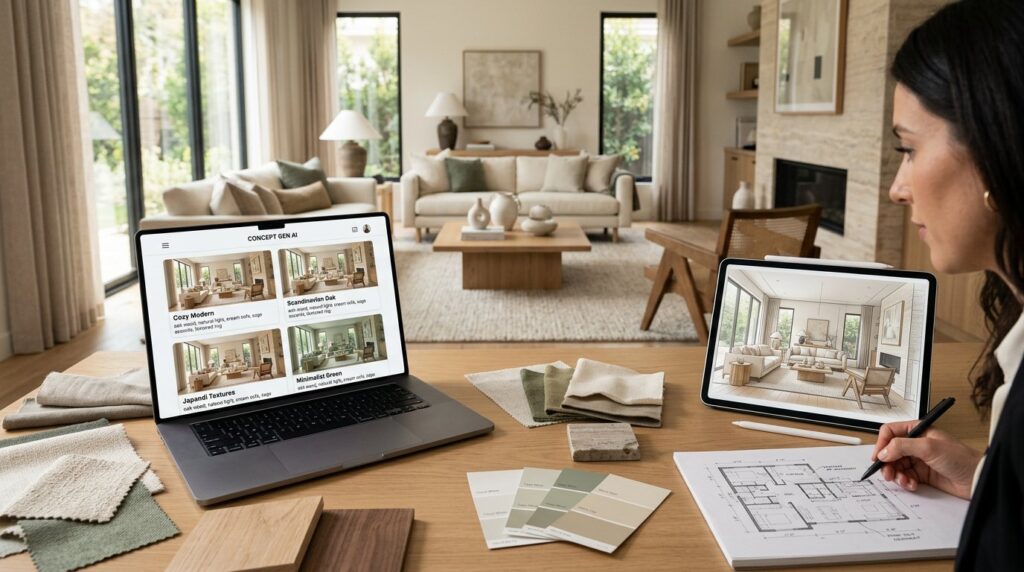
Artificial intelligence is changing how homeowners, interior enthusiasts, designers, and property professionals explore visual ideas before committing to physical changes. Home Design with GPT Image 2 on Flyne AI can provide a prompt driven workflow for developing room concepts, experimenting with decorating styles, exploring materials, and iterating on visual directions without physically purchasing furniture or repainting a room first. The real value of AI home visualization, however, comes from treating generated images as creative concepts rather than guaranteed architectural plans. Dimensions, structural feasibility, product availability, building codes, costs, and technical details still need to be independently verified before real construction or purchasing decisions are made.
AI generated interiors can help answer an early design question: “What could this space look like?”
A user might explore several versions of a living room in different styles, compare darker and lighter cabinetry, test a warm neutral palette, or visualize a bedroom with alternative furniture arrangements.
That ability can accelerate ideation considerably. A strong workflow combines clear prompts, useful reference images where supported, deliberate iterations, and human evaluation rather than expecting one prompt to deliver a finished interior specification.
What Is Home Design with GPT Image 2 on Flyne AI?
Home design with generative image technology involves using written instructions and potentially visual references to create or edit representations of residential spaces.
Flyne AI provides an interface or workflow through which supported AI image capabilities can be used, while GPT Image models from OpenAI provide image generation and editing capabilities where integrated and available.
Product names, model availability, plan limits, image controls, pricing, and features can change.
Users should therefore confirm the current Flyne AI interface and official OpenAI model documentation rather than relying on an older tutorial for exact buttons, model names, or usage limits.
The broader workflow remains useful even when individual interface details evolve.
How Home Design with GPT Image 2 on Flyne AI Works
The process begins with an instruction describing the desired space.
A prompt can identify room type, architectural style, materials, colors, furniture, lighting, camera viewpoint, and details that should remain unchanged.
The model then generates an image based on the supplied context and request.
The user reviews the output and provides another instruction to refine it.
For example, instead of starting over, a user might request lighter oak cabinetry, a less crowded furniture layout, warmer lighting, or preservation of an existing fireplace.
Why Home Design with GPT Image 2 on Flyne AI Benefits From Iteration
Interior design contains many interacting decisions.
Trying to specify architecture, furniture, textiles, lighting, materials, colors, accessories, and landscaping perfectly in one enormous prompt can become counterproductive.
Iteration allows decisions to be separated.
First establish the room’s fundamental style and layout. Then refine materials, colors, lighting, furniture, and smaller details.
This workflow also makes it easier to identify which change improved or weakened the concept.
9 Ways to Use Home Design with GPT Image 2 on Flyne AI
AI visualization can support different stages of a home project, from early inspiration to comparing specific aesthetic directions.
1. Use Home Design with GPT Image 2 on Flyne AI for Living Rooms
Living rooms involve multiple visual relationships, including sofa scale, circulation, rugs, tables, lighting, artwork, windows, and architectural features.
Begin by defining the characteristics that must remain.
If the existing room has a fireplace, bay window, built in shelving, or particular flooring, mention those constraints explicitly.
Then describe the desired transformation.
A useful prompt might specify contemporary warm minimalism, natural oak, textured fabrics, neutral walls, restrained decor, and soft daylight without requesting changes to doors or windows.
2. Use Home Design with GPT Image 2 on Flyne AI for Kitchens
Kitchen visualization can help explore cabinet colors, worktops, splashbacks, flooring, hardware, lighting, and broad layout concepts.
However, kitchens are technical spaces.
Generated imagery may depict impractical cabinet dimensions, insufficient appliance clearances, impossible plumbing, missing ventilation, unsafe electrical placement, or unrealistic structural changes.
Use AI for aesthetic exploration.
A qualified kitchen designer and relevant trades should convert the preferred concept into measured, code compliant plans.
3. Try Home Design with GPT Image 2 on Flyne AI for Bedrooms
Bedrooms work well for style experimentation because textiles, paint, furniture, flooring, and lighting can substantially change atmosphere.
Specify the desired feeling as well as objects.
For example, “quiet contemporary bedroom with warm off white walls, medium oak, linen upholstery, layered indirect lighting, minimal accessories and blackout curtains” provides a more coherent direction than simply requesting a beautiful bedroom.
Mention storage needs so the generated concept does not sacrifice practical functionality purely for visual simplicity.
4. Explore Bathrooms Through Home Design with GPT Image 2 on Flyne AI
AI can visualize tile combinations, vanity styles, mirrors, lighting, hardware finishes, and general bathroom aesthetics.
Treat waterproofing and technical layouts separately.
A generated walk in shower may look elegant without showing necessary falls, drainage, waterproofing, ventilation, safe electrical zones, or accessible maintenance points.
Use the image as a visual brief for professionals rather than construction documentation.
This distinction is particularly important in wet environments.
5. Develop Exterior Home Design with GPT Image 2 on Flyne AI
Exterior visualization can explore colors, cladding appearances, landscaping themes, front doors, lighting, and broad architectural character.
Be cautious with structural modifications.
AI may add or remove windows, alter roof geometry, change load bearing walls, or invent extensions without understanding engineering or planning constraints.
If the goal is cosmetic exploration, explicitly instruct the model to preserve existing rooflines, openings, massing, and structural geometry.
6. Test Color Through Home Design with GPT Image 2 on Flyne AI
Repainting is easier than rebuilding, making color experimentation one of the most practical AI uses.
Generate several versions of the same space with different palettes.
Keep lighting instructions consistent so comparisons remain meaningful.
Color shown in an AI generated image should not be treated as an exact representation of real paint.
Displays, image generation, daylight, artificial lighting, surrounding colors, and physical paint properties all affect perception.
Always test actual paint samples in the room.
7. Compare Styles Through Home Design with GPT Image 2 on Flyne AI
Users can visualize the same room as contemporary, traditional, Scandinavian influenced, industrial, coastal, Japandi inspired, mid century modern, or another design direction.
Style labels alone can be ambiguous.
Describe the elements you actually want.
“Scandinavian” could mean pale timber and minimalist furniture to one person but colorful Nordic design to another.
Material and architectural details make prompts more predictable than broad labels alone.
8. Plan Renovation Ideas With Home Design with GPT Image 2 on Flyne AI
AI imagery can help communicate an intended direction to architects, contractors, interior designers, or family members.
It can reveal preferences that are difficult to describe verbally.
Do not represent generated concepts as measured drawings.
Professionals still need accurate surveys and technical design.
A visualization can say, “I like this relationship between timber cabinetry, stone and lighting.” It cannot establish that those cabinets physically fit the existing room.
9. Create Property Concepts With Home Design with GPT Image 2 on Flyne AI
Property professionals may use AI imagery to explore staging or renovation concepts.
Transparency matters.
A generated renovation should not be presented to potential buyers as though it depicts the property’s existing condition.
Where virtual staging is used in marketing, applicable advertising, real estate, platform, or disclosure rules should be followed.
Clearly identifying conceptual imagery can help avoid misleading viewers.
Writing Prompts for Home Design with GPT Image 2 on Flyne AI
Better prompts communicate priorities and constraints.
They do not necessarily need to be extremely long.
A useful structure moves from the room itself toward progressively smaller details.
Home Design with GPT Image 2 on Flyne AI Prompt Structure
Consider specifying:
• Room type and approximate character
• Elements that must remain unchanged
• Preferred design style
• Main materials
• Color palette
• Furniture requirements
• Lighting conditions
• Architectural details
• Desired level of decoration
• Camera perspective
• Details to avoid
This gives the model a clearer hierarchy.
If preserving an existing photograph, emphasize which structural elements should remain in the same locations.
Negative Instructions for Home Design with GPT Image 2 on Flyne AI
Tell the model what not to change when those constraints matter.
For example, request that it retain windows, doors, ceiling height, fireplace, floor plan, and camera viewpoint.
You can also exclude visual clichés.
Requests such as “no excessive decor, no oversized furniture, no unrealistic windows, no text, no fisheye distortion” can help shape output.
Do not overload every prompt with dozens of prohibitions. Prioritize the errors that would actually make the concept unusable.
Living Room Home Design with GPT Image 2 on Flyne AI
Start with how the room is used.
A household that regularly hosts eight people has different furniture requirements from a single resident who primarily reads and watches television.
Function gives aesthetic decisions context.
Furniture Placement in Home Design with GPT Image 2 on Flyne AI
AI can suggest visual layouts, but apparent clearances may not be dimensionally reliable.
A generated sofa could be wider or narrower than the product you intend to buy.
Measure real furniture.
Use a scaled floor plan or professional space planning process for final decisions.
The AI image can then support color, material, and compositional choices around that validated layout.
Lighting in Home Design with GPT Image 2 on Flyne AI
Describe natural and artificial light separately.
Specify large north facing daylight where relevant, warm evening lamps, recessed lighting, pendants, wall lights, or indirect illumination.
A beautiful generated lighting effect does not establish actual illumination levels.
Electrical planning needs real fixture specifications, wiring, switching, controls, and applicable code compliance.
Kitchen Home Design with GPT Image 2 on Flyne AI
Kitchen prompts benefit from material precision.
Describe cabinet style, finish, worktop, backsplash, flooring, appliances, handles, and lighting.
Also mention which physical components cannot move.
Cabinet Concepts in Home Design with GPT Image 2 on Flyne AI
AI can compare shaker cabinets with slab fronts, dark timber with light oak, or painted finishes with natural veneers.
Check real material samples afterward.
Wood grain, stone veining, gloss levels, and paint shades can look different physically.
Custom cabinetry requires accurate dimensions and appliance specifications.
Never order cabinets directly from measurements inferred from generated imagery.
Worktops in Home Design with GPT Image 2 on Flyne AI
Generative imagery can simulate marble, quartz, granite, stainless steel, timber, concrete, or other visual styles.
The image does not communicate engineering properties.
Heat resistance, staining, maintenance, porosity, seam placement, edge design, support, and cost depend on the actual material.
Use AI to narrow the visual direction before requesting real samples and fabrication advice.
Bathroom Home Design with GPT Image 2 on Flyne AI
Bathrooms demonstrate why visualization and technical design must remain distinct.
The generated room can establish an aesthetic destination.
Professionals should determine how to build it safely.
Tile Ideas Through Home Design with GPT Image 2 on Flyne AI
Experiment with tile dimensions, color, pattern, grout contrast, and feature areas.
Generated patterns may not correspond to commercially available products.
If you find a design you like, use it as a reference while shopping rather than searching for an imaginary exact tile.
For real installations, slip resistance, water exposure, substrate, waterproofing, grout, and maintenance all need consideration.
Bathroom Safety and Home Design with GPT Image 2 on Flyne AI
Do not rely on AI imagery to determine electrical fixture placement around baths or showers.
Building and electrical requirements vary by jurisdiction.
Likewise, accessibility dimensions and drainage cannot be confirmed visually.
A qualified professional should verify technical layouts.
AI is most useful here as a communication tool for materials, atmosphere, and broad spatial ideas.
Exterior Home Design with GPT Image 2 on Flyne AI
Exterior changes can be more heavily regulated than interior decoration.
Planning controls, homeowners association rules, historic protections, setbacks, drainage, and building regulations may limit alterations.
Check requirements before treating a concept as a project.
Landscaping With Home Design with GPT Image 2 on Flyne AI
AI can explore planting density, hardscape style, pathways, seating areas, and general landscape character.
Generated plants may not be appropriate to the climate, soil, light, or local ecology.
Identify species independently.
Landscape professionals can help translate a visual concept into a planting scheme that works in real environmental conditions.
Renovation Concepts From Home Design with GPT Image 2 on Flyne AI
When experimenting with an existing exterior, preserve roof shape, window positions, property boundaries, and neighboring structures unless modifications are intentionally being explored.
Compare before and concept images carefully.
Generative tools may make subtle structural changes that initially go unnoticed.
Those differences can substantially change real project cost.
Home Design with GPT Image 2 on Flyne AI for Interior Designers
Professional designers can use generative images during ideation, mood development, or client conversations.
The technology can accelerate visual exploration without replacing professional judgment.
Client confidentiality should remain a consideration.
Privacy in Home Design with GPT Image 2 on Flyne AI
Before uploading photographs or plans, consider what information they reveal.
Interior images can expose addresses, family photographs, security systems, valuable possessions, floor plans, or other sensitive details.
Review the platform’s current privacy and data handling terms.
Businesses should follow organizational policies and client agreements before uploading confidential project materials to third party AI services.
Copyright and Home Design with GPT Image 2 on Flyne AI
AI generated imagery raises intellectual property considerations that vary by jurisdiction and use.
Avoid asking a system to reproduce protected artwork, branded products, or a living designer’s distinctive work in ways that create legal or ethical concerns.
Commercial users should review platform terms governing generated output.
For important projects, obtain appropriate legal advice rather than assuming all generated imagery carries unrestricted rights.
Home Design with GPT Image 2 on Flyne AI for Real Estate
Virtual staging can help viewers imagine an empty property furnished.
It can also become misleading if images alter permanent features or conceal material defects.
Accuracy should guide marketing use.
Ethical Virtual Staging With Home Design with GPT Image 2 on Flyne AI
Do not remove cracks, water damage, neighboring structures, utility equipment, or other material property characteristics merely to make the listing more attractive.
Furniture and decor visualization should be distinguishable from actual property condition where required.
Review local real estate advertising regulations and listing platform policies.
Transparency protects both potential buyers and agents.
Home Design with GPT Image 2 on Flyne AI Costs
The cost of using Flyne AI depends on its current pricing model, usage allowances, selected models, image dimensions, and other platform terms.
These details can change.
Check the current official pricing page before budgeting.
Budgeting Home Design with GPT Image 2 on Flyne AI
AI visualization can reduce the cost of generating early concepts compared with commissioning a photorealistic manual render for every small idea.
That does not mean it replaces professional design fees.
Architectural drawings, structural engineering, measured plans, lighting design, kitchen specifications, permits, and construction documents remain separate professional tasks.
Use AI where rapid visual iteration provides genuine value.
Home Design with GPT Image 2 on Flyne AI Versus Traditional Rendering
Traditional 3D rendering usually provides greater geometric control because designers model the space deliberately.
Generative imagery can be faster for ideation but may change geometry unexpectedly.
The two approaches can complement each other.
Early AI concepts can establish aesthetic direction, after which a measured 3D model produces more reliable construction or presentation visualization.
Limitations of Home Design with GPT Image 2 on Flyne AI
AI image systems do not inherently understand a building as a complete engineering model.
They generate visual representations.
This distinction explains many common errors.
A staircase might have impossible geometry, furniture can change size between iterations, and windows may shift subtly.
Accuracy Limits in Home Design with GPT Image 2 on Flyne AI
Do not extract exact dimensions from generated images.
Do not assume represented materials meet fire, structural, slip, electrical, or other building performance requirements.
Verify products independently.
The more technical the decision, the less appropriate it is to rely on visual plausibility alone.
A concept can look convincing while being physically impossible.
Consistency Limits in Home Design with GPT Image 2 on Flyne AI
Repeated generations can change details even when the prompt remains similar.
When consistency matters, work from the strongest existing image and request targeted edits where supported rather than regenerating everything.
Describe preserved elements explicitly.
Keep copies of successful iterations so you can return to an earlier direction if later edits drift.
A Practical Home Design with GPT Image 2 on Flyne AI Workflow
Begin with real information.
Measure the room, photograph it clearly, identify fixed elements, and define the problem you want to solve.
Then create an aesthetic brief.
Generate broad concepts before focusing on minor accessories.
Refine Home Design with GPT Image 2 on Flyne AI Step by Step
A practical sequence is:
• Establish architecture and layout
• Select an overall style
• Refine major materials
• Adjust color palette
• Develop furniture character
• Improve lighting
• Add restrained decor
• Compare alternatives
• Verify real products and dimensions
• Translate the chosen concept into professional plans where necessary
This approach separates inspiration from implementation.
Verify Home Design with GPT Image 2 on Flyne AI Before Building
Once a concept is selected, identify every real world assumption.
Measure furniture clearances, obtain material samples, check product availability, calculate costs, and review structural or building services changes.
For substantial renovations, involve the appropriate architect, engineer, interior designer, contractor, electrician, plumber, or other specialist.
AI can accelerate the creative conversation, but technical professionals convert imagery into buildable reality.
Frequently Asked Questions
What is Home Design with GPT Image 2 on Flyne AI?
Home Design with GPT Image 2 on Flyne AI uses generative image capabilities to create or refine visual concepts for interiors, exteriors, materials, furniture and decorating ideas.
Can Home Design with GPT Image 2 on Flyne AI redesign an existing room?
Image editing workflows may allow users to provide room imagery and request visual changes. Current Flyne AI and model capabilities should be checked directly before use.
Is Home Design with GPT Image 2 on Flyne AI accurate enough for construction?
No. Generated images should be treated as concepts rather than measured construction documents. Dimensions, structure, services, materials and code compliance require independent verification.
Can Home Design with GPT Image 2 on Flyne AI create kitchen ideas?
Yes. It can help visualize cabinetry, colors, worktops, lighting and styles, but final kitchen layouts require real measurements and technical design.
Is Home Design with GPT Image 2 on Flyne AI useful for real estate?
It can support conceptual renovation and virtual staging, provided generated imagery is used transparently and does not misrepresent the property’s actual condition.
How do I improve Home Design with GPT Image 2 on Flyne AI prompts?
Specify room type, fixed elements, desired style, materials, colors, furniture, lighting and camera perspective, then refine one major design decision at a time.
Conclusion
Home Design with GPT Image 2 on Flyne AI can make interior and exterior ideation faster by turning written instructions and supported visual references into design concepts that can be refined through iteration. Its strongest role is helping users explore styles, materials, colors, furniture, and broad spatial possibilities before committing to real purchases or construction. Generated images remain visual concepts rather than dimensionally reliable architectural plans, so structural, electrical, plumbing, accessibility, cost, and code decisions need independent verification. Used with clear prompts and professional judgment, AI imagery can become a useful bridge between an initial idea and a properly designed real world space.