
Computers naturally become slower over time due to accumulated temporary files, unused applications, outdated data, and background processes. Regular maintenance can help keep a system...
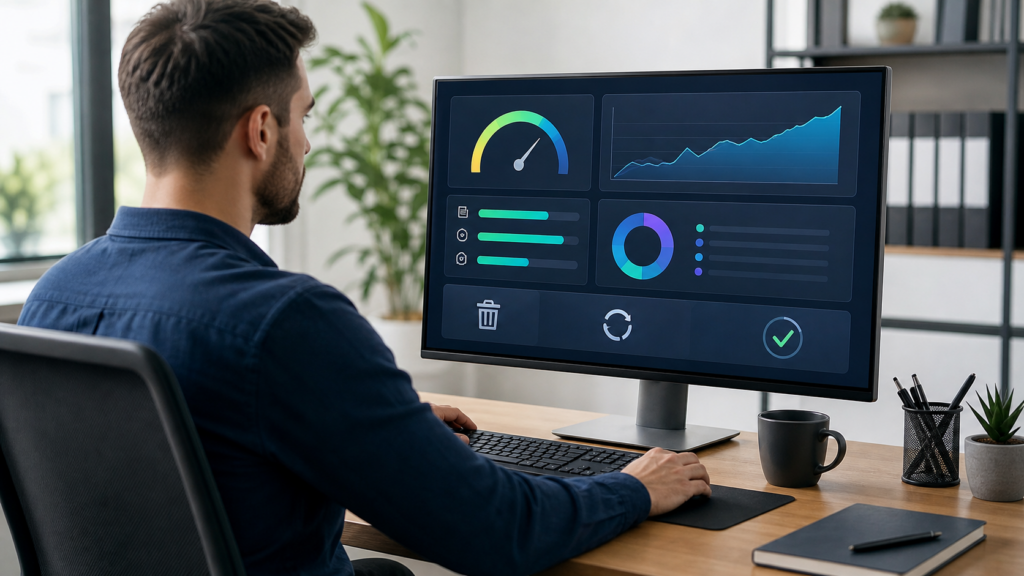
Computers naturally become slower over time due to accumulated temporary files, unused applications, outdated data, and background processes. Regular maintenance can help keep a system responsive and reliable. A PC cleaner is a useful software solution designed to remove unnecessary files, optimize system performance, and help users maintain a healthier computer environment.
Many users notice problems such as slow startup times, reduced storage space, frequent system delays, or applications taking longer to open. These issues often occur because computers collect digital clutter during everyday use. Browsing the internet, installing programs, downloading files, and running applications can leave behind unnecessary data.
A PC cleaner helps identify and remove unwanted files while improving system organization. It can also provide tools for managing startup programs, cleaning browser data, monitoring system performance, and improving overall efficiency. When used correctly, a PC cleaning tool can help extend the useful life of a computer and create a smoother user experience.
What Is a PC Cleaner?
A PC cleaner is a software application designed to analyze a computer system and remove unnecessary data that may affect performance.
Over time, computers collect different types of unwanted files, including:
- Temporary files
- Browser cache
- Old installation files
- Application leftovers
- Duplicate data
- Unused system files
A PC cleaner scans these areas and helps users safely remove digital clutter.
Beyond file removal, many modern PC cleaning tools include additional optimization features. These may help users manage system resources, improve startup speed, and maintain better computer performance.
Why Do Computers Become Slow Over Time?
Understanding why a computer slows down helps explain the importance of regular maintenance.
Accumulation of Junk Files
Everyday computer activities create temporary data. Web browsers store cached information to load websites faster, and applications create temporary files while running.
Over time, these files may take up significant storage space without providing any ongoing benefit.
Too Many Startup Programs
Many applications automatically launch when a computer starts. While some startup programs are necessary, too many background applications can increase startup time and consume system resources.
A PC cleaner can help identify unnecessary startup items and improve boot performance.
Limited Storage Space
When storage becomes full, computers may experience slower performance. The operating system requires available space to perform important tasks.
Removing unnecessary files can free up storage and improve system responsiveness.
Outdated or Unused Applications
Many users install programs they no longer use. These applications may continue storing files and using system resources.
Cleaning unused software helps create a more organized computer environment.
Benefits of Using a PC Cleaner
A PC cleaner offers several advantages when used as part of regular computer maintenance.
Improved Computer Speed
One of the main reasons people use a PC cleaner is to improve performance. Removing unnecessary files and reducing background clutter can help a computer respond faster.
Users may notice improvements in:
- Application loading times
- File management
- System navigation
- Startup speed
A cleaner system often feels more responsive during everyday tasks.
More Available Storage Space
Unnecessary files can consume valuable storage capacity. A PC cleaner helps locate files that are no longer needed.
Freeing storage space allows users to:
- Save important documents
- Install new applications
- Improve system organization
Better System Organization
A cluttered computer can make it difficult to find files and manage applications. Cleaning tools help create a more organized digital environment.
Regular maintenance prevents unnecessary data from building up.
Enhanced Privacy Protection
Many PC cleaning tools include privacy-related features that remove browsing history, cookies, and temporary internet files.
This can help users maintain better control over stored personal information.
Reduced System Issues
Excessive junk files and unnecessary background processes may contribute to system problems.
Regular cleaning can help reduce:
- Slow responses
- Storage warnings
- Unnecessary background activity
How Does a PC Cleaner Work?
A PC cleaner typically follows several steps to improve system condition.
System Scanning
The software first analyzes the computer to identify unnecessary files and possible optimization opportunities.
The scan may check areas such as:
- Temporary folders
- Browser data
- Recycle bin contents
- Application leftovers
- System caches
Identifying Unwanted Data
After scanning, the software separates unnecessary files from important system data.
A reliable PC cleaner should clearly show what it plans to remove before cleaning begins.
Removing Digital Clutter
Once users approve the cleanup, the software removes selected files and creates additional storage space.
This process can help improve system organization.
Optimizing Performance Settings
Some PC cleaners provide additional optimization tools that adjust certain system settings.
These features may include:
- Startup management
- Memory optimization
- Background process control
Features to Look for in a PC Cleaner
Not all cleaning software provides the same level of functionality. Users should consider important features before selecting a tool.
Junk File Cleaning
A good PC cleaner should identify common unnecessary files and remove them safely.
Look for tools that can clean:
- Temporary files
- Cache data
- Application leftovers
- Unused system files
Startup Management
Startup optimization allows users to control which applications launch when the computer starts.
Reducing unnecessary startup programs can help improve boot speed.
Browser Cleaning
Internet browsers store large amounts of temporary information.
A useful cleaning tool may help remove:
- Browsing history
- Cached files
- Cookies
- Temporary downloads
System Monitoring
Some PC cleaners provide performance monitoring features that help users understand system activity.
Monitoring tools can show information about:
- Memory usage
- Storage condition
- Background processes
User-Friendly Interface
A good PC cleaner should be easy to understand. Users should not need advanced technical knowledge to perform basic maintenance.
Clear options and simple controls make cleaning safer and more convenient.
PC Cleaner vs Manual Computer Cleaning
Some users prefer manually cleaning their computers, while others choose automated tools.
Manual cleaning requires users to locate files and settings themselves. This approach can work but may take more time and technical knowledge.
A PC cleaner simplifies the process by automatically identifying common areas where clutter exists.
Manual cleaning may involve:
- Searching folders
- Removing unused programs
- Managing startup settings
A PC cleaner combines these tasks into a more convenient process.
How Often Should You Use a PC Cleaner?
The ideal cleaning frequency depends on how a computer is used.
Users who regularly:
- Download files
- Browse the internet
- Install applications
- Work with large documents
may benefit from more frequent cleaning.
For many users, performing maintenance every few weeks or once a month can help prevent excessive clutter.
However, cleaning too often is not always necessary. A balanced maintenance routine is usually the best approach.
Tips for Getting Better Results From a PC Cleaner
Review Files Before Deleting
Before removing files, review what the software identifies. This helps prevent accidental deletion of important information.
Keep Important Data Backed Up
Regular backups protect important files before performing system maintenance.
Important data may include:
- Personal documents
- Photos
- Work files
- Project folders
Remove Programs You Do Not Use
Cleaning software can help remove leftovers, but uninstalling unused applications is also important.
Unused programs can take up storage and may run background processes.
Update Your Operating System
System updates often include performance improvements and security fixes.
Keeping software updated supports overall computer health.
Avoid Installing Multiple Cleaning Tools
Using several PC cleaners at the same time may create unnecessary conflicts.
Choose a reliable tool and use it consistently.
Common Mistakes When Using PC Cleaners
Although PC cleaners can be helpful, users should avoid certain mistakes.
Deleting Important Files Without Checking
Some files may appear unnecessary but could be required by applications or system functions.
Always review cleaning results before confirming removal.
Expecting a PC Cleaner to Fix Hardware Problems
A PC cleaner can improve software-related performance issues, but it cannot repair damaged hardware.
Problems caused by failing components may require different solutions.
Ignoring Other Maintenance Tasks
Cleaning is only one part of computer maintenance.
Users should also consider:
- Software updates
- Security protection
- Hardware checks
- File backups
Choosing the Right PC Cleaner
When selecting a PC cleaner, consider your specific needs.
Important factors include:
- Ease of use
- Available features
- Safety options
- System compatibility
- Performance impact
A suitable tool should provide useful cleaning functions without creating unnecessary complications.
Can a PC Cleaner Improve an Older Computer?
A PC cleaner may help older computers perform better by removing unnecessary files and reducing software clutter.
However, performance improvements depend on the condition of the device.
If an older computer has limited memory, outdated hardware, or storage problems, additional upgrades may be needed.
Cleaning can improve efficiency, but it is not a replacement for hardware improvements.
Conclusion
A PC cleaner is a practical solution for maintaining computer performance, removing unnecessary files, and improving system organization. Over time, digital clutter can reduce speed and affect the overall user experience. Regular cleaning helps keep storage organized and allows computers to operate more efficiently.
By choosing a reliable PC cleaning tool, reviewing files carefully, and combining cleaning with other maintenance practices, users can enjoy a smoother and more responsive computer experience. A clean system does not just improve performance—it also creates a more organized and enjoyable digital workspace.
FAQs
What is a PC cleaner used for?
A PC cleaner is used to remove unnecessary files, improve system organization, and help maintain better computer performance.
Can a PC cleaner make my computer faster?
A PC cleaner may improve speed by removing junk files, managing startup programs, and reducing unnecessary system clutter.
Is using a PC cleaner safe?
A reliable PC cleaner can be safe when used properly. Users should review files before deleting them.
How often should I run a PC cleaner?
Most users can run a PC cleaner every few weeks or monthly, depending on computer usage habits.
Does a PC cleaner remove viruses?
A PC cleaner is mainly designed for system optimization and file cleanup. It is not a replacement for dedicated security software.
Can a PC cleaner free up storage space?
Yes, a PC cleaner can remove temporary and unnecessary files to create additional storage space.
Do new computers need a PC cleaner?
New computers may not need frequent cleaning, but maintenance can still help prevent unnecessary clutter over time.
Can a PC cleaner fix all computer problems?
No. A PC cleaner helps with software clutter and optimization but cannot repair hardware failures or every type of system issue.