
Modern digital signage solutions combine commercial displays, media players, content management software, connectivity, and supporting services to deliver centrally controlled visual content across one screen or an...
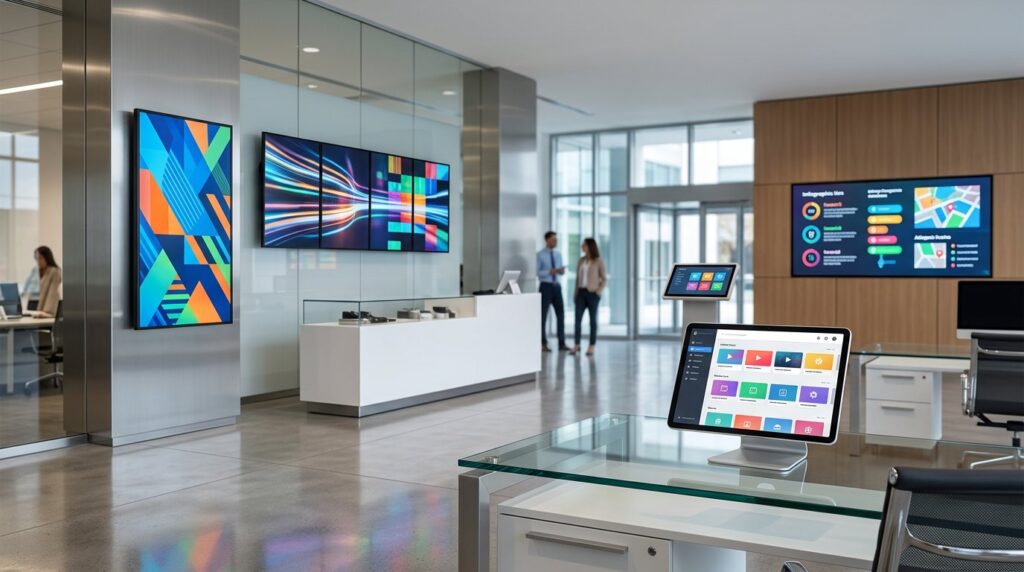
Modern digital signage solutions combine commercial displays, media players, content management software, connectivity, and supporting services to deliver centrally controlled visual content across one screen or an entire network. Businesses can use these systems for promotions, menus, wayfinding, internal communications, schedules, safety information, dashboards, directories, and other frequently changing content. Cloud based management can also allow authorized teams to update multiple locations remotely rather than replacing printed materials at every site.
Digital signage is used across retail stores, restaurants, offices, schools, healthcare environments, hotels, transportation facilities, manufacturing sites, and public venues. However, simply installing televisions does not create an effective signage strategy.
A reliable deployment requires suitable hardware, readable content, appropriate placement, network planning, security, accessibility, maintenance, and measurable business objectives.
What Are Digital Signage Solutions?
Digital signage solutions are technology systems designed to publish and manage visual or multimedia content on electronic displays.
A complete setup typically involves several connected components rather than a screen alone.
Depending on the deployment, these can include:
• Commercial digital displays
• LED displays or video walls
• Interactive touchscreens
• Digital signage media players
• Content management software
• Cloud or local servers
• Network connectivity
• Device management tools
• Content templates
• Monitoring and analytics
• Installation hardware
• Technical support
The right combination depends on how many screens are required, where they are installed, what they display, and who needs to manage them.
How Do Digital Signage Solutions Work?
At a basic level, content is created or uploaded to a management platform and then distributed to one or more connected screens.
A media player may sit behind the display and render the scheduled content. In other systems, playback capabilities are integrated directly into the screen.
Digital Signage Content Management System
The content management system, commonly called a CMS, provides the administrative interface for managing digital displays.
Authorized users can typically upload media, organize playlists, schedule content, assign material to screens, and monitor device status.
The exact features differ between platforms.
Digital Signage Media Players
A media player receives content and sends it to the display.
Players can be dedicated external devices, small computers, system on chip hardware incorporated into commercial displays, or other compatible playback equipment.
Cloud Based Digital Signage
Cloud managed systems allow users to control signage through an internet accessible platform.
This can be especially useful for organizations operating multiple locations because content does not need to be manually updated at every physical site.
The system’s offline behavior should still be investigated. Some platforms cache scheduled content so screens can continue playback during temporary internet interruptions.
9 Benefits of Digital Signage Solutions
Organizations adopt digital displays for different reasons, but several potential benefits apply across many use cases.
1. Update Content More Quickly
Printed signage requires design, production, delivery, installation, and eventual removal.
Digital content can often be changed remotely through a CMS after the creative asset has been approved.
This is useful for time sensitive information, promotions, menus, notices, or schedules.
2. Manage Multiple Locations Centrally
A centralized platform can give organizations greater control over what appears on displays across different branches or facilities.
Administrators can publish universal content while allowing approved local variations where necessary.
Use Permissions to Control Publishing
Role based access can reduce the risk of unauthorized changes.
For example, a central marketing team might control brand campaigns while individual locations are permitted to update only selected local content areas.
3. Schedule Content Automatically
Digital signage software commonly allows playlists to change according to date and time.
A restaurant could display different breakfast and evening content, while a workplace could automatically rotate announcements throughout the week.
Scheduling reduces repetitive manual publishing but still requires oversight to prevent outdated information from remaining visible.
4. Improve Information Visibility
Motion, changing layouts, and bright displays can attract attention in suitable environments.
However, more movement is not always better.
Important information should remain on screen long enough to read and should use appropriate font sizes and contrast for the viewing distance.
5. Reduce Dependence on Printed Updates
Frequently changing information can generate repeated printing and installation requirements.
Digital signage can reduce reliance on printed materials for applicable messages, although it introduces costs related to displays, electricity, software, networking, installation, and maintenance.
The financial case should therefore be evaluated through total cost of ownership.
6. Create Location Specific Messaging
Digital signage allows content to differ according to location, audience, time, or business objective.
A hotel lobby requires different information from a conference room screen, and a retail checkout display serves a different purpose from a storefront installation.
7. Support Interactive Experiences
Touch enabled signage can provide directories, catalogs, check in interfaces, product exploration, and self service workflows.
Interactive deployments require particularly careful attention to interface design, accessibility, privacy, physical placement, and cleaning.
8. Integrate Data Sources
Compatible platforms can connect with external data sources to display schedules, dashboards, inventory information, weather, transport information, queue data, or other dynamic content.
Integration quality depends on available APIs, data accuracy, security, and system architecture.
9. Monitor Screen Networks Remotely
Enterprise digital signage solutions can provide device health information and alerts.
Administrators may be able to see whether screens or players are online, whether content has downloaded, and whether a device requires attention.
Remote monitoring is especially valuable when an organization manages screens across many locations.
Types of Digital Signage Solutions
The phrase digital signage covers several forms of display technology.
Indoor Digital Signage
Indoor displays are used in controlled interior environments such as shops, offices, universities, reception areas, restaurants, and clinics.
Brightness requirements depend on ambient light and installation position.
A screen installed directly beside a sunlit window may require different specifications from one in a dim interior corridor.
Outdoor Digital Signage
Outdoor installations must account for weather, temperature, sunlight, physical security, and environmental protection.
A consumer television should not be assumed suitable for outdoor operation.
Outdoor Display Considerations
Evaluate:
• Environmental protection ratings
• Operating temperature range
• Brightness
• Glare control
• Weather exposure
• Ventilation and thermal management
• Physical security
• Electrical installation
• Local planning or signage rules
Professional installation can be especially important for large outdoor systems.
Interactive Digital Signage
Interactive displays respond to user input, typically through touch or connected interfaces.
Common examples include directories, kiosks, self service systems, and product catalogs.
The user interface should be designed for short, clear interactions rather than simply placing a desktop website on a large touchscreen.
Digital Menu Boards
Restaurants and food service businesses use digital menu boards to present products, prices, availability, promotions, and nutritional information where required.
Integration with menu management or point of sale systems can help keep information synchronized when supported.
Video Walls
Video walls combine multiple displays or LED modules to create a larger visual area.
They are used in control rooms, retail stores, corporate environments, entertainment venues, and public spaces.
Video walls require careful planning for viewing distance, resolution, processing, mounting, heat, servicing, and content layout.
Digital Signage Solutions for Retail
Retail digital signage can support product discovery, promotions, navigation, brand storytelling, and customer communication.
The installation should be planned around the customer journey rather than adding screens wherever physical space is available.
Storefront Displays
Storefront screens compete with ambient daylight and reflections.
Brightness, orientation, local regulations, operating hours, and content visibility should be assessed before equipment is selected.
In Store Promotions
Displays near relevant products can communicate offers, comparisons, demonstrations, or complementary items.
Claims about products and promotions should remain accurate and comply with applicable advertising and consumer protection requirements.
Measure Retail Performance Carefully
Sales changes cannot automatically be attributed to signage.
Promotions, pricing, seasonality, inventory, traffic, store layout, and other variables may influence outcomes simultaneously.
Controlled tests can provide stronger evidence.
Digital Signage Solutions for Restaurants
Restaurants use digital displays for menu boards, promotions, order status information, drive through applications, and customer communications.
Dynamic Menu Content
Businesses can schedule menu content based on service period.
Items can also be updated when availability changes if the signage platform is appropriately integrated with reliable operational data.
Keep Pricing Accurate
Digital updates are fast, but speed can also make mistakes easy to distribute across many displays.
Use approval workflows where appropriate and verify prices, ingredients, promotional conditions, and other important information before publishing.
Corporate Digital Signage Solutions
Office environments can use signage for internal communications, meeting information, visitor guidance, performance dashboards, and safety notices.
Employee Communications
Screens placed in communal areas can reinforce announcements without requiring employees to actively open another message.
Signage should complement rather than replace communication channels needed for detailed or critical information.
Meeting Room Displays
Displays outside meeting spaces can show room names, schedules, and availability when integrated with compatible booking systems.
Dashboard Displays
Operational dashboards can make selected metrics visible to relevant teams.
Consider confidentiality before showing commercially sensitive, employee specific, or customer data in publicly visible areas.
Digital Signage for Education
Schools, colleges, and universities can use digital signage for timetables, events, wayfinding, campus announcements, emergency communications, and student information.
Campus Wayfinding
Large campuses can use directories and maps to help visitors find buildings, departments, classrooms, and services.
Accessible alternatives should be considered for users who cannot effectively interact with or view a particular display.
Emergency Information
Digital displays can form one part of an emergency communication strategy when designed and integrated appropriately.
They should not automatically be considered a replacement for alarms, public address systems, text alerts, or legally required emergency systems.
Digital Signage Solutions for Healthcare
Healthcare environments can use signage for navigation, waiting information, educational content, and administrative communication.
Privacy and accessibility deserve particular attention.
Waiting Areas
Displays can present general information or estimated waiting information where the system supports it.
Avoid exposing confidential patient information to other visitors.
Wayfinding
Hospitals and medical facilities can be difficult to navigate.
Digital directories can supplement physical signs by providing searchable destinations and route guidance.
Digital Signage Hardware Explained
Hardware selection should follow the use case rather than precede it.
Commercial Displays vs Consumer TVs
Commercial signage displays are designed for business deployment and can offer features such as longer operating schedules, remote management, orientation support, commercial warranties, and higher brightness options.
Consumer televisions may have warranty or operational limitations when used commercially.
Always check manufacturer specifications.
Media Players
The player needs enough performance for the intended content.
Simple static images require fewer resources than multiple high resolution video streams, interactive applications, or complex dashboards.
Mounting Hardware
Wall mounts, ceiling mounts, floor stands, kiosks, and enclosures should be rated for the equipment and installation environment.
Proper mounting is a safety requirement, particularly for large or publicly accessible displays.
Digital Signage Software Features
Software often determines how easily a signage network can be managed.
Content Scheduling
Scheduling allows administrators to determine when and where content appears.
Useful systems support recurring schedules, expiration dates, location grouping, and playlist management.
Templates
Templates allow non designers to update approved text or imagery while retaining a consistent layout.
This can be particularly valuable for franchises and multi location organizations.
User Permissions
Role based access controls which people can view, edit, approve, or publish content.
Permissions should follow the principle that users receive only the access needed for their responsibilities.
Device Monitoring
Remote monitoring can reduce the time required to discover failed screens or offline players.
Enterprise deployments should evaluate alerting, logging, diagnostics, and remote restart capabilities where supported.
Digital Signage Content Strategy
Technology cannot compensate for unclear content.
Every screen should have a defined purpose.
Start With One Objective
Ask what the viewer should know or do after seeing the display.
This might be finding a room, understanding a promotion, selecting a menu item, checking a schedule, or learning about an internal announcement.
Keep Messages Readable
Viewing distance, screen size, font size, contrast, screen duration, and surrounding distractions all influence readability.
Avoid fitting long paragraphs into content designed to be viewed for only several seconds.
Design Without Sound Dependency
Many public signage screens operate without audio.
Content should generally remain understandable without sound unless the installation is specifically designed for an audio experience.
Captions can also improve accessibility and comprehension where video contains spoken information.
Cloud vs On Premise Digital Signage
Cloud and locally hosted deployments each have advantages.
Cloud Digital Signage
Cloud management can provide:
• Remote administration
• Centralized updates
• Multi location management
• Reduced local server requirements
• Flexible scaling
Organizations must still evaluate service availability, security, data handling, ongoing subscription costs, and internet requirements.
On Premise Digital Signage
An on premise platform may offer greater direct control over infrastructure and can suit environments with particular networking or data requirements.
It also requires internal resources to maintain servers, updates, backups, and security.
The best architecture depends on organizational requirements rather than a universal preference.
Digital Signage Security
Any connected screen network can create cybersecurity considerations.
Treat signage devices as managed business technology rather than unattended appliances.
Protect Administrator Accounts
Use appropriate authentication controls, strong unique credentials, role based permissions, and multifactor authentication where supported.
Remove access promptly when staff or contractors no longer require it.
Secure Devices and Networks
Maintain supported software, apply security updates, restrict unnecessary services, and follow appropriate network segmentation practices.
Physical access to media players and exposed ports may also require controls.
Have a Response Plan
Organizations should know how to disable compromised content, isolate affected devices, restore approved material, and investigate unauthorized access.
This is particularly important for publicly visible screens.
Digital Signage Accessibility
Accessibility should be considered during both system design and content creation.
Requirements vary according to jurisdiction and application.
Visual Accessibility
Use appropriate contrast, legible typography, sufficient display duration, and layouts that do not depend solely on color to convey meaning.
Avoid excessive flashing or visual effects that could create accessibility issues.
Interactive Accessibility
Touchscreens should account for physical reach, controls, navigation, text size, and alternative access methods where appropriate.
Consult applicable accessibility regulations and recognized standards for the jurisdiction and deployment.
Digital Signage Analytics
Some solutions measure system operation, interactions, or audience related metrics.
Analytics should be selected according to a clear business question.
Operational Analytics
Useful operational data can include:
• Device uptime
• Content playback confirmation
• Connection status
• Software versions
• Error events
These metrics help administrators maintain the signage network.
Audience Analytics
More advanced systems may attempt to estimate audience behavior using sensors or cameras.
Such technology raises privacy, transparency, data protection, accuracy, and bias considerations.
Obtain appropriate legal and privacy review before implementing systems that process information about identifiable individuals.
How Much Do Digital Signage Solutions Cost?
There is no single standard price.
The total cost depends on the scale and complexity of the deployment.
Main Cost Categories
Budget for:
• Displays
• Media players
• Mounting hardware
• Installation
• Network connectivity
• Software subscriptions
• Content production
• Electrical work
• Maintenance
• Technical support
• Replacement equipment
• Security management
Large video walls and outdoor displays can have substantially different costs from basic indoor screens.
Calculate Total Cost of Ownership
A low hardware purchase price does not necessarily produce the lowest long term cost.
Consider equipment lifespan, energy use, software fees, warranty coverage, replacement process, support availability, and staff administration time.
How to Choose Digital Signage Solutions
Begin with requirements, not a particular vendor.
Define the number of screens, locations, operating hours, content types, publishing responsibilities, integrations, security needs, and anticipated expansion.
Questions to Ask Vendors
Ask:
• Which hardware is supported?
• Can screens continue operating offline?
• How are software updates managed?
• What user permissions are available?
• Does the platform support multifactor authentication?
• Can content be scheduled by location?
• Which integrations and APIs are available?
• How is device health monitored?
• What support is included?
• What happens if a player fails?
• How are customer data handled?
• What are the cancellation and data export terms?
Clear answers make platforms easier to compare.
Digital Signage Installation Planning
Site assessment should occur before equipment is purchased.
Consider power availability, network connectivity, wall structure, viewing angles, sunlight, pedestrian flow, accessibility, ventilation, and maintenance access.
Viewing Distance
Text and graphics must be legible from the intended audience position.
Very high resolution alone cannot compensate for typography that is physically too small to read at the actual distance.
Screen Orientation
Landscape works naturally for many video formats, while portrait orientation can suit directories, retail creative, and narrow architectural spaces.
Verify that the selected commercial display supports the intended orientation and operating conditions.
Maintaining Digital Signage Solutions
Digital signage requires ongoing management after launch.
Screens need cleaning, software requires updates, content expires, hardware can fail, and user access changes.
Create a Maintenance Schedule
Regular tasks can include checking:
• Screen operation
• Player connectivity
• Software updates
• Mounting condition
• Ventilation
• Content accuracy
• Expiration dates
• User accounts
• Storage availability
• Security alerts
Remote monitoring can automate some checks but does not remove the need for physical maintenance.
Measuring Digital Signage Success
Successful signage should be evaluated against the objective established before deployment.
For wayfinding, relevant metrics might involve successful navigation or reduced requests for assistance.
For internal communications, surveys or engagement measures may provide useful feedback.
For retail promotions, sales or conversion data may be analyzed carefully while accounting for other influences.
Avoid Vanity Metrics
Simply counting screens or content plays does not prove business impact.
Choose measures that reflect the intended result.
A smaller, well placed signage network with useful content can deliver more value than a much larger system without a clear strategy.
Frequently Asked Questions
What are digital signage solutions?
Digital signage solutions combine screens, media players, software, networking, and management tools to display and remotely control dynamic visual content.
How does cloud digital signage work?
Cloud signage uses an online management platform to distribute scheduled content to connected players or displays, allowing authorized teams to manage screens remotely.
What hardware is needed for digital signage?
A deployment may require commercial displays, media players, mounts, networking, and power infrastructure. Exact requirements depend on the chosen platform and use case.
How much do digital signage solutions cost?
Costs depend on displays, software, installation, networking, content, maintenance, and scale. Total cost of ownership provides a better comparison than hardware price alone.
Can digital signage work without the internet?
Some platforms cache content locally and continue playback during temporary internet outages. Capabilities vary, so offline operation should be confirmed with the provider.
Are digital signage solutions secure?
They can be operated securely when appropriate authentication, updates, access controls, networking, device management, and security procedures are implemented and maintained.
Conclusion
Digital signage solutions can provide organizations with a flexible way to distribute timely content across individual screens or large multi location networks. Effective systems combine suitable commercial hardware with dependable software, clear content, strong security, accessibility, and ongoing maintenance. Businesses should define measurable objectives and calculate total ownership costs before selecting a platform. With careful planning and centralized management, digital signage can become a practical communication tool across retail, corporate, hospitality, education, healthcare, and other environments.