
Small business owners, event planners, restaurants, and marketing managers print thousands of brochures, event badges, menus, wedding cards, and product labels every year, yet most...
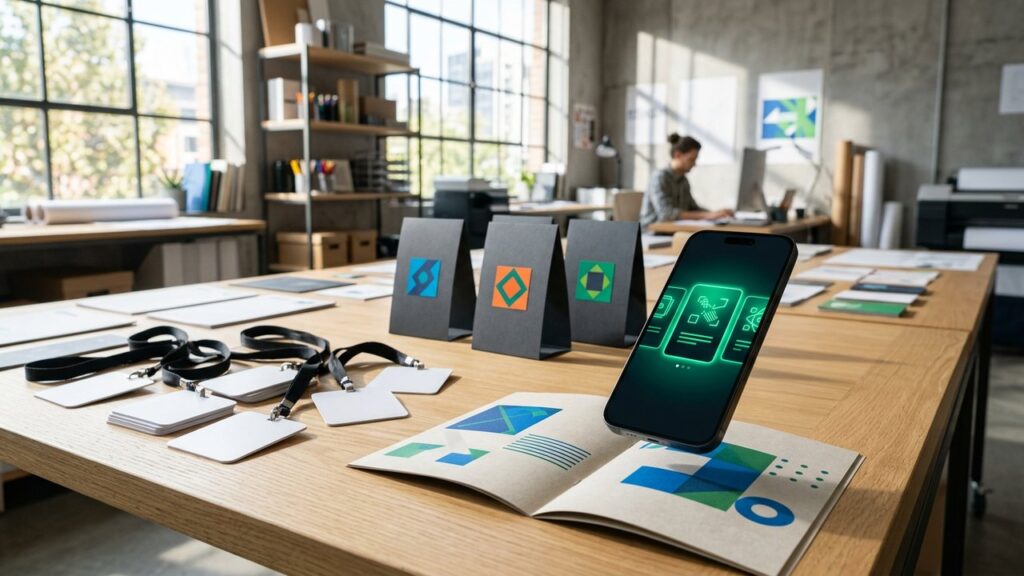
Small business owners, event planners, restaurants, and marketing managers print thousands of brochures, event badges, menus, wedding cards, and product labels every year, yet most printed pieces die as passive one-way ink the second they leave the print shop. Adopting an intuitive all-in-one QR generator like Scanova bridges that physical-to-digital gap immediately by connecting everyday printed materials to mobile web experiences, interactive custom pages, and real-time scan analytics.
Covering 25+ specialized QR categories, Scanova spans Website URLs, Documents, Business Cards, Google Maps directions, WiFi logins, AI-generated mobile pages, Social hubs, Products, Restaurants, Events, Weddings, App Store routing, Audio, Feedback forms, Coupons, Calendar Events, and SMS triggers. Combined with 16+ ready-made design templates, dynamic URL editing without reprinting, and Pro scan tracking analytics, Scanova makes professional print-to-digital marketing effortless. This guide breaks down how Scanova works across real business scenarios and reveals eight proven print wins for 2026.
Why Print Collateral Needs Interactive Mobile Destinations
Even the sharpest tri-fold brochure, wedding invitation, or restaurant tabletop card holds strict physical space constraints, leaving zero room for interactive maps, live RSVP updates, video demos, or instant coupon redemption.
Asking busy consumers to manually type a 45-character web URL from a flyer into their mobile browser drops completion rates close to zero. Placing a cleanly designed this platform QR code right next to a clear prompt removes friction instantaneously so a single camera tap launches the exact mobile experience they want.
Just as importantly, real-world schedules, restaurant specials, product PDFs, and event room assignments change constantly after invitations or posters come back from the printer. With the QR builder dynamic QR codes, teams edit live destination URLs and mobile page content anytime without discarding a single printed flyer. Pair that flexibility with Scanova Pro scan tracking, and print campaigns finally report concrete audience engagement numbers.
- 25+ purpose-built QR categories: the studio covers nearly every consumer and business interaction from WiFi access and Google Maps pins to Restaurant menus, Coupons, and AI-generated pages.
- 16+ curated visual design templates: Non-designers apply polished colors, patterns, and frames immediately inside this tool without needing Photoshop or Illustrator.
- Zero-website barrier via AI-generated pages: Local businesses and event hosts lacking a standalone web developer build mobile-ready landing pages directly inside this platform.
- Editable dynamic links with Pro tracking: Update printed destinations effortlessly while monitoring scan engagement cleanly across campaigns.
Inside Scanova’s 25+ Categories, AI Pages, and Pro Tracking
The QR builder distinguishes itself by thinking far beyond bare website redirects and building dedicated mobile experiences tailored to specific real-world tasks. Whether a cafe wants instant guest WiFi access without spelling out 18-character passwords or a wedding planner needs live venue Google Maps directions paired with an RSVP schedule, Scanova provides a structured category ready to customize right away.
16+ Design Templates and Custom Mobile Page Builder
Visual clarity directly lifts scan willingness on crowded event posters, product boxes, and retail receipts. This tool offers 16+ curated design templates alongside flexible color, pattern, and branding controls so individual creators and busy SMB marketers launch eye-catching codes effortlessly. Even better, the studio’s AI-generated Page and Custom Page categories assemble clean, fast-loading mobile pages automatically when you do not have a dedicated landing page hosted on your primary website.
Dynamic URL Editing and Pro Scan Analytics
Printing 10,000 seasonal flyers or permanent acrylic counter signs becomes stressful when links might shift later. This platform dynamic codes let users update underlying URLs, swap menus, refresh promotional coupons, or redirect event links after printing with zero visual change to the printed square. Upgrading to Scanova Pro unlocks detailed scan tracking analytics so teams evaluate which neighborhoods, brochures, or event placements drive genuine mobile action.
Comparing Static Basic Codes vs. Scanova Dynamic Campaigns
Understanding how specialized the QR builder categories and dynamic controls outperform basic one-off URL converters helps marketers choose the right tool from the start. Compare workflow efficiency across common individual and business print needs below.
| Marketing & Event Need | Basic Generic QR Utility | Custom Coded Microsite | All-in-One Scanova Platform |
|---|---|---|---|
| Specialized Use-Case Range | Raw URL and plain text only | Requires manual dev per page | 25+ categories (Maps, WiFi, Restaurant, Event, Coupon, AI Page) |
| Landing Page Creation | Must build external website | Slow agency build cycle | Built-in AI-generated Page & Custom Page builder |
| Visual Design Speed | Plain monochrome squares | Requires graphic designer | 16+ ready-made Scanova design templates |
| Post-Print Link Updates | Requires full reprint | Needs CMS dev update | Instant dynamic URL editing without reprinting |
| Performance Measurement | Zero analytics visibility | Manual GA4 tag wiring | Native Scanova Pro scan tracking analytics |
Eight Proven Print Wins Using Scanova Across Industries
From neighborhood restaurants and wedding planners to consumer product makers and conference organizers, teams using this tool convert everyday physical surfaces into interactive customer journeys. Implement these eight field-tested the studio strategies to capture higher engagement and zero reprint waste across every print run.
1. Launching Instant Mobile Landing Pages With AI-Generated Pages
Small shops, solo consultants, pop-up markets, and local events often delay print launches while waiting weeks for a web developer to spin up a simple promotional landing page. Using this platform’s AI-generated Page and Custom Page categories lets teams generate crisp, mobile-friendly destinations in minutes complete with text, imagery, buttons, and contact triggers ready to print immediately.
2. Streamlining Hospitality Service With Restaurant and WiFi QR Codes
Diners hate squinting at stained laminated menus or flagging down busy servers to spell complex guest WiFi passwords. Pairing the studio Restaurant QR codes for dynamic daily menus with the QR builder WiFi QR codes on table cards delights guests immediately while letting managers update seasonal pricing or sold-out specials instantaneously without printing fresh menus every week.
3. Elevating Events and Weddings With Maps, Calendar, and Event Codes
Printed wedding invitations, conference lanyards, and seminar postcards frequently leave guests fumbling through emails for venue parking addresses or session start times. Adding Scanova Event, Wedding, Google Maps, and Calendar Event QR codes lets attendees open turn-by-turn navigation and save exact dates directly into phone calendars with one effortless scan.
4. Driving Retail Foot Traffic Through Scannable Coupons and Feedback
Paper punch cards get lost in wallets while printed customer survey URLs rarely earn a single response. Deploying Scanova Coupon QR codes on direct mailers and receipt footers delivers instant mobile promo redemption, while Scanova Feedback QR codes at checkout counters capture candid five-star reviews and service alerts while the visit is still fresh.
5. Turning Packaging Into Rich Product, Document, and Audio Hubs
Physical product boxes rarely hold enough ink space for multi-language care instructions, setup guides, warranty docs, or guided audio onboarding. Adding Scanova Product, Document, or Audio QR codes straight onto box flaps or instruction inserts gives buyers immediate rich digital support while cutting paper manual printing costs dramatically.
6. Growing Mobile App Installs Cleanly With App Store Routing
Printing two separate QR codes side by side for Apple App Store and Google Play Store clutters posters and confuses hurried commuters. Scanova App Store QR codes detect each scanner’s mobile operating system automatically and route iOS and Android users directly to their matching store listing through one clean graphic.
7. Converting Offline Networking via Business Card, Phone, Email, and SMS
Real estate agents, trade show reps, and local contractors win faster follow-ups when prospects never need to manually dial or type addresses. Scanova Business Card, Phone, Email, and pre-filled SMS QR codes let interested leads save full contact profiles or launch a pre-addressed inquiry text in two seconds flat.
8. Auditing Print Campaign Returns Using Scanova Pro Tracking
Guessing whether neighborhood postcards, transit posters, or conference booth banners actually moved the needle drains annual marketing budgets. Combine Scanova Pro scan tracking analytics with a practical ROI calculator so business owners verify true cost per scan and net return across every physical marketing investment.
Mapping Scanova’s 25+ Categories to Practical Campaigns
Seeing how Scanova organizes everyday consumer triggers into dedicated mobile formats helps marketers pick the highest-converting format for every physical touchpoint. Reference this quick selection chart before launching your next brochure, menu, or event kit.
| Scanova Category Group | Specific QR Formats Available | Ideal Print Placement | Primary Audience Benefit |
|---|---|---|---|
| Web & Custom Content | Website URL, AI-generated Page, Custom Page, Social | Flyers, posters, storefront windows | Instant mobile landing hub with zero dev delay |
| Hospitality & Retail | Restaurant, Product, Coupon, Feedback, WiFi | Table tents, receipts, product cartons | Faster ordering, savings, WiFi, and review capture |
| Events & Personal | Event, Wedding, Google Maps, Calendar Event, Audio | Invites, expo badges, museum placards | One-tap navigation, calendar saves, audio tours |
| Direct Lead Actions | Business Card, Document, App Store, Phone, Email, SMS | Cards, brochures, service trucks | Zero-typing contact saves, PDFs, and direct inquiries |
Four-Step Launch Guide for Clean Scanova Print Campaigns
Whether you are designing a single wedding invitation suite or rolling out 500 neighborhood retail flyers, following four clean execution steps inside Scanova guarantees fast scanning and accurate tracking from day one.
Step One: Match Your Objective to the Exact Scanova Category
Resist defaulting every print piece to a generic homepage URL when a dedicated Scanova format delivers a faster user win. Choose Google Maps for storefront location cards, App Store for mobile installs, Restaurant for menus, or AI-generated Page when you need a tailored mobile promo landing page immediately.
Step Two: Pick One of Scanova’s 16+ Design Templates
Select a clean template from Scanova’s 16+ built-in visual designs that harmonizes with your flyer colors, wedding stationery, or brand palette. Keep high contrast between dark code modules and clean light backgrounds so older smartphones decode your Scanova graphic effortlessly even in dim cafe or venue lighting.
Step Three: Enable Dynamic Editing and Pro Scan Tracking
Always create commercial marketing, event, and hospitality graphics as dynamic Scanova codes so you retain instant post-print URL editing control. Tag each print channel clearly inside your Scanova Pro dashboard, separating direct mailers from in-store posters so scan analytics reveal exactly which physical placement drove the strongest response.
Step Four: Run a Real-Paper Test Scan Before Bulk Printing
Print a single test sheet at final physical size and scan it with both an iPhone and an Android device to confirm instant camera lock, smooth mobile page layout, and live Scanova scan logging. Only release bulk press runs after verifying every tap works cleanly end to end.
Pre-Print Mobile Page Speed and Layout Testing
Small business owners and event planners should preview every AI-generated mobile destination on both cellular iOS and Android phones prior to printing flyers or invitations. Fast, legible buttons turn casual glances into immediate map navigation, menu orders, or coupon redemptions.
Post-Event Scan Telemetry Review and Reuse Planning
After conferences, weddings, or seasonal retail promos conclude, review campaign scan volume to identify which signage placements performed strongest. Redirect durable acrylic stands or banners dynamically toward upcoming seasonal schedules to stretch print budgets further.
Five Practical Tips to Lift Scanova Engagement Immediately
Small physical presentation tweaks often double real-world scan rates on identical flyers and product boxes. Apply these five practical best practices across all Scanova projects to turn casual glances into active mobile visits.
- Lead with a concrete scan benefit: Place a short callout next to your Scanova code explaining exactly what scanners get, such as instant menu viewing, 15% off coupon, or one-tap WiFi.
- Respect physical viewing distance: Keep handouts crisp at least one inch square and scale posters or storefront signage proportionately for comfortable arms-length or sidewalk scanning.
- Avoid cluttered glossy folds: Never position a Scanova code directly across a brochure crease or under shiny lamination that reflects overhead glare.
- Keep mobile pages crisp and fast: Leverage Scanova’s AI-generated Page or lightweight responsive links so scanners on modest cellular signals never stare at blank loading spinners.
- Refresh dynamic destinations seasonally: Audit active Scanova codes monthly to keep promotions fresh and prevent scanners from hitting expired event dates.
Bridging Everyday Print and Mobile Convenience Effortlessly
Consumers expect physical print and digital convenience to work together seamlessly, whether checking restaurant specials, joining cafe WiFi, pulling up wedding directions, or claiming a retail coupon. Scanova removes technical complexity completely by uniting 25+ real-world QR categories, 16+ polished design templates, AI-generated mobile pages, dynamic URL editing, and Pro scan tracking inside one approachable workspace.
Both individual creators and growing businesses gain measurable accountability over print spend without hiring agencies or throwing away outdated brochures. Make Scanova your standard launch step before every print job and watch physical materials start performing like live digital campaigns.
Building a Repeatable Print-to-Mobile Calendar for Local Growth
Neighborhood businesses, restaurants, retail boutiques, and event planners unlock the strongest cumulative return when physical collateral follows a simple seasonal refresh rhythm. Updating restaurant menus, receipt coupon offers, event venue maps, and feedback forms ahead of peak holidays keeps returning local customers scanning eagerly instead of ignoring stale counter signs.
Maintaining clean folder labels by physical placement such as front window decals, direct mailers, checkout tent cards, and event lanyards turns raw monthly scan counts into clear budget priorities. Over two or three quarters, small teams eliminate underperforming print pieces automatically and double down on placements that drive real foot traffic and direct inquiries.
Maximizing Seasonal Print ROI Across Hospitality and Events
Independent restaurants, boutique hotels, retail storefronts, and community event hosts achieve lasting value by planning physical signage around dynamic reuse rather than disposable single-week flyers. Pairing durable tabletop placards, window decals, and conference badges with editable mobile destinations keeps customer journeys fresh across holiday promotions, menu updates, and schedule changes.
Comparing monthly engagement patterns across different neighborhood flyers, counter tents, and receipt footers clarifies exactly where physical impressions translate into visits, reservations, and direct inquiries. Over a full year, small operational teams stretch print budgets dramatically while delivering smoother guest convenience at every physical touchpoint.
Small retail shops, wedding planners, and neighborhood restaurants gain extra operational peace of mind by scheduling a quick five-minute link review ahead of busy holiday weekends. Confirming that digital menus, venue maps, discount vouchers, and feedback surveys load swiftly on everyday phones keeps every physical print piece converting cleanly.
FAQ’s
What types of QR codes can I create with Scanova?
Scanova supports over 25 dedicated QR code categories including Website URL, Document, Text, Business Card, Google Maps, WiFi, AI-generated Page, Social, Product, Restaurant, Custom Page, Event, Wedding, App Store, Audio, Feedback, Coupon, Phone, Email, Calendar Event, and SMS.
Can I build a mobile landing page inside Scanova without having a website?
Yes, Scanova includes built-in AI-generated Page and Custom Page categories that create clean, mobile-friendly landing pages automatically. Individuals, local businesses, restaurants, and event hosts can publish rich interactive QR destinations without paying for separate web hosting or developers.
Does Scanova allow editing QR code URLs after brochures or signs are printed?
Yes, dynamic QR codes generated in Scanova allow instant URL and destination content updates at any time without changing the printed graphic. Businesses avoid costly reprint waste whenever menus, seasonal coupons, schedules, or web links change.
How does Scanova help make QR codes look visually appealing?
Scanova provides 16+ ready-made visual design templates along with color, pattern, and branding customization controls. Users create polished, trustworthy codes matched neatly to event invitations, menus, packaging, and marketing brochures without advanced graphic design software.
Can Scanova track how many people scan my printed marketing flyers?
Yes, Scanova Pro includes comprehensive scan tracking analytics so businesses and marketers monitor real engagement across printed channels. Assigning separate dynamic Scanova codes to different flyers, posters, or store displays clearly shows which physical campaigns perform best.
Who is Scanova best suited for in 2026?
Scanova serves both individuals and growing businesses cleanly, including restaurants, retail brands, event and wedding planners, real estate professionals, educators, and local service providers looking for versatile 25+ QR use cases, built-in mobile pages, and straightforward dynamic tracking.
Conclusion
Everyday printed flyers, menus, invitations, and product cartons deliver dramatically higher value when paired with frictionless mobile destinations and live analytics. Scanova makes that transformation accessible to individuals and businesses alike through 25+ specialized QR categories, 16+ design templates, AI-generated mobile pages, dynamic post-print URL editing, and Pro scan tracking.
Choose the exact Scanova category matching your audience goal, apply a clean high-contrast template, test a printed proof, and track scan conversions continuously. With Scanova powering your print touchpoints, every piece of collateral stays current, interactive, and measurably profitable.