
Combining two or three separate photographs into one believable lifestyle scene used to mean hours of tedious pen-tool masking, manual shadow painting, color-temperature matching, and...
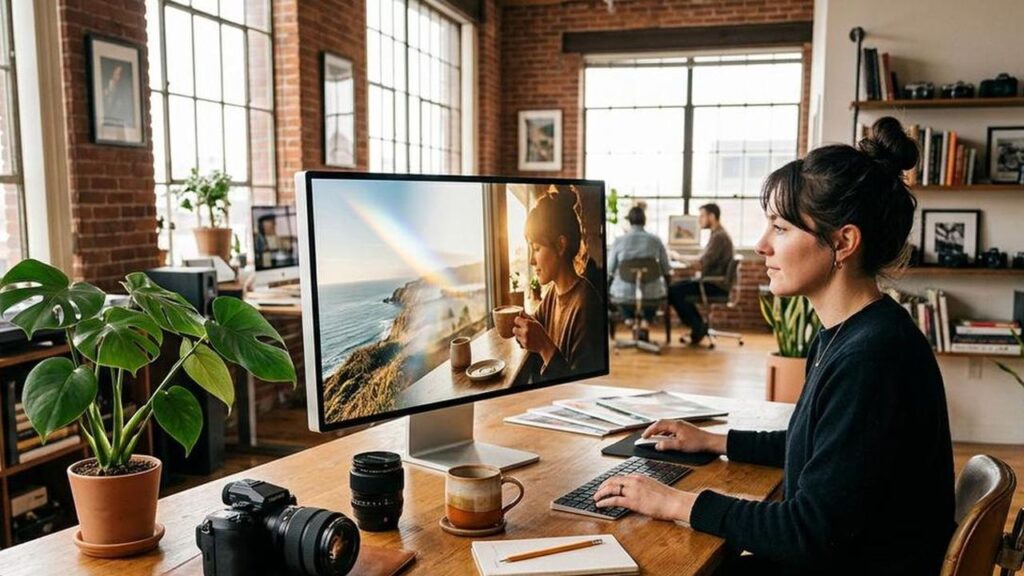
Combining two or three separate photographs into one believable lifestyle scene used to mean hours of tedious pen-tool masking, manual shadow painting, color-temperature matching, and painstaking edge feathering inside desktop editing suites. Creative teams, ecommerce sellers, and marketers using a modern browser-based AI image combiner like Pixlio merge multiple photos cleanly into one cohesive visual inside seconds with zero manual cutouts.
Pixlio’s browser-based AI image combiner guides creators through four tailored composition modes: Auto, Product in Scene, Subject into Background, and Creative Blend, paired with optional natural-language text prompt guidance. Automatically matching directional lighting, realistic contact shadows, lens perspective, surface reflections, natural scale, and seamless edges, Pixlio accelerates ecommerce product mockups, portraits, pet scenes, editorial double exposures, and campaign visuals, while connecting smoothly with Pixlio’s broader AI Image Editor and AI Video Generator suite.
Why Manual Photo Compositing Slows Modern Creative Teams
High-performing paid social ads, ecommerce marketplaces, and editorial blogs crave fresh contextual imagery every single week rather than stale white-background studio cutouts. Yet arranging physical location shoots for forty seasonal SKUs, shipping samples to photographers, and paying retouchers to mask hair strands or glass reflections manually drains budgets fast and stalls campaign calendars by weeks.
Even experienced graphic designers struggle when two source photos were shot under mismatched lighting angles or focal lengths, leaving subjects looking strangely pasted onto backgrounds like floating stickers. A dedicated AI image combiner solves those optical headaches automatically by recalculating scene illumination, grounding contact shadows beneath objects, harmonizing color cast, and aligning perspective geometry across all uploaded frames simultaneously.
- Zero manual masking hours: Eliminate tedious lasso tracing around complex fur, hair, foliage, glassware, and textured fabrics inside AI image combiner workflows.
- Optical physics consistency: Automatic matching of lighting direction, contact shadows, reflections, scale, and perspective prevents fake sticker-paste visuals.
- Instant studio-to-lifestyle scaling: Drop one clean studio product shot directly into dozens of sunlit kitchens, desks, beaches, or seasonal holiday scenes.
- Unified creative ecosystem: Move AI image combiner visuals smoothly from Pixlio’s AI image combiner straight into Pixlio AI Image Editor polish or AI Video Generator motion ads.
Inside Pixlio’s Guided AI Image Combiner Modes
Not every visual fusion shares the same artistic intent: an ecommerce skincare seller wants faithful label preservation inside a spa bathroom, whereas an album cover designer wants a dreamy surreal double exposure. Pixlio AI image combiner structures its browser-based AI image combiner around four purpose-built AI image combiner guided modes plus optional text prompting so creators achieve exact creative control effortlessly.
Auto Mode and Text Prompt Guidance
When you want rapid exploration combining two or more reference images without micromanaging technical parameters, Auto mode analyzes subject boundaries, dominant light sources, and scene depth to compose a natural unified frame automatically. Adding a concise optional text prompt lets creators steer mood, camera angle, time of day, surface texture, or interaction details cleanly.
Product in Scene Mode for Ecommerce Mockups
Online brands constantly need crisp lifestyle photography showing bottles, gadgets, ceramics, or apparel resting naturally on marble countertops, cafe tables, or outdoor decks. Pixlio’s AI image combiner Product in Scene mode locks onto your uploaded product silhouette, generates authentic tabletop contact shadows and subtle ambient reflections, and matches warm or cool environmental color bounce so product mockups look photographed on location.
Subject into Background and Creative Blend Modes
Subject into Background excels for clean portraits, family photos, and adorable pet scenes, placing people or animals seamlessly into scenic landscapes, cozy living rooms, or architectural interiors with natural scale and hair-edge blending. Meanwhile, Creative Blend unlocks stylized campaign visuals, artistic surrealism, and editorial double exposures where lighting, color grading, and textures weave together imaginatively.
Comparing Manual Retouching, Basic Cutout Apps, and Pixlio
Comparing traditional Photoshop compositing and basic background-swap apps against a dedicated AI image combiner reveals dramatic time and realism advantages across ecommerce, social marketing, and creative direction. Review the operational differences side by side below.
| Compositing Capability | Manual Desktop Masking | Basic Background Remover App | Pixlio AI Image Combiner |
|---|---|---|---|
| Turnaround Per Composite | 45 to 180 minutes per visual | 2 minutes, often looks pasted | Seconds directly inside any browser |
| Lighting & Color Bounce Match | Manual curves & gradient layers | None; mismatched exposure | Automatic directional lighting & tone matching |
| Contact Shadows & Reflections | Hand-painted drop shadows | Flat floating sticker edges | Realistic automatic contact shadows & reflections |
| Guided Composition Modes | Blank canvas from scratch | Single basic overlay paste | Auto, Product in Scene, Subject into Background, Creative Blend |
| Downstream Edit & Motion Flow | Separate video & export apps | Static cutout export only | Pairs natively with Pixlio AI image combiner AI Image Editor & AI Video Generator |
Eight Fast Creative Photo Wins With an AI Image Combiner
Visual teams across D2C ecommerce, boutique agencies, independent publishing, and creator brands unlock massive creative output once manual compositing bottlenecks disappear. Deploy an AI image combiner across these eight repeatable workflows to multiply asset velocity without sacrificing studio polish.
1. Scaling Ecommerce Product-in-Scene Lifestyle Galleries
Upload one sharp white-background studio photo of a coffee mug, skincare serum, or Bluetooth speaker alongside five distinct real-world interior backdrops inside Pixlio’s AI image combiner Product in Scene mode. Within minutes, your product detail page gains sunlit tabletop, cozy evening, minimalist studio, and outdoor lifestyle angles complete with authentic contact shadows and subtle surface reflections.
2. Producing Seasonal Ad Creative Without Booking New Shoots
Holiday promotions, summer sales, and autumn launches traditionally force brands to re-photograph identical core products against new seasonal props every ninety days. Using an AI image combiner lets marketers merge existing evergreen SKU photos into warm holiday dining tables, autumn foliage patios, or bright spring marble counters instantaneously, slashing campaign launch lead times dramatically.
3. Crafting Cohesive Portraits and Executive Team Headshots
Remote companies frequently struggle with mismatched employee portraits snapped against messy bedroom walls, harsh office fluorescents, or crooked phone selfies. Combining individual portraits cleanly with one cohesive architectural studio backdrop via Subject into Background creates unified, executive-grade team pages with matching soft directional lighting and natural shoulder-edge depth.
4. Designing Heartwarming Pet Scenes and Personalized Keepsakes
Pet owners and custom gift brands love placing playful dogs or cats into whimsical mountain meadows, cozy holiday fireplaces, or storybook backdrops without awkward fuzzy-fur cutouts. Pixlio’s AI image combiner automatic edge blending and realistic ground shadows preserve fine whiskers and fur texture cleanly while matching environmental warmth across the entire pet scene.
5. Building Magazine-Grade Editorial Double Exposures
Blog headers, newsletter covers, podcast artwork, and music releases thrive on evocative conceptual visuals rather than tired stock photos everyone has seen fifty times. Using Creative Blend inside an AI image combiner weaves portraits smoothly with city skylines, botanical silhouettes, or coastal waves into atmospheric editorial double exposures in seconds.
6. Rapidly Prototyping Packaging and Billboard Campaign Concepts
Pitching new brand visuals to stakeholders succeeds much faster when decision-makers see realistic contextual mockups instead of abstract moodboards. Art directors combine draft product renders with real street billboards, retail shelf spaces, or lifestyle café settings through an AI image combiner to validate scale and shelf presence before spending a dollar on physical fabrication.
7. Animating Merged Stills Into Scroll-Stopping Short Videos
Static lifestyle composites already boost click-through rates, yet subtle camera movement and ambient motion consistently dominate social feed watch time. Pairing your finished composite from Pixlio’s AI image combiner directly with Pixlio’s AI Image Editor and AI Video Generator transforms merged product scenes into dynamic short-form video ads effortlessly.
8. Protecting Creative Margins Across Social Retainer Campaigns
Agencies and freelance creative directors protect profitability by keeping visual production speed high without cutting artistic quality. Benchmark your monthly visual asset deliverables and campaign turnaround savings using a clean social media pricing calculator alongside your AI image combiner production output to structure profitable, scalable creative retainers.
Matching Pixlio’s Four Guided Modes to Real Visual Projects
Selecting the right composition mode inside Pixlio AI image combiner upfront produces cleaner lighting harmony and dramatically fewer regeneration rounds. Use this practical mode-selection matrix across your everyday marketing and creative briefs.
| Pixlio Guided Mode | Best Input Photo Pairings | Automatic Optical Adjustments | Ideal Commercial Output |
|---|---|---|---|
| Auto Mode | General multi-photo blends | Balanced depth, lighting, and natural scale | Fast creative concepts and mood prototypes |
| Product in Scene | Clean SKU photo + interior/outdoor backdrop | Tabletop contact shadows, reflections, bounce light | Amazon, Shopify, and paid social product ads |
| Subject into Background | Person or pet portrait + scenic environment | Hair/fur edge refinement, perspective, color tone | Team bios, lifestyle portraits, custom pet gifts |
| Creative Blend | Two artistic textures, portraits, or scenes | Atmospheric fusion, tonal grading, double exposure | Editorial covers, posters, hero campaign art |
Four-Step Workflow for Studio-Believable AI Composites
Even the smartest AI image combiner engine rewards clean source inputs and thoughtful prompt direction. Following four quick habits inside Pixlio’s browser-based AI image combiner yields publication-ready visuals consistently on the first or second pass.
Step One: Choose Clean, Compatible Source Angles
Pick source photos that share roughly compatible camera elevation whenever possible; for instance, pairing an eye-level bottle photo with an eye-level countertop yields far more convincing perspective than mixing a top-down flat lay with a dramatic low-angle hallway. Crisp, sharp foreground subjects without motion blur always produce cleaner reflections and edges.
Step Two: Pick the Exact Guided Mode for Your Goal
Select Product in Scene whenever preserving exact product proportions and tabletop shadows is paramount, Subject into Background for realistic people or pets, Creative Blend for imaginative double exposures, or Auto for quick versatile exploration. Starting in the AI image combiner mode aligns the engine’s lighting and blending priorities immediately.
Step Three: Add Concise Directional Prompt Guidance
Optional text prompts unlock remarkable refinement when you specify exact spatial cues, light quality, or surface materials. Simple phrases describing soft morning window light from the left, subtle reflection on polished marble, or shallow depth of field guide your AI image combiner cleanly without overcomplicating the scene.
Step Four: Polish and Animate Across the Pixlio Suite
Inspect contact shadows, edge transitions, and proportional scale at full screen before exporting. Whenever a campaign calls for targeted retouching tweaks or dynamic motion hooks for Reels and TikTok, carry your finished visual cleanly into Pixlio’s AI image combiner companion AI Image Editor or AI Video Generator for rapid multi-format publishing.
Lighting Angle and Scale Calibration Inside an AI Image Combiner
Creative leads working inside an AI image combiner should match foreground camera height closely to background horizon lines before generating final scenes. Clean perspective alignment lets an AI image combiner synthesize convincing shadows and glossy reflections on the very first run.
Multi-Channel Asset Export Workflow From Your AI Image Combiner
After locking a hero visual inside Pixlio’s AI image combiner, export clean aspect ratios tailored for Shopify galleries, paid social feeds, and email headers. Passing finished outputs from an AI image combiner straight into motion video ads multiplies campaign creative yield fast.
Five Visual Quality Checks Before Publishing Merged Photos
Developing a sharp five-second visual inspection habit guarantees every composite looks indistinguishable from a high-budget studio photograph. Check these five details across every export from your AI image combiner.
- Shadow direction consistency: Confirm shadows cast by your merged subject point in the exact same direction as existing furniture or background props.
- Grounded contact points: Verify feet, paws, or product bases sit firmly on solid surfaces with crisp dark ambient occlusion right where edges touch.
- Realistic relative scale: Check that coffee cups, bottles, people, or pets look naturally proportioned compared to chairs, tables, or doorways behind them.
- Clean reflection tint: On glass, water, or glossy wood surfaces, verify subtle mirrored color tint matching the foreground item naturally.
- Harmonized film grain and sharpness: Ensure neither foreground nor background looks noticeably softer or noisier than the rest of the frame.
Multiplying Creative Output Without Heavy Studio Overhead
Visual storytelling drives attention across every ecommerce storefront, editorial article, and social campaign in 2026, yet traditional location photography and manual retouching simply cannot move at modern marketing speed. A browser-based AI image combiner like Pixlio empowers solo founders, retail marketers, and art directors to fuse multiple photos seamlessly with realistic lighting, shadows, reflections, perspective, and scale in seconds.
By pairing Pixlio’s AI image combiner four guided modes with concise prompt direction and smooth handoffs into image editing and video generation, creative teams test ten times more visual hypotheses while keeping every pixel cohesive and studio-clean.
Building High-Converting Visual Testing Matrices With an AI Image Combiner
Paid social advertisers and marketplace sellers rarely guess which lifestyle backdrop lifts click-through rate highest on the first try. Using a browser-based AI image combiner lets creative strategists place one crisp product cutout inside four distinct settings such as sunlit kitchen marble, cozy autumn oak, minimalist concrete, and bright outdoor patio inside ten minutes.
Running structured split tests across assets produced inside an AI image combiner reveals immediately which lighting warmth, color palette, and prop context drives the lowest cost per purchase. Teams then feed winning frames from the AI image combiner straight into Pixlio’s AI Image Editor and AI Video Generator to scale top performers rapidly.
Creative Direction Checklists for High-Impact Commercial Visuals
Art directors coordinating multi-SKU ecommerce launches inside an AI image combiner get cleaner gallery consistency by defining a shared studio lighting brief upfront. Specifying warm morning sunlight, soft neutral shadows, and consistent tabletop camera elevation across every AI image combiner session ensures all twenty product pages look photographed on one cohesive location shoot.
Archiving winning background scenes and prompt notes alongside each finished AI image combiner asset lets junior designers spin up matching seasonal banners, email headers, and social carousels in minutes. That structured library turns an AI image combiner into a scalable visual production engine for growing retail brands.
Ecommerce art directors using an AI image combiner across recurring catalog refreshes should build a concise visual review sheet covering shadow softness, horizon height, and warm versus cool ambient bounce light. Keeping one cohesive studio standard inside your AI image combiner guarantees every product gallery looks authentically shot on location.
FAQ’s
What does an AI image combiner do differently from a basic photo collage app?
A photo collage app merely places separate rectangular pictures side by side in a grid. An AI image combiner like Pixlio fuses multiple photos seamlessly into one single unified scene by automatically matching directional lighting, contact shadows, surface reflections, lens perspective, scale, and clean edges without manual masking.
What guided composition modes are available inside Pixlio’s AI image combiner?
Pixlio AI image combiner offers four dedicated browser-based composition modes: Auto, Product in Scene, Subject into Background, and Creative Blend, each enhanced by optional text prompt guidance so creators tailor blending behavior cleanly to ecommerce mockups, portraits, pet scenes, or artistic double exposures.
Do I need Photoshop skills or desktop downloads to use Pixlio?
No, Pixlio’s AI image combiner runs entirely inside your web browser with zero manual pen-tool masking, layer masks, or heavy desktop software installs. Upload your photos, pick a guided mode, add optional prompt notes if desired, and generate AI image combiner composites in seconds.
How does Product in Scene mode help ecommerce sellers boost conversions?
Product in Scene mode places clean studio SKU photos naturally into real-world environments such as kitchens, desks, outdoor patios, or seasonal displays with authentic contact shadows and surface reflections. Sellers build rich lifestyle galleries rapidly without booking expensive physical photo shoots.
Can I turn my merged visuals into edited campaigns or short videos inside Pixlio?
Yes, Pixlio’s AI image combiner integrates smoothly alongside Pixlio’s AI Image Editor and AI Video Generator, letting marketers refine finished composites or animate product lifestyle scenes into high-engagement short-form video ads inside one unified creative workflow.
How do I get the most realistic lighting and perspective when combining photos?
Choose sharp source photos with roughly similar camera eye-levels, pick the dedicated guided mode matching your task, and add a brief optional prompt describing light direction or surface texture. Always double-check shadow angles and relative scale before finalizing campaign assets.
Conclusion
Creating believable composite visuals no longer demands expensive location bookings or tedious hours tracing masks frame by frame. A browser-based AI image combiner like Pixlio unifies multiple photographs automatically across Auto, Product in Scene, Subject into Background, and Creative Blend modes, matching lighting, contact shadows, perspective, reflections, scale, and edges effortlessly.
Start with crisp source angles, use optional text prompts to dial in atmosphere, and extend your finished visuals smoothly through Pixlio’s AI image combiner image editing and video tools. Mastering an AI image combiner gives any creative or ecommerce team rapid, studio-quality visual agility.