
The HP Victus 15 is a 15 inch class gaming laptop family positioned as a relatively accessible entry into PC gaming while still offering dedicated graphics on...
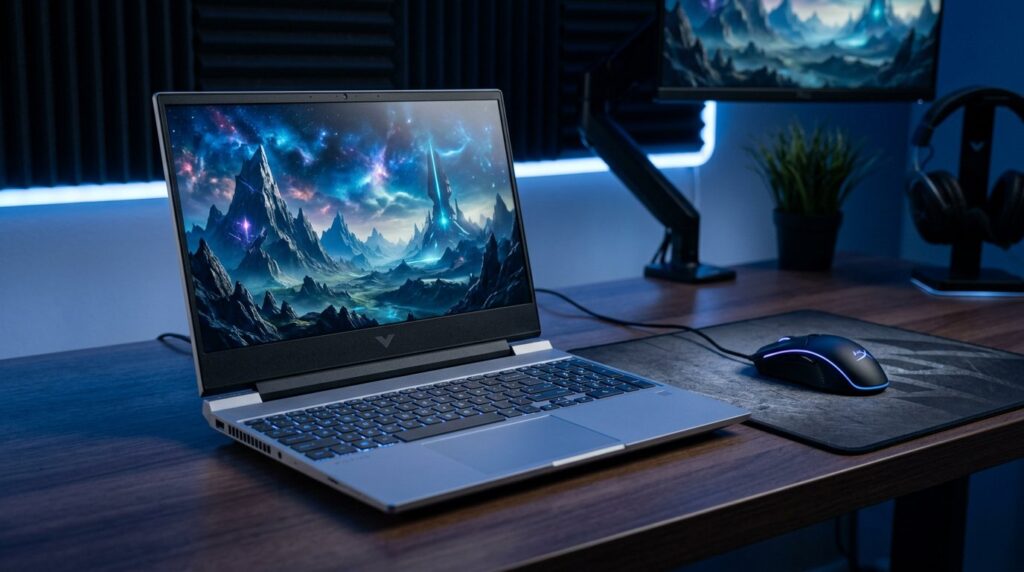
The HP Victus 15 is a 15 inch class gaming laptop family positioned as a relatively accessible entry into PC gaming while still offering dedicated graphics on many configurations. Depending on the exact model and market, Victus 15 laptops are available with different AMD or Intel processors, NVIDIA or AMD graphics, memory capacities, storage configurations, displays, and wireless hardware. That variation makes the model number especially important because two laptops carrying the Victus 15 name can deliver substantially different gaming performance.
For students and gamers who want one computer for coursework, entertainment, content creation, and PC games, the Victus series can offer a practical balance of capabilities.
However, buyers should compare the complete specification rather than purchasing based on the Victus branding alone. GPU model and power configuration, display characteristics, memory configuration, cooling, and price can materially affect overall value.
What Is the HP Victus 15?
The HP Victus 15 is part of HP’s Victus gaming laptop range. It generally sits below the company’s premium OMEN gaming systems in positioning while retaining features expected from a dedicated gaming computer.
The lineup has evolved across multiple hardware generations.
Depending on the specific SKU, features may include:
• AMD Ryzen or Intel Core processors
• Dedicated NVIDIA GeForce or AMD Radeon graphics
• High refresh rate displays on selected configurations
• DDR4 or DDR5 memory depending on generation
• NVMe solid state storage
• Full size keyboard
• Gaming oriented cooling
• USB Type A and Type C connectivity
• HDMI output
• Wireless networking
• Integrated webcam
Specifications vary, so prospective buyers should verify HP’s documentation for the exact product number.
9 Reasons to Consider the HP Victus 15
The Victus 15 can suit gamers who prioritize performance per dollar over premium chassis materials or high end features.
1. Dedicated Gaming Graphics
A dedicated GPU is one of the defining features of most gaming laptop configurations.
Victus 15 variants have been sold with several generations and tiers of mobile graphics hardware.
This means the simple description HP Victus 15 does not tell you how fast a particular laptop will be.
Always Check the Exact GPU
An entry level GPU and a substantially more powerful GPU can exist within products sharing the same family name.
Also investigate the GPU’s laptop power configuration where available because mobile graphics performance is influenced by more than the chip name.
2. Choice of AMD and Intel Processors
Across different model generations, HP has offered both AMD Ryzen and Intel Core processor configurations.
Either platform can provide strong everyday and gaming performance when paired appropriately with the rest of the system.
Instead of selecting based on brand alone, compare the exact CPU generation, core configuration, power behavior, and independent testing.
3. High Refresh Rate Display Options
Selected Victus 15 configurations use displays with refresh rates above the conventional 60 Hz level.
Higher refresh rates can make compatible games and general motion appear smoother when the system produces sufficiently high frame rates.
The actual refresh rate varies by SKU.
4. Solid State Storage
Modern Victus 15 systems typically use NVMe solid state storage.
An SSD provides faster startup, application loading, and file access than older mechanical hard drives.
Capacity still deserves attention because modern games can consume substantial storage space.
5. Upgrade Potential on Many Models
Some Victus 15 generations provide accessible internal memory and storage components.
Upgradeability is valuable because additional RAM or storage can extend the practical usefulness of a gaming laptop.
6. Suitable for More Than Gaming
Dedicated graphics and capable processors can also support creative applications, programming, engineering coursework, and other demanding tasks.
Software requirements vary, so students using specialist applications should confirm hardware compatibility before purchasing.
7. Standard Laptop Form Factor
Although designed for gaming, the Victus 15 generally maintains a relatively conventional laptop appearance compared with aggressively styled gaming machines.
This can make it suitable for classrooms and office environments as well as gaming setups.
8. External Display Support
Compatible HDMI or USB C functionality can allow connection to external displays.
Exact USB C video capabilities differ between models, so check the specification sheet if monitor support is important.
9. Wide Range of Configurations and Prices
The Victus 15 family frequently appears in mainstream retail channels with several hardware combinations.
That range can create good deals, but it also means buyers need to compare specifications carefully.
HP Victus 15 Specifications
There is no single specification sheet covering every Victus 15 ever sold.
Model suffixes and product numbers identify individual configurations.
HP Victus 15 Processor Options
Different generations have incorporated AMD Ryzen and Intel Core processors.
Processor performance affects:
• High frame rate gaming
• Multitasking
• Software compilation
• Rendering
• Content creation
• General responsiveness
Gaming performance still depends heavily on the GPU.
HP Victus 15 Graphics Options
The Victus family has appeared with different discrete graphics solutions across generations and regions.
Before purchasing, determine the exact GPU rather than accepting descriptions such as dedicated gaming graphics.
Laptop GPUs Differ From Desktop GPUs
A mobile GPU sharing a broad product name with a desktop card does not necessarily provide identical performance.
Laptop power limits, cooling, memory configuration, and chassis design all influence results.
HP Victus 15 Gaming Performance
Actual gaming performance depends on the exact laptop.
Processor, graphics hardware, memory, power limits, game version, resolution, settings, driver version, and cooling conditions all affect frame rates.
Esports Games
Competitive titles are often designed to run across a broad range of hardware.
A suitable Victus 15 configuration can provide high frame rates in many esports games, particularly when graphics settings are optimized.
Exact results should be taken from benchmarks matching your specific model.
AAA Games
Modern graphically intensive titles place greater demands on the GPU and video memory.
Entry level configurations may require lower quality settings, resolution adjustments, or upscaling technologies to achieve the desired performance.
Ray Tracing
Selected NVIDIA GPUs support hardware accelerated ray tracing.
Whether enabling it provides a good gaming experience depends on the GPU, game, resolution, and settings.
Use Model Specific Benchmarks
Avoid assuming benchmark results from one Victus 15 apply to another.
Search using the exact CPU and GPU combination whenever possible.
HP Victus 15 Display
Display quality is one area where specifications can vary noticeably among configurations.
Two Victus laptops can share the same screen size while differing in refresh rate, brightness, color performance, and response characteristics.
Resolution
Many Victus 15 models use Full HD class displays, while exact resolution should be verified for the model being considered.
Full HD is a common match for gaming on midrange laptop graphics.
Refresh Rate
Selected configurations offer high refresh rate panels.
A 144 Hz or similarly high refresh display can provide smoother perceived motion than a 60 Hz panel when content and performance can take advantage of it.
Color Accuracy
Not every configuration targets professional color work.
Photographers, designers, and video editors should check independent measurements of color gamut and accuracy for the exact panel.
HP Victus 15 Design and Build Quality
The Victus line emphasizes practical gaming hardware at prices generally below premium gaming flagships.
Chassis materials and construction differ by generation.
Laptop Appearance
Victus models typically use restrained styling compared with some gaming laptops.
This gives them a relatively flexible appearance for work or study.
Display Hinge
As with any laptop, evaluate hinge movement and screen stability if possible before purchasing.
Long term durability depends on handling and individual unit quality as well as design.
Protect the Laptop During Travel
Use a correctly sized padded sleeve or laptop compartment.
Avoid carrying heavy objects against the display lid, particularly in tightly packed bags.
HP Victus 15 Keyboard
Victus 15 laptops generally use a full size keyboard layout, often including a numeric keypad depending on regional design.
Backlighting availability and characteristics vary.
Gaming With the Built In Keyboard
The integrated keyboard can be adequate for many games.
Competitive players may still prefer an external mechanical or gaming keyboard at a desk.
Neither option inherently improves frame rate.
Touchpad
The touchpad supports everyday navigation, but most PC gamers use an external mouse for games requiring precise camera or aiming control.
HP Victus 15 Cooling and Thermals
Gaming laptops produce substantial heat during demanding workloads.
The Victus cooling system uses fans, heat dissipation hardware, and chassis vents to manage component temperatures.
Fan Noise
Fans generally become more noticeable while gaming or rendering.
This is normal for high performance laptops, although excessive or unusual mechanical sounds can indicate a problem.
Keep Vents Clear
Use the laptop on a firm surface that does not block ventilation openings.
Soft bedding or cushions can restrict airflow.
Do Not Assume Cooler Is Always Faster
Modern processors and GPUs dynamically manage frequency, temperature, and power.
Evaluating performance requires looking at sustained workload behavior rather than one temperature reading.
HP Victus 15 Battery Life
Gaming laptops are designed around considerably higher power hardware than many ultraportable notebooks.
Battery runtime therefore depends strongly on workload.
Everyday Battery Use
Web browsing, document editing, video playback, screen brightness, wireless activity, background applications, and power settings all influence runtime.
Model specific battery capacity also varies.
Gaming on Battery
Demanding games can drain the battery quickly, and laptops may reduce performance when disconnected from AC power.
For maximum gaming performance, use the compatible power adapter according to HP’s instructions.
HP Victus 15 RAM
Memory requirements depend on the games and applications you use.
A configuration with limited RAM may still run everyday applications but encounter constraints during modern gaming and heavy multitasking.
Is 8 GB Enough?
Eight gigabytes can handle general computing and some games, but many contemporary gaming and productivity workloads benefit from more memory.
Check the requirements of the software you actually use.
Is 16 GB Better for Gaming?
Sixteen gigabytes is a common practical target for contemporary gaming systems, although some demanding workloads can benefit from additional capacity.
Memory Configuration Matters
Two systems with the same total RAM capacity can have different memory configurations.
Channel configuration, memory speed, generation, and system architecture can influence performance.
Can You Upgrade the HP Victus 15 RAM?
Many Victus 15 models have supported replaceable memory modules, but this should be confirmed for the exact product number.
Laptop designs change over time.
Check Before Opening the Laptop
Review HP’s official maintenance or service documentation.
Opening a laptop incorrectly can damage clips, cables, fasteners, or internal components.
Warranty implications can vary by jurisdiction and type of damage.
HP Victus 15 Storage
Modern games can consume tens or even hundreds of gigabytes, making storage capacity an important purchasing consideration.
NVMe SSD
NVMe SSDs provide fast storage appropriate for operating systems and games.
Actual drive performance varies by model.
Storage Upgrades
The number of internal drive slots and supported form factors can vary between Victus 15 generations.
Consult the service manual before purchasing an additional drive.
External Storage
External SSDs can provide convenient additional space for files and, in suitable circumstances, games.
Performance depends on the drive and connection interface.
HP Victus 15 Ports and Connectivity
Port selection differs among configurations, but commonly encountered connections can include USB ports, HDMI, audio, Ethernet, and power input.
USB C
A USB C connector does not automatically support every USB C feature.
Charging, video output, data speed, and Thunderbolt or USB4 support depend on the particular implementation.
Check the exact technical specification.
External Monitors
External displays can be useful for gaming and productivity.
Verify supported output resolution, refresh rate, connector type, and graphics routing for your specific laptop and monitor combination.
HP Victus 15 for Students
The Victus 15 can be attractive to students who need one system for both demanding coursework and gaming.
Advantages for Students
Potential benefits include:
• Dedicated graphics
• Strong multitasking capability
• Large display
• Upgrade potential on selected models
• Full Windows software ecosystem
These features can suit engineering, computing, media, and other programs depending on software requirements.
Consider Weight and Battery Requirements
Students who carry a laptop all day should consider the combined weight of the computer and power adapter.
An ultraportable may be more appropriate when mobility and long battery life matter more than gaming performance.
HP Victus 15 for Content Creation
Dedicated graphics can accelerate compatible creative applications.
However, creators should evaluate the display and memory as carefully as CPU and GPU performance.
Video Editing
A capable Victus configuration can support video editing, but project resolution, codecs, effects, and application requirements determine how demanding the workload becomes.
More memory and storage may be valuable for larger projects.
Photography
For color critical editing, verify display color performance.
An appropriate calibrated external monitor can be useful when the built in panel does not satisfy professional requirements.
HP Victus 15 vs HP OMEN
Victus and OMEN occupy different positions in HP’s gaming portfolio.
OMEN models are typically positioned as more premium gaming systems, although exact configurations can overlap.
Why Choose Victus?
Victus can make sense when you want capable gaming hardware while prioritizing value.
Why Choose OMEN?
An OMEN model may provide advantages in areas such as higher tier hardware, displays, cooling, chassis features, or configuration options.
Compare actual models rather than product family names.
HP Victus 15 vs Other Gaming Laptops
The Victus competes with products from Lenovo LOQ, ASUS TUF Gaming, Acer Nitro, Dell G series, MSI gaming ranges, and other manufacturers.
Compare Equivalent Specifications
A useful comparison should examine:
• Exact CPU
• Exact GPU
• GPU power behavior
• RAM
• SSD capacity
• Display quality
• Cooling
• Battery
• Ports
• Warranty
• Price
A laptop with the newer processor name is not automatically the best overall gaming system.
Common HP Victus 15 Buying Mistakes
The biggest mistake is assuming every Victus 15 configuration performs the same.
Other issues include:
• Ignoring the exact GPU
• Buying insufficient storage
• Overlooking display specifications
• Assuming USB C supports all features
• Comparing desktop and laptop GPU benchmarks directly
• Ignoring RAM configuration
• Forgetting power adapter weight
• Buying solely based on a discount percentage
• Using benchmarks from a different Victus model
Model specific research is essential.
How to Choose the Best HP Victus 15
Start with the games and software you intend to run.
Check their current recommended hardware requirements and compare them with the exact Victus configuration.
Prioritize the GPU for Gaming
For most graphically demanding games, GPU capability is critical.
A balanced CPU paired with a stronger GPU can often be more useful for gaming than paying for a high end CPU while accepting substantially weaker graphics.
Get Enough RAM and Storage
Consider current needs plus expected future software requirements.
Upgradeable components can provide flexibility, but confirm upgrade options before purchasing.
Check the Screen
A high refresh rate is valuable for gaming, but brightness, response time, color quality, and resolution also affect the experience.
Independent testing can reveal characteristics absent from retail listings.
Should You Buy a Used HP Victus 15?
A used Victus can provide good value if its condition and specification are accurately represented.
What to Check
Inspect:
• Display condition
• Keyboard
• Ports
• Hinges
• Charger
• Battery health
• Fans
• SSD health where practical
• Exact CPU and GPU
• Physical damage
• Warranty status
Run suitable tests before the return window expires.
Refurbished Models
Manufacturer or reputable retailer refurbished laptops can provide additional consumer protections compared with private used sales.
Check what refurbished means to the particular seller and what warranty is included.
Frequently Asked Questions
Is the HP Victus 15 good for gaming?
Yes, suitable configurations can provide capable gaming performance. Results depend heavily on the exact CPU, GPU, RAM, cooling, and game settings.
Is HP Victus 15 RAM upgradeable?
Many Victus 15 models support replaceable memory, but upgradeability varies by generation and model. Check HP’s service documentation for the exact product number.
Does the HP Victus 15 have a 144 Hz display?
Some configurations do, while others use different panels. Verify the refresh rate and other display specifications before purchasing.
Is the HP Victus 15 good for students?
It can suit students who need dedicated graphics and strong performance, although portability, battery life, and adapter weight should also be considered.
Can I upgrade HP Victus 15 storage?
Many models provide upgradeable NVMe storage, but slot availability and supported configurations vary. Consult the exact model’s maintenance documentation first.
Is the HP Victus 15 better than HP OMEN?
Neither is universally better. Victus generally focuses on value, while OMEN is positioned more toward premium gaming. Compare specific hardware, displays, cooling, and prices.
Conclusion
The HP Victus 15 can be a strong option for buyers seeking a gaming laptop that also handles everyday work, study, and creative applications. Its biggest purchasing consideration is configuration: processor, graphics, display, RAM, storage, and connectivity vary significantly across models carrying the same Victus 15 name. Compare the exact product number and model specific benchmarks rather than relying on family level specifications. When the hardware and price are well matched, the Victus 15 can offer a practical balance of gaming capability, upgrade potential, and general purpose performance.