
Creative teams, product marketers, and concept artists rarely start from an empty blank canvas when iterating on existing visuals. Using an Image to Image AI...
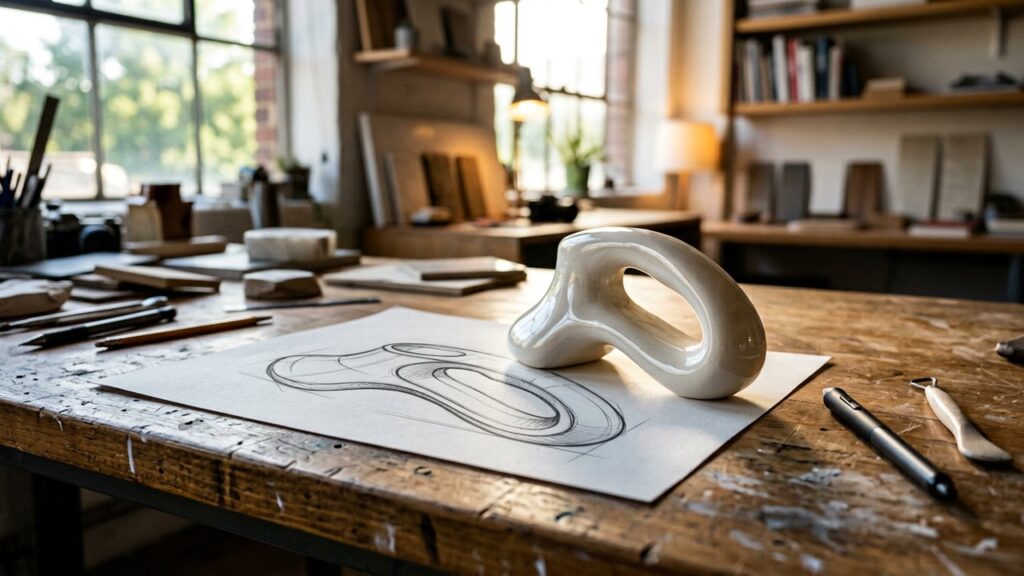
Creative teams, product marketers, and concept artists rarely start from an empty blank canvas when iterating on existing visuals. Using an Image to Image AI Generator lets you upload reference photos, rough sketches, or studio packshots and transform lighting, style, backgrounds, or finishes while locking core subject geometry intact. Instead of gambling on unpredictable text-only renders, visual referencing gives designers surgical creative control.
Modern browser workspaces now allow creators to blend up to sixteen reference images, compare leading image models side by side, and export clean 1K, 2K, or 4K variations with zero visible watermarks. Whether you restyle portraits, rebuild product scenes for e-commerce listings, or convert architectural sketches into photorealistic renders, mastering an Image to Image AI Generator turns multi-day studio reshoots into focused ten-minute design sprints. This guide walks through reference workflows, multi-model selection, and precision prompting.
Why Reference-Driven Generation Beats Text-Only Prompting
Pure text-to-image prompting excels at wild brainstorming, yet it struggles the moment a client demands exact product proportions, consistent brand colorways, or a specific camera angle. Writing three paragraphs describing a sculptural lamp or signature sneaker still leaves generative models guessing at silhouettes. Feeding your existing source image directly into an Image to Image AI Generator anchors composition, pose, and object identity immediately.
That visual grounding eliminates dozens of frustrating blind retries. Designers keep what already works in a photograph or sketch and direct AI energy strictly toward what needs to evolve. As a result, an Image to Image AI Generator fits smoothly into real agency production pipelines where client brand guidelines leave zero room for accidental drift.
Multi-Reference Fusion and Side-by-Side Model Comparison
Different AI image architectures excel at distinct visual challenges: one engine shines at glossy commercial product lighting, another handles painterly illustration strokes effortlessly, and another preserves crisp typography or human facial fidelity. Workspaces like Promptsref let you run the exact same Image to Image AI Generator source photos and brief across GPT Image 2.5, GPT Image 2, Nano Banana 2 and Pro, Midjourney, Seedream 5.5, and Grok Imagine inside one browser screen.
Blending Up to Sixteen Reference Assets Cleanly
Complex commercial campaigns often require pulling a subject from one shot, a lighting mood from a second image, a marble table surface from a third, and an apparel swatch from a fourth. Supporting up to sixteen reference images inside an Image to Image AI Generator lets art directors compose cohesive multi-element scenes without spending hours cutting masks in traditional desktop editors. Clearly naming what role each reference plays keeps fusion results clean and intentional.
Scaling Resolution From Quick Drafts to 4K Finals
Smart creative teams avoid burning maximum resolution settings while still exploring rough lighting angles. Generating quick batch sets of two to four variations at 1K resolution inside an Image to Image AI Generator lets you verify composition and edge fidelity rapidly. Once the winning Image to Image AI Generator direction locks, stepping up to 2K or 4K exports delivers crisp, watermark-free deliverables ready for landing pages, social ads, and print mockups.
Six High-Value Workflows Powered by an Image to Image AI Generator
Image to Image AI Generator editing spans far beyond novelty anime filters. Commercial creative teams using an Image to Image AI Generator rely on an Image to Image AI Generator across six core daily production workflows that save substantial photography and retouching costs.
- Subject restyling that converts a clean portrait, mascot, or product frame into editorial film photography, matte 3D clay, watercolor illustration, or studio minimalism while keeping facial structure and pose intact.
- Scene and background rebuilding that extracts a product cutout or model cleanly into sunlit Mediterranean terraces, warm minimalist interiors, or dramatic dark obsidian studios with matching reflections and contact shadows.
- Sketch-to-render visualization that transforms rough pencil drawings, wireframes, or industrial design line art into photorealistic material prototypes complete with wood grain, brushed metal, and softbox rim light.
- Precision object removal and replacement that swaps distracting cables, clutter, props, or dated fixtures out of real estate and lifestyle photos seamlessly.
- E-commerce product colorway and finish variations that turn one studio photograph into matte sage, brushed brass, frosted amber, and midnight charcoal SKU listings without reshooting inventory.
- Multi-reference campaign assembly that combines brand packaging, lifestyle talent, seasonal props, and curated color palettes into unified ad sets across eight aspect ratios.
Running these six workflows inside one consistent Image to Image AI Generator workspace keeps visual language unified across seasonal drops, paid ad refreshes, and product page overhauls.
Mastering the Keep, Change, Avoid Prompt Framework
The biggest mistake newcomers make with an Image to Image AI Generator is writing vague single-line requests like make this cooler or cinematic studio look. Ambiguity invites the model to alter product proportions, warp faces, or invent unwanted clutter. Adopting the Image to Image AI Generator Keep, Change, Avoid method produces crisp, predictable edits on the first batch.
- State explicitly what must stay locked under Keep, such as exact bottle silhouette, subject facial identity, camera height, lens focal length, and hand placement.
- Define every deliberate transformation under Change, specifying target environment, lighting direction, material finishes, surface reflections, and mood color grading.
- List clear guardrails under Avoid, banning warped geometry, extra objects, harsh unnatural oversaturation, cropped edges, or unwanted decorative artifacts.
- Assign clear roles whenever uploading multiple files so the Image to Image AI Generator knows which file controls subject identity versus lighting atmosphere.
- Generate a batch of two to four candidates per prompt and refine one variable at a time instead of rewriting entire instructions blindly.
Even with generous prompt windows up to 20,000 characters, clarity always outperforms bloated adjective soup. Concise, concrete lighting and material nouns guide an Image to Image AI Generator far better than stacked buzzwords like ultra masterpiece stunning.
Comparing Image Models Inside One Browser Workspace
Because each generative architecture carries unique rendering strengths, matching the right engine to your specific brief lifts first-pass Image to Image AI Generator hit rates dramatically. Use this operational matrix when selecting models inside a multi-engine Image to Image AI Generator.
| Creative Task | Key Visual Priority | Strong Model Options | Recommended Output Settings |
|---|---|---|---|
| Commercial Product Swaps | Strict shape lock, realistic shadows, crisp reflections | GPT Image 2.5, Nano Banana 2 Pro, Seedream 5.5 | 2K or 4K, 1:1 or 4:5 e-commerce ratio |
| Editorial Mood and Art Direction | Rich lighting texture, painterly color harmony, drama | Midjourney, Seedream 5.0 Pro, Grok Imagine | Batch of 4 at 16:9 or 3:4 editorial ratio |
| Rapid Draft Iterations | Fast concept exploration across multiple angles | GPT Image 2.5 Free, Nano Banana 2 Lite | 1K resolution, batch count 4 |
| Sketch to 3D Prototype | Faithful geometry translation with photorealistic shaders | GPT Image 2, Nano Banana 2.1, Seedream 5.5 | 2K resolution, clean studio lighting brief |
| Multi-Reference Campaigns | Combining several props, palettes, and subjects cleanly | Multi-ref capable GPT Image and Nano Banana tiers | Up to 16 refs, explicit role mapping |
Agencies delivering monthly visual refreshes across product catalogs and social feeds should tie generative speed directly into structured client packages. Running expected deliverable counts, variant batches, and art-direction hours through a social media pricing calculator helps studios price high-margin visual retainers powered by an Image to Image AI Generator.
Preparing Source Images for Razor-Sharp Restyling
Output quality inside any Image to Image AI Generator depends heavily on the clarity of your starting asset. Feeding blurry, dimly lit, heavily compressed screenshots forces models to hallucinate missing edge details. Investing two minutes in clean Image to Image AI Generator source prep multiplies output realism instantly.
Lighting, Framing, and Background Prep
Start with crisp, well-lit photographs captured near the approximate camera perspective you want in your finished image. If your final campaign requires an eye-level tabletop hero shot, avoid uploading a steep top-down phone snapshot and expecting seamless perspective reconstruction. Neutral lighting without harsh colored shadows gives an Image to Image AI Generator clean luminance values to relight accurately in any new scene.
Controlling Aspect Ratios Across Social and Storefront Channels
Selecting from eight standard aspect ratios before generating prevents awkward manual cropping later. Generate 1:1 or 4:5 frames for product listings and carousel ads, 9:16 vertical layouts for Stories and Reels covers, and 16:9 widescreen compositions for website hero banners. Designing directly for each target aspect ratio inside your Image to Image AI Generator preserves balanced negative space for headlines and call-to-action buttons.
Managing Batch Counts and Iterative Refinement
Rather than generating one single output and accepting minor flaws, generate two to four variations in parallel on key campaign shots. Comparing four Image to Image AI Generator candidates side by side reveals which lighting angle feels most grounded and authentic. Feed your strongest runner-up right back into the Image to Image AI Generator as a fresh reference for subtle polish passes like softening background contrast or warming skin tones.
Workflow Comparison Across Visual Transformation Tasks
Mapping each common transformation against its ideal prompt focus and verification checks keeps team quality consistently high across designers.
| Workflow Type | Primary Reference Input | Critical Keep Instruction | Post-Generation QA Check |
|---|---|---|---|
| Portrait Restyle | Clear eye-level headshot | Preserve facial proportions, eye gaze, hairstyle | Inspect eyes, teeth, skin texture, glasses edges |
| Background Rebuild | Clean subject or product photo | Keep product edges, scale, and camera tilt | Verify contact shadow direction and color spill |
| Sketch to Render | High-contrast clean line drawing | Maintain exact silhouette and structural lines | Check material transitions and reflections |
| Colorway Variants | Neutral base studio product shot | Lock shape, specular sheen, camera framing | Confirm swatch accuracy across SKU lineup |
| Object Removal | Original room or lifestyle photo | Keep surrounding floor, wall, and light unchanged | Scan replaced area for smudging or texture repeats |
Applying this quick Image to Image AI Generator QA inspection catches subtle lighting mismatches before visuals ever reach live storefronts or ad managers. Authentic shadow direction and consistent ambient color reflection are the twin details that make an Image to Image AI Generator output indistinguishable from a physical studio shoot.
Avoiding Common Pitfalls in Reference-Based AI Design
Even strong art directors occasionally hit muddy results when rushing Image to Image AI Generator edits. Steering clear of these frequent mistakes keeps your Image to Image AI Generator hit rate elevated.
- Uploading conflicting reference photos with clashing camera angles and lighting directions without explaining which file controls perspective.
- Forgetting to lock subject scale inside an Image to Image AI Generator, causing coffee mugs or skincare bottles to render comically oversized on tabletops.
- Stacking contradictory style words like photorealistic 3D watercolor oil painting in a single prompt, which muddies surface textures.
- Skipping high-resolution 2K or 4K final passes on hero web banners, leaving visible softness on Retina displays.
- Neglecting brand consistency guidelines across multi-image batches by altering lighting temperature between product carousel slides.
Documenting winning Keep, Change, Avoid templates inside a shared team library turns individual prompting wins into repeatable studio systems. Every junior designer can then produce flagship-caliber brand variations inside your Image to Image AI Generator on their very first week.
Scaling Brand Visual Production With an Image to Image AI Generator
Creative teams rarely stop after generating one eye-catching hero shot. Turning an Image to Image AI Generator into a repeatable studio engine requires structured asset libraries, clear prompt recipes, and consistent visual quality standards across designers and performance marketers. When agencies standardize source-image prep and multi-model benchmarking inside an Image to Image AI Generator, campaign turnaround drops from multi-week photo shoots to calm afternoon design sprints without diluting brand identity.
Building a Shared Studio Prompt and Reference Library
Top creative directors capture winning Keep, Change, Avoid prompt structures in a shared team handbook every time a campaign nails realistic product reflections or natural portrait lighting.
Storing approved lighting reference frames, neutral marble or linen surface swatches, and brand color palettes lets any designer drop fresh SKUs into the Image to Image AI Generator and match prior seasonal photography immediately. Because modern tools support up to sixteen simultaneous reference files, standardized mood boards transfer effortlessly across entire product lines.
Multi-model side-by-side benchmarking also belongs inside every studio playbook. Whenever a new product category launches, test identical reference inputs across GPT Image 2.5, Nano Banana 2 Pro, Midjourney, Seedream 5.5, and Grok Imagine inside your Image to Image AI Generator to record which architecture handles glass refraction, matte textiles, or metallic engraving cleanest. Documenting model winners saves junior designers hours of trial and error on tight client deadlines.
Designing High-Converting Storefront and Paid Social Asset Packs
Performance marketers rely heavily on fresh visual hooks to combat paid social ad fatigue across Meta, TikTok, Pinterest, and Google Shopping. Starting from one crisp tabletop packshot inside an Image to Image AI Generator lets growth squads produce cohesive seasonal themes, tabletop lifestyle contexts, colorway variants, and clean 1:1, 4:5, 9:16, and 16:9 ratios inside one focused session.
- Generate draft four-image batches at 1K resolution inside your Image to Image AI Generator first to explore lighting angles economically before rendering winners at 2K or 4K.
- Preserve authentic brand typography and packaging labels strictly inside your Keep instructions so your Image to Image AI Generator never warps regulated product claims.
- Use sketch-to-render pipelines inside an Image to Image AI Generator during early industrial or interior concept reviews so clients approve physical material finishes weeks earlier.
- Run subtle second-pass reference refinements inside your Image to Image AI Generator to harmonize background warmth and contact shadows across every tile in an e-commerce collection grid.
Combining disciplined visual art direction with multi-reference AI speed gives modern brands an extraordinary creative edge. With clear source hygiene, watermark-free 4K output, and structured Keep, Change, Avoid briefs, an Image to Image AI Generator elevates studio output quality while keeping photography budgets lean and agile.
Organizing Approved Visual Exports for Omnichannel Deployment
Once winning visuals pass art-direction review inside your Image to Image AI Generator, disciplined file naming speeds up downstream publishing across web, email, and paid social teams. Label final watermark-free 2K and 4K files cleanly with SKU code, aspect ratio, lighting style, and campaign date so media buyers never accidentally upload a square 1:1 cutout into a 16:9 desktop hero slot.
Archiving your exact Keep, Change, Avoid prompts right beside exported folders inside your team drive also guarantees effortless future continuity. When a brand introduces a new seasonal colorway six months later, dropping the new photo and archived prompt into your Image to Image AI Generator reproduces the exact studio look immediately.
FAQ’s
How does an Image to Image AI Generator differ from text-to-image tools?
While text-to-image starts purely from written prompts, an Image to Image AI Generator uses one or more uploaded photos or sketches as structural anchors. This lets you change backgrounds, styles, colors, or lighting while preserving exact subject shape, pose, and composition.
How many reference images can I combine in one generation?
Advanced an Image to Image AI Generator like Promptsref let you attach up to sixteen reference images inside a single Image to Image AI Generator session. Multi-reference support lets creators pull subject geometry, room styling, fabric swatches, and lighting moods together cleanly.
Do generated outputs carry visible watermarks?
A clean Image to Image AI Generator generate watermark-free images across 1K, 2K, and 4K resolutions. Always check the specific commercial usage rights of your chosen model tier inside the Image to Image AI Generator before publishing paid ad campaigns.
Why is comparing multiple AI models in one workspace helpful?
Every model handles lighting, realism, illustration textures, and multi-reference fidelity slightly differently. Testing the same reference image and prompt across engines like GPT Image 2.5, Nano Banana 2 Pro, Midjourney, Seedream 5.5, and Grok Imagine inside one Image to Image AI Generator reveals the cleanest match immediately.
What is the Keep, Change, Avoid prompt technique?
Keep, Change, Avoid splits your editing brief into three crystal-clear blocks: elements that must remain untouched, deliberate visual transformations to apply, and artifacts to exclude. This structure dramatically improves precision inside any Image to Image AI Generator.
Can e-commerce brands use Image to Image AI Generator workflows for product colorway variations?
Yes. Uploading one clean studio photo and prompting specific material or color finish swaps allows online stores to visualize matte, metallic, or seasonal SKU variants rapidly while keeping product geometry and framing consistent across catalog grids.
Conclusion
Image to Image AI Generator craft bridges the gap between raw imagination and strict commercial craft. By mastering an Image to Image AI Generator with Image to Image AI Generator multi-reference inputs, side-by-side model testing, and disciplined Keep, Change, Avoid prompts, creative teams produce studio-caliber product scenes, sketch renders, and campaign variations in minutes instead of weeks.
Start by taking one flagship product shot or rough concept sketch, defining your locked visual anchors clearly, and testing a four-image batch across two complementary models. Once you witness crisp, watermark-free 4K outputs grounded in real brand geometry, your Image to Image AI Generator will quickly become the highest-leverage seat in your creative studio.