
Nothing cheapens an e-commerce product listing faster than a flat background-removed item floating awkwardly on a white screen. Adding grounded lighting depth with an AI...
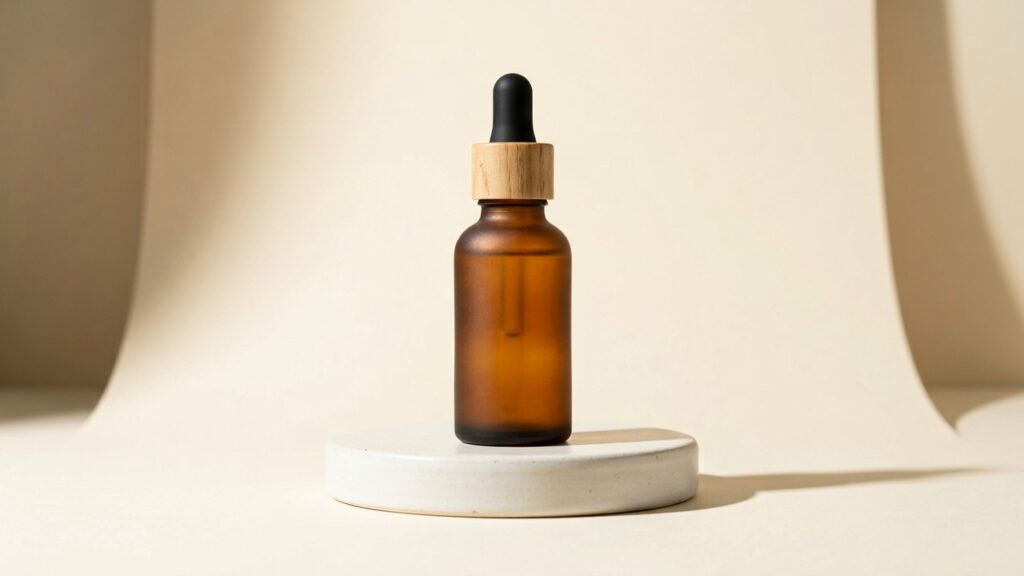
Nothing cheapens an e-commerce product listing faster than a flat background-removed item floating awkwardly on a white screen. Adding grounded lighting depth with an AI Shadow Maker transforms lifeless cutouts into tactile studio photographs in seconds. Instead of painting feathered blur masks manually in Photoshop, sellers generate crisp contact, soft, harsh, or studio shadows right inside their browser.
Modern browser lighting tools run free with no sign-up or watermarks, supporting JPG, PNG, and WEBP files up to 16MB plus batch processing for full catalogs. Trusted by over one million businesses on Shopify, Amazon, Etsy, eBay, Walmart, and Printful, a crisp AI Shadow Maker elevates buyer trust effortlessly. This guide covers shadow physics, presets, live sliders, and batch catalog workflows.
Why Grounded Shadows Drive Higher E-Commerce Conversion Rates
Human eyes rely instinctively on subtle AI Shadow Maker shadow cues to judge physical weight, texture, material quality, and authenticity within milliseconds of viewing a product thumbnail. When background-removal tools strip away original tabletop surfaces, they also erase the tight dark contact shadow directly underneath the base of a bottle, sneaker, ceramic mug, or handbag.
Without that anchor, buyers subconsciously perceive floating cutouts as synthetic mockups or low-effort dropshipped listings. Restoring believable surface grounding via an AI Shadow Maker makes products look solid, tangible, and photographed inside a real commercial studio.
Marketplace competition makes visual polish non-negotiable. On crowded Amazon search grids, Etsy browse pages, or Shopify collection tiles, shoppers compare six nearly identical items side by side at thumbnail scale. Products enhanced with a clean AI Shadow Maker stand out immediately with crisp dimensional separation while still complying 100 percent with pure-white marketplace background guidelines.
Understanding the Physics Behind Believable Commercial Shadows
Poor fake shadows look worse than no shadow at all because generic oval blurs ignore object geometry and light direction. High-craft tools such as PhotoGPT’s free AI Shadow Maker analyze object silhouette, base contact points, and virtual light elevation to render natural falloff that matches real studio softboxes.
Contact Shadows Versus Directional Drop Shadows
Every convincing AI Shadow Maker product shadow actually consists of two harmonious layers working together. First sits the tight, deep ambient-occlusion contact shadow hugging the exact bottom rim where the item touches the surface, stopping any floating illusion immediately. Flowing outward from that tight base sits the softer directional cast shadow fading gradually in opacity and blur as distance increases. Balancing both layers cleanly inside an AI Shadow Maker mimics authentic multi-light AI Shadow Maker tabletop photography.
Matching Lighting Direction to Original Product Highlights
Before adjusting shadow direction, glance closely at the brightest specular highlight on your uploaded bottle, shoe, or watch face. If bright studio light reflects off the upper left edge of the product, casting a shadow back toward the left immediately breaks visual physics. Setting your AI Shadow Maker angle opposite the existing highlight creates instant photographic believability that shoppers trust without ever analyzing why.
Six Core Presets and Live Controls Inside a Modern AI Shadow Maker
Versatile storefront catalogs span everything from minimalist clinical skincare bottles on pure white sweeps to dramatic sunlit artisan glassware and lifestyle portrait cutouts. Using an AI Shadow Maker with both curated presets and granular live controls covers every aesthetic cleanly.
- Auto Shadow mode intelligently analyzing object contours and natural lighting cues to place balanced commercial grounding with one click inside your AI Shadow Maker.
- Contact Shadow preset creating tight, subtle underside grounding ideal for strict Amazon and Walmart main-image compliance without cluttering white margins.
- Studio Shadow preset simulating large diffused overhead softboxes for smooth, velvety high-end cosmetics, electronics, and luxury packaging inside an AI Shadow Maker.
- Soft Shadow preset generating gentle natural window-light diffusion suited for apparel, home decor, ceramics, and Etsy handmade goods.
- Harsh Shadow and Long Shadow presets delivering bold editorial sunlight angles, crisp geometric silhouettes, and high-fashion contrast for hero banners and social ads.
- Custom text prompt guidance letting art directors describe specialized shadow moods (such as dappled botanical window shadows or subtle reflective studio falloff) directly inside the AI Shadow Maker.
- Live interactive sliders controlling exact light angle (Auto, Back Right, Front, Left, Right, Under Object), blur softness, shadow distance, and opacity with instant before-and-after comparison preview.
Combine those controls with zero sign-up friction, zero watermarks, and generous 16MB file support across PNG, JPG, JPEG, and WEBP files, and even non-designers achieve consistent art-director polish across every listing inside an AI Shadow Maker.
Scaling Uniform Catalogs With Real Batch Processing
Crafting a spotless single hero shot helps one product page, yet growing Shopify, Printful, and Amazon stores regularly launch fifty to five hundred seasonal SKUs at once. Manually dropping shadows onto each file one by one invites angle drift and inconsistent opacity across collection grids.
Utilizing the built-in Batch Editor inside an AI Shadow Maker lets sellers apply uniform shadow direction, softness, and distance across entire SKU folders in minutes so every collection page aligns cleanly like an Apple storefront.
Matching AI Shadow Maker Presets Across Marketplace and Brand Channels
Different sales platforms reward distinct AI Shadow Maker lighting restraint versus bold creative drama. Mapping your channel goals directly to specific AI Shadow Maker presets keeps every storefront compliant and visually magnetic.
| Sales Channel or Asset Type | Recommended AI Shadow Maker Preset | Ideal Angle and Blur Setting | Conversion Benefit |
|---|---|---|---|
| Amazon and Walmart Main Image | Contact or subtle Studio Shadow | Under Object or Back Right, medium soft blur | Crisp depth while honoring strict white-background rules |
| Shopify Collection Grids | Consistent Studio or Soft Shadow | Identical Back Right angle across every SKU | Cohesive luxury brand grid with zero visual chaos |
| Etsy and Handmade Listings | Soft natural daylight shadow | Gentle Left or Right sweep, low-to-mid opacity | Warm artisan warmth without looking overly synthetic |
| Paid Social and Hero Banners | Harsh or Long Editorial Shadow | Bold directional side light, crisp edge blur | High scroll-stopping contrast on mobile ad feeds |
| Food Delivery (Uber Eats, Menus) | Warm Contact plus soft underside glow | Under Object with light soft radius | Appetizing tactile bowl and plate realism |
| Studio Portraits and Team Bios | Soft subtle backdrop separation shadow | Back Right, high feathering, gentle opacity | Eliminates harsh pasted-on headshot cutout edges |
Visual production savings translate directly into healthier e-commerce unit economics. Calculating reduced per-SKU studio retouching costs alongside conversion lifts inside a profit margin calculator shows online merchants exactly how much extra net profit a fast browser AI Shadow Maker contributes across every seasonal catalog drop.
Step-by-Step Workflow for Flawless AI Shadow Maker Results
Following a crisp seven-step editing rhythm ensures clean edges, authentic lighting physics, and uniform SKU presentation every time you process product photos inside an AI Shadow Maker.
- Start with a clean, crisp transparent PNG cutout or well-isolated JPG/WEBP product photo under 16MB, verifying no stray stray background dust specks remain around edges.
- Inspect specular highlights on your product surface first to spot where primary studio light originally hit the item before touching shadow sliders.
- Upload the image into your browser AI Shadow Maker and select a starting preset matching your sales channel (Contact or Studio for clean listings, Harsh or Long Shadow for editorial promos).
- Choose the exact directional angle (Auto, Back Right, Front, Left, Right, or Under Object) that opposes the brightest highlight on your object cleanly.
- Fine-tune blur radius, shadow distance, and opacity sliders gradually while toggling the live before-and-after preview until the shadow supports the object subtly without overpowering it.
- Pair your grounded item seamlessly with complementary workflows like an AI Background Changer or AI Photo Enhancer when building lifestyle banners or high-res campaign hero visuals.
- Export watermark-free finals at crisp storefront dimensions, or apply your locked parameters across remaining SKU variations simultaneously inside the Batch Editor of your AI Shadow Maker.
Notice step five: restraint separates luxury product retouching from amateur edits. Most beginners dial shadow opacity far too dark (around 70 or 80 percent black), making delicate white cosmetics look like they sit atop ink puddles. Keeping shadow opacity balanced around subtle natural grays with smooth edge falloff makes every AI Shadow Maker edit look effortlessly photographed.
Comparing AI Shadow Maker Workflows Against Manual Photoshop and Physical Shoots
Understanding cost and turnaround tradeoffs clarifies why over one million modern merchants rely on an AI Shadow Maker daily alongside or ahead of traditional photography suites.
| Production Factor | Free Browser AI Shadow Maker | Manual Photoshop Shadow Painting | Full Physical Studio Reshoot |
|---|---|---|---|
| Turnaround Per SKU | Under 15 seconds (or seconds per item in batch) | 10 to 25 minutes per complex silhouette | Days of shipping samples, staging, and retouching |
| Software Cost | $0 free browser access, zero signup, no watermark | Ongoing creative suite subscription + skilled retoucher | $50 to $150+ per SKU studio photography fee |
| Consistency Across 100 SKUs | Exact locked preset and angle via Batch Editor | Drifts noticeably across freelancers and long days | Requires rigid physical light-stand tape marks |
| Editing Flexibility | Instant angle, blur, distance, opacity sliders + prompt | Rebuilding warped layers from scratch per change | Impossible to shift light angle after shoot wraps |
| Marketplace Readiness | Clean transparent PNG, JPG, WEBP up to 16MB | Requires manual export preset formatting | Requires separate cutout and shadow masking anyway |
Physical studio photography still shines when shooting flagship tactile campaigns with real pouring liquids or live models, yet for clean catalog launches, colorway updates, and fast A/B ad tests, an AI Shadow Maker delivers unbeatable agility and margin preservation.
Common AI Shadow Maker Editing Mistakes That Ruin Product Listings
Even with intuitive sliders and smart Auto detection, hurrying through catalog prep introduces small visual glitches shoppers immediately sense. Guard against these five frequent errors inside your AI Shadow Maker.
- Setting shadow distance too far below a resting item, which makes bottles, shoes, or electronics look like they are hovering two inches above the tabletop instead of sitting solidly.
- Dialing opacity excessively dark on light-colored surfaces, creating heavy muddy smudges that fail clean Amazon and Shopify aesthetic standards inside an AI Shadow Maker.
- Mixing contradictory shadow directions across a single Shopify collection grid (one item casting left, the neighbor casting front-right), which subtly breaks store visual harmony.
- Applying sharp, razor-edged Harsh shadows to softly lit overcast product photos whose surfaces show zero hard sunlight reflections.
- Ignoring translucent materials like glass bottles or sheer packaging, where dialing softer lower-opacity shadows inside your AI Shadow Maker preserves believable light transmission.
Saving one written one-line storefront shadow standard (for example: Studio Preset, Back Right angle, soft blur, subtle natural opacity) keeps every team member and virtual assistant producing identical studio-grade listings inside your AI Shadow Maker all year long.
Pairing Grounded Shadows With Background Swaps and Photo Enhancement
Shadows become even more essential whenever you place cutout items onto textured marble counters, linen tables, or pastel studio backdrops via an AI Background Changer. Dropping a crisp product onto a travertine stone slab without calibrated contact and directional shading instantly screams fake composite. Running an AI Photo Enhancer pass to sharpen label crispness and grounding the base seamlessly inside an AI Shadow Maker unifies lighting, edge fidelity, and color temperature into a cohesive commercial masterpiece.
Checking Mobile Thumbnail Readability Before Publishing
Roughly three quarters of e-commerce browsing happens on vertical smartphone screens where collection thumbnails shrink down to two inches wide. Zooming your finished AI Shadow Maker export down to small thumbnail scale before uploading confirms the shadow gives crisp three-dimensional lift cleanly without eating into tight mobile margin space.
Maintaining Clean Source File Archives
Always archive your raw transparent PNG master cutouts separately from final shadow-baked marketplace JPGs. Keeping clean source files lets you test seasonal Long Shadow holiday ad campaigns or new lifestyle backdrops later inside your AI Shadow Maker without re-masking product edges from scratch.
Building a Unified Visual Merchandising System Around an AI Shadow Maker
High-converting online brands look unmistakable not because every single photograph costs five thousand dollars to shoot, but because lighting warmth, shadow softness, framing scale, and surface depth feel effortlessly consistent from homepage banners all the way down to checkout thumbnails. Making an AI Shadow Maker a fixed step inside your storefront publishing workflow guarantees that new seasonal drops, supplier sample photos, and lifestyle swaps never clash visually across your catalog.
Standardizing Lighting Playbooks Across Store Managers and Virtual Assistants
As Shopify, Etsy, Amazon, Walmart, and Printful stores grow past a hundred SKUs, product uploading shifts from founders onto merchandising coordinators or freelance assistants. Without written lighting guardrails, one assistant exports floating sticker cutouts while another applies heavy murky dark drop shadows pointing in random directions.
Documenting one concise lighting preset inside your AI Shadow Maker (naming exact preset type such as Contact or Studio, standard light angle such as Back Right, and clean blur and opacity ranges) empowers any team member to deliver spotless commercial consistency in fifteen seconds flat.
Testing Shadow Moods Across High-Impact Paid Ad Creatives
Clean subtle Contact and Studio shadows rule white-background marketplace grids, yet paid Instagram, Pinterest, and TikTok ads thrive on bold sculptural lighting drama that stops scrolling thumbs mid-feed. Running a quick second pass inside your AI Shadow Maker using Harsh or Long Shadow presets, or typing a custom text prompt for golden afternoon window light, lets performance marketers transform everyday catalog cutouts into striking editorial ad creatives without hiring a tabletop studio crew.
- Verify crisp transparent edge masking before opening your AI Shadow Maker so zero stray white halo pixels distort subtle contact grounding along curved bottle bottoms.
- Process full seasonal SKU batches simultaneously via Batch Editor inside your AI Shadow Maker to lock identical shadow falloff across color and size variants.
- Compare click-through rates on A/B tested marketplace main images with realistic AI Shadow Maker grounding against flat unshadowed cutouts to quantify exact visual conversion lift.
Accessible free in any browser with zero sign-ups, zero watermarks, and 16MB file handling, a modern AI Shadow Maker equips lean e-commerce sellers with studio-grade lighting polish that builds instant shopper confidence.
Keeping Mobile and Desktop Storefront Load Speeds Crisp
Adding lifelike lighting polish should never slow down product page rendering on cellular mobile connections. After finalizing studio grounding inside your AI Shadow Maker, export storefront-optimized JPG or modern WEBP dimensions matched cleanly to your Shopify, Amazon, or WooCommerce theme containers rather than uploading uncompressed 16MB originals directly onto live collection grids. Crisp lighting paired with snappy sub-second image loads lifts both search rankings and buyer checkout completion simultaneously.
FAQ’s
Is it really free to use an AI Shadow Maker without sign-up or watermarks?
Yes. Leading browser tools like PhotoGPT’s free AI Shadow Maker require zero account registration, apply zero visible watermarks to exported photos, and accept JPG, JPEG, PNG, and WEBP uploads up to 16MB directly in your web browser.
What types of shadows can an AI Shadow Maker generate?
Modern tools offer curated presets including Auto, Contact, Studio, Soft, Harsh, and Long Shadow, plus custom text prompt direction and live adjustable controls for angle, blur softness, shadow distance, and opacity with instant before-and-after previews.
How do I keep shadows consistent across an entire Shopify or Amazon catalog?
Lock one standard preset, angle (such as Back Right or Under Object), blur radius, and opacity level, then apply those exact lighting settings uniformly across dozens of product cutouts using the Batch Editor inside your AI Shadow Maker.
Will adding shadows violate Amazon or Walmart white-background main image policies?
No, provided shadows remain natural, clean, and subtle on a pure white background. Choosing the Contact or gentle Studio preset inside an AI Shadow Maker adds realistic studio grounding that complies cleanly with major marketplace standards while boosting click-through trust.
How do I pick the right shadow angle for an existing product photo?
Look at the brightest light highlight on your product’s surface and set your AI Shadow Maker angle pointing toward the opposite side. Matching cast shadow direction against existing surface reflections makes lighting look genuinely photographed on set.
Does an AI Shadow Maker work for human portraits as well as product cutouts?
Yes. Alongside cosmetics, apparel, footwear, food dishes, and home goods, an AI Shadow Maker adds soft directional backdrop separation and grounded natural shading to background-removed team portraits and promotional talent cutouts.
Conclusion
Lifelike studio lighting no longer belongs exclusively to big-budget brands with full-time tabletop photographers and Photoshop retouching departments. Using a free, watermark-free AI Shadow Maker restores natural contact and directional shadows in seconds, transforming flat floating cutouts into trustworthy, high-converting commercial product photography across Amazon, Shopify, Etsy, eBay, Walmart, and social ads.
Audit ten of your highest-traffic product listings today, test a subtle Contact or Studio preset matched opposite your existing surface highlights, and standardize your winning sliders across entire collections via Batch Editor. That small lighting upgrade inside your AI Shadow Maker pays immediate visual dividends every single time a shopper scans your storefront.