
Every Squarespace 7.1 account includes free starter layouts, yet ambitious founders, agencies, and coaches often want agency-grade visual distinction without paying five figures for bespoke...
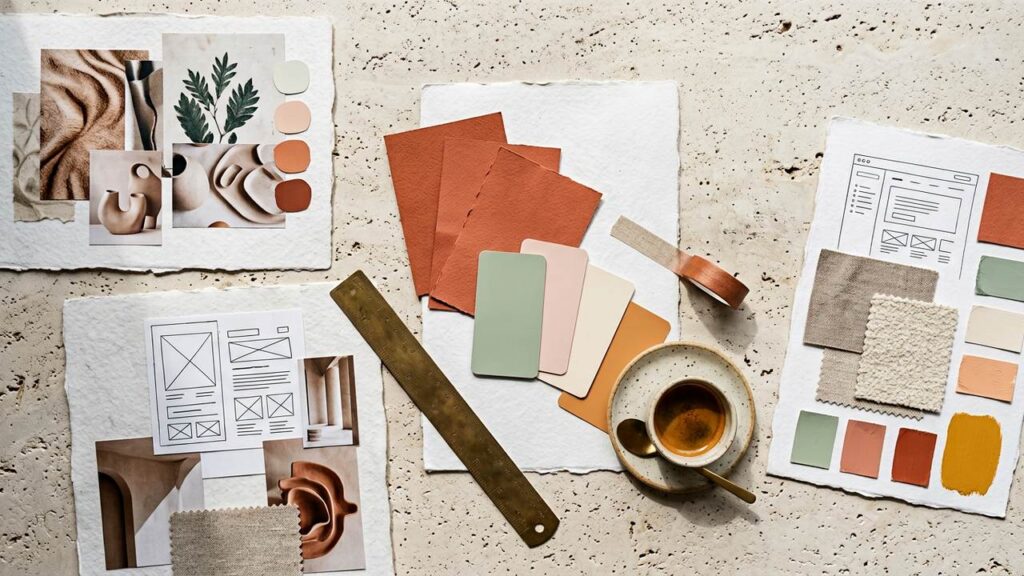
Every Squarespace 7.1 account includes free starter layouts, yet ambitious founders, agencies, and coaches often want agency-grade visual distinction without paying five figures for bespoke code. Curated comparison directories showcasing Squarespace website templates let site owners filter hundreds of boutique 7.1 designs across twenty-one industries, four site formats, and independent design studios in minutes.
With two hundred fifty-six premium third-party layouts indexed in one searchable catalog on SquareWebsites, entrepreneurs no longer waste weekends opening dozens of fragmented studio storefronts. Understanding how independent Squarespace website templates differ from default themes helps you select a polished, conversion-ready design that installs quickly and requires zero custom coding.
Why Premium Third-Party Squarespace Website Templates Stand Out
Default Squarespace starter themes provide solid functional scaffolding, yet tens of thousands of new businesses launch with those exact same section arrangements every month. Boutique third-party Squarespace website templates are crafted by specialist Squarespace designers who layer refined typography pairings, bespoke color systems, strategic sales-funnel sections, and polished mobile layouts right into version 7.1.
Instead of staring at blank Fluid Engine blocks wondering how to pace testimonials, pricing tables, or portfolio grids, buyers receive a turnkey visual system. Swapping in your brand photography, palette, and copy lets solo founders and growing teams launch an editorial-caliber presence in a single weekend.
Zero-Code Installation Inside Squarespace 7.1
Most premium Squarespace website templates transfer straight into your Squarespace dashboard as a brand-new 7.1 trial site or install cleanly with guided video tutorials. Because every listing is built specifically for modern Squarespace 7.1 architecture, you gain full access to Fluid Engine responsive grids, native commerce tools, scheduling integrations, and blogging engines without fighting legacy 7.0 limitations.
Avoiding Custom Agency Delays and Overhead
Hiring a custom web design agency frequently costs five thousand to twenty thousand dollars and stretches eight to twelve weeks from discovery to handoff. Curated Squarespace website templates bridge the gap between generic DIY setups and bespoke agency retainers, delivering studio polish at a fraction of custom build timelines.
Navigating the 256-Template Catalog Across Categories and Formats
Browsing hundreds of designs blindly quickly creates decision fatigue. Organizing your search across SquareWebsites filters for industry category, website format, independent designer studio, and price range narrows two hundred fifty-six Squarespace website templates down to three ideal finalists rapidly.
| Filter Dimension | Verified Directory Options | Best Buyer Scenarios | Key Selection Advantage |
|---|---|---|---|
| 21 Industry Categories | Agency, Business, Coaches, Corporate, Coworking, Creative, Finance, Fitness, Food, Freelancers, Real Estate, Restaurant, SaaS, Startup, Health, Non-Profit, Beauty, Wedding, Fashion | Founders seeking pre-built niche storytelling blocks | Matches buyer expectations and trust cues immediately |
| 4 Website Formats | Ecommerce, Portfolio, Blogging, One-Page | Matching exact site scope to launch timeline | Prevents buying a 12-page theme when a sleek one-pager fits |
| 23+ Independent Designers | GoLive, GhostPlugins, Big Cat Creative, Applet Studio, Christy Price, Station Seven, Well Made Sites, Websites by Elise, SquareHero, Studio Mesa | Comparing signature studio aesthetics and support docs | Lets buyers review established designer reputations side by side |
| Transparent Price Spectrum | From $299 one-page kits (Embody by GoLive) up to $2,500 bespoke packages (Genuine by Well Made Sites) | Aligning template investment with business stage | Instant low-to-high and high-to-low budget filtering |
Filtering by Website Type Before Visual Aesthetics
Before falling in love with warm serif typography or editorial color palettes, lock in your structural site type first. An online boutique needing multi-category product pages and cart upsells requires an Ecommerce-ready design from Squarespace website templates, while a keynote speaker or launch waitlist converts higher with a sharp One-Page layout like Embody by GoLive.
Similarly, content-driven publishers should inspect Blogging archive grids and sidebar layouts closely, whereas photographers, architects, and design agencies should prioritize Portfolio templates with fluid gallery lightboxes and crisp case-study pacing.
Evaluating Independent Boutique Squarespace Studios
One major advantage of comparing Squarespace website templates inside a unified directory is discovering specialized independent studios whose styles match your brand personality. Studios such as Big Cat Creative, Applet Studio, Station Seven, GhostPlugins, Christy Price, SquareHero, Websites by Elise, and Well Made Sites each bring distinct artistic sensibilities.
Review each designer’s included deliverables carefully: check whether the purchase bundles Figma or Canva graphic files, step-by-step launch videos, custom CSS snippets with clean documentation, and responsive post-purchase email support.
Understanding Price Tiers From $299 to $2,500
Price differences across Squarespace website templates reflect depth of included pages, custom micro-interactions, copywriting prompts, and hands-on studio setup options. Entry packages around two hundred ninety-nine dollars typically deliver crisp one-page or compact multi-page frameworks for fast DIY launches, whereas higher-tier packages up to twenty-five hundred dollars such as Genuine by Well Made Sites frequently bundle flagship multi-page architectures, advanced layout polish, or white-glove customization support.
Comparing Default Free Themes vs Curated Boutique Templates
Weighing free built-in Squarespace layouts against curated third-party Squarespace website templates clarifies exactly when paying for a boutique kit produces immediate return on time and conversions.
| Evaluation Factor | Free Default Squarespace Themes | Premium Third-Party Squarespace Website Templates |
|---|---|---|
| Visual Uniqueness | Widely recognized across thousands of starter sites | Editorial typography, bespoke section rhythm, studio identity |
| Conversion Copy Scaffolding | Minimal placeholder text requiring full page planning | Strategic sales sections, FAQ layouts, and proof prompts |
| Setup Speed for Non-Designers | Requires heavy spacing and styling experimentation | Pre-styled palette, buttons, mobile grids, and guided tutorials |
| Total Launch Cost | Included with Squarespace subscription only | One-time Squarespace website templates fee plus standard Squarespace plan |
Forecasting Total Website Launch Budget Cleanly
Smart founders budget for their complete web launch holistically rather than focusing solely on the Squarespace website templates sticker price. Factor in your annual Squarespace 7.1 hosting subscription, domain registration, chosen selection from Squarespace website templates, brand photography, and any third-party scheduling or email integrations using our website cost calculator.
Comparing a three-hundred-to-five-hundred-dollar curated template kit plus hosting against a ten-thousand-dollar custom agency quote shows immediately why lean SaaS startups, consultants, and ecommerce creators favor boutique 7.1 designs.
Checking Custom CSS and Plugin Dependencies
Many boutique Squarespace website templates elevate standard 7.1 layouts with lightweight custom CSS rules for split borders, rotating badges, or smooth hover transitions. Always inspect whether those CSS snippets stay neatly commented inside Design Custom CSS and confirm they avoid brittle external JavaScript dependencies that might break during Squarespace platform updates.
Six-Point Checklist to Pick the Right Squarespace Website Templates First Time
Once you narrow the two-hundred-fifty-six-template SquareWebsites catalog down to three candidates, test every live demo systematically before purchasing.
1. Test the Live Demo on Your Own Smartphone
Open every demo link on an actual mobile phone rather than relying purely on desktop preview screenshots. Check font legibility, menu drawer responsiveness, image cropping, and call-to-action button reachability under single-thumb scrolling.
2. Audit Structural Wireframes With Your Own Imagery in Mind
Mentally strip away the demo’s glamorous editorial photography and picture your actual team headshots, product photos, or service screenshots inside those exact containers. The strongest Squarespace website templates look cohesive even with modest, realistic business photography.
3. Confirm Native Squarespace Plan Compatibility
Verify whether your chosen layout requires a Squarespace Personal plan or Business and Commerce tiers due to custom code injection blocks, advanced e-commerce checkout styling, or embedded third-party widgets.
4. Inspect Included Page Blueprints
Check the exact list of pre-built pages included: Home, About, Services, Pricing, Portfolio, Blog, Shop, Contact, Links-in-Bio, and Legal templates. Selecting Squarespace website templates that already include your core pages saves dozens of manual layout hours.
5. Review Installation Workflow for Existing vs New Sites
If you already run a live Squarespace site with domain authority and blog posts, verify whether the designer offers an existing-site installation guide or plugin transfer method versus delivering a brand-new duplicate trial site.
6. Confirm License Terms for Single Brand vs Client Agencies
Single-site licenses permit launching one personal or company website, whereas web designers building sites for multiple clients must confirm whether each boutique studio offers commercial multi-use licenses or requires one purchase per client project.
Preparing Content Before Your Squarespace Website Templates Arrive
Gather your logo vector files, two brand colors, headshot and product photos, core headlines, testimonials, and service descriptions inside one tidy folder before purchasing Squarespace website templates. Having real assets ready transforms Squarespace website templates customization from a chaotic month-long project into a focused two-day sprint.
Post-Installation Customization Tips for Maximum Brand Originality
Even when starting from popular Squarespace website templates, four deliberate refinements ensure your finished website looks unmistakably custom-built for your company.
- Swap the demo’s exact color tokens inside Site Styles immediately to match your brand’s primary accent, neutral background, and dark readable ink tones.
- Replace every single stock demo photograph with authentic workspace imagery, original product photography, or cohesive art-directed visuals.
- Customize button corner radii, letter spacing, and heading font pairings so typographic personality aligns cleanly with your niche voice.
- Trim unnecessary demo sections ruthlessly so every page guides visitors straight toward booking a call, subscribing, or completing checkout.
Combining boutique layout scaffolding with genuine brand photography and crisp messaging delivers agency-caliber presence without agency invoices.
Matching Boutique Squarespace Website Templates to Exact Growth Goals
Every stage of business maturity brings different website requirements. Early solo freelancers prioritize rapid credibility and simple inquiry forms, whereas established agencies, coaches, and direct-to-consumer retailers demand flexible multi-page architecture that scales seamlessly as services, digital products, and blog archives expand. Filtering curated Squarespace website templates intentionally by growth stage prevents costly premature redesigns.
With two hundred fifty-six curated Squarespace 7.1 designs organized cleanly inside the SquareWebsites directory across twenty-one distinct categories and four core formats, buyers can align visual sophistication directly with current commercial goals while retaining complete Fluid Engine flexibility for future expansion.
One-Page Launches for Speed and Focused Lead Capture
Founders validating a new consulting practice, launching a keynote brand, or building a waitlist often stall for months trying to write copy for twelve separate pages. Selecting a tight One-Page design from curated Squarespace website templates such as Embody by GoLive at two hundred ninety-nine dollars channels every visitor along one disciplined conversion narrative with zero navigation leaks.
Multi-Page Authority Sites for Agencies, Coaches, and SaaS
Service agencies, business consultants, SaaS teams, and health or wellness practices typically require dedicated pages for individual services, case studies, pricing clarity, team bios, and resource hubs. Exploring multi-page studio kits from designers like Big Cat Creative, Applet Studio, Christy Price, Station Seven, or Well Made Sites inside Squarespace website templates gives teams sophisticated layout pacing right out of the box.
Portfolio and Editorial Showcase Architecture
Visual brands spanning weddings, fashion, restaurants, real estate, architecture, and creative studios win clients within the first five seconds of scrolling. Boutique Portfolio layouts across Squarespace website templates balance asymmetric image grids, crisp serif-and-sans font pairings, and generous breathing room so original photography commands full attention across laptops and smartphones alike.
Ecommerce Catalog Templates Built for Conversion Clarity
Product brands selling beauty lines, home goods, digital courses, or specialty food benefit immensely from curated Ecommerce Squarespace website templates designed specifically around intuitive category browsing, clean product galleries, customer review blocks, and frictionless checkout paths.
Working Smoothly With Independent Designers and Template Support
One overlooked advantage of purchasing curated Squarespace website templates from recognized independent studios is thoughtful onboarding documentation. Established creators listed in the SquareWebsites directory such as GhostPlugins, GoLive, SquareHero, Studio Mesa, Styled Square, and Websites by Elise routinely bundle step-by-step video walkthroughs, Canva or Figma graphic templates, font license guidance, and clear CSS notes so non-technical owners customize confidently.
Planning Your Weekend Launch Sprint Cleanly
Treat Squarespace website templates installation as a focused forty-eight-hour sprint rather than an endless tinkering hobby. On Saturday morning, configure Site Styles colors and fonts across your chosen Squarespace website templates, swap in final brand copy and compressed photography across primary pages by afternoon, and dedicate Sunday to mobile Fluid Engine polish, SEO metadata, form testing, and domain DNS cutover.
Evaluating Custom Add-Ons and Optional Studio Installation
Many boutique Squarespace website templates studios also offer paid one-day setup upgrades or light custom plugin integrations if you prefer handing off initial installation entirely. Comparing a curated selection from Squarespace website templates plus optional setup help against a traditional ten-thousand-dollar agency contract still keeps budgets remarkably lean while delivering launch speed in days rather than quarters.
Maintaining Clean Performance as Your Site Expands
As your business publishes fresh blog articles, adds client testimonials, or launches seasonal product drops inside your Squarespace website templates, preserve original visual rhythm by sticking strictly to your established heading scales, button styles, and two-hundred-fifty-kilobyte image compression ceilings. Consistent visual discipline keeps boutique templates looking freshly art-directed years after launch day.
Comparing Industry-Specific Layouts Across Squarespace Website Templates
Exploring how boutique studios tailor Squarespace website templates for specialized industries reveals why curated 7.1 designs convert far better than generic blank grids. A restaurant layout prioritizes scannable menus, reservation buttons, and atmospheric food galleries, whereas a SaaS or startup design inside Squarespace website templates emphasizes crisp feature comparisons, interactive demo triggers, and transparent pricing tables.
Similarly, health, fitness, and coaching professionals rely on warm human storytelling, clear booking calendars, and program outcome proof built right into niche Squarespace website templates. Reviewing how specialized designers like GoLive, Big Cat Creative, Christy Price, Applet Studio, Station Seven, and Well Made Sites structure conversion funnels saves business owners weeks of trial-and-error wireframing.
Evaluating Typography, Whitespace, and Trust Hierarchy
When comparing finalist Squarespace website templates inside the 256-design SquareWebsites catalog, pay close attention to typographic rhythm and whitespace balance. Crowded text blocks fatigue mobile readers quickly, while overly sparse art-gallery layouts hide clear buying paths. The highest-performing Squarespace website templates guide the eye effortlessly from hero value proposition through proof points to one unmistakable primary action.
Planning Seamless SEO and Analytics Setup on Launch Day
Before pointing your custom domain live onto freshly customized Squarespace website templates, configure unique page titles, concise meta descriptions, clean URL slugs, compressed imagery, Google Analytics 4 conversion tracking, and Google Search Console sitemap submission. Clean technical launch hygiene ensures boutique Squarespace website templates attract organic search visitors from week one.
Building Reusable Section Templates for Future Growth
Inside Squarespace 7.1 Fluid Engine, save your favorite customized testimonial grids, pricing cards, and call-to-action banners as Saved Sections inside your Squarespace website templates. Whenever you launch a new service offering or seasonal campaign later, dropping saved brand-matched sections onto a fresh page preserves studio polish in minutes.
FAQ’s
How many Squarespace website templates are listed on SquareWebsites?
The curated SquareWebsites directory compares two hundred fifty-six premium Squarespace 7.1 website templates across twenty-one industry categories, four website formats, and more than twenty-three independent boutique design studios.
Do premium Squarespace website templates require coding knowledge?
No coding skills are required. Third-party Squarespace website templates are built natively for Squarespace 7.1 Fluid Engine so business owners customize colors, fonts, text, and images visually through standard drag-and-drop tools.
How much do boutique Squarespace website templates typically cost?
Curated third-party Squarespace website templates range from roughly two hundred ninety-nine dollars for sleek one-page kits like Embody by GoLive up to twenty-five hundred dollars for comprehensive flagship studio packages like Genuine by Well Made Sites.
Can I use premium Squarespace website templates for an online store?
Yes. Filtering by the Ecommerce website type highlights Squarespace 7.1 templates engineered specifically for product catalogs, category filters, variant selectors, and streamlined Squarespace Commerce checkout flows.
Are third-party Squarespace website templates compatible with mobile devices?
Yes. Every modern Squarespace website templates option uses Squarespace Fluid Engine responsive grids with dedicated mobile layout editing, though buyers should always preview each live demo on a real smartphone before finalizing their purchase.
Should I choose Squarespace website templates by niche category or by page layout structure?
Prioritize page layout structure and website format first, then look inside matching niche categories. Any visual aesthetic can be adapted easily via Site Styles once the core wireframe matches your navigation and conversion funnel.
Conclusion
Finding the ideal starting point for a modern brand website no longer means settling for overused starter themes or burning months on bespoke agency retainers. Curated directories of Squarespace website templates let founders, creatives, coaches, and ecommerce operators compare two hundred fifty-six vetted 7.1 designs side by side across niches, formats, studios, and budgets.
Lock in your required site format first, inspect live demos on mobile, prepare your real brand photography ahead of time, and customize Site Styles thoughtfully. With the right selection from boutique Squarespace website templates, you launch faster, spend smarter, and greet every visitor with unmistakable visual authority.