
Audiences will forgive slightly soft webcam lighting, yet they click away within five seconds when an interview, online course, or podcast episode is plagued by...
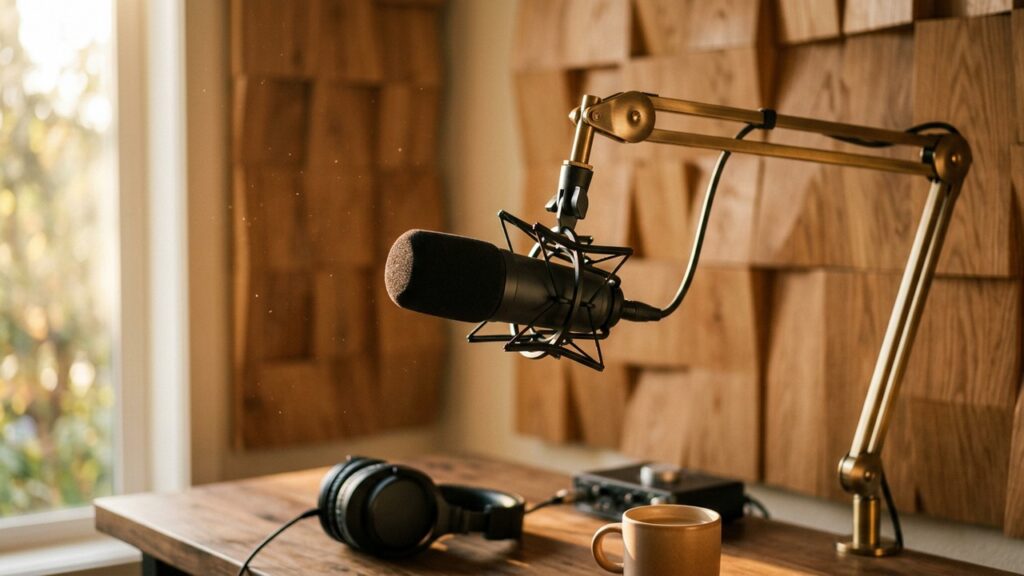
Audiences will forgive slightly soft webcam lighting, yet they click away within five seconds when an interview, online course, or podcast episode is plagued by howling wind, harsh room echo, mic buzz, mouth clicks, or distracting background chatter. Powered by specialized AI Voice Enhancer restoration trusted by over fifteen thousand creators across 120-plus countries with a 4.9-star rating across 2,698 reviews and more than 100,000 files improved, Voice Enhancer transforms rough real-world recordings into crisp, broadcast-ready narration right inside your browser.
Supporting over twenty audio and video formats up to ten gigabytes per upload alongside direct microphone capture, screencasts, and links, Voice Enhancer eliminates the steep learning curve of complex audio engineering chains. Understanding how its AudioCleaner V1 and V2 Alpha engines, targeted noise presets, and simple microphone habits work together helps podcasters, educators, and video teams ship studio-grade sound effortlessly.
Why Speech Clarity Determines Audience Retention and Trust
Human brains expend noticeable cognitive effort decoding muffled speech competing against air-conditioning hum, distant traffic, dog barks, or hollow bathroom-style room reverb. Even when your content insights are brilliant, listener fatigue quietly pushes viewers off YouTube tutorials, drops podcast completion rates, and undermines perceived brand authority on sales webinars.
Running raw recordings through an AI Voice Enhancer clears distracting frequency clutter, balances vocal warmth with AutoEQ, trims awkward dead air, and normalizes loudness consistently so listeners stay effortlessly immersed in your message from opening hook to closing call to action.
Two Specialized AI Engines: AudioCleaner Model V1 and Model V2 Alpha
Not every audio recording suffers from the same acoustic disaster. Voice Enhancer gives creators direct access to two purpose-built speech models: AudioCleaner Model V1 for proven, rock-solid compatibility across standard podcasts, Zoom calls, and voiceovers, and AudioCleaner Model V2 Alpha engineered specifically for challenging, layered real-world noise environments.
Switching cleanly between V1 and V2 Alpha lets editors preserve natural vocal warmth on clean indoor setups while pulling crystal-clear speech out of chaotic street interviews, bustling cafes, or windy outdoor shoots.
Massive 10 GB Upload Capacity Across 20+ Audio and Video Formats
Many browser audio tools choke on full-length 4K interview video files or lossless studio WAV masters. Voice Enhancer accepts twenty-plus formats including MP3, WAV, FLAC, M4A, MP4, MOV, MKV, and WEBM up to a generous ten-gigabyte file limit (with a convenient ten-minute guest preview), letting video editors clean speech directly from full camera clips without demuxing audio manually first.
Targeted AI Cleanup Presets Inside Voice Enhancer
Instead of forcing creators to guess compressor attack times, high-pass cutoff slopes, or de-esser thresholds, Voice Enhancer organizes broadcast restoration into surgical, one-click presets addressing exact vocal and environmental flaws.
| Cleanup Category | Dedicated Presets Inside Voice Enhancer | Acoustic Problem Eliminated | Best-Fit Creator Use Case |
|---|---|---|---|
| Environmental Noise Rescue | Remove Noise, Wind, Rain, Helicopter, Dog Bark, Restaurant, Buzz, Static | Outdoor gusts, electrical hum, cafe chatter, household interruptions | Field vlogs, street interviews, home-office podcasts |
| Room Acoustics and Tone | Echo, Reverb, AutoEQ, Studio Sound, Normalize | Hollow unfurnished room bounce, thin laptop mic tone, uneven volume | Online courses, Zoom webinars, executive keynotes |
| Vocal Delivery Polish | Mouth Sounds, Breath, Hesitations, Stuttering, Filler Words, Long Silences | Dry lip clicks, sharp inhales, repetitive ums/ahs, sluggish pacing pauses | Solo YouTube explainers, audiobooks, sales demos |
Stripping Echo, Reverb, Buzz, and Unpredictable Interruptions
Remote founders recording inside glass conference rooms or minimalist hardwood bedrooms routinely battle metallic echo and electrical AC buzz. Targeted Echo, Reverb, Buzz, and Static removal inside Voice Enhancer pulls speech forward into an intimate near-field studio presence while suppressing sudden outdoor disruptions like sirens, helicopters, barking dogs, or rain pelting against windows.
Cleaning Hesitations, Filler Words, Mouth Clicks, and Dead Air
Traditional noise reducers only address background hiss, leaving editors stuck slicing hundreds of mouth clicks, harsh breaths, long silences, and repetitive filler words manually along a timeline. Built-in presets for Mouth Sounds, Breath, Hesitations, Stuttering, Filler Words, and Long Silences inside Voice Enhancer tighten conversational flow automatically so solo explainers and educational modules sound polished and confident.
AutoEQ, Studio Sound, and Broadcast Normalization
Once noise and verbal stumbles vanish, AutoEQ and Studio Sound inside Voice Enhancer gently sculpt vocal presence and low-end fullness while Normalize levels quiet whispers and emphatic peaks evenly. Viewers watching on smartphones or driving in cars hear comfortable, steady clarity without constantly reaching for the volume rocker.
Comparing Manual Audio Plugins vs AI Voice Enhancer Workflows
Seeing how browser-based Voice Enhancer stacks up against traditional multi-plugin DAW chains explains why solo creators and fast-moving agencies automate dialogue cleanup first.
| Production Factor | Traditional Multi-Plugin DAW Chain | AI Browser Voice Enhancer |
|---|---|---|
| Learning Curve and Setup | Requires mastering EQ, gates, de-reverb, de-click, and LUFS limiters | Upload file or record directly; apply targeted presets in clicks |
| Video File Compatibility | Must extract audio, process, bounce, and re-sync in video editor | Direct support for 20+ formats (MP4, MOV, MKV, WAV, FLAC) up to 10 GB |
| Verbal Tightening (Fillers/Silences) | Tedious manual waveform slicing across 60-minute episodes | Automated removal of long silences, hesitations, and filler words |
| Consistent Turnaround Speed | 30 to 90 minutes per hour of raw dialogue | Minutes from upload to downloadable studio-clear speech |
Protecting Freelance and Podcast Production Margins
Freelance podcast producers, video editors, and course production studios who bill fixed per-episode fees lose profitability quickly whenever clients send noisy smartphone or conference-room recordings. Benchmarking your effective hourly earnings and time saved per client cleanup pass using our freelancer hourly rate calculator illustrates how cutting forty-five minutes of tedious audio repair down to five minutes via Voice Enhancer boosts net hourly rates immediately.
Three Simple Recording Habits That Multiply AI Cleanup Quality
Even the sharpest AI Voice Enhancer performs miracles fastest when given clean source capture. Follow three simple physical habits highlighted on Voice Enhancer before hitting record: position your microphone fifteen to twenty centimeters from your mouth, monitor input gain carefully to avoid red digital clipping distortion, and record inside a softly furnished space with curtains, rugs, or books absorbing harsh reflections.
Step-by-Step Workflow for Broadcast-Clean Narration
Integrate Voice Enhancer cleanly into your podcast, YouTube, or course pipeline in four straightforward steps.
Step 1: Capture or Upload Your Raw Audio or Video Clip
Drag in your raw MP4, MOV, WAV, FLAC, or MP3 source file up to ten gigabytes, paste a link, or record directly through your microphone or screen inside Voice Enhancer without sacrificing original bit depth.
Step 2: Select AudioCleaner V1 or V2 Alpha Based on Noise Severity
Start with AudioCleaner Model V1 for standard home-office podcasts, interviews, and Zoom sessions where subtle tonal preservation matters most. Switch to Model V2 Alpha whenever heavy outdoor wind, restaurant crowds, or severe echo threaten intelligibility.
Step 3: Toggle Targeted Presets Selectively
Enable only the specific presets your clip genuinely needs such as Remove Noise, Echo, Mouth Sounds, AutoEQ, and Normalize. Avoiding unnecessary heavy stacking preserves natural human emotion and vocal dynamics while eliminating genuine distractions.
Step 4: Audition Before-and-After Segments and Export
Toggle between original and processed audio across loud peaks, quiet breaths, and S-consonants on quality headphones before downloading. Verify natural warmth, drop the enhanced file cleanly into your podcast host or video timeline, and publish confidently.
Maintaining Natural Vocal Warmth Without Over-Processing
The hallmark of expert audio restoration is transparency: listeners should simply think you recorded inside a quiet, expensive studio rather than noticing robotic artifacts. Always check consonant crispness and gentle breath cadence after processing in Voice Enhancer so storytelling stays unmistakably human.
Five Common Mistakes That Degrade Speech Enhancement Results
Steering clear of five rookie capture and post-production habits guarantees consistently smooth output from Voice Enhancer.
- Recording way too hot so vocal peaks distort into hard digital clipping, which no filter can fully reconstruct cleanly.
- Turning on every single preset simultaneously on an already quiet studio clip instead of applying light AutoEQ and Normalize.
- Leaving automatic noise suppression enabled inside Zoom, OBS, and a third audio app all at once before running Voice Enhancer.
- Ignoring mic placement beyond arm’s length where room echo swamps direct voice signal by more than fifty percent.
- Skipping a quick thirty-second headphone spot-check on export before uploading courses or client deliverables.
Turning off aggressive double noise-gates during recording and letting Voice Enhancer run one clean dedicated pass almost always delivers far richer vocal clarity.
Real-World Creator and Business Workflows Using Voice Enhancer
Consistent broadcast-level speech clarity used to require soundproof foam booths, expensive preamp chains, and seasoned audio engineers. Today, over fifteen thousand users across 120-plus countries rely on Voice Enhancer (rated 4.9 stars across 2,698 reviews with more than 100,000 audio files improved) to rescue messy remote interviews, elevate solo course recordings, and polish high-stakes client videos straight inside the browser.
With native support for twenty-plus audio and video formats up to ten gigabytes alongside direct microphone capture, links, and screencasts, Voice Enhancer adapts effortlessly across distinct professional workflows.
Remote Podcast Hosts and Guest Interview Shows
Remote podcasting thrives on booking compelling guests rather than demanding every CEO or author own an XLR studio rig. Guests routinely join over laptop microphones inside echo-filled home offices with ceiling fans humming or neighborhood dogs barking outside. Running guest tracks through Voice Enhancer with AudioCleaner Model V2 Alpha, Echo removal, Dog Bark suppression, AutoEQ, and Normalize matches remote audio effortlessly alongside studio host tracks.
Online Course Creators, Coaches, and EdTech Platforms
Students bingeing six-hour video courses quickly suffer ear fatigue from harsh mouth clicks, distracting breath inhales, long awkward pauses, and uneven lesson volume. Applying targeted presets inside Voice Enhancer for Mouth Sounds, Breath, Long Silences, Hesitations, Filler Words, and Studio Sound transforms raw screen-recorded tutorials into crisp, engaging academic modules that boost course completion and five-star student reviews.
Field Journalists, Real Estate Agents, and Social Video Creators
Outdoor walkthroughs, street interviews, and travel reels expose clip-on mics to gusting wind, passing traffic, rainstorms, and bustling restaurant noise. Uploading raw MP4 or MOV camera files directly into Voice Enhancer strips Wind, Rain, Helicopter, and Restaurant ambience cleanly while preserving warm human presence without manual demuxing.
Enterprise Webinars, Sales Demos, and Executive Communications
Recorded investor updates, product launch demos, and customer onboarding screencasts reflect directly on company polish. A quick five-minute cleanup pass through Voice Enhancer removes conference-room reverb, laptop electrical buzz, and static hiss so every published brand asset sounds executive-grade.
Mastering Quality Assurance and Consistent Loudness Across Episodes
Audiences notice immediately when episode twelve sounds thin and quiet compared to episode eleven. Establishing a repeatable preset recipe inside Voice Enhancer keeps your entire channel or podcast library sonically cohesive month after month.
Standardizing Your Personal Preset Recipe
Document the exact AudioCleaner model (V1 for controlled rooms, V2 Alpha for heavy noise) and core presets (such as Remove Noise, Echo, AutoEQ, Studio Sound, and Normalize) that complement your unique vocal timbre and microphone setup. Reusing that tested recipe across every upload guarantees listeners recognize your crisp signature sound instantly.
Pairing Physical Room Fixes With AI Speech Restoration
Remember the three golden capture fundamentals: hold fifteen to twenty centimeters between mouth and mic, watch input meters so loud laughter never digitally clips, and record beside curtains, rugs, or bookshelves rather than bare glass corners. Combining clean physical staging with targeted passes in Voice Enhancer delivers studio-grade warmth that rivals dedicated acoustic booths costing thousands of dollars.
Archiving Clean Raw Masters Alongside Enhanced Exports
Always retain your original unprocessed audio or video master alongside your polished Voice Enhancer export inside project folders. Preserving clean source backups lets editors revisit nuanced mix balances or test future AI audio model upgrades anytime without losing irreplaceable source takes.
Building Scalable Voice Production Standards With Voice Enhancer
Consistent vocal quality separates trusted digital brands from amateur channels, yet remote workforces, distributed podcast guests, and on-location creators rarely record inside identical acoustic spaces. Standardizing post-production Voice Enhancer speech cleanup around Voice Enhancer lets solo creators, corporate communications teams, and freelance producers turn unpredictable real-world audio into cohesive broadcast narration rapidly.
With 4.9-star user satisfaction across 2,698 ratings, 15,000-plus active creators in over 120 countries, and more than 100,000 improved files, Voice Enhancer proves that studio-grade vocal restoration no longer demands expensive hardware racks or complex desktop engineering chains.
Supporting Distributed Teams Across Podcasts, Courses, and Video
When five subject-matter experts record individual lessons for one flagship online course from five completely different home offices, raw audio volume, room echo, and microphone brightness clash painfully from module to module. Running every instructor clip through Voice Enhancer with matched AutoEQ, Studio Sound, Echo suppression, and Normalize settings unifies vocal tone smoothly across the entire curriculum.
Similarly, marketing teams capturing quick founder LinkedIn videos, customer case-study Zoom calls, or outdoor event recaps up to ten gigabytes across twenty-plus supported audio and video formats can drop raw files straight into Voice Enhancer and publish crisp, authoritative clips the very same afternoon.
Fine-Tuning Model Selection Across Voice Enhancer Sessions
Treat AudioCleaner Model V1 and Model V2 Alpha as complementary studio tools inside Voice Enhancer. Keep Model V1 as your dependable daily driver for moderately quiet indoor rooms, studio condensers, and clean podcast setups where subtle natural breath warmth shines brightest. Reach for Model V2 Alpha immediately whenever street traffic, bustling restaurant chatter, howling outdoor wind, barking dogs, passing helicopters, or harsh glass-wall reverb threaten speech intelligibility.
Building a Repeatable Five-Minute Pre-Publish Audio Routine
Lock in five effortless habits before every publish: capture audio fifteen to twenty centimeters from the mic without red clipping, upload raw unedited files straight into Voice Enhancer, toggle only the targeted noise, silence, mouth-click, or filler presets genuinely needed, audition a thirty-second headphone before-and-after comparison, and archive your raw master cleanly. Repeating that simple routine across every upload guarantees crisp, fatigue-free listening that keeps subscribers coming back episode after episode.
Maintaining Studio Consistency Across Multi-Host Shows
Co-hosted podcasts, panel webinars, and executive fireside chats often combine three completely different microphones recorded across three unpredictable home rooms. Processing every speaker’s isolated audio track individually through Voice Enhancer before final timeline mixing ensures smooth tonal parity, matched loudness, and crisp vocal intimacy across the entire cast.
With consistent Voice Enhancer cleanup applied across every guest recording, listeners stay focused entirely on sharp insights and lively conversation rather than battling distracting volume jumps or harsh room acoustics.
FAQ’s
What audio and video formats work with Voice Enhancer?
Voice Enhancer supports over twenty audio and video formats including MP3, WAV, FLAC, M4A, MP4, MOV, MKV, and WEBM, accepting uploads up to ten gigabytes alongside direct mic, link, and screencast capture.
What is the difference between AudioCleaner Model V1 and Model V2 Alpha in Voice Enhancer?
AudioCleaner Model V1 delivers proven, natural clarity across standard podcasts, calls, and studio voiceovers, whereas Model V2 Alpha is tuned specifically for complex, chaotic noise environments such as streets, restaurants, wind, and heavy echo.
Can Voice Enhancer remove filler words, long silences, and mouth clicks?
Yes. Beyond background noise and echo, Voice Enhancer includes dedicated presets targeting mouth sounds, breaths, hesitations, stuttering, filler words, and long silences to tighten narration automatically.
Can I test Voice Enhancer for free before subscribing?
Yes. Guest users can process recordings up to ten minutes right in the browser to preview real before-and-after clarity across their own audio or video clips before committing to higher limits.
How well rated is Voice Enhancer among real creators?
Voice Enhancer holds a 4.9-star average across 2,698 verified reviews, trusted by more than fifteen thousand creators across over 120 countries with more than 100,000 audio files improved.
What recording tips give the cleanest output with Voice Enhancer?
Keep your microphone roughly fifteen to twenty centimeters away, avoid digital input clipping, disable redundant aggressive call-app noise gates, and record in a room with soft furnishings to minimize raw echo before enhancing.
Conclusion
Clear, effortless audio builds immediate trust and keeps audiences glued to your stories, lessons, and podcasts far longer than flashy visual graphics alone. With AudioCleaner V1 and V2 Alpha, surgical presets for wind, echo, buzz, mouth clicks, and filler words, plus ten-gigabyte support across twenty-plus media formats, Voice Enhancer puts dependable Voice Enhancer studio clarity within reach of every creator.
Combine sensible microphone spacing with selective, intentional cleanup passes inside Voice Enhancer, audition quickly on headphones, and stop letting messy recording rooms hold back great ideas. Clean sound turns casual clicks into loyal subscribers across every channel.