
Modern mailroom management systems help organizations control the flow of incoming parcels, letters and other physical deliveries from initial receipt through internal handoff or pickup. Instead of...
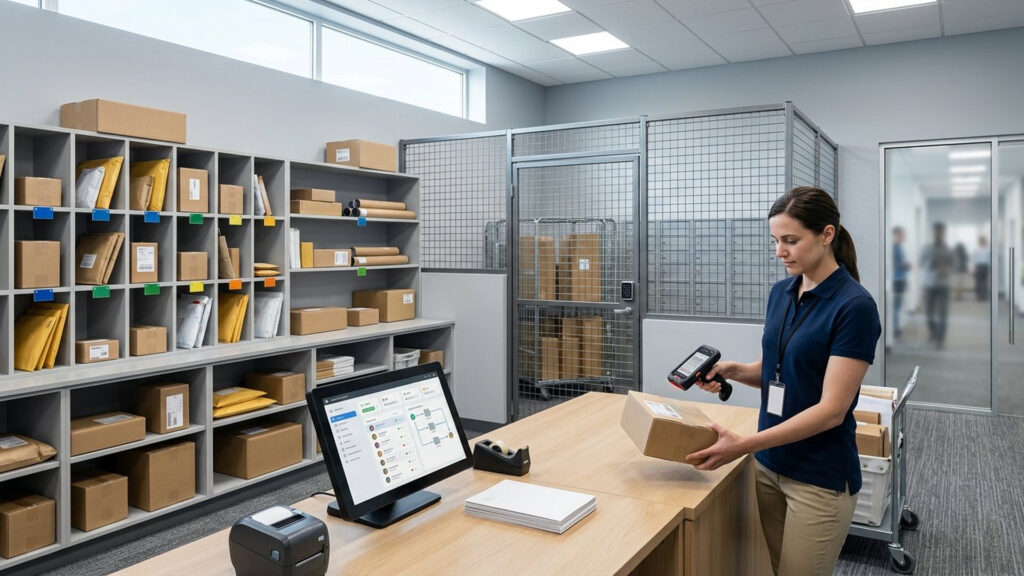
Modern mailroom management systems help organizations control the flow of incoming parcels, letters and other physical deliveries from initial receipt through internal handoff or pickup. Instead of relying exclusively on paper logs, spreadsheets and manual emails, these platforms can record deliveries, scan barcodes, notify recipients, capture proof of collection and maintain an auditable history. Businesses, universities, residential properties, government organizations and other high volume facilities can use mailroom technology to improve visibility and reduce repetitive administration. The appropriate system depends on package volume, locations, security requirements, integrations, privacy obligations and how recipients actually collect their deliveries.
What Are Mailroom Management Systems?
Mailroom management systems are software and technology solutions used to register, organize, track and document physical mail and package activity within an organization.
A typical workflow begins when a courier or postal service delivers an item to a central receiving location.
Mailroom personnel identify the recipient and capture information about the package. Depending on the system, this might involve scanning a carrier barcode, photographing a label, manually entering data or using automated identification technology.
The system can then notify the recipient that an item is ready.
When the recipient or an authorized person collects the parcel, staff can document the handoff through a signature, barcode scan, PIN or other supported method.
The result is an internal chain of custody from receipt to final collection.
9 Powerful Benefits of Mailroom Management Systems
The specific improvements depend on existing processes and implementation quality. Organizations receiving significant delivery volumes can benefit in several practical ways.
1. Mailroom Management Systems Improve Package Visibility
A paper log can indicate that an item arrived, but finding its current location can still require manual investigation.
Digital platforms can provide searchable status information.
Authorized staff can determine when an item was received, where it is stored and whether it has been collected.
This visibility is particularly useful when recipients contact the mailroom about an expected package.
2. Barcode Scanning Reduces Manual Data Entry
Many packages arrive with machine readable carrier information.
A compatible scanner or mobile device can capture available data faster than manually typing long tracking numbers.
Scanning Within Mailroom Management Systems
Systems can use scanning to establish or update an internal package record.
Barcodes Do Not Contain Every Required Detail
Carrier formats vary, and some shipments may arrive without usable codes. A mailroom still needs procedures for handwritten labels, local courier deliveries and other exceptions.
3. Automated Notifications Save Staff Time
Manually sending a separate email for every package becomes inefficient as delivery volume grows.
Software can automatically notify recipients through configured communication channels.
Options may include email, SMS, mobile applications or workplace messaging integrations depending on the platform.
Notifications can include practical information such as pickup location and collection instructions.
4. Digital Records Strengthen Chain of Custody
Some deliveries contain valuable equipment, confidential documents or time sensitive material.
Recording each important handoff creates traceability.
Chain of Custody Through Mailroom Management Systems
A system can record timestamps and relevant user activity from receipt through collection.
Technology Does Not Replace Physical Security
A detailed software log cannot protect a parcel stored in an unsecured hallway. Digital tracking should operate alongside appropriate physical access controls.
5. Recipient Pickup Can Be Documented
Collection confirmation helps resolve disputes about whether an internal delivery has been handed over.
Depending on the organization, confirmation may use a signature, employee badge, QR code, PIN or other method.
The selected approach should match risk.
A low value delivery may not require the same controls as legal documents or expensive technical equipment.
6. Multi Location Operations Can Be Centralized
Organizations with several offices, campuses or buildings often need consolidated reporting.
A cloud based platform can potentially provide authorized teams with visibility across locations.
Multi Site Mailroom Management Systems
Administrators may manage site specific users, storage areas and notification rules.
Standardize Without Ignoring Local Needs
One facility may receive thousands of parcels while another receives only a few. Global processes should allow reasonable site level differences.
7. Analytics Can Reveal Mailroom Workload
Digital transaction data can help facilities teams understand incoming volume, peak delivery periods, uncollected packages and other operational patterns.
This can support staffing and storage decisions.
Analytics should be interpreted carefully.
More parcels do not automatically mean poor performance, and collection delays may reflect recipient behavior rather than mailroom efficiency.
8. Integrations Can Reduce Duplicate Administration
Mailroom software may integrate with employee directories, identity systems, property management platforms or workplace applications.
This can reduce the need to maintain recipient details manually.
Directory Integration
When employees join, leave or change locations, synchronized data can keep recipient records more current.
Define a Reliable System of Record
Integration design should establish which platform is authoritative for employee names, locations and status.
9. Mailroom Management Systems Can Improve Recipient Experience
A recipient primarily wants to know whether a package has arrived and how to obtain it.
Quick, accurate notifications and clear pickup instructions reduce uncertainty.
Good recipient experience should be simple.
Requiring several applications or complicated identity steps for ordinary low risk pickups can create unnecessary friction.
How Mailroom Management Systems Work
Although products differ, most digital mailroom workflows follow several common stages.
The system first creates a record of the incoming delivery.
Package Receiving
A staff member scans or enters the package.
Information may include:
• Recipient name
• Tracking number
• Carrier
• Receipt time
• Storage location
• Package image
• Sender information where appropriate
• Package category where relevant
Only necessary data should be collected.
Recipient Identification
The platform matches the delivery with an employee, resident, student or other authorized recipient.
Automated Matching
Some systems use optical character recognition or other automated techniques to interpret labels.
Confirm Ambiguous Matches
People can share names, and label recognition can make errors. High confidence should not be confused with certainty.
Automated Recipient Notifications
After an item is logged, the system can trigger a message.
The notification should provide enough information for action without unnecessarily exposing sensitive details.
Email Notifications
Email is straightforward for organizations where recipients regularly use corporate accounts.
SMS Notifications
Text messages can be useful when email is not the primary communication method.
Messaging Platform Integrations
Some products connect with workplace collaboration tools.
Avoid Notification Fatigue
Repeated reminders can become annoying or easy to ignore. Reminder frequency should reflect pickup urgency and storage constraints.
Package Storage and Location Management
Logging a parcel is only part of the process.
Employees need to locate it quickly when the recipient arrives.
Mailroom systems can assign shelf, bin, locker or other location identifiers.
Storage Zones
Large mailrooms may organize parcels by recipient, department, size or storage area.
Oversized Packages
Large deliveries may require separate storage.
Document Exceptions
A digital record should identify unusual storage locations so employees do not need to search the entire facility.
Mailroom Management Systems and Smart Lockers
Package lockers can allow recipients to collect items without requiring an employee to perform every handoff.
The system places a parcel into an available locker and sends the recipient access information.
Automated Package Lockers
Lockers can extend collection availability and reduce counter queues.
They require physical space, hardware maintenance and integration.
Locker Capacity Planning
A locker system can become ineffective when packages remain uncollected for long periods.
Measure Dwell Time
Understanding how quickly recipients collect packages can help determine the number and sizes of lockers required.
Digital Mailroom Versus Package Management
Digital mailroom is a broader term that can include digitizing incoming paper correspondence.
Package management primarily focuses on physical parcel receiving and handoff.
These functions can overlap, but buyers should understand the distinction.
Digital Mail Scanning
Some organizations open and scan permitted incoming correspondence to create electronic documents.
This introduces privacy and security considerations.
Authorization to Open Mail
Not every item can or should be opened by mailroom personnel.
Establish Written Procedures
Organizations should obtain appropriate legal and compliance guidance concerning confidential, personal, privileged or specifically addressed correspondence.
Mailroom Management Systems for Corporate Offices
Hybrid work has changed package receiving in many workplaces.
Employees may not be onsite every day even though deliveries continue to arrive.
A mailroom platform can notify remote employees and help facilities staff manage items awaiting pickup.
Hybrid Workplace Mailrooms
Organizations may need policies covering how long parcels are held.
Personal Deliveries
Employers should define whether personal packages are permitted.
Communicate Policies Clearly
Technology cannot resolve disagreements about acceptable delivery behavior when the underlying workplace policy is unclear.
Mailroom Management Systems for Universities
Universities can handle high package volumes for students, faculty and staff.
Volume may increase substantially at the beginning of academic terms and around holidays.
Student Package Management
Recipient matching is especially important because student addresses and accommodation assignments can change.
Move In Peaks
Mailroom processes need to scale for seasonal demand.
Plan for Temporary Capacity
Additional staffing and storage may be more practical during peak periods than permanently designing for maximum volume.
Mailroom Management Systems for Residential Buildings
Apartments and managed residential communities can use package software to coordinate courier deliveries and resident pickup.
Property managers should consider privacy, security and physical storage capacity.
Resident Notifications
Prompt communication reduces package dwell time.
Concierge Operations
Digital logs can help different shifts understand which parcels remain onsite.
Control Access to Package Data
Residents should not be able to see information concerning other residents’ deliveries.
Mailroom Management Systems for Government Organizations
Government facilities can have heightened security, privacy and record management requirements.
A commercial package system must be evaluated against the organization’s specific policies and applicable regulations.
Sensitive Deliveries
Some items may require additional chain of custody controls.
Auditability
Logs can support investigations and operational oversight.
Retention Requirements Vary
Organizations should define how long records need to be preserved instead of retaining personal information indefinitely without a business or legal reason.
Mailroom Management Systems for Healthcare
Hospitals and other healthcare organizations receive clinical supplies, administrative documents and ordinary parcels.
Some deliveries may involve additional handling requirements.
Software can support tracking but should not be assumed suitable for medications, specimens or regulated clinical materials unless it specifically supports the required workflows.
Healthcare Privacy
A recipient or package label may reveal sensitive information.
Data Minimization
Collect only information needed for mailroom operations.
Separate Specialized Clinical Logistics
Critical medical supply chains can require controls beyond an ordinary workplace package platform.
Mailroom Security
Physical and digital security need to work together.
Mailrooms can contain valuable items and sensitive addresses.
Access Control
Only authorized staff should have administrative capabilities.
Role based access can restrict sensitive functions.
Multifactor Authentication
MFA may strengthen access security for administrative accounts.
Shared Accounts Reduce Accountability
Individual user identities provide stronger auditability than a single password used by an entire mailroom team.
Data Privacy in Mailroom Management Systems
Package systems can store names, contact information, tracking numbers, images and pickup records.
This information should be treated according to applicable privacy rules and organizational policies.
Package Label Images
Photographing every label may be convenient, but labels can contain addresses, phone numbers and other personal information.
Retention Policies
Images and delivery records should not necessarily be retained forever.
Collect and Keep Only What Is Necessary
Organizations should establish appropriate retention and deletion schedules with privacy and legal stakeholders.
Cloud Based Mailroom Management Systems
Many modern products use cloud infrastructure.
This can simplify deployment and updates across multiple facilities.
It also requires vendor assessment.
Cloud Security Questions
Ask how data is encrypted and where it is hosted.
Business Continuity
Mail still arrives when an application is temporarily unavailable.
Maintain a Downtime Process
Staff should know how to receive and preserve information during software or network outages and reconcile those transactions afterward.
On Premises Mailroom Software
Some organizations may require or prefer locally hosted systems because of infrastructure, policy or security requirements.
On premises deployment gives the organization additional operational responsibility.
Servers, updates, backups and security controls need internal management.
The correct hosting model depends on organizational requirements rather than a universal assumption that one approach is more secure.
Mailroom Management System Integrations
Integration can reduce repetitive data maintenance.
Potential connections include:
• Microsoft Entra ID or other identity directories
• Human resources systems
• Property management software
• Workplace applications
• Email services
• SMS services
• Smart lockers
• Courier systems
• Single sign on platforms
• Analytics tools
Integration availability differs between products.
APIs for Mailroom Management
An API can allow other applications to exchange package or recipient information with the mailroom system.
API security deserves careful evaluation.
Authentication and Authorization
Only approved systems should access relevant information.
API Logging
Organizations may need records of significant integration activity.
Limit Data Exposure
An integration should receive only information required for its function.
Optical Character Recognition
OCR can read text from package labels and reduce manual data entry.
Performance can vary because of damaged labels, handwriting, unusual formatting and image quality.
AI Assisted Recipient Matching
Modern systems may use machine learning to improve matching.
False Matches Can Occur
A parcel delivered to the wrong person creates privacy and operational problems.
Keep Human Verification for Ambiguous Cases
Automation should assist staff rather than forcing uncertain matches.
Mobile Mailroom Management Systems
Mobile applications allow staff to scan and process packages away from a fixed workstation.
This can be useful for large facilities.
Device Security
Phones or tablets used for receiving can contain access to personal and organizational information.
Mobile Device Management
Enterprise device controls can help secure managed hardware.
Plan for Lost Devices
The organization should be able to revoke access quickly when a device is lost or stolen.
Proof of Delivery and Pickup
Courier proof of delivery shows that a package reached the building.
Internal proof of pickup shows that it reached the recipient or another authorized person.
These are separate events.
Digital Signatures
A signature can document handoff.
PIN and QR Pickup
Alternative methods can offer faster collection.
Match Controls to Risk
Stronger verification may be appropriate for high value or sensitive deliveries.
Managing Unclaimed Packages
Uncollected parcels consume storage space.
Mailrooms need a defined policy.
Automated Reminders
Software can send follow up notifications after specified periods.
Escalation
Long term unclaimed items may require additional action.
Define Disposal or Return Procedures
Staff should follow organizational policies and applicable legal requirements rather than independently discarding unclaimed property.
Incoming Mail Tracking
Letters can also be logged, particularly when they are registered, certified, tracked or otherwise important.
Time Sensitive Documents
Legal and regulatory documents may carry deadlines.
Route Critical Mail Appropriately
Organizations should establish escalation procedures.
Do Not Rely Solely on Automated Classification
Important legal correspondence may require review under specialized internal procedures.
Outgoing Mail Management
Some platforms also manage outbound shipping.
Functions may include label creation, tracking and carrier records.
This can provide a more complete view of mailroom activity.
Carrier Management
Organizations using multiple couriers may compare service levels and shipping requirements.
Shipping Costs
Rate information can assist operational decisions.
Delivery Times Are Not Guaranteed in Every Service
Carrier terms should be reviewed for time sensitive shipments.
Mailroom Analytics and Reporting
Analytics can convert receiving records into operational information.
Facilities teams can examine package volume by day, site or period.
Useful Mailroom Metrics
Relevant measures include:
• Packages received
• Average pickup time
• Uncollected package count
• Peak receiving periods
• Storage utilization
• Recipient notification status
• Exception rates
• Processing time
Metrics should lead to operational decisions rather than exist solely as dashboard statistics.
Selecting Mailroom Management Systems
Start by mapping the current mail process.
Understand package volume, number of sites, recipient population and major problems.
Essential Mailroom Management System Features
Organizations may need:
• Barcode scanning
• Recipient directory integration
• Automated notifications
• Package photographs
• Storage location management
• Proof of pickup
• Electronic signatures
• QR or PIN collection
• Smart locker integration
• Multi location management
• Search
• Analytics
• Audit logs
• Role based access
• Single sign on
• APIs
• Data export
The right feature set should reflect actual workflows.
Questions to Ask Mailroom Software Vendors
Vendor demonstrations should be followed by detailed questions.
Ask:
• How quickly can staff receive a package?
• Which barcode formats are supported?
• How are recipients matched?
• What happens when matching fails?
• Which notification channels are available?
• Can the platform integrate with our directory?
• How does locker integration work?
• What security controls are available?
• Where is information hosted?
• What data is retained?
• Can we configure retention?
• What happens during an outage?
• Can we export all our data?
• How is pricing calculated?
• What implementation and support services are included?
The answers should be tested against realistic mailroom scenarios.
Mailroom Management Systems Cost
Pricing varies according to users, locations, package volumes, functionality, integrations and hardware.
Some systems use subscriptions, while smart lockers and scanning equipment add hardware costs.
Implementation and training may also be priced separately.
Total Cost of Ownership
Include:
• Software subscription or licence
• Implementation
• Hardware
• Locker equipment
• Integrations
• Training
• Support
• Device replacement
• Internal administration
Comparing only monthly software fees can produce an incomplete picture.
Implementing a Mailroom Management System
Implementation should begin with accurate recipient data and agreed workflows.
Pilot Deployment
A single building or mailroom can serve as a pilot.
Staff Training
Mailroom employees need to practice common and unusual receiving scenarios.
Test Exceptions
Include packages with missing names, multiple recipients, damaged labels and unknown senders in process testing.
Change Management
Employees outside the mailroom also need to understand the new process.
Tell recipients how notifications work and what identification they need for pickup.
Avoid Confusing Launches
Changing systems without communicating new collection procedures can increase support requests.
Provide Clear Instructions
Short, practical communications are usually sufficient.
Update Policies
Delivery and retention policies should align with the new workflow.
Common Mailroom Management Mistakes
One mistake is purchasing technology without addressing physical storage.
Another is automating notifications while leaving recipient directory information outdated.
Organizations can also collect excessive package data simply because the software allows it.
Poor integration can create duplicate maintenance.
The best implementation improves the full receiving process rather than merely digitizing an inefficient logbook.
Mailroom Management Systems and AI
AI can support label recognition, recipient matching and operational analytics.
These features can reduce repetitive work.
AI generated matches should still account for uncertainty.
Responsible Automation
The system should allow employees to correct incorrect suggestions.
Monitor Accuracy
Track recurring errors.
Do Not Let Automation Override Access Controls
An AI match should not authorize someone to collect a package without the appropriate verification required by organizational policy.
GEO and SEO for Mailroom Management Systems
AI powered search systems increasingly summarize software categories for business buyers.
Clear definitions, specific feature explanations, security details and practical implementation guidance make content easier to evaluate.
Vendors should distinguish verified capabilities from future product plans.
EEAT for Mailroom Technology Content
Credible content explains limitations as well as benefits.
Support Performance Claims
If a vendor claims measurable time savings, the methodology and context should be available.
Avoid Guaranteed Efficiency Claims
Results depend on package volume, staffing, integrations and existing processes.
Frequently Asked Questions
What are mailroom management systems?
Mailroom management systems are digital platforms that record incoming deliveries, notify recipients, track storage locations and document package pickup or internal delivery.
How do mailroom management systems track packages?
They commonly use barcode scanning, manual entry, label recognition, recipient matching and status updates to maintain a record from receipt through collection.
Can mailroom management systems send automatic notifications?
Yes. Many systems can automatically send email, SMS, mobile or workplace messaging notifications, depending on supported integrations and configuration.
Do mailroom management systems work with package lockers?
Many platforms integrate with smart lockers, allowing staff to store parcels securely and provide recipients with automated pickup instructions.
Are mailroom management systems secure?
Security depends on the product and implementation. Organizations should evaluate access control, encryption, authentication, logging, hosting and data retention.
How do I choose mailroom management software?
Compare package volume, locations, scanning, notifications, recipient integrations, physical storage, security, reporting, support and total ownership costs against your actual workflow.
Conclusion
Mailroom management systems can transform package receiving from a manual logbook process into a searchable, trackable workflow covering receipt, storage, notifications and final collection. The strongest solutions combine straightforward scanning with accurate recipient data, appropriate chain of custody controls, useful integrations and carefully managed privacy. Organizations should evaluate physical mailroom operations alongside software because technology cannot compensate for inadequate storage or security procedures. A well planned implementation can reduce repetitive administration while giving staff and recipients clearer visibility into every delivery.