
Choosing a NetSuite ecommerce integration solution starts with identifying the systems, transactions, and data that need to stay synchronized. The right solution connects ecommerce orders,...
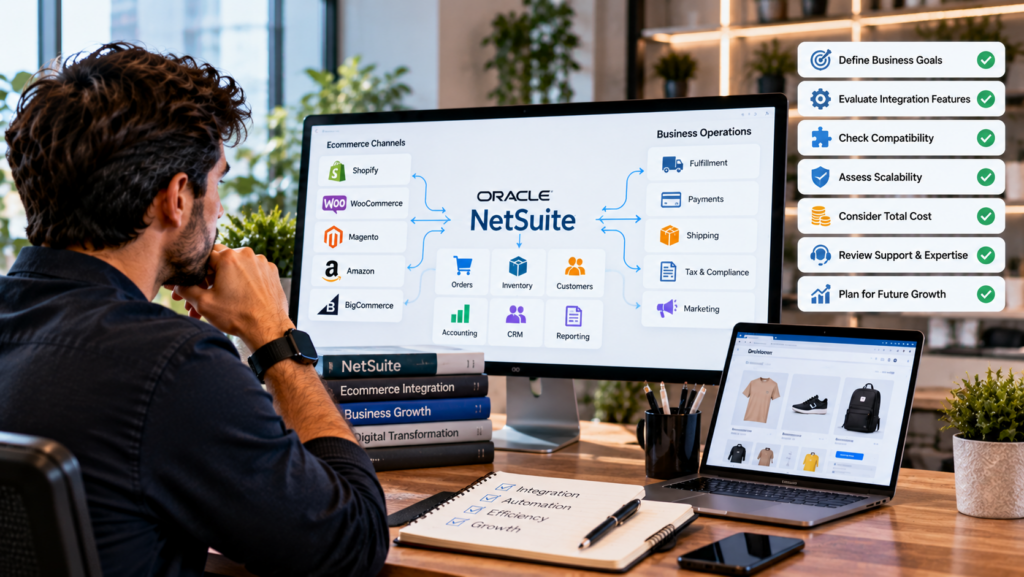
Choosing a NetSuite ecommerce integration solution starts with identifying the systems, transactions, and data that need to stay synchronized. The right solution connects ecommerce orders, products, customers, inventory, fulfillment, and financial data with NetSuite while fitting the company’s existing workflows.
An ecommerce integration should therefore be evaluated based on business requirements rather than the number of connectors or features listed on a product page.
What Is a NetSuite Ecommerce Integration Solution?
A NetSuite ecommerce integration solution connects NetSuite with an ecommerce platform and automates the exchange of business data between the two systems.
Depending on the ecommerce platform and integration design, this includes product information, customer records, orders, inventory quantities, fulfillment status, pricing, and other transaction data.
The purpose is to establish a reliable flow of information between the ecommerce storefront and the ERP. The ecommerce platform handles the customer-facing shopping experience, while NetSuite manages core operational and financial processes.
Start With the Data You Need to Synchronize
The first step is identifying exactly which data needs to move between the ecommerce platform and NetSuite.
Common integration requirements include:
- Product information
- SKUs and product variants
- Prices
- Customer records
- Ecommerce orders
- Order status
- Inventory quantities
- Fulfillment information
- Shipment tracking
- Returns and refunds
- Tax information
- Discounts and promotions
Not every business requires every workflow. A B2C retailer with one storefront has different integration requirements from a multichannel company managing multiple ecommerce sites, warehouses, subsidiaries, and sales channels.
Documenting these requirements first makes it easier to evaluate integration solutions against actual operational needs.
Evaluate How Orders Flow Into NetSuite
Order synchronization should be one of the first capabilities you examine.
A good integration creates a defined workflow for moving ecommerce orders into NetSuite with the information required for fulfillment and accounting.
Look at how the solution handles customer information, SKUs, quantities, prices, discounts, shipping details, taxes, payment information, and order status.
Also examine how it handles exceptions. An integration that works well for standard orders but requires manual intervention whenever a product, payment, or customer record does not match creates additional operational work.
Check Inventory Synchronization
Inventory synchronization is critical for ecommerce businesses selling products across multiple channels.
The integration should establish which NetSuite inventory quantity is used to update the ecommerce storefront and how inventory changes move between systems.
This becomes more important when a business operates multiple warehouses or sells through several channels. The integration needs to reflect the company’s actual inventory structure rather than simply sending one total quantity to the storefront.
Before choosing a solution, determine whether it supports the inventory locations, stock rules, and fulfillment workflows used by your business.
Look at Product and Variant Mapping
Product mapping determines how ecommerce products correspond to NetSuite items.
The integration should provide a clear relationship between ecommerce SKUs and NetSuite item records. Businesses selling products with multiple colors, sizes, configurations, or other variants need accurate mapping at the individual item level.
For example, an apparel company might have one product style with multiple color-size combinations. Each ecommerce variant needs to connect to the appropriate NetSuite item so orders reduce the correct inventory.
Strong product mapping also simplifies catalog management when product information is maintained across multiple systems.
Consider Fulfillment and Shipping Workflows
Order synchronization is only one part of the ecommerce transaction lifecycle. The integration also needs to connect fulfillment information between NetSuite and the ecommerce platform.
Review how the solution handles:
- Sales order processing
- Item fulfillment
- Shipment confirmation
- Tracking numbers
- Partial shipments
- Backorders
- Cancellations
- Returns
The right workflow depends on how the business operates its warehouses and fulfillment processes.
If NetSuite serves as the operational system for fulfillment, ecommerce orders should move into NetSuite in a way that supports warehouse processing and sends relevant shipping updates back to the storefront.
Assess the Integration’s Support for Multiple Channels
Businesses frequently operate more than one ecommerce channel.
A company might sell through its primary ecommerce website, Amazon, a wholesale portal, marketplaces, or additional regional storefronts. Managing each connection separately creates a fragmented integration environment.
A solution that supports the required channels through a consistent architecture simplifies data management.
Before selecting an integration, map every current and planned sales channel and determine how each one connects to NetSuite.
For businesses evaluating different integration approaches, NetSuite ecommerce integration solutions provide a framework for connecting ecommerce platforms with NetSuite across core product, order, inventory, and fulfillment workflows.
Review Error Handling and Monitoring
Data synchronization failures are inevitable in any connected system. The important question is how the integration identifies and manages them.
Look for transaction logs, error notifications, retry functionality, and clear visibility into failed records.
For example, if an ecommerce order fails because its SKU does not exist in NetSuite, the system should identify the failed transaction and provide enough information for the team to resolve the issue.
Without proper monitoring, failed transactions can remain unnoticed and create discrepancies between ecommerce and ERP records.
Check Field Mapping and Customization
Every business has its own data structure and transaction requirements.
The integration should provide enough flexibility to map relevant ecommerce fields to the corresponding NetSuite records. This includes standard information as well as business-specific fields required for order processing, fulfillment, reporting, or accounting.
Review whether the solution supports custom field mapping, transaction rules, conditional workflows, and other configuration requirements relevant to your operation.
The goal is to fit the integration around established business processes without introducing unnecessary manual work.
Evaluate Scalability
An integration that works for today’s transaction volume should also support the company’s growth plans.
Consider the number of products, orders, customers, warehouses, ecommerce stores, and sales channels involved today and over the next few years.
Transaction volume is only one scalability factor. Adding new marketplaces, subsidiaries, fulfillment locations, or ecommerce platforms also increases integration complexity.
The solution should provide an architecture that accommodates these operational changes without requiring a complete redesign.
Consider Security and Data Governance
Ecommerce integrations transfer customer, order, product, and financial information between systems. Data access and transfer therefore require appropriate security controls.
Evaluate authentication methods, user permissions, data access, logging, and the provider’s approach to protecting transmitted information.
Businesses should also understand which system serves as the source of truth for each type of data. For example, NetSuite might serve as the authoritative source for inventory and financial transactions, while the ecommerce platform manages customer-facing product presentation.
Defining these ownership rules prevents conflicting updates between systems.
Compare Implementation and Ongoing Support
The technology itself is only one part of an ecommerce integration project.
Evaluate the implementation process, data mapping, testing, deployment, documentation, and ongoing support available from the integration provider.
Testing should cover the complete transaction lifecycle rather than only successful order creation. Test scenarios should include inventory changes, cancellations, refunds, partial shipments, failed mappings, and other exceptions relevant to the business.
Post-launch support also matters because ecommerce platforms, NetSuite configurations, and business processes continue to evolve.
Build a Practical Evaluation Checklist
Before selecting a solution, compare each option against the same requirements.
Your checklist should include:
- Ecommerce platform compatibility
- Product and SKU synchronization
- Variant mapping
- Customer synchronization
- Order synchronization
- Inventory synchronization
- Multi-location inventory
- Fulfillment and shipment updates
- Returns and refunds
- Pricing and promotions
- Tax handling
- Multiple storefronts or channels
- Error handling and monitoring
- Field mapping
- Scalability
- Security
- Implementation support
- Ongoing maintenance
A requirements-based comparison makes it easier to identify gaps before implementation begins.
Final Thoughts
The right NetSuite ecommerce integration solution is the one that fits the business’s actual data flows, transaction volume, fulfillment model, ecommerce channels, and future requirements.
Start by documenting the processes that need automation, then evaluate each solution against those requirements. Pay particular attention to order and inventory synchronization, SKU mapping, fulfillment, error handling, scalability, and ongoing support.
A well-designed integration creates a connected flow between the ecommerce storefront and NetSuite, giving teams more consistent data and reducing repetitive manual work as ecommerce operations grow.