
A security operations center rarely runs short of alerts. It runs short of time, attention, and patience. When every notification demands a decision, analysts spend...
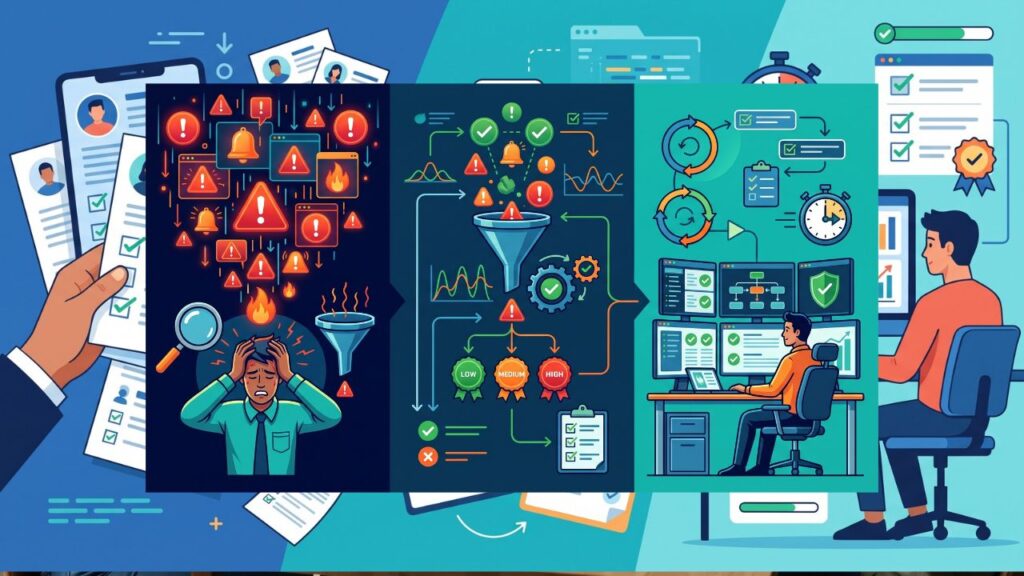
A security operations center rarely runs short of alerts. It runs short of time, attention, and patience. When every notification demands a decision, analysts spend their shifts clicking through low-value items while a genuine intrusion waits in the queue. Triage is the discipline that decides what gets looked at first, what gets handled automatically, and what gets dropped. Improving it does more for speed and morale than hiring one more analyst. The sections below cover where triage time disappears, how to prioritize, how enrichment and automation help, and how a better process protects the people doing the work.
Where Triage Time Actually Disappears
Before changing the process, measure it. Many teams assume the slow part is investigation, but timing a sample of alerts often shows a different pattern. Analysts lose minutes switching between consoles, copying indicators into lookup tools, searching for the owner of an asset, and rereading the same context for similar alerts.
Queue design contributes. If every alert lands in one list sorted by arrival time, a routine antivirus notification can sit ahead of a suspicious administrative logon. Analysts compensate by scanning the whole list, which is itself a cost, and different analysts scan differently, so results vary by shift.
Repetition is another drain. A large share of alerts in most environments come from a few rules that fire on harmless activity, such as a scanner run by the IT team or a backup job that resembles data staging. Each occurrence takes only a minute, but a minute multiplied by hundreds per week adds up to a full-time position.
Start by tracking three figures for a few weeks: time from alert creation to first analyst action, time spent per alert by rule, and the share of alerts closed as benign. Those numbers show which rules to tune, which steps to automate, and which alert types deserve a dedicated path.
Prioritization Sets the Order of Work
A workable triage model sorts alerts by likely impact and confidence. Impact asks what the affected asset or account could cost if compromised. Confidence asks how likely it is that the alert reflects real malicious activity. A high-confidence alert on a domain controller outranks a low-confidence alert on a lab machine, and the queue should show that without anyone doing the arithmetic.
Build a simple scoring approach and keep it transparent. Inputs can include asset criticality, user privilege level, the detection rule’s historical precision, threat intelligence matches, and whether related alerts exist for the same host or account. Correlating alerts matters especially, since five weak signals on one machine tell a stronger story than any of them alone.
Teams that document their alert triage workflow tend to find that priority tiers improve consistency. Tier one covers items needing immediate human attention, such as confirmed credential misuse or malware execution on a server. Tier two covers items for same-day review. Tier three covers low-risk items that can be batched or closed through automation after periodic sampling.
Review the scoring monthly. If analysts keep overriding the priority on a certain alert type, the model is wrong about it, and the rule or its weight needs adjusting.
Enrichment Gives Analysts the Answer Before They Ask
Much of triage consists of collecting context. Who owns this host? Has this user logged in from this country before? Is this file hash known? Is the destination address associated with malicious infrastructure? Analysts answer those questions repeatedly, so a system can answer them first.
Automatic enrichment attaches the results to the alert at creation. Useful sources include:
- The asset inventory, for owner, role, and criticality
- Identity provider data, for user privilege and recent sign-in patterns
- Vulnerability scan results, for known weaknesses on the affected host
- Threat intelligence feeds, for reputation of addresses, domains, and file hashes
- Prior alerts and cases involving the same host, user, or indicator
When an analyst opens the case, the first screen already shows the essentials.
File and link analysis deserves its own step. A suspicious attachment or downloaded executable often triggers a manual check that wastes time or, worse, gets skipped. Detonating the file in a sandbox and returning its observed behavior, such as process creation, registry changes, and network calls, replaces a guess with evidence. That kind of output turns an uncertain alert into a quick decision.
Keep enrichment focused. Showing forty fields on every alert recreates the original problem. Choose the five or six facts that most often change the decision for each alert type, and place them at the top. Everything else can sit behind a link for the rare cases that need it.
Automation Handles the Repeatable Parts
Automation works best on steps that are predictable and low in risk. Closing duplicate alerts, merging related ones, tagging known benign sources, requesting a user confirmation by message, and isolating an endpoint after a high-confidence detection are all common candidates.
A clear alert triage workflow makes automation easier to trust, because each action follows from a defined condition. Write the playbook in plain language first, such as “if a login alert comes from a known travel-approved user and a managed device, close with a note.” Then implement and test it before enabling it in production.
Keep humans in the loop for decisions with real consequences. Disabling an executive’s account or taking down a production server should require an analyst’s approval, at least until the playbook has proven reliable over many cases. A staged approach works well: run the automation in recommend-only mode, compare its suggestions with analyst decisions, and enable it fully once agreement is consistently high.
Maintain the automation like any other software. Playbooks drift as environments change, so assign owners, version the logic, and review the outcomes. An unmonitored playbook that silently closes real alerts is more dangerous than a slow queue.
Protecting Analysts From Burnout
Burnout in a SOC rarely comes from difficult work alone. It comes from repetitive, low-value work combined with the constant fear of missing something. Faster triage addresses both, but leaders can reinforce it with a few deliberate habits.
Rotate analysts between queue duty, investigation, and engineering tasks such as rule tuning, so that nobody spends months on one monotonous activity. Give analysts a direct channel to propose rule changes and close noisy detections, and respond to the proposals quickly. People tolerate noise better when they can see it being fixed.
Set sensible shift handoffs. A written summary of open cases and watched indicators prevents the dread of returning to an unknown situation. Limit after-hours paging to alerts that justify it, using the priority tiers already built.
Recognize good judgment, not only speed. An analyst who spots a subtle intrusion that automation missed, or who writes a rule that eliminates fifty alerts a day, adds lasting value. Reviewing closed cases without blame, and treating misses as process problems rather than personal failures, keeps people willing to escalate when something looks wrong.
End Note
A faster triage process comes from several small improvements working together: measuring where time goes, ordering the queue by impact and confidence, enriching alerts before analysts open them, automating the repeatable steps, and caring for the people who do the work. None of these requires a complete rebuild, and each can be tested on a single alert type before expanding. Teams that start with their noisiest rule and fix it end to end usually discover that the freed time funds the next improvement.