
A memorable birthday celebration does not have to begin with expensive decorations or a complicated event plan. One of the easiest places to start is...
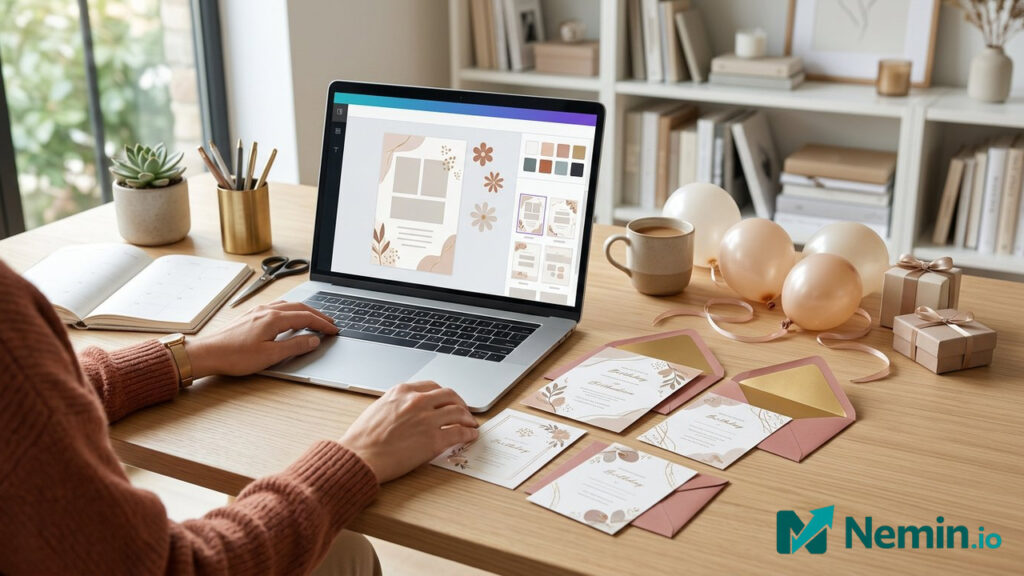
A memorable birthday celebration does not have to begin with expensive decorations or a complicated event plan. One of the easiest places to start is to create printable invitations that establish the theme, communicate essential details and give guests a clear first impression of the celebration ahead. Modern online tools make that process much easier, while digital planners, RSVP systems, budget trackers, shopping services and collaborative checklists can help manage nearly every other part of a birthday party. Used thoughtfully, these tools reduce administrative work and give hosts more time to concentrate on food, guests and the experience itself.
Planning a birthday party can look simple until all the individual decisions appear. Who should be invited? When should invitations go out? What food fits the guest list? Which decorations actually match? How much can be spent? Who has replied? Does anyone have dietary requirements?
Online party planning tools bring these moving pieces into a manageable system. Better still, many categories of tools are available through free or low-cost services, although features, pricing and usage rights vary by provider.
This guide explains how to use digital tools from the first invitation design to the final party checklist, with a particular focus on producing beautiful printable invitations that remain practical, readable and easy to distribute.
Why Create Printable Invitations Before Planning the Details
Invitations are more than announcements. Designing them early forces you to establish several fundamental details, including the date, time, venue and overall character of the celebration.
If those decisions are still unclear, the invitation cannot be completed. This makes invitation design a useful planning milestone.
Printable designs also offer a useful middle ground between fully digital invitations and professionally printed stationery. You can design online and then print at home, use a local print shop or send the finished file to a professional printer.
Create Printable Invitations to Establish Your Party Theme
The visual direction of an invitation can become the foundation for the whole party.
A children’s dinosaur invitation might suggest green decorations, prehistoric games and themed food labels. A minimalist milestone birthday invitation could inspire neutral colours, elegant table settings and understated decorations.
Using one consistent visual language makes the event feel coordinated without requiring every item to be identical.
The key is choosing the theme before purchasing decorations. Otherwise, hosts often accumulate unrelated items and spend more trying to make them work together.
Invitations Make Essential Decisions Visible
A properly designed birthday invitation should answer the most immediate guest questions.
Include the birthday person’s name, celebration date, start time, location and RSVP instructions. Depending on the event, you may also need an end time, dress guidance, parking information or instructions for parents.
Check every detail before printing.
A beautiful invitation with an incorrect date or address creates far more work than a plain invitation containing accurate information.
How to Create Printable Invitations Online
Online design platforms have made invitation creation accessible to people who have little or no graphic design experience. Many provide editable templates, text tools, graphics and downloadable file options.
The basic process is straightforward:
- Select the invitation dimensions and intended print format.
- Choose a template or begin with a blank layout.
- Add the party information and RSVP details.
- Adjust fonts, colours and visual elements.
- Proofread names, dates, times and addresses.
- Check image and graphic licensing where relevant.
- Export using a format and quality suitable for your chosen printer.
- Print a test copy before producing the complete quantity.
Individual platforms may handle exports, bleed, crop marks and image quality differently. Always follow the requirements of the printer you intend to use.
Choose the Right Tool to Create Printable Invitations
The best design platform is not necessarily the one with the largest template library. It is the one that lets you produce the correct final file without unnecessary complexity. For a simple family birthday, a browser-based drag-and-drop editor may be sufficient. Someone creating custom illustrations might prefer more advanced design software.
Before designing, investigate whether the service supports your required file type and resolution. Also check whether premium fonts, illustrations, photographs or templates carry additional charges or restrictions.
Create Printable Invitations Without Design Experience
Start with simplicity. Choose one main typeface for the important information and, if necessary, one complementary typeface for decorative headings. Avoid using numerous font styles simply because the software offers them.
Keep strong contrast between text and background. Pale lettering on a similarly pale photograph may look attractive on a bright screen but become difficult to read after printing. Spacing matters too. Give the date, time and venue enough visual separation to make them immediately identifiable.
What Information Should Printable Birthday Invitations Include
Good invitations provide enough information without becoming crowded. At minimum, guests should understand who is celebrating, what the event is, where and when it happens, and how to reply.
For children’s parties, parents may need additional information. Is the party drop-off or should adults remain? Will food be served? What time does the party finish? For adult events, guests may need information about dress, plus-one arrangements or venue access.
Create Printable Invitations With Clear RSVP Instructions
An RSVP request should identify both a response method and, where appropriate, a reply deadline. You might provide a phone number, email address, private event page or online response form. Avoid requiring guests to search for the correct way to contact you.
An RSVP deadline is especially helpful when a venue, caterer or activity provider needs confirmed numbers. Keep the process easy. A guest should be able to understand how to respond within seconds.
Check Personal Information Before Sharing
Printable invitations can contain private information such as a home address, telephone number or child’s details. Think carefully before uploading an invitation containing this information to public social media. A design intended for named guests does not necessarily belong on an unrestricted public page. When sharing digitally, use appropriate privacy settings and consider exactly which personal details need to appear.
Create Printable Invitations That Look Professional
Professional-looking invitation design depends more on hierarchy and consistency than decorative complexity. The most important information should command attention first. Typically, that means the celebration itself, the birthday person’s name and the date. Supporting information can appear beneath it in a smaller but still readable size.
Build a Simple Visual Hierarchy
Imagine someone looking at your invitation for only five seconds. They should be able to understand the purpose of the event and identify when it happens. Use size, weight and spacing deliberately.
For example, the birthday person’s name can serve as the visual focal point. The date and time can form a clear secondary block. Address and RSVP information can sit lower in the layout. Do not hide essential information inside decorative artwork.
Select Colours With Printing in Mind
Colours shown on a screen may not reproduce identically in print. Displays emit light, whereas printed materials reflect it, and printer, paper and colour-management choices all influence the result.
This is why a test print matters.
If exact colour reproduction is important, work with a printer that can advise on file preparation and colour requirements.
Create Printable Invitations With Readable Typography
Decorative fonts can add personality, but they should be used selectively.
A highly stylised script might work for a short heading while becoming tiring when used for an address or paragraph. Essential information generally benefits from a clean, readable font.
Make sure letters remain legible at the invitation’s actual printed size.
Accessibility should be part of good design. Clear contrast and reasonable type size help everyone.
Free Versus Paid Invitation Design Tools
Both free and paid platforms can produce attractive birthday invitations.
Free tools may provide basic templates, common fonts, simple graphics and standard export options. Paid subscriptions often expand access to premium assets, storage, brand controls or additional formats.
Neither category automatically produces better design.
Your decision should depend on what you actually need.
T
| Tool Type | Most Useful For | Check Before Using |
|---|---|---|
| Free design editor | Simple birthday invitations | Export quality and asset restrictions |
| Premium design service | Broader template and graphic libraries | Subscription terms and licensing |
| Photo editor | Image-focused designs | Print size and resolution |
| Professional layout software | Precise custom stationery | Learning curve and export settings |
| Printer design portal | Direct design-to-print workflow | Editing flexibility and print costs |
Plans and features change, so verify current information directly with the provider.
Use Online Planning Tools After You Create Printable Invitations
Once invitations are ready, move the planning information into a central system.
A digital task manager, calendar or project planning tool can prevent important actions from becoming scattered across notes, messages and memory.
Create a timeline working backwards from the party date.
Venue reservations and entertainment may need early attention. Food quantities and final seating arrangements usually depend on later RSVP information.
Digital Checklists Prevent Last-Minute Gaps
A useful birthday checklist should contain actionable tasks rather than broad categories.
“Food” is easy to ignore because it is vague. “Confirm cake collection at 10:30 am” is much harder to misunderstand.
Assign deadlines to time-sensitive tasks.
If several people are helping, a shared checklist can also indicate who owns each responsibility.
Calendar Tools Make Deadlines Visible
Enter key dates in a digital calendar, including invitation distribution, RSVP deadline, supplier payment dates, final guest confirmation and collection times.
Automatic reminders reduce dependence on memory.
Avoid filling the calendar with dozens of trivial notifications. Use reminders primarily for tasks where missing the deadline would create a genuine problem.
Create Printable Invitations and Digital Versions Together
Printable and digital invitations do not have to compete.
You can create printable invitations for guests who appreciate physical stationery while using a compatible digital version for guests who prefer messages or email.
This hybrid approach can be particularly useful for family events involving several generations.
Keep Printed and Digital Information Consistent
If you produce multiple versions, make sure they contain identical core details.
A common mistake is updating the time on the digital invitation but forgetting the printed version has already been distributed.
Maintain one master party-information document. When something changes, use it to check every communication channel.
Use QR Codes Carefully
A QR code can connect a printed invitation to an RSVP form, map or private event information page.
However, do not make the QR code the only way guests can access essential information. Some guests may prefer not to use one or may encounter technical difficulties.
If you add a QR code, test the printed version using several devices before distributing invitations. Printing at a small size or with poor contrast can reduce scan reliability.
Online RSVP Tools Make Guest Management Easier
RSVP management is one of the areas where digital systems can save substantial administrative time.
Instead of collecting replies across unrelated conversations, an online form can centralise attendance information.
Depending on the event, you might ask for guest names, attendance status, dietary information and other genuinely necessary details.
Avoid Collecting Unnecessary Guest Data
Only ask for information that helps organise the event.
For a simple birthday party, you probably do not need extensive personal information. Data minimisation makes forms faster for guests and reduces the amount of information you need to manage.
If using a third-party service, consider its privacy practices before collecting sensitive details.
Create Printable Invitations That Connect to RSVPs
When you create printable invitations, reserve a small, clearly defined area for RSVP details.
This can include a short web address, email, phone number or QR code.
The deadline should be visible but not more visually dominant than the party date.
For example, “Please reply by 10 September” is clearer than an unexplained date positioned in a corner.
Smart Budget Tools for Birthday Party Planning
A successful birthday does not require uncontrolled spending. A budget is most helpful when created before major purchases begin.
Spreadsheet software and budgeting apps can track expected and actual costs.
Start by deciding the maximum amount available and then divide it among high-priority categories.
| Budget Category | Typical Items to Track |
|---|---|
| Venue | Hire, deposit, additional hours |
| Food | Catering, snacks, drinks |
| Cake | Cake, cupcakes, candles |
| Invitations | Design, paper, printing, postage |
| Decorations | Balloons, banners, flowers, table décor |
| Entertainment | Performers, games, activity hire |
| Party supplies | Plates, cups, napkins, serving items |
| Contingency | Unplanned but necessary expenses |
The exact categories will vary by celebration.
Track Actual Costs, Not Just Estimates
A budget filled entirely with estimates can create a false impression of how much remains available.
Once you pay a deposit or purchase supplies, replace the estimate with the actual amount.
Include delivery fees, taxes and other charges where applicable.
Small expenses can accumulate quickly, particularly when shopping across several websites.
Save Money When You Create Printable Invitations
DIY printable invitations may reduce certain design or production costs, but savings are not guaranteed.
Home printing still involves paper, ink and potentially envelopes and postage. Compare the complete cost with local and online printing services.
If only a small number of invitations is required, printing at home may be convenient. For larger quantities or specialist finishes, professional printing can sometimes offer better consistency.
Online Theme and Colour Planning Tools
A strong party theme does not necessarily mean covering every surface with matching graphics.
Colour palette generators, inspiration boards and digital mood boards can help you decide what belongs together before buying anything.
Select a small group of complementary colours and repeat them deliberately across invitations, decorations and table elements.
Create Printable Invitations From the Colour Palette First
Instead of creating the invitation and then attempting to match every decoration to it, establish the overall palette first.
Use those colours in the invitation template.
This makes later decisions much easier because you can reject products that clearly do not fit the established visual direction.
For children’s parties, bright colour combinations may work particularly well. For milestone birthdays, muted or high-contrast palettes can create a more sophisticated effect.
Build a Digital Mood Board
Collect images representing the atmosphere you want, but distinguish inspiration from copying.
A mood board can include colours, textures, flower styles, cake ideas, lighting and table arrangements.
Use it to identify recurring design features.
Always respect copyright when using online images. Inspiration images should not automatically be treated as assets that can legally be reproduced on invitations or commercial products.
Create Printable Invitations for Children’s Birthday Parties
Children’s invitations often benefit from bold colours, familiar visual themes and particularly clear practical information for parents.
Age can be incorporated into the design, especially for milestone childhood birthdays.
Parents organising the event should consider whether a child’s full personal details need to appear on every version of the invitation.
Add Parent-Friendly Information
Parents are often more concerned about logistics than decorative details.
State the start and finish times clearly. Explain whether adults are expected to stay. Provide an appropriate contact method.
If the event takes place at an activity venue, mention important requirements communicated by the provider, such as clothing or arrival times.
Include Food Information When Relevant
Allergies require careful handling. An invitation can ask parents to communicate dietary or allergy information, but this does not replace appropriate food safety procedures.
If using a venue or caterer, pass relevant information through the process they specify.
Do not make guarantees about allergen-free food unless the responsible provider can genuinely support those claims.
Create Printable Invitations for Adult Milestone Birthdays
Milestone birthdays often call for a different visual approach. Invitations for a 30th, 40th, 50th or later milestone can be playful, formal, minimalist or themed around the person’s interests.
Avoid assuming every adult wants their age prominently displayed.
Personal preferences should drive the design.
Formal Birthday Invitations
For formal celebrations, invitations can include dress guidance where necessary.
Elegant designs often rely on restraint. Strong typography, generous space and a limited colour palette can look more polished than crowded ornamentation.
When you create printable invitations for a formal venue, make sure the invitation style reflects the actual event. Guests use it to form expectations about how they should dress and prepare.
Casual Birthday Invitations
Informal parties offer more freedom.
Bold illustrations, humorous wording and colourful typography can work well, provided readability remains strong.
Casual does not mean unclear. Date, time, address and RSVP information remain essential regardless of party style.
Online Tools for Finding and Managing Venues
Venue discovery websites and map services can make initial research faster. You can compare locations, approximate travel times and available facilities before arranging visits.
However, third-party listings may not always contain current information.
Confirm capacity, availability, accessibility, policies and pricing directly with the venue before making decisions.
Check Guest Capacity Properly
A maximum capacity figure needs context.
Ask whether it refers to seated guests, standing guests or a specific room setup. Furniture, entertainment equipment and activity zones can reduce usable capacity.
For children’s parties, space for games may be more valuable than adding extra chairs.
Location Links Can Support Printable Invitations
Instead of filling the invitation with complex travel directions, you can provide the complete venue name and address alongside an optional map link or QR code.
Still include enough written information for guests who do not want to use digital tools.
When you create printable invitations for unfamiliar venues, confirm the precise address directly with the venue before printing.
Smart Food Planning Tools
Food planning becomes easier once you know the approximate guest number.
Recipe scaling tools can help home cooks calculate quantities, while catering services may provide their own guidance based on event type and serving style.
Remember that mathematical scaling does not always work perfectly for recipes. Cooking time, equipment capacity and ingredient behaviour can change when batches become significantly larger.
Use Your RSVP List for Dietary Planning
Create a clear record of dietary information submitted by guests.
Communicate relevant requirements to the person or business responsible for food preparation.
Privacy matters here as well. Only share guest information with people who genuinely need it to provide the requested food.
Avoid Ordering Too Early
Some food decisions should wait until the RSVP deadline has passed.
This is another reason to create printable invitations and distribute them with enough time for responses.
Once attendance is clearer, final quantities can be based on better information rather than guesses.
Online Cake Ordering and Design Inspiration
Cake is often a visual centrepiece of birthday celebrations, and online galleries make it easy to research styles.
Use photographs to communicate broad preferences to a baker, but avoid demanding an exact copy of another creator’s protected design.
Discuss serving numbers, flavours, allergens, collection or delivery and storage requirements.
Match the Cake to Your Invitation Design
A cake does not need to reproduce an invitation literally.
Instead, repeat one or two visual cues such as colour, motif or style. A minimalist invitation might be paired with a cleanly finished cake featuring the same accent colour.
The same principle applies to cupcakes, food labels and dessert displays.
Create Printable Invitations and Matching Party Stationery
Once the invitation design is complete, the same visual assets can often be adapted for other event materials.
Depending on your party, you might make welcome signs, food labels, place cards, thank-you cards or simple game sheets.
A consistent template saves design time.
Keep Matching Materials Functional
Not every object needs a label.
Create stationery where it provides information, improves navigation or adds meaningful visual value.
Too many printed pieces can increase cost and waste without improving the guest experience.
Create Printable Invitations as the Master Design
Treat your invitation as the design reference for the event.
Record the font names, colours and graphic elements you used. When creating another item, reuse those choices rather than starting from scratch.
This provides consistency and makes subsequent design much faster.
Digital Music and Entertainment Planning
Music platforms and playlist tools can simplify party entertainment, particularly for informal events.
Build the playlist before the day rather than choosing songs while guests are arriving.
Consider the age group and character of the event. Children’s parties may require appropriate music, while adult celebrations can move through different styles during food, conversation and dancing.
Check Your Equipment
Streaming music requires suitable internet access unless content is legitimately available offline through the service you use.
Test speakers, connections and power supplies in advance.
For larger venues, professional sound equipment may be necessary. Check venue rules regarding sound levels and entertainment.
Online Games and Activity Resources
Printable games, quizzes and activity generators can be useful for birthdays, but check the quality and age suitability before using them.
For children’s activities, instructions should be simple and supervision appropriate.
For adult birthdays, customised trivia about the guest of honour can create a more personal experience than generic games.
Create Printable Invitations Without Common Mistakes
Invitation errors are especially frustrating because they may be multiplied across every printed copy.
Proofreading needs to happen before exporting and again before printing the full batch.
Do not rely solely on spell-checking software. Software may not identify an incorrect date or a correctly spelled but wrong street name.
Always Print One Test Copy
A test copy reveals problems that can be difficult to spot on screen.
Check:
- Overall printed size
- Text readability
- Colour reproduction
- Image quality
- Margins and cut lines
- QR code functionality
- Correct event information
Ask another person to proofread it as well. Familiarity can make creators overlook obvious errors.
Do Not Overcrowd the Layout
When hosts create printable invitations, one common temptation is to include every possible detail.
Keep the invitation itself concise.
If a party requires extensive instructions, a separate information page or private event page may be more appropriate, while the printed invitation carries the essentials and directs guests to additional information.
Printing Your Invitations Correctly
The right paper depends on your printer, design and desired finish.
Card stock can provide a substantial feel, but not every home printer accepts every paper weight. Check printer specifications before purchasing large quantities.
Professional printers can explain the stock and finishing options compatible with your artwork.
Home Printing
Home printing offers convenience and control for small quantities.
Check the printer’s maximum supported paper weight and border capabilities. Some printers cannot print to the edge of a sheet, which may affect full-background designs.
Printer ink consumption should also be considered when calculating costs.
Professional Printing
A professional printer may be preferable for large quantities, specialist paper or finishes requiring commercial equipment.
Request the required artwork specification before exporting your design.
When you create printable invitations online, make sure the downloaded file is appropriate for professional production rather than assuming every PDF or image export is identical.
Smart Shopping Tools for Decorations
Online shopping makes it easy to compare decorations, but convenience can encourage unnecessary spending.
Return to your mood board and budget before purchasing.
Measure the venue or party area before ordering banners, backdrops or table items. Product photographs can make decorations appear much larger than they actually are.
Compare More Than the Price
Check dimensions, quantity, delivery date and materials.
A cheap product can become expensive if you need three packages to cover the required area.
For time-sensitive events, delivery reliability matters more than finding the absolute lowest price.
Create Printable Invitations With Sustainability in Mind
Printed invitations inevitably use physical materials, but hosts can make deliberate choices about quantity and production.
Print only the number required plus a small allowance for errors or additions. Consider paper options available from your chosen printer and avoid unnecessary decorative components.
Using digital distribution for some guests can also reduce the number of physical copies required.
Reduce Waste Across the Party
Sustainability extends beyond invitations.
Avoid buying large quantities of disposable decorations for a single use where reusable alternatives suit the event. Borrowing or hiring certain items may be practical.
Food planning based on confirmed attendance can also reduce unnecessary excess.
The goal is not perfection but more intentional purchasing.
A Practical Timeline to Create Printable Invitations and Plan the Party
A birthday planning timeline should reflect the complexity of the event rather than follow one universal formula.
Large venue parties, popular entertainment suppliers and milestone celebrations may require more advance organisation than a small gathering at home.
Start with fixed decisions such as budget, date and venue.
Then create printable invitations, establish RSVP tracking and proceed to variable elements such as final food quantities.
| Planning Stage | Main Action |
|---|---|
| Initial planning | Budget, guest estimate, date and theme |
| Venue stage | Confirm location, capacity and policies |
| Invitation stage | Create printable invitations and proofread details |
| Guest stage | Send invitations and track responses |
| Supplier stage | Confirm food, entertainment and decorations |
| Final stage | Review RSVPs, schedule and purchases |
| Party day | Follow one master checklist and timeline |
Treat this as a sequence rather than a rigid calendar. Actual deadlines depend on your event and suppliers.
Why Create Printable Invitations as Part of a Digital Workflow
Printable stationery might appear traditional, yet producing it through a digital workflow combines some of the advantages of both physical and online planning.
You gain the tactile quality of a physical invitation while preserving the ability to edit, duplicate and adapt designs quickly.
That same invitation can connect guests to online RSVPs and additional event information.
One Design Can Support the Entire Party
When you create printable invitations thoughtfully, you also establish a reusable design system.
Colours become the basis of decorations. Fonts can be reused for signage. Graphic elements can appear on menus or labels.
This reduces decision fatigue because later choices can be measured against a visual reference that already exists.
Online Tools Should Simplify Rather Than Complicate
It is possible to use too many planning apps.
A separate platform for every small task can result in information being scattered across multiple accounts. Use the smallest collection of tools capable of managing the celebration effectively.
For many parties, one design tool, one calendar or task manager, an RSVP system and a simple budget tracker are sufficient.
How to Create Printable Invitations That Guests Keep
Some invitations disappear into recycling soon after the event. Others are saved because they are visually appealing or emotionally meaningful.
Personalisation can make the difference.
A carefully selected photograph, custom illustration or thoughtful wording can turn ordinary stationery into a keepsake.
However, sentiment should not compromise clarity.
Personal Details Make Designs Memorable
For an adult milestone celebration, you might incorporate a meaningful colour palette or subtle references to a favourite interest.
For a child, a drawing or personalised theme may feel more distinctive than a generic template.
When using photographs of children, consider privacy before distributing digital copies or posting the design publicly.
Create Printable Invitations With Personality, Not Clutter
Personalisation works best when it is selective.
Choose one strong idea and make it visible. Trying to incorporate every hobby, colour, joke and photograph can weaken the overall design.
Good invitation design communicates personality through confident choices rather than sheer quantity.
Make Technology Work Quietly in the Background
The best party technology is almost invisible to guests.
Guests should not need to create multiple accounts, install apps or navigate complicated systems simply to attend a birthday celebration.
Use digital tools to simplify your work while making the guest experience straightforward.
A printed invitation with a simple RSVP option is often more effective than a sophisticated event system that creates friction.
This principle should guide the entire planning process. Technology is a tool, not the event itself.
FAQ’s
How can I create printable invitations online?
Use an online design platform to select a suitable invitation size, customise a template, enter accurate party details and export a print-ready file that meets your printer’s requirements.
Can I create printable invitations for free?
Yes, many services provide free design features and templates. Check whether your chosen graphics, fonts and export options are free and appropriately licensed before finalising the design.
What should I include when I create printable invitations?
Include the celebrant’s name, party date, start time, venue and RSVP method. Add an end time, dress guidance or other instructions when they are genuinely relevant.
What is the best file format for printable birthday invitations?
The best format depends on your printer. PDF is commonly accepted for print workflows, but always follow the exact file, bleed, colour and resolution requirements provided by your printing service.
Should I create printable invitations or digital invitations?
You can use both. Printed invitations offer a physical keepsake, while digital communication can simplify distribution and RSVPs. A hybrid approach works particularly well for mixed-age guest lists.
How do I create printable invitations that look professional?
Use clear typography, strong contrast, consistent colours, sufficient spacing and a simple visual hierarchy. Always proofread the invitation and print a test copy before producing the full quantity.
Conclusion
When you create printable invitations early in the planning process, you do more than produce attractive stationery. You establish the date, venue, theme, colour palette and communication style that can guide the entire celebration. Connecting the invitation with simple online RSVP, calendar and budget tools makes guest management considerably easier.
The smartest birthday plan is not the one that uses the most technology. Create printable invitations with clear information and a strong design, then use a small set of online tools to organise deadlines, guests, costs and suppliers. With accurate details and thoughtful preparation, the digital planning stays in the background while the birthday itself takes centre stage.