
Artificial intelligence has flooded creative workflows with hundreds of shiny website builders, image generators, color engines, and code assistants, making it harder than ever for...
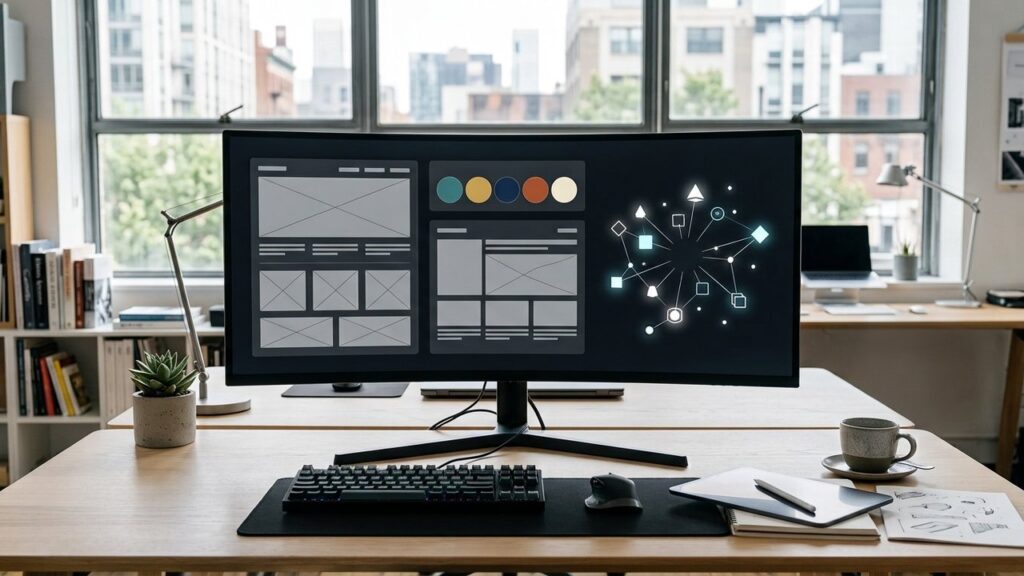
Artificial intelligence has flooded creative workflows with hundreds of shiny website builders, image generators, color engines, and code assistants, making it harder than ever for designers, agencies, and founders to separate genuine productivity multipliers from noisy gimmicks. Knowing how to choose the right AI tools for website design prevents wasted subscription budgets and generic cookie-cutter layouts while freeing creative teams from repetitive busywork like background removal, responsive email coding, and early wireframe sketching.
Industry roundups such as Designmodo’s comprehensive guide to the best AI tools for web designers highlight how recent studies show nearly 67% of businesses not yet using web design would adopt it if processes became faster and more accessible, showcasing practical leaders spanning Uizard, Khroma, Colormind, Postcards AI, Midjourney, Adobe Sensei, Sketch to Code, and curated ChatGPT prompt workflows.
Yet handing an entire brand identity blindly to one automated generator almost always yields bland, soulless templates that look identical to fifty competitors. Learning how to choose the right AI tools for website design by matching specialized platforms to each distinct production stage, auditing code export cleanliness and licensing rights, balancing human UX judgment with AI speed, and building a lean, high-ROI creative stack turns artificial intelligence into a lasting studio superpower.
Why You Must Strategically Choose the Right AI Tools for Website Design
Every week a new one-click website prompt tool promises to replace human designers completely, yet experienced product teams quickly discover a sobering gap between an eye-catching 30-second demo and a fast, accessible, conversion-ready production site. When teams fail to choose the right AI tools for website design deliberately, they accumulate eight overlapping $30-per-month subscriptions, fight bloated non-editable HTML exports, struggle with inconsistent brand typography, and spend longer fixing broken mobile layouts than designing cleanly from scratch.
When you choose the right AI tools for website design around concrete bottlenecks instead, the math flips dramatically. AI excels at accelerating divergence and drudgery: turning rough paper napkin sketches into editable digital wireframes in seconds, generating accessible color harmonies trained on designer preferences, drafting tailored microcopy variations for A/B headlines, upscaling grainy client photos cleanly, removing messy backgrounds in bulk, and assembling responsive no-code email templates from a single prompt. Human designers then reinvest those reclaimed hours straight into high-leverage craft: user research, conversion psychology, distinctive visual storytelling, and flawless accessibility.
Six Core Selection Criteria to Choose the Right AI Tools for Website Design
Before swiping a corporate card on any shiny design app, evaluate candidates against six rigorous studio criteria so you consistently choose the right AI tools for website design for real client projects.
- Clean Editable Output and Open Export Formats confirming whether every app you evaluate as you choose the right AI tools for website design exports structured Figma frames, clean semantic HTML/CSS, Tailwind components, or crisp SVGs rather than locking designs inside proprietary walled gardens.
- Brand System and Design Token Consistency verifying whether you can feed exact hex palettes, brand fonts, spacing grids, and existing UI component rules when you choose the right AI tools for website design so AI output reinforces your client’s unique visual voice.
- Workflow Integration With Figma, Webflow, WordPress, or VS Code ensuring every pick when you choose the right AI tools for website design slides seamlessly into your existing production pipeline instead of forcing awkward manual handoffs.
- Commercial Licensing and Copyright Clarity checking explicit terms of service for commercial client usage across generated imagery, icons, and web code as you choose the right AI tools for website design so agencies never expose enterprise brands to intellectual property disputes.
- Accessibility, SEO Semantics, and Core Web Vitals Discipline auditing whether generated web sections respect WCAG color contrast, clean H1-to-H4 heading hierarchy, semantic buttons, and lightweight responsive asset sizing when you choose the right AI tools for website design.
- Transparent Pricing and Real Time-Saved Payback measuring actual design hours trimmed per sprint against seat pricing (which studios can benchmark easily alongside a website cost calculator).
Matching Specialized Point Tools vs All-in-One AI Site Builders
A common trap when teams choose the right AI tools for website design is expecting one single subscription to generate strategy, brand art, wireframes, email newsletters, copywriting, and full-stack CMS code equally well. Small local shops launching a simple five-page brochure site can move quickly with an all-in-one builder, whereas agencies, SaaS startups, and serious e-commerce brands achieve vastly superior polish by assembling three or four specialized best-in-class AI tools around Figma and a clean production CMS.
Comparing Top Categories When You Choose the Right AI Tools for Website Design
Mapping proven tools spotlighted across web design communities like Designmodo straight to specific stages of the site lifecycle clarifies immediately how to choose the right AI tools for website design without overlap.
| Web Design Workflow Stage | Proven AI Tool Examples | How It Accelerates Production | Essential Human Review Step |
|---|---|---|---|
| Wireframing & Rapid UI Prototyping | Uizard, Sketch to Code, Figma AI | Converts hand-drawn sketches or text briefs into editable UI mockups fast | Refine user flow logic, edge states, and mobile tap ergonomics |
| Color Palettes & Visual Systems | Khroma, Colormind, Designs AI | Learns preferred aesthetics and generates balanced brand color schemes | Verify strict WCAG AA/AAA text contrast across buttons and dark mode |
| Custom Imagery & Asset Cleanup | Midjourney, DALL-E, Stable Diffusion, Vance AI, Adobe Sensei | Generates bespoke hero concepts, upscales photos, strips backgrounds cleanly | Check anatomy/lighting artifacts, unify art direction, compress to WebP |
| Email & Marketing Components | Postcards AI (Designmodo), MagicBrief, Magic Hour | Builds and translates responsive email templates and visual briefs in minutes | Test cross-client inbox rendering and align CTAs to landing pages |
| UX Copy, Prompts & Code Assist | Curated ChatGPT Prompts, Zyro, front-end coding copilots | Drafts microcopy, alt text, CSS layouts, and structured Schema snippets | Inject authentic brand voice, real client proof, and clean semantic QA |
Matching Your AI Web Design Stack to Team Size and Technical Skill
The smartest way to choose the right AI tools for website design is tailoring tool complexity directly to who actually builds and maintains the site every week.
| User Persona | Core Priority | Smart AI Tool Stack Focus |
|---|---|---|
| Solo Small Business Owner | Fast affordable launch with zero coding | Guided AI site builder + Khroma palette + AI copy/image polish |
| Freelance Web Designer | Faster client concept rounds and asset prep | Uizard wireframes + Midjourney/Vance AI + Postcards AI + ChatGPT prompts |
| SaaS & Digital Design Agency | Scalable design systems, clean code, high CRO | Figma AI tokens + Adobe Sensei + semantic front-end AI + CRO heatmaps |
Five-Step Evaluation Playbook to Choose the Right AI Tools for Website Design
Running a disciplined two-week pilot prevents agency tool sprawl and ensures you choose the right AI tools for website design based on hard studio benchmarks rather than viral social media reels.
How to Pilot Software and Choose the Right AI Tools for Website Design in Ten Days
Apply these five repeatable steps whenever testing new software to choose the right AI tools for website design cleanly.
- Step 1 Audit Your Slowest Current Bottleneck first, tracking where your team actually loses billable hours (early wireframe exploration, photo retouching, responsive email coding, or CSS boilerplate) so you choose the right AI tools for website design to fix real pain rather than chasing novelty.
- Step 2 Run One Identical Real Client Brief Across Two Contenders testing real messy constraints (long headline text, awkward product photography, multi-tier pricing tables, mobile menus) so you choose the right AI tools for website design on real deliverables rather than pristine demo prompts.
- Step 3 Inspect Exported Code and Responsive Breakpoints Under the Hood checking DOM nesting depth, Lighthouse mobile scores, semantic ARIA labels, and how easily a developer edits exported HTML/CSS or Figma Auto Layout as you choose the right AI tools for website design.
- Step 4 Verify Client Confidentiality and Commercial IP Terms confirming paid workspace settings disable model training on unreleased client mockups and grant clean commercial usage rights before you choose the right AI tools for website design.
- Step 5 Standardize Prompts and Train the Whole Team by documenting your studio’s top prompt templates, style rules, and mandatory human QA checklists so every designer extracts consistent output once you choose the right AI tools for website design.
Avoiding Generic Outputs When You Choose the Right AI Tools for Website Design
Savvy buyers spot lazy AI-generated websites within three seconds: glowing purple-blue gradients, robotic headlines starting with Unleash the Future of, awkward stock hands, and hollow generic value blocks. When you choose the right AI tools for website design as accelerators beneath strong human art direction, pairing bespoke photography, real customer quotes, sharp human-edited copy, and intentional white space, visitors experience effortless originality rather than synthetic templates.
Balancing AI Automation With Human UX Judgment and Accessibility
Artificial intelligence predicts statistical visual patterns from past websites, which means it excels at familiar layout conventions yet cannot interview a frustrated B2B buyer, empathize with a low-vision screen-reader user, or decide bold category differentiation. Teams that choose the right AI tools for website design treat automation as a tireless junior production assistant: letting Khroma suggest color harmonies, Uizard draft initial mobile cards, Vance AI sharpen legacy client images, and Postcards AI assemble responsive email components in minutes, while human UX architects own information hierarchy, persuasion strategy, accessibility testing, and emotional resonance.
Equally important is measuring real post-launch website metrics after introducing AI tooling into your design workflow. Track whether sites built after you choose the right AI tools for website design actually ship faster, score 90 plus on mobile PageSpeed Insights, pass WAVE accessibility checks cleanly, and convert visitors into demo bookings or checkout orders at equal or higher rates than manually drafted predecessors. Hard conversion data keeps your studio’s tool stack lean, honest, and relentlessly focused on client outcomes.
Industry Playbooks to Choose the Right AI Tools for Website Design
Different business models demand very different creative priorities, which is why experienced creative directors never copy a generic influencer list blindly when they choose the right AI tools for website design. An enterprise SaaS product team prioritizes modular component tokens and strict accessibility when they choose the right AI tools for website design, whereas a fast-moving e-commerce store prioritizes crisp product imagery, rapid seasonal landing pages, and responsive email templates when they choose the right AI tools for website design.
Tailoring How You Choose the Right AI Tools for Website Design by Niche
Aligning specialized platforms directly to sector needs ensures you consistently choose the right AI tools for website design for high-converting outcomes.
- E-Commerce and DTC Brands choose the right AI tools for website design by pairing automated studio background removers and upscalers (Vance AI, Adobe Sensei) with responsive email builders like Postcards AI so seasonal product drops launch in hours instead of weeks.
- B2B SaaS and Tech Startups choose the right AI tools for website design around rapid UX wireframing (Uizard, Figma AI), sharp microcopy testing, and clean Tailwind or React code export so product-marketing pages stay lightweight and easy for engineers to ship.
- Local Service Businesses and Consultants choose the right AI tools for website design by picking clean guided layout builders plus accessible color systems (Khroma, Colormind) so non-technical founders publish trustworthy mobile-first sites without fighting broken code.
- Creative and Marketing Agencies choose the right AI tools for website design by standardizing shared studio prompt libraries, strict IP licensing checks, and multi-variant concept exploration (Midjourney, Sketch to Code, MagicBrief) so senior art directors present three stronger directions faster.
- Publishing and Content Platforms choose the right AI tools for website design with heavy emphasis on clean semantic HTML structure, fast Core Web Vitals image compression, and readable typography grids that strengthen organic search performance.
Common Mistakes Teams Make When They Choose the Right AI Tools for Website Design
Even sharp studios stumble when hype overrides disciplined process as they choose the right AI tools for website design. Avoid five recurring traps: subscribing to overlapping apps before auditing what Figma or Adobe Creative Cloud already includes; failing to test mobile breakpoints when you choose the right AI tools for website design; ignoring commercial copyright clauses on generated hero illustrations; skipping real user testing because AI mockups looked neat internally; and forgetting to measure whether time saved after you choose the right AI tools for website design actually improved client conversion metrics.
Quarterly Stack Audits After You Choose the Right AI Tools for Website Design
Artificial intelligence capabilities evolve every ninety days, so smart creative leaders review software usage every quarter after they choose the right AI tools for website design. Cancel unused seats immediately, document winning prompt patterns inside a shared team playbook, benchmark exported page speed and accessibility scores across recent launches, and swap out underperforming apps whenever sharper tools emerge. Disciplined quarterly reviews guarantee you continue to choose the right AI tools for website design that boost profit margins, protect original brand craft, and delight clients every single quarter.
Pros and Cons When You Choose the Right AI Tools for Website Design
Weighing both the undeniable efficiency wins and genuine creative limitations helps teams choose the right AI tools for website design with realistic expectations.
Pros When You Choose the Right AI Tools for Website Design
- Slashes hours spent on repetitive manual production tasks including background removal, photo upscaling, wireframe sketching, color exploration, and responsive email layout coding when teams choose the right AI tools for website design.
- Lowers technical barriers dramatically, helping small teams and non-coders prototype polished web concepts and test multiple visual directions rapidly.
- Integrates across specialized workflows (such as Uizard, Khroma, Colormind, Postcards AI, Adobe Sensei, and Midjourney) to amplify senior designers’ creative throughput cleanly.
- Accelerates client approval cycles by turning abstract discovery notes into tangible visual prototypes during week one instead of week four.
Cons and Limitations When You Choose the Right AI Tools for Website Design
- Over-relying on default one-click outputs without human art direction produces homogenous, generic templates that dilute brand distinctiveness and hurt conversion trust.
- Some AI site builders emit messy, non-semantic code or lock assets inside proprietary hosting ecosystems if you fail to choose the right AI tools for website design with clean export freedom.
- Automated layouts still require rigorous human auditing for WCAG contrast accessibility, responsive edge cases, factual copy accuracy, and commercial image licensing compliance.
FAQ’s
How do I choose the right AI tools for website design without wasting budget?
Start by identifying your slowest production bottleneck, pilot two specialized tools on one real client brief, verify clean Figma or HTML/CSS export quality and commercial licensing, and standardize only the tools that measurably cut sprint hours.
What are some proven categories when you choose the right AI tools for website design?
Top proven categories include wireframing tools (Uizard, Sketch to Code), color generators (Khroma, Colormind), visual asset engines (Midjourney, Adobe Sensei, Vance AI), email builders (Postcards AI), and UX copy/code assistants like ChatGPT.
Can AI tools completely replace professional web designers?
No, AI automates repetitive production tasks and speeds early prototyping, yet human designers remain essential for user research, original brand positioning, conversion psychology, accessibility compliance, and polished front-end craft.
What technical flaws should I check before choosing an AI website builder?
Inspect mobile responsiveness, clean semantic HTML/CSS structure, PageSpeed Core Web Vitals scores, editable Figma or CMS export options, WCAG color contrast, and commercial IP licensing terms before committing.
Are AI-generated website images safe for commercial client sites?
Always review each platform’s paid commercial terms of service, inspect outputs carefully for visual artifacts, disable client-asset model training where offered, and pair AI concept art with authentic brand photography whenever possible.
How can agencies avoid generic-looking sites when they choose the right AI tools for website design?
Feed custom brand tokens and real user research into your prompts, rewrite all automated headlines in authentic human voice, customize layout grids deliberately in Figma, and enforce strict senior art-director review before launch.
Conclusion
Artificial intelligence has permanently raised the speed floor of modern web production, yet winning digital experiences still belong to teams with sharp taste and clear strategic judgment. Taking time to choose the right AI tools for website design around real workflow bottlenecks, clean editable exports, brand system flexibility, and commercial licensing turns AI from noisy hype into reliable studio leverage.
Pilot proven specialists across wireframing, color systems, visual polish, and email components, keep human UX strategy and accessibility QA firmly in charge, and you will choose the right AI tools for website design to ship faster, sharper, higher-converting websites every single project.