
Children aged seven to nine already tap tablets and play video games intuitively, yet shifting them from passive screen consumers into creative digital builders is...
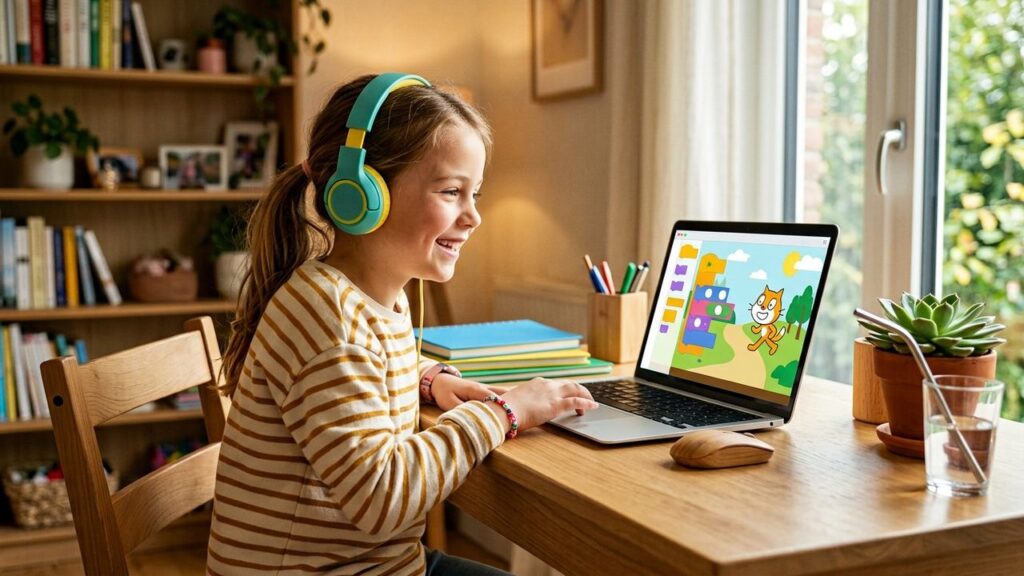
Children aged seven to nine already tap tablets and play video games intuitively, yet shifting them from passive screen consumers into creative digital builders is one of the highest-leverage gifts parents can give early in primary school. Introducing Coding fundamentals through visual, play-based platforms removes intimidating typed syntax so young learners focus purely on imagination, logic, and making interactive stories come alive.
Structured 1-on-1 online programs such as Alphagen Learning’s STEM.org-accredited 5-day Scratch Coding Camp for ages 7 to 9 show how smoothly children master Coding fundamentals: working live for 90 minutes daily with one dedicated teacher to build five real playable games (from healthy-eating mazes and Beat the Goalie to ocean cleanups and voice-controlled bats) while absorbing loops, conditionals, events, clones, and sensing blocks naturally.
Many parents worry that starting programming in lower primary school might feel too technical, dry, or overwhelming for a child who has never written a line of code before. Exploring why MIT’s visual Scratch platform (used by over 50 million young learners globally) makes Coding fundamentals click effortlessly, how Level 1 and Level 2 pathways build computational thinking step by step, and how early block-based logic prepares kids smoothly for Python and real-world problem solving empowers families to pick the right learning path with confidence.
Why Ages 7 to 9 Are the Ideal Window to Learn Coding Fundamentals
Between ages seven and nine, children make a remarkable cognitive leap: they read independently, grasp clear cause-and-effect rules, love inventing game challenges for friends, and have not yet developed the adult fear of making mistakes on screen. Teaching Coding fundamentals during this curious window turns logical reasoning into joyful play rather than a stressful exam subject.
When young learners try jumping straight into typed text languages like JavaScript or C++ at age eight, tiny missing semicolons and spelling typos spark instant frustration. Visual block-based environments such as MIT Scratch eliminate syntax typos completely. Kids snap colorful interlocking command blocks together like digital LEGO bricks, hit the green flag immediately, watch their character jump or score a point, and see the exact logic behind Coding fundamentals play out right before their eyes.
Six Core Coding Fundamentals Kids Master Through Scratch Projects
Behind every bright animated maze or soccer game sit the exact same core Coding fundamentals used by professional software engineers building mobile apps, websites, and video games worldwide.
- Sequencing and Algorithmic Thinking arranging step-by-step instructions in exact logical order so sprites move, speak, glide, and navigate mazes cleanly without crashing into walls.
- Loops and Repetition Efficiency using repeat and forever loops inside Scratch so kids replace twenty clunky repetitive blocks with sleek, fast-running game mechanics that embody clean Coding fundamentals.
- Conditional Logic (If-Then-Else Decisions) programming smart interactive rules such as If the player touches the goal, add 1 point and play cheer sound, else bounce backward, building critical cause-and-effect fluency in Coding fundamentals.
- Events and Broadcast Messaging coordinating multiple characters smoothly through event triggers and broadcast signals so starting screens, game-over banners, and enemy waves synchronize effortlessly.
- Variables, Scores, Timers, and Win Conditions creating dynamic score counters, countdown clocks, and speed escalations that turn simple animations into genuine replayable games powered by Coding fundamentals.
- Clones and Interactive Sensing Controls writing one clean blueprint instruction to spawn multiple falling obstacles or quiz cards simultaneously, and using microphone voice-sensing blocks to pilot characters hands-free.
How Debugging a Broken Game Teaches Lifelong Resilience
Every young coder hits a moment where their soccer goalie moves upside down or their score jumps by fifty instead of one. Instead of panicking, a caring 1-on-1 teacher guides the child to pause, read their blocks aloud, test one small change, and celebrate fixing the bug themselves. That calm hypothesis-test-fix cycle makes Coding fundamentals a powerful confidence builder across math, science, reading, and everyday schoolwork.
Comparing Level 1 Beginner vs Level 2 Continuing Coding Fundamentals Camps
Matching your child cleanly to the right entry level keeps sessions exciting, never boring and never discouraging, across a focused five-day holiday or after-school sprint.
| Program Track | Prerequisites | Core Coding Fundamentals Taught | Sample Playable Games Built |
|---|---|---|---|
| Level 1 (New to Coding) | None (complete beginners aged 7 to 9) | Drag-and-drop blocks, movement, collisions, if statements, loops, score & win logic | Healthy eating maze game, Beat the Goalie, obstacle runner |
| Level 2 (Continuing Coders) | Level 1 or basic Scratch familiarity | Clones, broadcast/receive events, countdown timers, voice sensing, quiz sorting logic | Ocean clean-up logic game, voice-controlled bat, Day 5 showcase |
Comparing 1-on-1 Live Mentorship vs Group Classes vs Self-Paced Apps
Parents have dozens of ways to introduce Coding fundamentals today; comparing real engagement and completion outcomes makes choosing simple.
| Learning Format | Pace & Personalization | Project Output Quality | Best Fit for Ages 7 to 9 |
|---|---|---|---|
| 1-on-1 Live Online Teacher (e.g. Alphagen) | 100% tailored to child’s speed & interests | 5 real custom shareable games in 5 days | Shy learners, fast thinkers, focused deep Coding fundamentals |
| Group Coding Classroom (8 to 15 Kids) | Fixed group pace; waiting for teacher turns | Standardized template exercises | Social peer hangouts where pace flexibility matters less |
| Self-Paced Puzzle Apps / YouTube | Unstructured; easy to quit when stuck | Short guided puzzles, rare original builds | Casual extra weekend practice alongside live classes |
Inside a Five-Day Sprint: How Kids Build Five Real Games From Scratch
Parents are often amazed at how quickly an eight-year-old moves from zero experience on Monday morning to proudly demoing a full custom game to grandparents on Friday afternoon. A well-sequenced five-day progression scaffolds Coding fundamentals cleanly one concrete win per day.
Day-by-Day Progression of a Beginner Scratch Camp
Each 90-minute 1-on-1 session reinforces earlier Coding fundamentals while layering one exciting new mechanic.
- Day 1 Welcome to Scratch and First Interactive Sprites exploring the stage, coordinate grid, motion blocks, and sound effects so your child writes their very first animated sequence inside ten minutes.
- Day 2 Game Controllers, Movement, and Collisions connecting arrow keys or mouse pointers to smooth character controls while writing if-touching collision rules that bring Coding fundamentals to life.
- Day 3 Score Counters, Variables, and Winning Logic introducing numeric variables to track points, lives, and clear victory screens across a playable mini-game like Beat the Goalie.
- Day 4 Obstacles, Loops, and Escalating Speed adding automated moving hazards powered by loops so games feel genuinely exciting, challenging, and balanced.
- Day 5 Complete Shareable Game Showcase combining every learned Coding fundamentals block into a polished custom game (complete with title dialogue and instructions students can plan concisely using a word counter) ready to share proudly with family and friends.
How Block-Based Coding Fundamentals Bridge Smoothly Into Python Later
Some parents wonder whether block coding feels like a toy compared with real text programming. In truth, every single concept inside Scratch maps one-to-one onto Python, JavaScript, and Swift: a Scratch forever loop is Python’s while True loop; a Scratch variable is a Python integer; a Scratch broadcast event mirrors event-driven web architecture. Children who master Coding fundamentals visually between ages seven and nine transition into typed Python around ages ten to twelve with dramatically stronger logic and zero intimidation.
How Parents Can Support Coding Fundamentals at Home Without Being Programmers
You never need a computer science background to nurture a thriving young creator. Five simple home habits amplify every lesson your child learns during live Coding fundamentals sessions.
Five Easy Parent Habits That Spark Lasting Curiosity
Simple encouragement transforms coding from a five-day holiday camp into a beloved creative hobby.
- Play Your Child’s Games Enthusiastically asking them to teach you how their game rules work and celebrating creative twists, because explaining logic aloud cements Coding fundamentals deeply.
- Ask Curious Questions Instead of Giving Instant Answers such as What did you expect the cat to do there? or Which block runs first? to strengthen independent troubleshooting habits.
- Connect Projects to Your Child’s Real Passions encouraging them to theme games around soccer, dinosaurs, baking, ocean conservation, or favorite storybooks so Coding fundamentals stay personally meaningful.
- Set Up a Calm Distraction-Free Laptop Corner with a reliable computer mouse (far easier than tiny trackpads for dragging blocks), comfortable kid-sized headphones, and consistent daily 90-minute focus slots.
- Plan a Gentle Next-Step Pathway moving smoothly from Level 1 Scratch into Level 2 clones and voice-controlled games, and then onward into weekly STEM.org-accredited programs or beginner Python once your child feels ready.
Checking Accreditation, Teacher Continuity, and Safe Online Environments
When selecting an online coding school for primary-aged kids, verify three non-negotiable quality markers: independent curriculum accreditation (such as STEM.org), consistent matching with the exact same dedicated 1-on-1 teacher across all five days so rapport builds immediately, and safe supervised screen-sharing practices where parents can glance in comfortably anytime. Strong programs also show high long-term student retention (such as an 18-month average stay) because kids genuinely look forward to logging in.
How Early Coding Fundamentals Strengthen School Math, Reading, and Creativity
Parents sometimes treat youth programming camps as an isolated tech hobby reserved strictly for future software engineers. In reality, mastering Coding fundamentals in primary school reinforces core academic muscles across almost every classroom subject. When an eight-year-old programs a sprite inside Scratch, they apply X/Y coordinate geometry, negative numbers, fractions of seconds, logical sequencing, and narrative storyboarding effortlessly without ever realizing they are practicing school math and structured writing.
Five Cross-Subject Academic Gains Powered by Coding Fundamentals
Teachers and parents routinely notice measurable everyday breakthroughs within weeks of a child absorbing Coding fundamentals through playful Scratch projects.
- Spatial Geometry and Number Fluency working directly with negative X/Y axes, 90-degree turns, random number ranges, and variable arithmetic while practicing Coding fundamentals inside interactive maze and goalie games.
- Step-by-Step Logical Decomposition learning to break one big intimidating goal (like building an ocean cleanup simulator) into five calm, bite-sized sub-problems, which sits right at the heart of Coding fundamentals.
- Creative Storytelling and Multimedia Expression writing playful character dialogue, designing custom pixel costumes, recording voice sound effects, and pacing interactive game chapters smoothly with Coding fundamentals.
- Patient Focus and Constructive Error Handling replacing the habit of giving up quickly when something breaks with calm curiosity, because debugging Coding fundamentals proves that mistakes are simply helpful clues pointing toward the fix.
- Presentation Confidence During Family Showcases explaining how variables, timers, and broadcast signals run their finished Day 5 project aloud to proud parents, cementing Coding fundamentals through joyful teaching.
Choosing the Right Class Schedule and Next Steps After Camp
Five-day intensive camps during school holidays create an unbeatable spark of momentum because children practice Coding fundamentals every single morning for ninety focused minutes without forgetting Monday’s blocks by Friday. Once camp concludes, preserving that creative spark is remarkably simple. Give your child thirty minutes on Saturday mornings to remix one of their five camp games by adding a new level, changing character speeds, or inventing fresh sound effects using the Coding fundamentals they just unlocked.
Mapping a Multi-Year STEM Roadmap From Scratch to Python
Families aiming for steady long-term growth can follow a stress-free progression built cleanly on Coding fundamentals: start ages 7 to 8 with Level 1 Scratch interactive games, advance through ages 8 to 9 into Level 2 clones, timers, and voice-sensing projects, explore intermediate multi-level Scratch design and micro-projects around age 9 to 10, and transition proudly into typed Python programming and web creation around ages 10 to 12. Because every stage recycles the exact same Coding fundamentals learned early, kids stay excited, confident, and genuinely proud of what they create independently.
Pros and Cons of Teaching Coding Fundamentals Through Scratch Camps
Weighing clear developmental wins alongside practical scheduling considerations helps families pick the ideal moment to start.
Pros of Learning Coding Fundamentals via 1-on-1 Scratch Camps
- Removes frustrating syntax typos so children aged 7 to 9 absorb real Coding fundamentals (loops, conditionals, variables, events, clones) through joyful game creation.
- 1-on-1 live instruction adapts instantly to shy beginners or fast learners, producing five real playable, shareable games in just five days.
- Strengthens math coordinates, logical sequencing, creative storytelling, and calm debugging resilience transferable to every school subject.
- Builds a seamless conceptual bridge into typed languages like Python, web design, and robotics later in upper primary and middle school.
Cons and Practical Considerations for Parents
- Visual block coding requires a laptop or desktop with a mouse rather than a small smartphone screen for comfortable block dragging.
- Five-day intensive camps ignite strong excitement, yet keeping Coding fundamentals fresh requires occasional weekend tinkering or continuing into Level 2 or weekly classes afterward.
- 1-on-1 live mentorship costs more than free self-paced puzzle apps, though higher completion and custom project quality deliver far deeper learning.
FAQ’s
What are Coding fundamentals for kids aged 7 to 9?
Coding fundamentals for young learners include logical sequencing, loops, if-then conditional decisions, events and broadcasts, score variables, clones, and systematic debugging, taught visually through interactive games and stories.
Does my child need prior programming experience to start learning Coding fundamentals on Scratch?
Not at all; beginner Level 1 Scratch camps require zero prior coding experience and guide complete newcomers aged 7 to 9 step by step to build five playable games in five days.
Why is MIT Scratch recommended over Python for 7-to-9-year-olds?
Scratch eliminates frustrating typing and spelling syntax errors using colorful interlocking logic blocks, letting young children master genuine Coding fundamentals rapidly before transitioning smoothly into typed Python around ages 10 to 12.
Why does 1-on-1 live instruction work so well for teaching Coding fundamentals?
One dedicated teacher adapts every session cleanly to your child’s exact pace, favorite themes, and questions without group waiting time, helping shy kids speak up and curious kids stretch deeper.
What equipment does my child need for an online Scratch coding camp?
All your child needs is a standard laptop or desktop computer (Windows, Mac, or Chromebook) with a stable internet connection, a web browser, comfortable headphones, and ideally a simple mouse for smooth block dragging.
What should my child learn after mastering Level 1 Scratch Coding fundamentals?
Students typically progress straight into Level 2 Scratch (mastering clones, broadcast events, countdown timers, and voice-controlled games), followed by ongoing weekly coding classes and eventually text-based Python or app creation.
Conclusion
Introducing Coding fundamentals between ages seven and nine transforms everyday screen time into active, imaginative problem solving. Through MIT’s visual Scratch platform and dedicated 1-on-1 mentorship, children move effortlessly from wondering how video games work to building and sharing five original games packed with loops, conditionals, variables, events, and voice controls in a single inspiring week.
Choose an accredited, project-based program matched cleanly to your child’s level, cheer enthusiastically as they demo their creations, and give them a joyful, future-ready foundation in Coding fundamentals that pays dividends across every subject they study next.