
Custom apparel used to demand a choice between two uncomfortable extremes. Screen printing delivered low unit costs but only after screens, setup labour, and minimum...
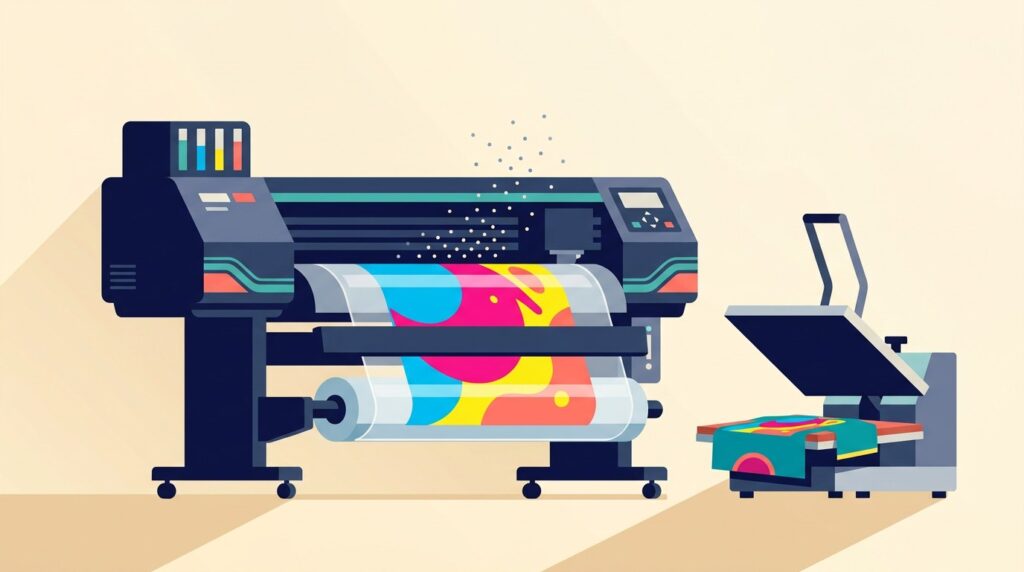
Custom apparel used to demand a choice between two uncomfortable extremes. Screen printing delivered low unit costs but only after screens, setup labour, and minimum order quantities made small runs uneconomic. Direct-to-garment solved the minimums but tied shops to cotton and pretreatment. Direct-to-film collapsed that compromise, and a LINKO DTF printer sits in the category of equipment that made the method accessible to shops that could never justify industrial textile machinery.
Choosing among these machines is genuinely difficult, though, because the specification sheets are dense with printhead model numbers, print widths, and configuration options that mean very little until you understand what each one does to your daily output. This guide explains the process, decodes the hardware decisions, and sets out the running costs that determine whether a machine pays for itself.
Understanding How Direct-to-Film Printing Works
Before evaluating any LINKO DTF printer, it helps to understand the five-stage workflow the machine sits inside, because each stage constrains the others.
The process begins with artwork prepared in RIP software, which handles colour separation and, critically, generates the white underbase layer. The printer then lays the design onto PET film — typically the white ink first, with CMYK colours printed over it, producing a mirrored image on the coated matte side of the film.
While that ink remains wet, hot-melt thermoplastic polyurethane powder is applied across the printed surface. The powder adheres only to wet ink, never to bare film, which is precisely why direct-to-film requires no weeding and no masking. Excess powder shakes off. The powdered film then passes through a curing oven, where the powder melts into a smooth, slightly glossy adhesive layer bonded into the ink.
At that point the transfer is finished. It can be rolled, stored, or shipped, which decouples printing from garment finishing entirely — a genuine operational advantage. Finally, the transfer is heat pressed face down onto the garment, generally in the region of 160 to 170 degrees Celsius for roughly ten to fifteen seconds, and the carrier film is peeled either hot or cold depending on the film specification.
Why Direct-to-Film Suits Small and Growing Shops
The commercial case is straightforward. Direct-to-film requires no fabric pretreatment, no screens, no colour-by-colour pricing, and no minimum order quantity. A single one-off shirt costs roughly the same per unit as the fiftieth.
Fabric compatibility is the other major advantage. Because the TPU adhesive bonds mechanically to fibres rather than chemically to cotton, transfers work across cotton, polyester, blends, nylon, fleece, denim, and canvas. LINKO states that its systems support cotton, silk, wool, linen, synthetic fibres, and denim. The one consistently weak category is heavily elastic material such as spandex-dominant performance wear, where the film layer will not stretch as aggressively as the fabric beneath it.
Gang sheets amplify the economics further. Because the film is printed as a continuous roll or sheet, dozens of unrelated designs can be nested into one print, cutting film waste substantially compared with printing each design in isolation.
Reading the LINKO Product Range
LINKO organises its catalogue into three tiers — a High-Performance Entry-Level Series, a Small Business Series, and a High-End Commercial Series — with published pricing spanning roughly $1,650 to $7,700 across the range. That structure is more useful than it first appears, because it maps cleanly onto print width and printhead count.
Entry-level machines in the LINKO DTF printer range centre on A3 format, around thirteen inches or thirty-three centimetres of print width. The S30 and the L-A3 sit here, along with the K402, which the company positions as its most affordable configuration. These suit hobbyists, side businesses, and shops testing whether apparel decoration justifies further investment.
The middle of the range moves to A1 and twenty-four-inch formats at sixty centimetres. Models including the K-60, S602, KM-602, A602, and A604 occupy this territory, generally with two to four printheads. This is the practical sweet spot for a working small business, since the wider film accommodates larger designs and denser gang sheets in a single pass.
At the top, the S605, K-607, A606, and B-804 add printhead count — five, six, or seven heads — while the S13048 and S1302 extend print width to forty-eight inches. These are production machines intended for shops fulfilling steady commercial volume rather than occasional orders.
Choosing Between Printhead Configurations
Printhead selection is the single most consequential decision in any LINKO DTF printer purchase, and it is where most first-time buyers guess rather than calculate. Three Epson heads dominate the direct-to-film market, and LINKO builds around all three.
The XP600 is the entry-level option, found in machines such as the K402 and as a configuration choice on the S30. It carries the fewest nozzles and the lowest throughput of the three, and it is the most affordable to replace. For low daily volumes it is entirely adequate.
The i1600 occupies the middle ground with roughly 1,600 nozzles at native 600 dpi, offering meaningfully higher throughput than the XP600. LINKO uses it in the L402, the S30, and the KM-602 among others.
The i3200 is the commercial standard, with roughly 3,200 nozzles — about double the i1600 and roughly three times the XP600 in throughput per head. LINKO builds it into the K-60, S602, S604, S605, K-607, and its larger industrial machines. Independent suppliers generally report longer service life from the i3200 than from the XP600 under comparable conditions, though published lifespan estimates vary widely across sources, from a few months of hard daily production to well over a year in lighter use. Treat any single figure sceptically and ask your supplier what their own customers experience at your volume.
Multiple heads multiply throughput roughly linearly. A dual-head machine prints approximately twice as fast as a single-head machine of the same width, which is why head count rather than width often determines whether a shop can meet its turnaround promises.
Matching the Machine to Your Actual Volume
Buyers comparing one LINKO DTF printer against another routinely overbuy width and underbuy heads, or the reverse. The honest approach is to estimate daily transfer output first, then work backwards.
If you are producing a handful of transfers a day for local orders, an A3 machine with an XP600 or i1600 configuration will not bottleneck you, and the lower capital outlay preserves cash for film, ink, and a decent heat press. If you are running consistent daily batches for wholesale or online fulfilment, a twenty-four-inch machine with dual i3200 heads changes the arithmetic — the wider film and faster heads reduce cost per linear metre substantially.
Consider integration as well. LINKO offers all-in-one configurations such as the S30 Pro and S60 Pro, which combine the printer with an inline roll shaker, curing oven, and filtration in a single unit. Separates give you flexibility to upgrade one component at a time; integrated systems save floor space and eliminate the manual handoff between printing and powdering, which is where inconsistency creeps into a workflow. Neither is universally correct, but integrated units tend to suit shops with limited space and limited staff.
The Running Costs Nobody Mentions Upfront
Purchase price is the smallest part of the total cost picture, and a LINKO DTF printer is no different from any other machine in this respect. Consumables consist of PET film, CMYK and white inks, and TPU adhesive powder, consumed roughly in proportion to printed area.
White ink deserves separate accounting. It costs considerably more per litre than CMYK because of its titanium dioxide pigment load, and it is consumed heavily since almost every design on a dark garment needs a full underbase.
Then there are the wear parts. Dampers, wiper blades, and capping stations are inexpensive individually but replaced on a rolling schedule, typically every few months depending on volume. Printheads are the significant recurring expense, and their replacement interval depends far more on maintenance discipline than on the printer brand.
Finally, budget for waste. Cleaning cycles consume ink, failed prints consume film, and a shop still learning its heat press settings will scrap transfers. Build a margin into your unit costing rather than assuming perfect yield.
Maintenance Discipline Determines Longevity
This section matters more than the specification comparison, because white ink is what kills any LINKO DTF printer or competing machine. Titanium dioxide particles are heavier than the pigments in CMYK inks, and they begin settling within hours rather than days. Settled pigment blocks ink lines, dampers, and ultimately nozzles.
That is why every serious machine includes a white ink circulation system, and why LINKO’s larger configurations emphasise it. Circulation keeps pigment suspended automatically instead of relying on an operator remembering to agitate.
The daily routine is short. Verify circulation is running or agitate bulk white ink, print a nozzle check before starting production, and confirm the white channel shows unbroken lines. Catching a partial clog at nozzle-check stage costs one cleaning cycle; catching it midway through a production run costs reprints, film, powder, and a worse clog.
Weekly and monthly tasks extend to cleaning the capping station and wiper blade, emptying the waste ink container, inspecting dampers, and flushing white ink lines with the manufacturer’s cleaning solution. Never improvise with household solvents, which can damage the printhead permanently.
The most damaging habit is leaving the machine idle. A direct-to-film printer that sits unused for days with white ink in the lines is far more likely to fail than one that runs daily. If you plan extended downtime, flush the white system first.
Environment, Software, and Setup Considerations
A LINKO DTF printer prefers a stable environment. Excessively dry air accelerates ink drying at the nozzle plate, while extreme humidity affects powder behaviour and film handling. A climate-controlled room is a genuine investment in printhead life, not a luxury.
Ventilation matters too, since curing melts thermoplastic powder. Machines with integrated filtration address this directly; separate shakers and ovens generally require you to solve extraction yourself.
On the software side, RIP control is mandatory rather than optional, because standard drivers cannot manage a white underbase layer. Confirm which RIP package ships with your configuration, whether the licence is perpetual or subscription, and whether it runs on the operating system you actually use.
Finally, weigh the support question honestly. LINKO is a China-based supplier serving international customers, which typically means competitive pricing alongside remote technical support rather than local on-site service. Before purchasing, ask specifically about spare parts availability, warranty terms and duration, printhead warranty exclusions, and expected shipping times for consumables into your country. These answers affect uptime far more than a marginal difference in print speed.
Frequently Asked Questions
What does a LINKO DTF printer cost?
The published range spans roughly $1,650 to $7,700 depending on series, print width, and printhead count. Entry-level A3 machines sit at the lower end, while multi-head twenty-four-inch and forty-eight-inch commercial systems occupy the top. Confirm current pricing and configuration directly with the supplier, since specifications and prices change.
Which printhead should a beginner choose?
For low daily volumes, an XP600 configuration keeps the entry cost down and the replacement cost manageable. If you expect to grow into steady daily production within a year, an i1600 or i3200 machine is usually the better economic decision, because head throughput rather than purchase price determines your cost per transfer at volume.
Do I need a separate shaker and oven?
Not if you buy an all-in-one model such as the S30 Pro or S60 Pro, which integrate the shaker, oven, and filter inline. Standalone printers require a separate powder shaker and curing unit, or a heat gun and manual powdering for very low volumes, which is slower and less consistent.
What fabrics can I print on?
Cotton, polyester, blends, nylon, denim, fleece, canvas, and many other textiles accept direct-to-film transfers without pretreatment. Highly elastic spandex-heavy fabrics are the main limitation, since the transfer film does not stretch as far as the garment.
How much maintenance does the machine really need?
Plan on five to ten minutes daily for white ink agitation or circulation checks and a nozzle check, roughly fifteen minutes weekly for cleaning cycles and capping station care, and a longer monthly session for damper inspection and line flushing. This is the difference between a printhead lasting months and lasting a year.
Is direct-to-film better than screen printing?
For short runs, full-colour artwork, and mixed fabric types, yes — there is no setup cost and no colour limit. Screen printing remains more economical at high volumes of a single design, generally somewhere in the hundreds of pieces upward, where per-unit ink cost dominates and setup is amortised across the run.
Conclusion
Selecting the right machine comes down to three honest assessments. Estimate your realistic daily transfer volume rather than your hoped-for volume, then choose printhead count and print width to match it. Budget for consumables and wear parts as an ongoing operating line rather than an afterthought, with white ink and printheads as the two largest recurring items. Commit to the daily maintenance routine before the machine arrives, because white ink neglect ends more direct-to-film businesses than competition ever does.
The three-tier LINKO DTF printer structure makes it reasonably easy to find a configuration that matches a given stage of growth, from an A3 desktop unit through to multi-head forty-eight-inch production systems. Verify current specifications, pricing, warranty terms, and parts availability with the supplier before committing, and ask directly what support looks like in your region. A well-matched machine backed by disciplined maintenance will outproduce a more expensive one that sits idle waiting for a replacement head.
Pingback: Pharmaceutical Equipment Suppliers: 9 Best Blister Pack Rules