
I’ve always enjoyed experimenting with creative AI tools, especially when they can turn a simple image into something much more interesting. Recently, I wanted to...
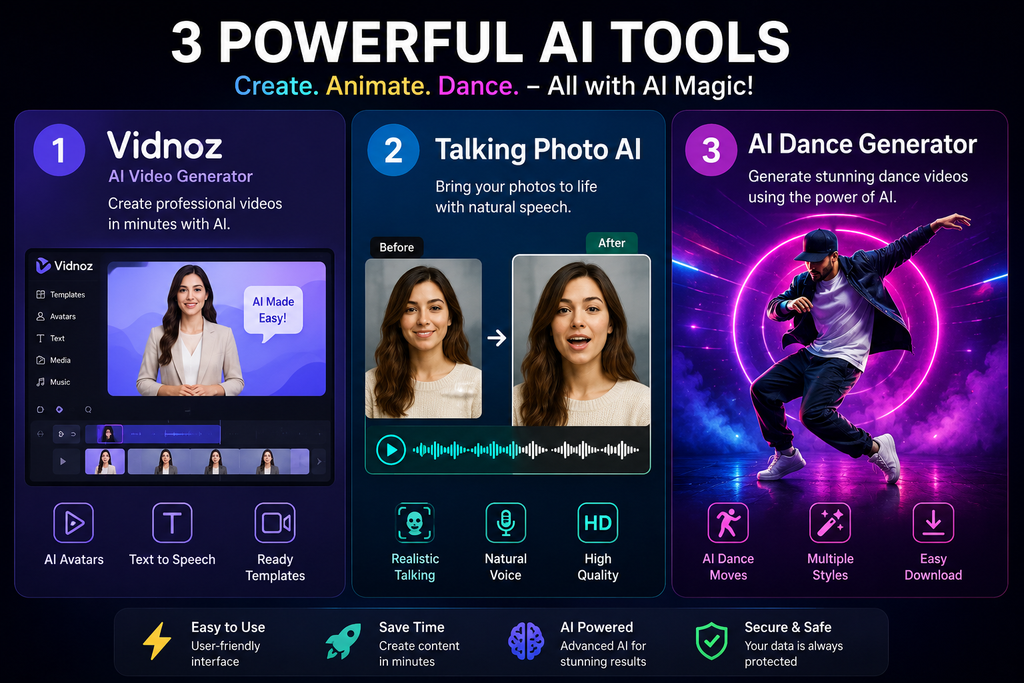
I’ve always enjoyed experimenting with creative AI tools, especially when they can turn a simple image into something much more interesting.
Recently, I wanted to see how easily I could animate a still photo without spending hours learning complicated video-editing software.
That’s when I decided to try Vidnoz and experiment with a few of its AI-powered features.
What started as a quick test turned into a surprisingly fun way to create short animated clips.
I Started With a Simple Photo
For my first experiment, I chose a clear portrait.
I quickly learned that the quality of the original photo makes a big difference. A clear face, good lighting, and a simple background gave me much better results than an image that was blurry or heavily edited.
Once I had a suitable image, I uploaded it and started exploring the available AI features.
I wasn’t looking for a professional production. I simply wanted to see how realistic the animation could become.
My Experience With Vidnoz
The interface was easier to understand than I expected.
Instead of dealing with complicated editing timelines and dozens of controls, I could focus on the image and the effect I wanted to create.
That made the process feel approachable even though I don’t consider myself an experienced video editor.
I tried a few different options and generated several short clips.
The results weren’t identical every time, but the overall process was quick enough that I didn’t mind trying again.
Talking Photo AI Was the Most Interesting Feature
One of the features that caught my attention was talking photo AI.
The idea is simple: take a still image and turn it into a talking character.
I uploaded my portrait, added a short script, and let the AI generate the animation.
Seeing the face move and appear to speak was definitely the most impressive part of my experiment.
The first result wasn’t completely perfect, especially around some facial movements, but it was convincing enough to show how useful this type of technology can be.
I Learned That Shorter Scripts Work Better
While testing the talking-photo feature, I experimented with different lengths of dialogue.
I found that shorter scripts generally produced more natural-looking results.
When I kept the dialogue simple, the facial animation seemed easier to follow.
This also made the final clips more suitable for social media or short presentations.
I wouldn’t expect a single still photograph to suddenly become a perfect human performance, but for short creative clips, the results were impressive.
Then I Tried an AI Dance Generator
After creating talking videos, I wanted to try something completely different.
I experimented with an AI dance generator to see how a static character could be turned into a more dynamic video.
This was probably the most entertaining part of the process.
Instead of simply moving the face, the AI could create a more active animation that gave the image a completely different feeling.
Some movements looked better than others, so I had to experiment with different images and settings.
Still, the ability to transform a static image into a dancing clip was something I wouldn’t have expected to be this accessible.
The Source Image Still Matters
One thing I noticed throughout my testing was that AI can’t completely fix a poor-quality source image.
When I used a clear image with the subject fully visible, the results were much more consistent.
Images with unusual poses, poor lighting, or parts of the body hidden behind objects were more difficult to animate naturally.
That changed the way I approached these tools.
Instead of immediately blaming the AI when something looked strange, I started by checking whether my original image was suitable.
What I Liked Most
The biggest advantage for me was simplicity.
I didn’t need professional editing experience to create something interesting.
With Vidnoz, I could experiment with talking images, animated characters, and different visual ideas without building everything manually from scratch.
I also liked being able to generate another version when the first result wasn’t quite right.
That made the process feel more like creative experimentation than traditional editing.
Where I Think These Tools Are Useful
I can see several practical uses for this type of AI.
Content creators could turn images into short social media videos.
Businesses could create simple presenter-style clips.
Teachers and students could make visual presentations more engaging.
Even someone who simply wants to experiment with an old photograph can create something completely different from the original.
Of course, when using photos of real people, I think it’s important to have permission and avoid using AI to create misleading content.
What Could Be Better
The technology still has limitations.
Facial movements can occasionally look unnatural, and some body movements generated by an AI dance tool may not match the original image perfectly.
I also noticed that more complicated images sometimes produced less predictable results.
For that reason, I don’t treat the first generated video as the final version.
I review the result and generate another version when necessary.
My Final Thoughts
Before trying these tools, I assumed turning photos into animated videos would require complicated software and a lot of editing experience.
My experience with Vidnoz changed that view.
The talking photo AI feature gave me an easy way to turn a still portrait into a speaking character, while the AI dance generator showed me how much more creative I could get with the same type of source image.
The results aren’t perfect every time, but the process is fast, accessible, and genuinely fun to experiment with.
For me, that’s the biggest advantage of these AI tools. They make it possible to take a simple photo and explore completely new ways of presenting it without needing advanced video-editing skills.