
Gaming performance is one of the most important factors for players who want a smooth and enjoyable experience. Whether you play action games, racing games,...
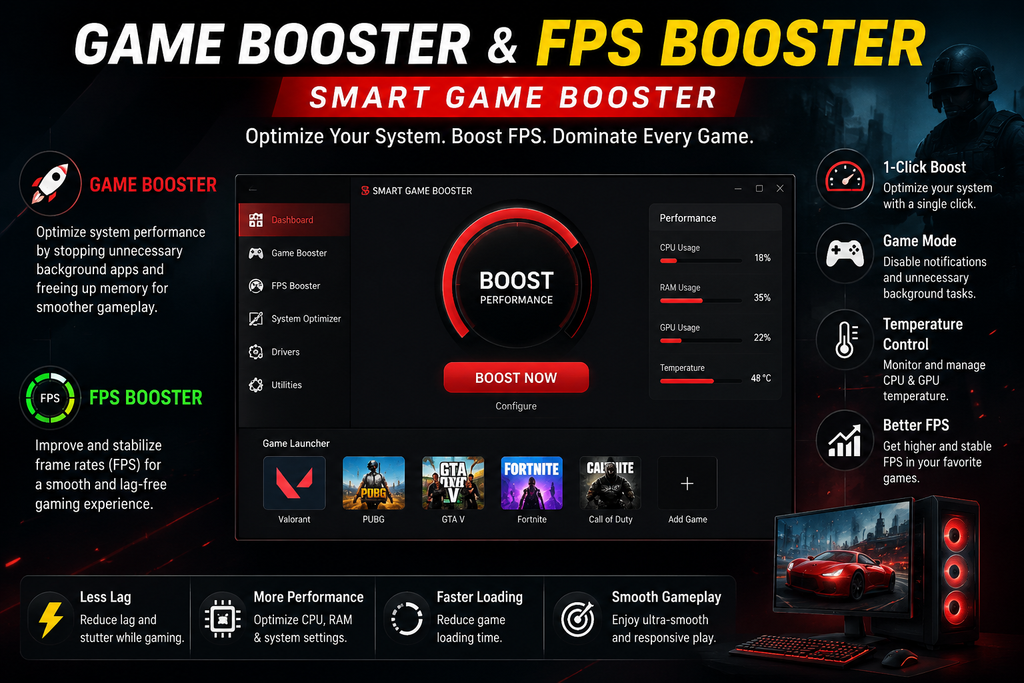
Gaming performance is one of the most important factors for players who want a smooth and enjoyable experience. Whether you play action games, racing games, shooting games, or multiplayer titles, lag and low FPS can quickly ruin your gameplay. This is why many gamers use Game Booster and FPS Booster tools to optimize their devices. One solution worth mentioning is Smart Game Booster, which is designed to help users improve gaming performance and manage their games more efficiently.
1. Game Booster
A Game Booster is a software tool that helps optimize a computer or gaming device before and during gameplay. Games can require significant system resources, including CPU, RAM, GPU power, and storage. At the same time, background applications may continue using these resources and affect game performance.
Smart Game Booster can help create a more gaming-focused environment by optimizing relevant system settings and helping users manage their games from one place. Instead of manually checking different settings every time they want to play, users can use a dedicated gaming tool to make the process easier.
One of the important advantages of a Game Booster is reducing unnecessary background activity. When browsers, messaging applications, update services, and other programs are running while a game is open, they may consume valuable system resources. Optimizing these activities can potentially help games run more smoothly.
Smart Game Booster can also be useful for gamers who have multiple games installed on their computers. A dedicated interface makes it easier to access games and manage gaming-related settings.
However, a Game Booster cannot replace good hardware. If a computer does not meet a game’s minimum requirements, software optimization alone may not provide a major performance improvement. The final results depend on the hardware, game, drivers, and settings being used.
2. FPS Booster
FPS Booster focuses on improving frame-rate performance. FPS means Frames Per Second, which refers to the number of frames displayed by a game every second. A higher and more stable FPS generally makes gameplay look smoother and more responsive.
For competitive games, stable FPS is particularly important. When FPS suddenly drops, players may notice stuttering, delayed visual movement, or an inconsistent gaming experience. These problems can make it harder to aim accurately or react quickly.
Smart Game Booster can be relevant for FPS optimization because it is designed to help users optimize their gaming setup. By managing system performance and keeping gaming-related settings organized, it can help users get the most out of the hardware they already have.
Players can also improve FPS by adjusting the game’s graphics settings. Lowering demanding options such as shadows, reflections, effects, and resolution can reduce the workload on the GPU. In many cases, stable FPS at moderate graphics settings is better than maximum graphics quality with frequent frame drops.
Why Use Smart Game Booster?
Smart Game Booster can be a convenient option for gamers who want an easier way to optimize their gaming environment. Rather than manually searching for every possible performance setting, users can use a dedicated tool to help manage their gaming setup.
It can also be helpful when troubleshooting gaming performance. If a game is not running as smoothly as expected, users can check their system configuration, game settings, and available resources to identify possible problems.
Another important consideration is keeping gaming software and hardware drivers up to date. Outdated drivers can sometimes cause compatibility or performance issues. A gaming optimization tool that helps users manage relevant updates can make maintenance more convenient.
Tips for Better Gaming Performance
Although Smart Game Booster can help with optimization, gamers should also follow basic performance practices. Before launching a demanding game, close unnecessary applications and make sure there is enough free storage available.
Graphics settings should be adjusted according to the capabilities of the computer. If the game is experiencing frame drops, reducing graphics quality can often provide better stability.
Temperature is another important factor. Excessive heat can cause hardware to reduce its performance automatically. Keeping the computer properly ventilated and cleaning dust from cooling components can help maintain stable performance.
Players should also make sure their operating system, games, and graphics drivers are updated from trusted sources. Regular updates can improve compatibility and fix known problems.
Game Booster vs. FPS Booster
Although the terms are often used together, Game Booster and FPS Booster have slightly different focuses. A Game Booster generally aims to optimize the overall gaming environment, including system resources and background processes.
An FPS Booster focuses more specifically on frame-rate performance and smooth gameplay. Smart Game Booster can be considered useful in this area because overall system optimization and appropriate game settings can contribute to more stable FPS.
Conclusion
Game Booster and FPS Booster tools can be valuable for gamers looking to improve their gaming experience. Smart Game Booster provides a convenient approach to gaming optimization by helping users manage their games and optimize their system for better performance.
However, software optimization works best when combined with capable hardware, suitable graphics settings, updated drivers, proper cooling, and good system maintenance. By using these practices together, gamers can reduce unnecessary performance issues and enjoy smoother, more responsive gameplay.