
Artificial intelligence has changed the way creators produce visual content. Instead of spending hours recording footage, editing scenes, and creating complex animations, modern AI tools...
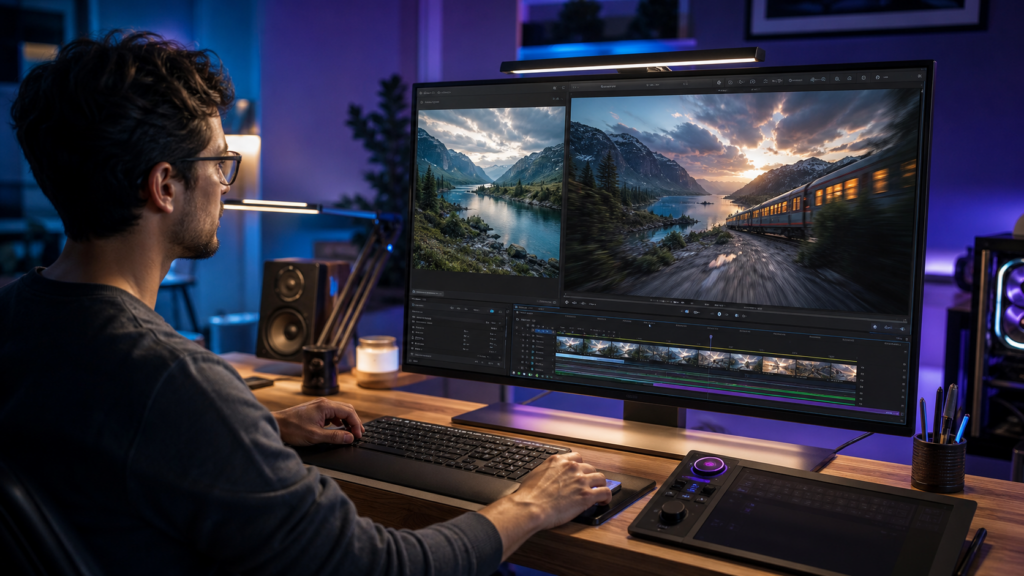
Artificial intelligence has changed the way creators produce visual content. Instead of spending hours recording footage, editing scenes, and creating complex animations, modern AI tools can turn simple images into engaging videos. Seedance 2.5 image to video technology allows users to transform static visuals into dynamic video experiences with realistic movement, cinematic effects, and improved creative control.
Image-to-video AI tools are becoming popular among content creators, marketers, designers, and businesses because they reduce production time while helping create professional-looking visual content. With advanced motion generation and intelligent scene understanding, Seedance 2.5 helps bring still images to life by adding natural movement and visual depth.
What Is Seedance 2.5 Image to Video?
Seedance 2.5 image to video is an AI-powered technology that converts a single image or multiple visual references into a moving video. Instead of manually animating every element, the AI analyzes the image, understands the subject, environment, and composition, then generates realistic motion based on user instructions.
The technology can create effects such as camera movements, object motion, environmental changes, and cinematic transitions. It helps creators turn ordinary photos, product images, artwork, and concepts into engaging video clips.
Unlike traditional animation methods, AI image-to-video generation simplifies the creative process. Users can focus on describing the desired result while the AI handles many technical animation tasks.
How Does Seedance 2.5 Image to Video Work?
The process behind AI image-to-video generation combines computer vision, motion prediction, and generative AI models.
When an image is uploaded, the system studies different elements, including:
- Main subjects and objects
- Background environment
- Lighting conditions
- Visual style
- Depth and perspective
- Possible movement patterns
After understanding the image, the AI creates additional frames that connect the original image with realistic motion. This creates the appearance of a continuous video instead of a simple slideshow effect.
The final result depends on the quality of the input image and the clarity of the creative instructions provided by the user.
Key Features of Seedance 2.5 Image to Video
Realistic Motion Generation
One of the biggest advantages of Seedance 2.5 is its ability to create natural-looking movement. Instead of applying basic zoom or slide effects, AI-generated motion can make scenes feel more cinematic.
For example, a landscape image can be transformed with moving clouds, flowing water, or camera movement. A product image can become a professional promotional clip with dynamic angles.
Cinematic Camera Effects
Modern AI videos often require professional camera movements. Seedance 2.5 can help generate visual effects inspired by filmmaking techniques.
Common camera-style movements include:
- Smooth zoom-ins
- Camera rotations
- Slow cinematic pans
- Perspective changes
- Depth-based movement
These effects can make simple images appear more visually engaging.
Improved Character and Object Consistency
Maintaining consistency is an important challenge in AI video creation. Seedance 2.5 focuses on keeping important elements recognizable throughout the generated sequence.
This is useful when creating:
- Character animations
- Product demonstrations
- Brand videos
- Storytelling content
Reference-based generation helps maintain visual identity between frames.
Benefits of Using Seedance 2.5 Image to Video
Saves Time for Creators
Traditional video production requires cameras, locations, actors, editing software, and production planning. AI video generation reduces many of these requirements.
Creators can quickly test ideas, generate concepts, and produce visual drafts without building every scene manually.
Helps Create More Engaging Content
Video content usually attracts more attention than static images. Turning existing images into videos can help businesses and creators create more interactive experiences.
Examples include:
- Social media videos
- Product showcases
- Website visuals
- Digital advertisements
- Educational animations
Makes Visual Storytelling Easier
A single image can represent an entire story idea. AI video generation allows creators to expand that idea by adding movement and atmosphere.
A historical image, artwork, or product photo can become a short visual story with carefully designed motion.
How to Create Videos Using Seedance 2.5 Image to Video
Creating an AI video usually follows a simple workflow.
Step 1: Select a High-Quality Image
The quality of the starting image affects the final result. Clear images with good lighting and defined subjects generally produce better outcomes.
Choose images with:
- Strong composition
- Clear details
- Good resolution
- Defined subjects
Step 2: Add a Detailed Creative Prompt
A good prompt helps guide the AI toward the desired result.
Instead of writing a basic instruction, describe:
- Subject movement
- Camera direction
- Environment
- Lighting style
- Video mood
- Desired cinematic effect
For example, instead of saying “animate this image,” a detailed prompt can describe how the camera should move and how the scene should feel.
Step 3: Generate and Review the Video
After creating the first version, review the motion quality and overall appearance.
Important areas to check include:
- Smoothness of movement
- Subject consistency
- Realistic transitions
- Visual quality
Creators can adjust prompts and regenerate results until they achieve the desired outcome.
Best Uses of Seedance 2.5 Image to Video
Social Media Content
Social platforms increasingly prioritize video content. AI-generated videos can help creators turn images into videos for platforms such as short-form video channels.
Businesses can use image-to-video content for:
- Product announcements
- Brand storytelling
- Promotional campaigns
- Educational posts
Product Marketing Videos
Ecommerce brands can transform product images into attractive promotional videos.
For example, a clothing image can become a fashion presentation, while a technology product image can become a cinematic showcase.
Creative Projects
Artists and designers can use AI video generation to experiment with new ideas.
Possible creative applications include:
- Digital artwork animation
- Concept visualization
- Short films
- Story scenes
- Motion graphics
Educational Content
Teachers and creators can transform diagrams, illustrations, and educational images into animated explanations.
Moving visuals can make complex concepts easier to understand.
Tips for Better Seedance 2.5 Image to Video Results
Use Clear Instructions
AI models perform better when instructions are specific. Explain what should move, how the camera should behave, and what type of atmosphere you want.
Start With Strong Images
A detailed and high-quality image provides better information for AI processing.
Avoid images that are:
- Extremely blurry
- Poorly lit
- Overcrowded
- Missing important details
Keep Motion Natural
Realistic movement often creates better results than excessive animation.
Simple camera movements and subtle object motion can produce professional-looking videos.
Experiment With Different Styles
Creators can test various visual approaches, including:
- Cinematic styles
- Realistic animation
- Documentary looks
- Creative fantasy scenes
Testing different prompts helps discover unique results.
Seedance 2.5 Image to Video vs Traditional Animation
Traditional animation requires manual creation of frames, movement planning, and detailed editing. This process can take significant time and technical skill.
AI image-to-video tools simplify this workflow by automatically generating motion based on visual understanding.
However, traditional animation still provides complete artistic control, while AI tools are designed to speed up creation and support creative experimentation.
Many creators use AI generation as a starting point and combine it with professional editing techniques for final production.
Future of AI Image-to-Video Technology
AI video generation continues to improve rapidly. Future developments are expected to bring more realistic movement, better storytelling abilities, improved character consistency, and greater creative control.
As technology advances, more creators and businesses will use AI-generated videos for marketing, entertainment, education, and communication.
The ability to transform simple images into realistic videos is changing how visual content is produced and shared.
Conclusion
Seedance 2.5 image to video technology provides a powerful way to transform static images into engaging visual experiences. By combining AI motion generation, cinematic effects, and creative prompts, users can produce impressive videos without traditional production challenges. Whether used for marketing, storytelling, education, or creative experiments, image-to-video technology offers new opportunities for faster and more flexible content creation.
FAQs
What is Seedance 2.5 image to video?
Seedance 2.5 image to video is an AI technology that converts static images into dynamic video clips by generating realistic motion and visual effects.
Can Seedance 2.5 create videos from a single image?
Yes, image-to-video technology can use a single image as the starting point and create a moving video based on AI-generated motion.
What type of images work best for Seedance 2.5 image to video?
High-resolution images with clear subjects, good lighting, and strong composition usually provide better video results.
Is Seedance 2.5 image to video useful for businesses?
Yes, businesses can use AI-generated videos for product demonstrations, marketing content, social media campaigns, and visual storytelling.
How can I improve Seedance 2.5 image to video results?
Using detailed prompts, high-quality images, and clear descriptions of movement can help create better AI videos.
Can AI image-to-video replace professional video production?
AI image-to-video can simplify many creative tasks, but professional production may still be needed for complex projects requiring full control.
What industries can use Seedance 2.5 image to video?
Industries such as marketing, ecommerce, education, entertainment, design, and advertising can benefit from AI image-to-video technology.