
Distributed offices, frontline tablets, rugged warehouse scanners, and bring-your-own laptops have turned endpoint sprawl into one of the sharpest operational risks for modern IT teams....
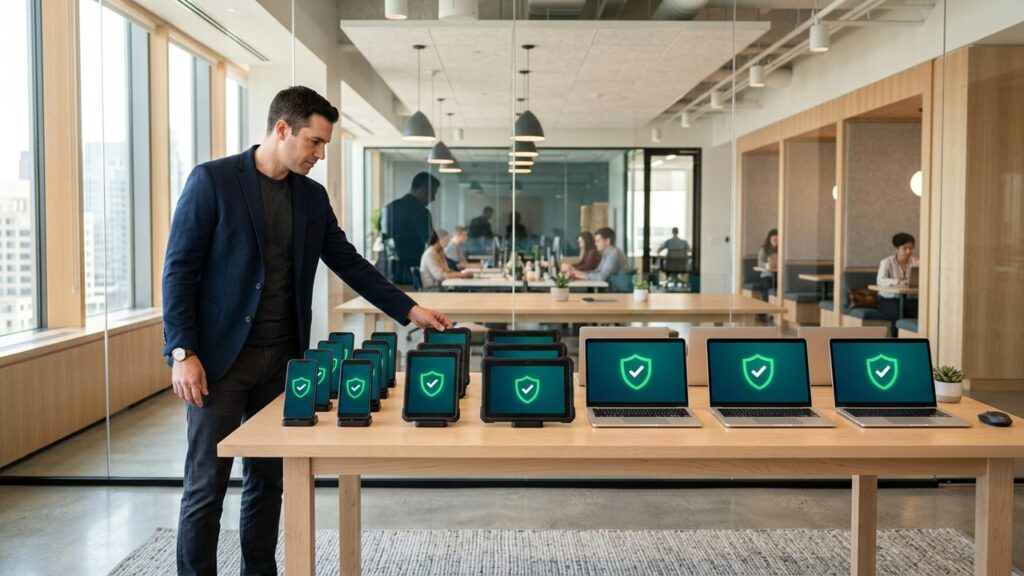
Distributed offices, frontline tablets, rugged warehouse scanners, and bring-your-own laptops have turned endpoint sprawl into one of the sharpest operational risks for modern IT teams. Deploying a unified mobile device management (MDM) solution gives administrators a single cloud console to enroll, configure, patch, monitor, and remotely secure every corporate and employee-owned endpoint across Windows, Apple, Android, ChromeOS, and Linux.
Without centralized endpoint governance, IT staff lose hundreds of hours manually unboxing hardware, chasing overdue OS patches, and scrambling to revoke access when a laptop or handheld scanner disappears in transit. Modern mobile device management (MDM) solution automate zero-touch provisioning, enforce encryption and passcode policies continuously, and lock dedicated field devices into distraction-free kiosk modes so employees stay productive from minute one.
What a Modern Mobile Device Management (MDM) Solution Actually Controls
Early mobile device tools focused narrowly on locking down company email on executive smartphones. Today’s enterprise platforms, exemplified by unified architectures like Scalefusion, manage the entire hardware lifecycle across mixed operating systems and specialized industrial form factors. Enterprise IT teams using a mobile device management (MDM) solution standardize these controls fleet-wide.
From a single dashboard, administrators push role-based security profiles, deploy private and store applications silently, distribute operational documents, and inspect live battery, storage, and compliance telemetry without interrupting end users.
True Multi-OS Fleet Coverage Under One Console
Most growing organizations operate heterogeneous environments rather than a single hardware vendor. Corporate knowledge workers often split between Windows laptops and macOS desktops, field technicians rely on Android smartphones or rugged barcode terminals, classrooms and call centers run ChromeOS Chromebooks, and edge retail or engineering teams maintain Linux desktops and IoT nodes. This safeguard keeps every mobile device management (MDM) solution audit-ready across hybrid offices.
Consolidating all five ecosystems, Windows, Apple iOS/iPadOS/macOS, Android, ChromeOS, and Linux distributions such as Debian, Ubuntu, Mint, and Kali, inside one mobile device management (MDM) solution eliminates duplicate licensing fees, fragmented audit logs, and disjointed helpdesk workflows.
Zero-Touch Out-of-the-Box Enrollment
Shipping hardware directly from distributors to remote hires or branch managers used to require staging devices at headquarters first. Zero-touch enrollment integrates with Apple Business Manager, Android Zero-Touch, and Windows Autopilot so devices automatically pull Wi-Fi credentials, security certificates, VPN profiles, and required apps the instant they power on. Frontline uptime climbs steadily once a mobile device management (MDM) solution automates routine fixes.
Onboarding drops from days of manual IT imaging to minutes of automated cloud configuration. Every device enters production with identical compliance standards regardless of whether the employee works at headquarters or across time zones.
Eight High-Impact Capabilities to Prioritize During MDM Evaluation
Not every endpoint tool handles frontline hardware and corporate security with equal depth. When comparing vendors for your mobile device management (MDM) solution shortlist, verify these eight mission-critical capabilities.
1. Kiosk Mode and Purpose-Built Lockdown
Retail point-of-sale tablets, hospital check-in kiosks, logistics handhelds, and digital signage screens should never double as personal web browsers. Single-app and multi-app kiosk modes lock endpoints strictly to approved business software, suppress unauthorized settings changes, and block screen-capture or peripheral tampering. Security leaders depend on a unified mobile device management (MDM) solution to eliminate OS blind spots.
2. Silent Application and Content Lifecycle Management
Administrators need seamless publishing for both public app stores and proprietary internal line-of-business packages. Automated app pushing, version pinning, and silent updates keep field teams running compatible software builds while eliminating risky unvetted downloads.
3. Automated OS Patching and Conditional Email Access
Unpatched operating systems remain one of the easiest entry points for ransomware and credential theft. Scheduled OS patch policies let IT validate updates on pilot groups before rolling them fleet-wide, while conditional email access automatically blocks non-compliant or rooted endpoints from syncing corporate messages. Disciplined rollout makes your mobile device management (MDM) solution pay back rapidly.
4. Multi-Layered Security Policies and Hardware Attestation
Enterprise defense requires layered enforcement rather than basic screen locks. Look for mandatory strong passcodes, Google SafetyNet attestation, Factory Reset Protection (FRP), encrypted Wi-Fi configuration pushing, screenshot blocking, and continuous automated compliance checks.
5. Instant Remote Lock, Wipe, and Lost-Device Recovery
When a sales laptop is left in an airport lounge or a delivery handheld vanishes from a van, response speed determines whether confidential customer records leak. One-click remote lock, selective work-profile wipe, full factory reset, and geofence or SIM-swap alerts neutralize breach risk immediately. Enterprise IT teams using a mobile device management (MDM) solution standardize these controls fleet-wide.
6. Live Remote Cast, Control, and ITSM Integrations
Frontline employees rarely have patience to read multi-step technical instructions over the phone. Built-in remote screen viewing and control paired with ITSM ticketing integrations and Mobile Threat Defense (MTD) connectors shrink mean time to resolution dramatically.
7. Granular BYOD Work-Profile Separation
Employees resist enrolling personal phones if they fear IT can read personal messages or wipe family photos. Containerized work profiles isolate corporate apps, files, and email inside encrypted business workspaces while leaving personal data completely private and untouched during offboarding. This safeguard keeps every mobile device management (MDM) solution audit-ready across hybrid offices.
8. Automated Compliance Alerts and Audit Reporting
Regulated sectors such as healthcare, finance, logistics, and education require provable endpoint posture at audit time. Automated alerts for kiosk-exit attempts, unauthorized SIM swaps, encryption drift, and overdue patches turn compliance from a frantic quarterly spreadsheet drill into an always-on safeguard.
| Supported OS Ecosystem | Common Hardware Form Factors | Zero-Touch Provisioning Path | Key Security & Control Features |
|---|---|---|---|
| Windows | Corporate laptops, desktops, surface tablets | Windows Autopilot & Azure AD / Entra | BitLocker encryption, OS patching, kiosk shell |
| Apple (iOS, iPadOS, macOS) | iPhones, iPads, MacBooks, Mac desktops | Apple Business Manager / School Manager | Supervised mode, FileVault, silent VPP apps |
| Android | Smartphones, rugged scanners, POS, signage | Android Enterprise Zero-Touch & QR | Kiosk lockdown, SafetyNet, FRP, SIM-swap alerts |
| ChromeOS | Chromebooks, call-center & school fleets | Google Admin console sync | Managed guest sessions, web & extension policy |
| Linux | Ubuntu, Debian, Mint, Kali desktops & IoT | Scripted terminal enrollment | Patch scripts, firewall policy, remote terminal |
Measuring the Financial ROI of Unified Endpoint Governance
IT leaders often struggle to quantify the hidden operational tax of unmanaged hardware until a lost device incident or audit penalty strikes. Manual imaging alone typically consumes 60 to 120 minutes per device, while recurring field downtime from misconfigured kiosk tablets stalls store checkouts and warehouse fulfillment lines. Frontline uptime climbs steadily once a mobile device management (MDM) solution automates routine fixes.
Before presenting your vendor business case to procurement and finance stakeholders, model your direct IT labor savings, hardware lifespan extension, and reduced downtime cost using the Nemin ROI Calculator. Most mid-sized fleets recover annual MDM licensing costs inside the first quarter purely through zero-touch onboarding and faster remote troubleshooting.
| Operational Metric | Manual / Unmanaged Fleet | Unified mobile device management (MDM) solution | Typical Business Impact |
|---|---|---|---|
| New Device Provisioning Time | 1.5 to 3 hours per endpoint | 5 to 15 minutes zero-touch | 80%+ reduction in IT staging hours |
| Lost-Device Data Containment | Manual password reset only | Instant remote lock & selective wipe | Near-zero data exposure window |
| OS & App Patch Compliance | Ad-hoc user self-updates (40% to 60%) | Automated staged rollouts (95%+) | Dramatically smaller attack surface |
| Frontline Kiosk Troubleshooting | Phone walk-through or hardware swap | Live remote cast & control | Up to 70% faster ticket resolution |
Practical Rollout Roadmap for a Clean MDM Migration
Rushing an entire company onto strict lockdown policies overnight creates helpdesk bottlenecks and employee pushback. A phased four-stage rollout builds trust while tightening security systematically.
Phase 1 Complete a Hardware and Ownership Inventory
Catalog every active laptop, smartphone, tablet, rugged scanner, POS screen, and Linux workstation across departments. Separate corporate-owned dedicated devices from BYOD endpoints so each cohort receives appropriate privacy and lockdown rules. Security leaders depend on a unified mobile device management (MDM) solution to eliminate OS blind spots.
Phase 2 Design Role-Based Policy Profiles
Avoid building one-off rules for individual employees. Group policies cleanly by operational role, such as Executive Mobility, Warehouse Rugged Scanners, Retail POS Kiosks, and Remote Engineering, so new hires inherit exact permissions automatically.
Phase 3 Run a 14-Day Cross-OS Pilot Group
Stress-test Wi-Fi profiles, VPN handshakes, app pushes, kiosk mode stability, and remote wipe triggers before opening general enrollment. Disciplined rollout makes your mobile device management (MDM) solution pay back rapidly.
Phase 4 Automate Onboarding, Monitoring, and Offboarding
Connect your mobile device management (MDM) solution to your identity provider and ITSM helpdesk so employee offboarding immediately revokes tokens and triggers remote work-profile cleanup without manual tickets slipping through the cracks.
Common mobile device management (MDM) solution Pitfalls to Avoid
- Choosing single-OS point tools: Managing Apple with one product, Windows with another, and Android kiosks with a third doubles training costs and obscures fleet-wide compliance visibility.
- Over-restricting BYOD devices: Heavy-handed restrictions on personal phones drive shadow IT; always use OS-native work profiles that separate business data cleanly.
- Skipping rugged and signage lockdown testing: Warehouse scanners and retail POS tablets rely on specific peripheral APIs and offline resilience, always validate kiosk mode under real network conditions.
- Ignoring inactive or orphaned endpoints: Set automated inactivity flags after 30 days so unused devices are reclaimed, reassigned, or wiped rather than lingering as forgotten security liabilities.
Five Sharp Vetting Questions Before Selecting a Mobile Device Management (MDM) Solution
Shortlisting a mobile device management (MDM) solution goes far faster when IT security leads and frontline operations managers evaluate real field scenarios side by side before signing multi-year device seat contracts. Enterprise IT teams using a mobile device management (MDM) solution standardize these controls fleet-wide.
Validating Multi-OS Depth and Frontline Reliability
Every vendor claims cross-platform management on marketing pages, yet genuine feature parity across rugged Android hardware, Apple fleets, Windows laptops, ChromeOS, and Linux desktops separates top platforms like Scalefusion from basic legacy wrappers.
1. Does One Console Deliver Native Policy Depth Across All Five OS Ecosystems?
Verify that your mobile device management (MDM) solution configures Windows Autopilot, Apple Business Manager supervision, Android Enterprise zero-touch kiosk lockdown, ChromeOS managed sessions, and Linux Debian or Ubuntu scripting natively inside one unified admin dashboard without separate bolt-on consoles. This safeguard keeps every mobile device management (MDM) solution audit-ready across hybrid offices.
2. How Fast Can Support Technicians Remotely View and Control Frontline Kiosks?
Test live remote cast and remote control latency over standard cellular networks during your mobile device management (MDM) solution trial.
3. Which Automated Security Triggers Fire When a Device Leaves Compliance?
Confirm how rapidly the mobile device management (MDM) solution enforces conditional email blocking, SafetyNet attestation checks, Factory Reset Protection, SIM-swap alerts, kiosk-exit notifications, and one-click remote corporate wipes without manual IT intervention.
Enterprise Security Hardening and Quarterly Governance for Your Mobile Device Management (MDM) Solution
A well-governed mobile device management (MDM) solution shrinks breach exposure while keeping hardware refresh budgets predictable across every branch. Frontline uptime climbs steadily once a mobile device management (MDM) solution automates routine fixes.
Establishing Automated Endpoint Compliance Workflows
High-performing IT operations teams automate five recurring security routines inside their mobile device management (MDM) solution so compliance never depends on manual spreadsheet reminders:
- Staged OS Patch Rings: Roll Windows, macOS, iOS, and Linux updates first to an IT pilot ring, then to general corporate laptops, and finally to frontline kiosk devices so faulty OS builds never halt store or warehouse operations.
- Automated Certificate and Wi-Fi Rotation: Push encrypted corporate Wi-Fi profiles and VPN certificates directly through your mobile device management (MDM) solution so employees never type shared office network passwords onto unmanaged devices.
- Continuous Geofence and SIM-Swap Monitoring: Configure instant automated alerts and selective lockdowns whenever high-value logistics tablets cross authorized delivery boundaries or experience unauthorized SIM removals.
- ITSM and Mobile Threat Defense Sync: Connect your mobile device management (MDM) solution straight into helpdesk ticketing and MTD telemetry so security anomalies auto-generate priority tickets with full device serial, OS version, and user context attached.
- Zero-Delay Offboarding Revocation: Link identity directories to trigger instant conditional email revocation and selective BYOD work-profile wipes the moment HR marks an employee or contractor offboarded.
Quarterly Fleet Scorecard for IT and Security Leadership
Review five transparent endpoint KPIs every 90 days to prove continuous value from your mobile device management (MDM) solution to executive and audit stakeholders: Security leaders depend on a unified mobile device management (MDM) solution to eliminate OS blind spots.
- Zero-Touch Enrollment Share: Measure the exact percentage of newly shipped laptops, smartphones, and rugged tablets provisioned out-of-the-box without touching HQ staging benches.
- Fleet Patch Compliance Rate: Track verified patch compliance across Windows, Apple, Android, ChromeOS, and Linux endpoints, targeting 95% or higher inside contracted SLA windows.
- Kiosk Uptime and Mean Time to Resolve: Benchmark frontline ticket closure times before and after activating live remote cast and automated app version pinning inside your mobile device management (MDM) solution.
- Orphaned and Inactive Hardware Recovery: Audit endpoints silent for 30+ days every quarter so idle tablets and laptops are securely wiped, reclaimed, and redeployed instead of silently inflating capex.
- Audit-Ready Compliance Evidence: Export clean encryption, passcode, FRP, and screen-capture restriction summaries directly from your mobile device management (MDM) solution for cyber insurance renewals and regulatory audits.
Treating your mobile device management (MDM) solution as a living operational backbone rather than a one-time setup project keeps hybrid offices, rugged logistics fleets, classrooms, and retail kiosks protected every day.
Industry Use Cases and Fleet Scaling for Your Mobile Device Management (MDM) Solution
Selecting a versatile mobile device management (MDM) solution ensures consistent zero-touch provisioning, kiosk security, and remote troubleshooting across every operating vertical. Disciplined rollout makes your mobile device management (MDM) solution pay back rapidly.
- Logistics, Warehousing, and Delivery Fleets: Deploy a mobile device management (MDM) solution across rugged Android barcode handhelds with geofence alerts, SIM-swap detection, kiosk lockdown, and instant remote cast support.
- Retail Point-of-Sale and Digital Signage: Use a unified mobile device management (MDM) solution to lock checkout tablets and in-store promotional screens into single-app kiosk mode with silent overnight app patching.
- Healthcare Clinics and Field Care Teams: Protect patient intake tablets and clinician laptops inside a mobile device management (MDM) solution enforcing strong passcodes, screen-capture blocks, conditional email access, and rapid remote wipe.
- Hybrid Offices, Education, and Engineering: Unify Windows laptops, Apple MacBooks and iPads, ChromeOS Chromebooks, and Linux Ubuntu or Debian workstations cleanly inside one mobile device management (MDM) solution.
Standardize Zero-Touch Enrollment Inside Your Mobile Device Management (MDM) Solution
Connect Apple Business Manager, Android Zero-Touch, and Windows Autopilot straight into your mobile device management (MDM) solution so shipped devices configure securely on first boot.
Automate Compliance Remediation Inside Your Mobile Device Management (MDM) Solution
Configure SafetyNet attestation, Factory Reset Protection, and automated patch rings inside your mobile device management (MDM) solution to eliminate manual spreadsheet tracking. Enterprise IT teams using a mobile device management (MDM) solution standardize these controls fleet-wide.
Integrate Helpdesk Tickets With Your Mobile Device Management (MDM) Solution
Link ITSM platforms and Mobile Threat Defense telemetry into your mobile device management (MDM) solution so engineers resolve frontline hardware issues in minutes.
Governance Audits for Distributed Workforces
This safeguard keeps every mobile device management (MDM) solution audit-ready across hybrid offices.
FAQ’s
What does a mobile device management (MDM) solution do?
A mobile device management (MDM) solution lets IT teams enroll, configure, monitor, update, and secure smartphones, tablets, laptops, kiosks, and rugged devices remotely from a single cloud dashboard across corporate and BYOD fleets.
Can one mobile device management (MDM) solution manage Windows, Apple, Android, ChromeOS, and Linux together?
Yes.
How does MDM protect personal privacy on employee BYOD phones?
Frontline uptime climbs steadily once a mobile device management (MDM) solution automates routine fixes.
What is kiosk mode in mobile device management?
Kiosk mode locks a tablet, smartphone, POS terminal, or digital screen to one or more approved business applications while disabling system settings, status bars, unauthorized browsing, and screen capture.
How fast can IT respond if a managed laptop or tablet is stolen?
Security leaders depend on a unified mobile device management (MDM) solution to eliminate OS blind spots.
How long does it take to deploy an mobile device management (MDM) solution across a mid-sized company?
Most organizations complete inventory, policy templates, and a cross-OS pilot within two to three weeks, then enroll remaining corporate and frontline endpoints in phased waves over the following 30 days using zero-touch provisioning.
Conclusion
Selecting the right mobile device management (MDM) solution transforms endpoint operations from reactive firefighting into predictable, audit-ready control. By unifying Windows, Apple, Android, ChromeOS, and Linux fleets under zero-touch enrollment, automated OS patching, kiosk lockdown, and instant remote wipe safeguards, IT teams cut staging hours dramatically while protecting corporate data everywhere work happens.
Begin with a clean cross-OS inventory, run a two-week pilot across corporate and frontline devices, and link your MDM console to existing identity and ITSM workflows. Once automated compliance and remote support go live, scaling new offices, remote hires, and rugged field deployments becomes effortless.