
Creating product footage is only the first step in video marketing. The bigger challenge is turning those clips into content that can actually support your...
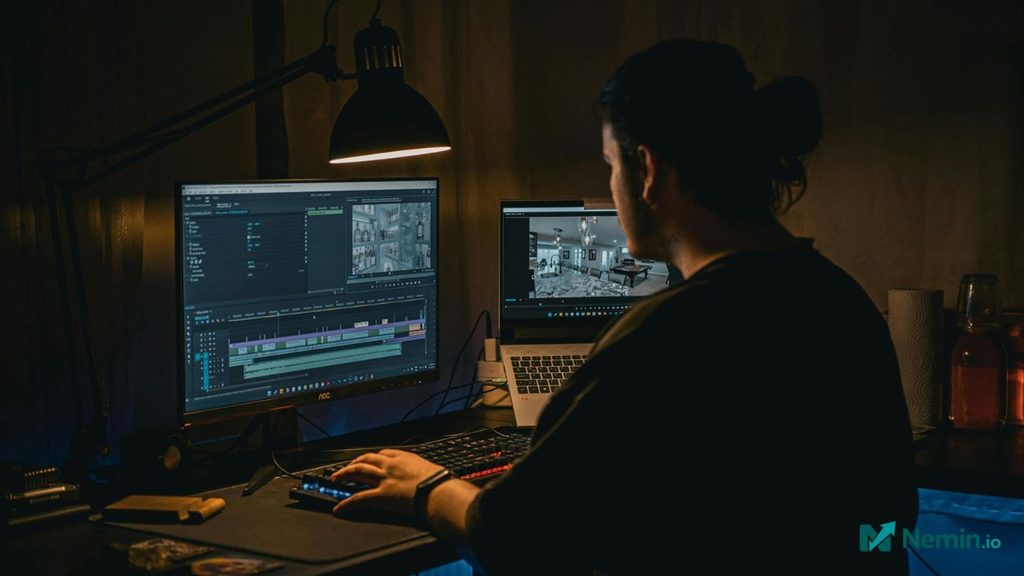
Creating product footage is only the first step in video marketing. The bigger challenge is turning those clips into content that can actually support your campaigns.
A single product shoot can contain demonstrations, close-ups, customer interactions, presenter clips, multiple takes, and behind-the-scenes footage. Going through all of it manually, choosing the right clips, removing mistakes, and creating different versions can take hours.
AI video editing can make this process easier. Instead of starting every video from an empty timeline, marketers can use AI to review footage, assemble a first cut, and handle repetitive editing tasks. The creative team can then focus on the message, audience, and final direction.
Start With the Product Footage You Already Have
Before planning another shoot, look at the footage your business already owns. You may have enough material to create several pieces of marketing content.
A product demonstration can become a short social media video. A customer testimonial can become an advertisement. Product close-ups can support a feature video, while a longer presentation can be divided into several short clips.
The key is to organize your footage around the marketing goal rather than simply editing clips in the order they were recorded.
Define What the Video Needs to Achieve
Different marketing goals require different edits.
A product launch video may introduce the product and explain its main benefit. A paid ad may need to communicate the value within the first few seconds. A social media video could focus on one feature or customer problem, while a product page video might demonstrate how the product works.
Decide what you want the viewer to understand or do before you start editing. This gives you a clearer basis for choosing footage.
Use AI to Create the First Cut
This is where an AI video editing workflow can save time.
Invideo editor combines a professional editing timeline with AI editing agents that can work directly on a video project. As an online video editor tool, it lets you work in the browser without moving between separate applications for AI-assisted editing and timeline-based work.
You can provide your footage and explain how you want it assembled, then review the resulting timeline and continue editing it yourself.
Its agentic assembly workflow is useful for product footage because it can review the material, select usable takes, remove repetition and filler, and create a base cut on the timeline.
The result is not intended to be the final marketing video automatically. Instead, it gives you an editable starting point that you can inspect, adjust, and refine.
Give the AI Editor a Clear Brief
You do not need to specify every cut individually. Describe the structure and purpose of the video.
For example:
“Create a 45-second product video. Start with the product being used, introduce the problem it solves, demonstrate three key features, and finish with a clear call to action.”
You can also provide a script or transcript and organize the edit around topics, shooting order, or specific sections.
This is particularly useful when your footage includes several takes of the same product explanation. Instead of manually comparing every version, an AI editing agent can help assemble a base cut for you to review.
Turn One Product Shoot Into Multiple Videos
One of the biggest advantages of working with existing footage is that you do not have to use it for only one campaign.
A single shoot can become several different marketing assets.
Create Product Explainer Videos
Start with the problem your product solves, then show how the product addresses it.
For example, a software company could combine a screen recording, presenter footage, and product interface shots into a short explainer. A physical product could use demonstration footage and close-ups to show how it works.
The goal is to give viewers enough context to understand the product without making them watch a long presentation.
Create Short-Form Social Content
Instead of putting every product detail into one video, create several shorter videos around individual topics.
You could make one video about a feature, another about a common customer problem, and another showing the product in use.
This gives your marketing team more opportunities to publish content without requiring a completely new production for every post.
Create Different Ad Variations
Paid campaigns often need multiple creative variations. You may want to test different hooks, product benefits, calls to action, or lengths.
Your original footage can provide the foundation for these variations.
For example, one version could open with a customer problem, another could lead with the product benefit, and a third could start with a demonstration. The underlying footage can remain similar while the structure and messaging change.
Find Useful Moments Without Watching Everything
Large footage libraries create another problem: finding the right clip.
Imagine having two hours of product demonstrations and needing one moment where a presenter explains a specific feature. Manually searching through every recording can take longer than editing the final video.
AI-powered footage understanding can help make this process more efficient.
Search by What Happens in the Footage
Instead of relying only on filenames, you can look for moments based on what appears or happens in the footage.
You might need:
- A presenter explaining a particular feature
- A close-up of the product
- Someone opening the packaging
- The product being used
- A specific person speaking
- A demonstration of a particular action
This becomes even more useful when older footage needs to be reused for a new campaign. Your existing footage becomes a searchable content library instead of a folder of clips that nobody wants to sort through.
Let AI Handle Repetitive Editing Tasks
Product shoots naturally contain repetition. A presenter might record the same line several times. There may be long pauses, false starts, mistakes, or sections that were recorded more than once.
These moments are part of production, but they do not need to consume most of the editing process.
An AI editing agent can help with the first pass by reviewing the footage, identifying usable material, removing filler, and assembling selected takes into a timeline.
Keep Creative Control
Automation does not mean giving up control of the edit.
Once the initial timeline is assembled, the editor can review the sequence, replace a take, change the order, adjust pacing, or make manual changes.
This distinction is important for marketing teams. AI can handle repetitive execution while people remain responsible for the story, brand message, and final creative decisions.
Adapt Product Videos for Different Channels
A product video may need to appear on a website, YouTube, Instagram, LinkedIn, TikTok, email, and paid advertising.
Using the same master footage, you can create versions suited to each channel.
Adjust the Message and Structure
Platform-specific editing may involve more than changing the aspect ratio or cutting a video shorter.
You may need to change:
- The opening hook
- Video length
- Pacing
- Product information
- Supporting footage
- On-screen text
- Call to action
A longer product demonstration might work on YouTube, while a short feature-focused edit could work better for social media. A paid ad may need to communicate the core benefit much earlier.
Starting with an existing project and timeline makes these variations easier to produce.
Add Audio and Visual Finishing
Product footage does not always communicate everything through visuals alone.
A voiceover can explain a feature. Background music can establish pacing. Sound effects can emphasize product interactions. Captions can make a video easier to follow without sound.
Colour correction can also help footage from different shots look more consistent, particularly when clips were recorded under different lighting conditions.
These finishing elements should support the marketing message rather than distract from it.
Build a Repeatable Video Marketing Workflow
The real benefit of AI becomes clearer when it becomes part of a repeatable process.
A small marketing team can build a workflow like this:
- Record product footage in batches.
- Upload the footage to the invideo editor.
- Add the script or transcript when available.
- Give an AI editing agent direction for the first cut.
- Review and refine the timeline.
- Create shorter versions for different channels.
- Build variations for advertising and social media.
- Reuse the project when new marketing content is needed.
This approach can help reduce the amount of manual work required for every new video.
Get More From Every Product Shoot
For small businesses, the goal is not always to produce more footage. It is often to get more value from the footage they already have.
A single product shoot can contain enough material for product explainers, social media clips, advertisements, demonstrations, and other marketing assets. AI can help turn that raw material into usable edits without requiring marketers to manually perform every operational step.
The creative decisions still belong to the team: what story to tell, which benefit to emphasize, who the audience is, and what action the viewer should take.
When AI handles footage review, take selection, cleanup, assembly, and repetitive editing work, marketers can spend more time on those decisions.
That makes product footage more than a one-time campaign asset. With the right workflow, it can become a source of content that supports your marketing across multiple channels.