
Print-on-demand sellers need product images before they have physical stock in every color, size, or style. That creates a familiar problem: a blank shirt mockup...
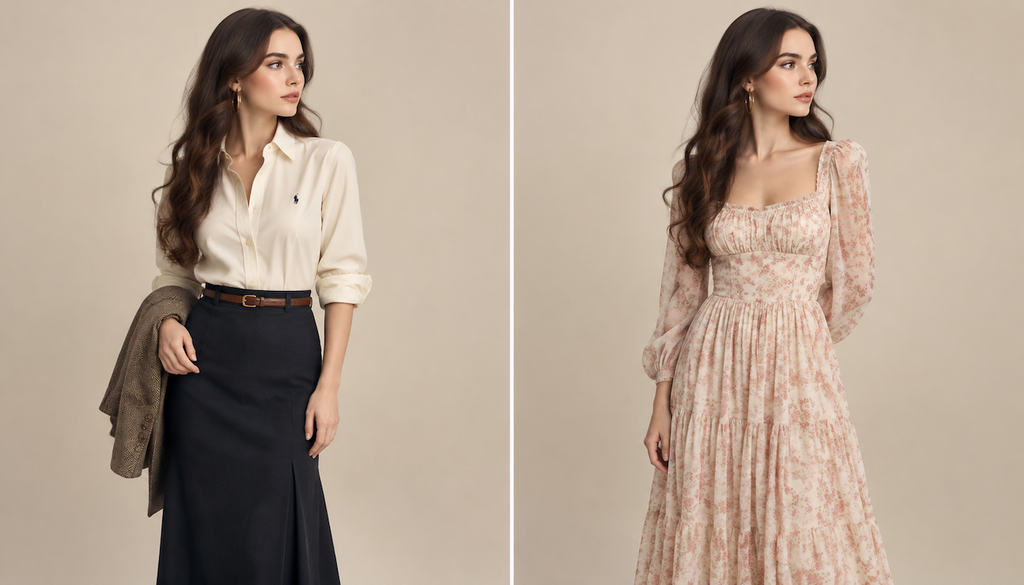
Print-on-demand sellers need product images before they have physical stock in every color, size, or style. That creates a familiar problem: a blank shirt mockup can show the design, but it rarely helps shoppers picture how the finished garment will look on a real person. An AI clothes changer gives sellers a faster way to create those lifestyle images without arranging a full photo shoot.
For many small stores, the appeal is practical rather than flashy. AI can help turn one model photo into several apparel variations, test a new design before ordering samples, and build a more consistent product page. Used carefully, it becomes part of the merchandising process, not a replacement for accurate product information or real customer photos.
Why Apparel Mockups Matter in Print-on-Demand
Print-on-demand businesses often launch products with limited resources. A seller might have a strong design, a reliable fulfillment partner, and a polished storefront, but no budget for models, studio lighting, photographers, and several rounds of samples. The result is often a basic flat-lay image or a supplier mockup that looks similar to dozens of other listings.
That can make it harder for customers to judge fit, color, and overall style. Clothing is personal, so shoppers want more than a close-up of the artwork. They want to imagine wearing the item to a concert, on a weekend trip, at the gym, or while relaxing at home.
A tool such as EasyFaceSwap can help sellers create more engaging visual concepts from existing images. The key word is concepts. AI-generated apparel images are most useful for planning, testing, and presenting a product idea, while final listings still need honest details about fabric, measurements, fit, and color.
Sellers can also use an AI Clothes Changer to see how a design might appear on different outfits or model images. This reduces the time spent creating separate mockups by hand, especially when a store carries several related products.
Three Real Use Cases for POD Sellers
Testing a design before ordering samples
A seller may have ten slogan ideas but only enough money to order two physical samples. Producing every option would slow the launch and tie up cash in products that may never sell. AI apparel mockups let the seller compare the ideas visually before making that decision.
For example, imagine a new store selling nature themed sweatshirts. The owner can place several designs on a model photo, compare how each looks against a neutral background, and ask a small audience which one feels most appealing. This does not prove that the winning design will sell, but it gives the seller better information than choosing from text descriptions alone.
The benefit is lower testing cost. A physical sample remains valuable because it reveals print quality, fabric weight, sizing, and color accuracy. Still, AI can help narrow the options so the seller orders samples with a clearer reason behind each choice.
Creating several color and style variations
POD catalogs often grow through variations. One graphic may appear on a black T-shirt, cream sweatshirt, oversized hoodie, and tank top. Creating each image manually can take hours, particularly when the seller wants a model photo rather than a simple product template.
AI clothes editing can show the same design across different garments and styling choices. This helps a seller build a collection that feels connected instead of uploading one isolated product at a time. It also gives shoppers a clearer idea of how a design fits into different wardrobes.
The practical gain is speed, but consistency matters just as much. The seller should use similar poses, backgrounds, and image dimensions across the collection. If every listing uses a different visual style, the store can feel unfinished even when the products themselves are good.
Building seasonal and niche campaigns
A shirt design can appeal to different audiences depending on how it is presented. A minimalist design may suit a clean studio image, while a humorous graphic may work better in a casual kitchen, workshop, or outdoor setting. AI makes it easier to explore those contexts before investing in a campaign.
A seller could create one model image for a holiday promotion, another for a local sports audience, and a third for a gift buying campaign. The garment remains the same, but the surrounding story changes. That helps the seller learn which audience responds best without creating a new photo shoot for every idea.
The benefit is faster campaign development. However, the image should still match the actual product. A heavy hoodie should not be presented as a thin summer shirt, and a fitted garment should not be shown with a loose silhouette that misleads shoppers.
| Use case | What AI helps create | Main benefit | What still needs checking |
|---|---|---|---|
| Pre-launch testing | Visual versions of several designs | Reduces unnecessary sample orders | Print quality and garment feel |
| Catalog expansion | Multiple colors, garments, and outfits | Builds product families faster | True color, fit, and measurements |
| Seasonal campaigns | Audience specific lifestyle images | Speeds up promotion planning | Honest context and product details |
A Practical Workflow From Design to Listing
The best results usually come from a simple workflow rather than trying to generate a finished product page in one click. Start with a clear source image. A front-facing model photo with good lighting, visible body contours, and minimal obstruction gives the AI more useful information than a dark or heavily cropped image.
Next, define the garment details before changing anything. Note the product type, intended fit, neckline, sleeve length, fabric color, and placement of the artwork. This matters because sellers can accidentally create an attractive image that does not match the item their supplier actually produces.
Create a small set of variations instead of generating dozens. Three or four strong options are easier to compare than a large folder of slightly different images. Test the most important differences first, such as sweatshirt versus T-shirt, light color versus dark color, or casual styling versus a cleaner studio look.
After generating the mockups, inspect the artwork closely. Look at text, logos, fine lines, seams, hands, jewelry, and areas where the garment folds. AI can distort lettering or blur a design near the shoulder and waist. A quick glance at the full image may miss those problems, so zoom in before using an image in an advertisement.
Then compare the mockup with the supplier’s specifications. Check the size chart, garment photos, available colors, and print area. If the image shows a design extending across a seam but the actual print file cannot do that, revise the image or present it only as a concept.
Finally, use the strongest image as a supporting visual, not the sole source of truth. Include a flat product view, a clear size chart, and written information about fabric and fit. Customers should not have to guess which parts of the image are generated and which details describe the physical item.
Common Problems and How to Avoid Them
The biggest mistake is treating an AI mockup as proof that a product exists exactly as shown. Generated images can make fabric look smoother, prints look sharper, and colors look richer than they will in person. That may increase clicks in the short term, but it can also lead to disappointment, refunds, and poor reviews.
Another problem is inconsistent garment geometry. A hoodie may appear to have a pocket in one image and no pocket in another. Sleeves can change length, collars can become distorted, and artwork can shift position between variations. Use AI images to support the listing, then compare them against a real sample or the supplier’s approved mockup whenever possible.
Overediting can also weaken trust. Perfect skin, dramatic lighting, and unrealistic body proportions may draw attention away from the clothing. Most apparel buyers respond better to images that feel believable. A natural pose and clear garment view usually do more for a product page than an elaborate scene.
Sellers should also pay attention to image rights and consent. Use source photos that they own or have permission to edit, and avoid presenting a recognizable person in a commercial campaign without the appropriate agreement. The same applies to logos, branded settings, and designs that may belong to someone else.
One final issue is relying on AI before understanding the customer. A realistic mockup cannot fix a weak offer, unclear niche, poor sizing, or an unoriginal design. It improves presentation, but the product still needs a reason for someone to buy it.
The Bottom Line for POD Sellers
AI clothes changer tools are useful because they shorten the distance between an idea and a testable product concept. They help sellers explore designs, show apparel in context, and create a more unified catalog without paying for a new photo session every time a product changes.
The strongest use is as a planning and merchandising aid. Sellers can use AI to decide which samples to order, which colors to promote, and which audience to target. They should then support those images with accurate product data and, where possible, photographs of the finished item.
That balance gives print-on-demand stores the best of both approaches. AI provides speed and creative flexibility, while real samples, supplier information, and honest descriptions protect customer trust. Used with those limits in mind, apparel mockups can help a small seller look more professional without pretending that generated images replace the product itself.