
Creating studio-grade visual effects and localized digital content no longer requires a Hollywood post-production budget or weeks of manual rotoscoping. Utilizing a modern free video...
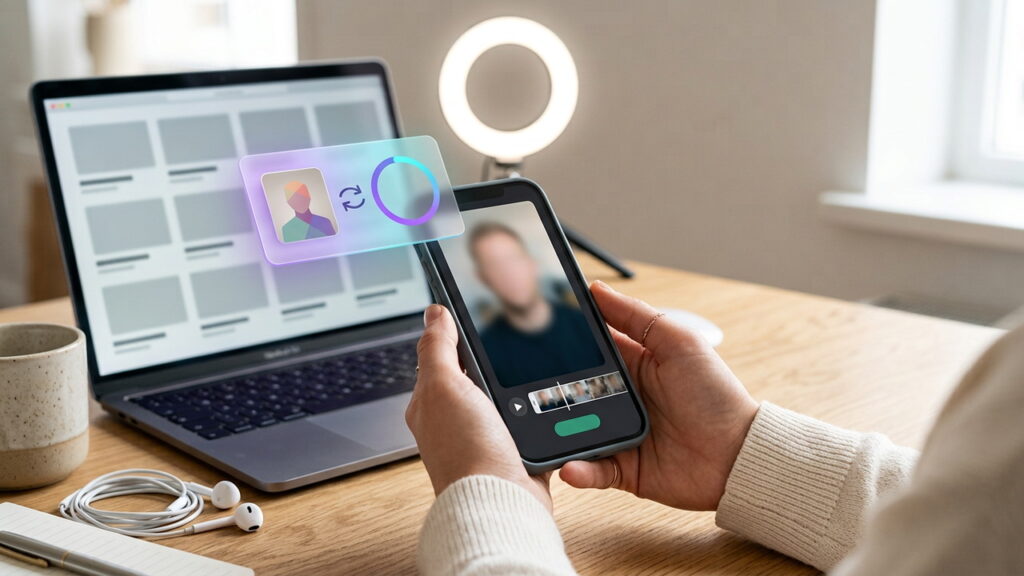
Creating studio-grade visual effects and localized digital content no longer requires a Hollywood post-production budget or weeks of manual rotoscoping. Utilizing a modern free video Face Swap workflow allows content creators, independent filmmakers, and digital marketers to replace facial identities across moving footage in minutes using artificial intelligence.
While early face-replacement apps often produced blurry edges, flickering skin tones, and robotic expressions, next-generation neural networks now preserve micro-expressions, eye gaze, and dynamic shadows automatically. Understanding how facial landmark extraction, optical flow stabilization, and face restoration enhancers work together empowers you to generate seamless, natural-looking video exports without paying expensive software licensing fees.
What Is free video Face Swap and How Does Modern AI Facial Replacement Work?
In digital video production, a free video Face Swap is an artificial intelligence process that detects a target person’s face across every frame of a moving video clip and replaces it with the facial identity of a source reference photo while preserving the original actor’s head movement, lip synchronization, and lighting conditions. Cloud browser platforms and open-source desktop engines execute this transformation automatically without charging upfront subscription costs.
Creators rely on free video Face Swap technology because it compresses hours of manual motion tracking and frame-by-frame compositing into an automated three-step pipeline. By separating identity features—such as bone structure, eye spacing, and nose shape—from transient motion attributes like smiles, blinks, and speech, modern algorithms blend the new identity seamlessly into existing footage.
How Neural Landmarks and Diffusion Models Power free video Face Swap
Every automated free video Face Swap pipeline begins with high-speed facial detection and alignment models such as RetinaFace or YOLOv8-face. The software scans each video frame to map between 68 and 106 three-dimensional coordinate points across the eyebrows, eyelids, nasal bridge, lips, and jawline. Simultaneously, an identity encoder—most commonly based on InsightFace ArcFace architecture—extracts a mathematical vector embedding from the single source portrait you upload.
Once the spatial mesh and identity vectors are locked in, the core generator inside a free video Face Swap engine warps and synthesizes the source facial features to match the exact pose and perspective of the target frame. Advanced latent diffusion and generative adversarial networks (GANs) then match ambient color temperature, film grain, and directional shadows before blending the jawline perimeter into the surrounding neck and hair.
Why Creators, Filmmakers, and Marketers Use free video Face Swap Workflows
Independent filmmakers and YouTube storytellers frequently use free video Face Swap tools to perform safe stunt doubles, age actors forward or backward in flashbacks, and correct continuity errors without scheduling costly reshoots. Instead of hiring multiple actors for a single character sketch, a solo creator can act out every role on camera and swap distinct character faces onto each performance during post-production.
Global e-commerce brands and social media teams also deploy free video Face Swap pipelines to localize video demonstrations for diverse regional markets. Rather than filming five separate studio shoots in different countries, production teams record one master product walkthrough and adapt the presenter’s appearance and lip movement to resonate with local audiences while keeping production budgets lean.
Core Technical Features to Look for in a Reliable free video Face Swap Platform
Not all artificial intelligence video tools deliver the same visual fidelity; many basic mobile filters simply paste a static two-dimensional cutout over a moving head. When evaluating a platform for free video Face Swap, discerning editors look for underlying computer vision features that maintain realism across fast motion and challenging lighting. Choosing a tool with advanced stabilization and restoration modules prevents the uncanny valley effect.
Frame-by-Frame Temporal Consistency and Lighting Alignment in free video Face Swap
The most common flaw in amateur synthetic video is temporal jitter, where the swapped face appears to vibrate, swim, or shift slightly in position from one frame to the next. A high-performing free video Face Swap engine solves this problem by applying optical flow smoothing and Kalman filtering across sequential frames. Rather than treating a thirty-frame-per-second video as thirty unrelated still photographs, the algorithm tracks motion vectors across time so facial movement remains silky smooth.
Dynamic lighting adaptation is equally critical when the subject walks from bright window daylight into indoor tungsten shadow or passes beneath neon signs. Superior tools built for free video Face Swap employ spherical harmonics relighting and histogram color transfer to sample the exact hue, saturation, and luminance of the target actor’s original skin. This real-time color matching ensures the newly inserted face reflects environmental light changes naturally.
Occlusion Handling, Eye Gaze Tracking, and Lip-Sync Precision in free video Face Swap
Real-world video footage rarely features a subject staring straight into the lens with nothing blocking their face. Whenever a person drinks from a coffee mug, adjusts their hair, gestures with their hands in front of their chin, or turns sideways, basic algorithms break down and draw the swapped face on top of the obstructing object. An advanced free video Face Swap workflow utilizes semantic face-parsing segmentation masks to distinguish skin from foreground hands, microphones, and hair strands.
Accurate eye gaze direction and subtle inner-mouth articulation also separate convincing edits from obvious fakes. When executing a free video Face Swap on dialogue-heavy clips, look for platforms that track iris rotation independently and preserve the original speaker’s teeth and tongue visibility during fast speech. Preserving natural blink rates and micro-squints around the eyes keeps the performance emotionally authentic.
Resolving Side-Profile Angles and Glasses Occlusion With free video Face Swap
Extreme head rotations beyond forty-five degrees—such as three-quarter turns and ninety-degree side profiles—historically caused facial meshes to stretch or collapse at the edge of the cheek. Modern three-dimensional morphable models (3DMM) integrated into leading free video Face Swap tools reconstruct volumetric depth from a single flat photograph. This depth estimation allows the engine to render convincing side profiles even when your uploaded reference image is a straight-on headshot.
Eyeglasses and sunglasses present another technical hurdle because plastic rims cast shadows and glass lenses refract the eyes behind them. When processing footage with eyewear through a free video Face Swap pipeline, dedicated segmentation layers isolate the eyeglass frames onto a foreground alpha channel, swap the eyes and bridge of the nose underneath, and composite the original frames cleanly back on top without ghosting.
Combining GFPGAN and CodeFormer Face Restoration in free video Face Swap
Many core face-replacement models operate natively at fixed internal resolutions of 128×128, 256×256, or 512×512 pixels to keep processing speeds fast. When that low-resolution facial patch is pasted directly onto a crisp 1080p or 4K master video, the face looks noticeably softer than the sharp hair, ears, and clothing surrounding it. To eliminate this resolution mismatch, professional free video Face Swap pipelines integrate blind face restoration models such as GFPGAN or CodeFormer.
Running a CodeFormer or GFPGAN pass at the end of your free video Face Swap render reconstructs realistic skin pores, individual eyelash details, and sharp lip boundaries without introducing plastic over-smoothing. Most advanced interfaces provide a fidelity slider—typically set between 0.5 and 0.8—allowing editors to balance razor-sharp detail against natural skin texture.
Comparing Browser Cloud Tools vs Open-Source Local Software for free video Face Swap
Users searching for a free video Face Swap solution generally choose between two distinct software ecosystems: instant cloud-based web applications that run on remote servers, and open-source desktop software packages that run locally on your personal computer hardware. Each environment carries major trade-offs in setup complexity, clip duration limits, and data privacy. The comparison table below breaks down how cloud web tools, local open-source suites, and mobile apps compare for free video Face Swap tasks.
| Platform Category | Hardware & Setup Requirement | Typical Free Tier Limits & Watermarks | Output Quality & Control Depth | Best User Scenario for free video Face Swap |
|---|---|---|---|---|
| Cloud Browser Web Apps (e.g., Remaker, Akool, MagicHour, DeepSwapper) | Zero install; runs in any Chrome/Safari browser on cloud GPUs | Daily regenerating credits, 15s–60s clip caps, 720p/1080p exports | Automated 1-click presets; fast rendering with built-in enhancers | Quick social media clips, marketing tests, users without a gaming PC |
| Open-Source Local Suites (e.g., FaceFusion, Roop-Unleashed, Rope) | PC or Mac with 8GB+ VRAM NVIDIA GPU (or Apple Silicon) + Python/Pinokio | 100% unlimited duration, zero watermarks, zero credit limits | Full manual control over occlusion masks, enhancers, and 4K upscaling | Filmmakers, long-form YouTube creators, strict local data privacy |
| Cloud Colab / Kaggle Notebooks | Browser connected to free Google Colab T4 GPU runtime | Free session runtime windows (1 to 3 hours per day) | High customization using open-source engines on cloud hardware | Technical creators needing open-source power on a lightweight laptop |
| Mobile iOS & Android Apps | Smartphone with internet connection | Ad-supported free exports, pre-set short template clips | Basic 2D/3D mesh warping suited for vertical phone screens | Casual memes, group chat entertainment, short vertical reaction reels |
When Cloud-Based Browser Platforms Deliver the Fastest free video Face Swap
If you are working on a standard office laptop, Chromebook, or tablet without a dedicated graphics card, cloud-based browser platforms provide the fastest path to completing a free video Face Swap. Because all heavy neural network calculations happen on the provider’s remote NVIDIA server cluster, a fifteen-second high-definition clip typically finishes rendering in under sixty seconds. You simply upload the base video, upload the source portrait, and download the finished MP4 file.
Most reputable web platforms sustain their infrastructure through a freemium daily credit model. By creating a free account, users receive regenerating daily credits that cover short clips at 720p or 1080p resolution. For social media creators producing short-form TikTok, Reels, or YouTube Shorts hooks, chaining together brief three-to-ten-second cuts on a browser-based free video Face Swap platform requires zero technical maintenance.
When Local Open-Source Engines Offer Unlimited Uncensored Control for free video Face Swap
Creators who produce long-form video essays, independent short films, or high-resolution 4K footage quickly outgrow the file-size caps and credit counters of browser websites. Installing an open-source application like FaceFusion or Rope locally on a computer equipped with a modern graphics card unlocks a completely unrestricted free video Face Swap studio. Once installed—often using one-click environment managers like Pinokio—the software runs entirely offline on your own electricity.
Local open-source execution gives editors granular control over every variable in the free video Face Swap pipeline. You can swap four or five different actors inside the same multi-person group shot, draw custom polygon occlusion masks around microphones, swap specific frame ranges on a timeline, and export uncompressed video with zero watermarks or duration limits.
9 Best Proven Steps to Achieve Studio-Quality Results With free video Face Swap
Whether you choose a cloud browser portal or a local open-source desktop engine, the visual realism of your final export depends heavily on how you prepare your source assets and configure your render settings. Feeding poorly lit or mismatched files into an AI generator guarantees noticeable edge seams. Follow these nine proven steps to achieve seamless, studio-quality results every time you run a free video Face Swap.
- Select a Front-Facing, Evenly Lit Source Reference Photo: Choose a sharp, uncompressed portrait where the subject is looking directly at the camera with a neutral or soft natural expression and zero harsh shadows across the nose or eyes before starting your free video Face Swap.
- Match Head Proportions and Facial Shape Between Source and Target: Pair a source face and target actor that share a reasonably similar head width and jawline structure—such as round-to-round or oval-to-oval—so the free video Face Swap algorithm does not have to stretch the perimeter mask unnaturally.
- Trim Target Footage Into Focused Scene Cuts Before Uploading: Instead of uploading a five-minute multi-camera sequence all at once, split your timeline into individual camera shots so the free video Face Swap engine tracks a single continuous lighting environment per render.
- Remove Obstructions Like Heavy Bangs and Hand Gestures Where Possible: If filming original target footage for a planned free video Face Swap, instruct the actor to keep hair pinned back off the forehead and avoid passing hands directly across the eyes or mouth.
- Enable Semantic Occlusion and Mouth Parsing Masks: Turn on face-parser or XSeg occlusion masking inside your free video Face Swap settings so eyeglasses, microphones, and natural inner-mouth teeth remain locked to the original video layer.
- Activate Face Restoration Enhancers at Balanced Strength (0.5 to 0.7): Apply CodeFormer or GFPGAN restoration within your free video Face Swap workflow at sixty-to-seventy percent blend weight to sharpen eyes and skin texture to match 1080p or 4K footage without creating an overly airbrushed look.
- Match Frame Rate (FPS) and Color Space Settings on Export: Verify that your free video Face Swap output matches the exact frame rate of your source clip—such as 23.976, 29.97, or 60 frames per second—to prevent audio drift and motion judder during editing.
- Fine-Tune Color Transfer and Edge Feathering Padding: Adjust the mask border feathering and color-histogram matching sliders inside your free video Face Swap tool so the transition zone along the cheekbones and forehead blends invisibly into the original neck tone.
- Add Subtle Film Grain or Color Grading in Post-Production: Bring the exported clip from your free video Face Swap into a standard editor like DaVinci Resolve, CapCut, or Premiere Pro and apply a unified 1% film grain overlay or LUT across the entire frame to marry the swapped face to the background.
Executing this nine-step workflow bridges the gap between raw AI output and professional visual effects. Editors who match facial geometry upfront and apply a unified post-production grain pass routinely produce free video Face Swap sequences that hold up on large high-definition monitors.
Common Visual Artifacts and Rendering Mistakes to Avoid in free video Face Swap
Even powerful neural networks can produce distracting visual glitches when pushed beyond their optical tolerances. Learning to diagnose why a specific artifact occurs allows you to fix the root cause in minutes rather than wasting hours re-rendering the entire project. Watch for these seven common rendering mistakes when reviewing your free video Face Swap output.
- Hard Mask Lines Along the Jawline and Forehead: Caused by a stark lighting or skin-tone mismatch between a warm-lit source photo and cool-lit target video without enabling histogram color transfer or border feathering.
- Double Eyebrows or Ghosted Eyelashes: Occurs when the target actor has thicker, higher-set eyebrows than the generated mask boundary; expanding the upper forehead mask padding in your free video Face Swap settings eliminates the duplicate brow.
- Blurred or Frozen Teeth During Fast Dialogue: Happens when basic swap models overwrite the inner mouth with low-resolution textures; enabling mouth-mask preservation keeps the target actor’s sharp original teeth intact.
- Face Jumping Onto Background Posters or Bystanders: Triggered when the face detector locks onto a second person walking behind the main subject or a portrait hanging on the wall; use reference-face tracking mode in your free video Face Swap tool to lock strictly onto one specific actor.
- Jittery Frame-to-Frame Flickering in Dim Lighting: Resulting from high ISO video noise confusing the 68-point landmark detector between frames; running a light video denoise pass before your free video Face Swap stabilizes landmark tracking.
- Warped Eyeglass Frames or Disappearing Microphones: Caused by skipping semantic occlusion masking, forcing the AI to paint cheek skin over top of physical objects sitting in front of the face.
- Audio Desynchronization After Downloading the Render: Happens when a web tool converts variable frame rate (VFR) smartphone footage into a mismatched constant frame rate; transcoding phone clips to constant 30fps MP4 prior to running a free video Face Swap keeps audio locked.
Catching these seven artifacts during a quick three-second test render saves significant time and cloud credits. A quick adjustment to mask padding or reference photo lighting resolves ninety percent of visual glitches in any free video Face Swap project.
Comparing Input Source Requirements and Output Quality in free video Face Swap
The mathematical phrase “garbage in, garbage out” applies directly to generative video synthesis. Uploading a heavily compressed, low-light target video or a pixelated group-photo crop as your reference image severely limits what the neural network can reconstruct. The table below outlines the optimal technical specifications for source portraits, target videos, and export configurations in a professional free video Face Swap pipeline.
| Media Asset Parameter | Minimum Acceptable Spec | Optimal Studio Benchmark | Impact on free video Face Swap Realism |
|---|---|---|---|
| Source Reference Photo Resolution | 512 x 512 px (Face crop) | 1024 x 1024 px+ uncompressed PNG/JPG | Higher pixel density allows ArcFace to capture accurate micro-features |
| Source Photo Lighting & Angle | Diffuse indoor light, <15° head tilt | Soft front-facing studio light, 0° eye-level angle | Prevents baked-in directional shadows from clashing with scene light |
| Target Video Resolution & Bitrate | 720p HD at 5 Mbps (H.264 MP4) | 1080p or 4K at 15–35 Mbps (Constant Frame Rate) | Clean macroblocks ensure accurate 106-point landmark detection |
| Target Actor Head Rotation Range | 0° to 30° horizontal/vertical turn | 0° to 45° smooth motion without severe motion blur | Keeps both eyes visible to the landmark tracker for stable alignment |
| Face Enhancer / Upscaler Model | Basic sharpening filter | CodeFormer (0.6 weight) or GFPGAN v1.4 | Matches synthesized facial sharpness to surrounding 1080p/4K hair |
| Final Output Codec & Audio | MP4 (H.264) with AAC 128 kbps audio | MP4/MOV (H.264/H.265) with original lossless audio | Preserves multi-platform playback compatibility and lip-sync timing |
Optimizing Target Video Frame Rates, Resolution, and Compression for free video Face Swap
Modern smartphones frequently record video using Variable Frame Rate (VFR) encoding to save storage space when lighting drops. When you upload a VFR video directly into a free video Face Swap engine, the frame extractor often miscalculates timestamps, causing the final audio track to drift half a second behind the moving lips. Running smartphone clips through a free transcoder like HandBrake or FFmpeg set to Constant Frame Rate (CFR) at 30 or 60 frames per second guarantees frame-accurate lip sync.
Resolution also requires strategic balancing between speed and sharpness. While uploading raw 4K footage into a browser-based free video Face Swap tool can trigger file-size errors or slow queue times, downscaling the target scene to high-bitrate 1080p before swapping—and then upscaling back to 4K during final video editing—delivers virtually identical facial clarity in one-fourth the rendering time.
Selecting High-Clarity Reference Portraits to Eliminate Blurriness in free video Face Swap
A surprising number of creators blame the software for blurry outputs when the real culprit is a source reference photo cropped from a distant social media upload. Even though identity encoders resize the face crop internally, starting with a crisp, well-lit portrait where the eyes and nasal bridge are in tack-sharp focus provides vastly cleaner feature vectors for your free video Face Swap.
Avoid using source photographs where the subject is wearing heavy dark sunglasses, tilting their chin sharply upward, or smiling with an extreme open-mouth laugh. A relaxed, closed-mouth or slight-smile portrait under neutral white light gives the free video Face Swap generator a balanced geometric baseline that adapts effortlessly to both serious dramatic scenes and energetic comedic expressions.
Pros and Cons of Using Automated free video Face Swap Tools
Integrating artificial intelligence facial replacement into your video production workflow offers undeniable creative and financial advantages, yet it also comes with technical boundaries that editors should factor into project planning. Weighing both sides helps you decide when an automated swap is ideal versus when traditional camera framing is better. Below are the primary pros and cons of using automated free video Face Swap tools.
Pros of Using Automated free video Face Swap Workflows:
- Eliminates costly subscription barriers and expensive visual effects software licenses through free daily browser credits or free open-source local engines.
- Compresses complex facial motion tracking, perspective warping, and skin-tone relighting into an automated process that takes minutes rather than days.
- Supports multi-face tracking in group scenes, allowing creators to swap specific individuals selectively within a crowded frame.
- Includes built-in neural enhancers like CodeFormer and GFPGAN that automatically upscale low-resolution facial crops to high-definition sharpness.
- Empowers solo creators and small marketing teams to localize video presenters, create character skits, and fix production bloopers without re-filming.
Cons and Technical Limitations:
- Browser-based free tiers typically enforce clip duration limits (often fifteen to sixty seconds), queue wait times during peak hours, or small corner watermarks.
- Running unrestricted open-source free video Face Swap software locally requires a desktop or laptop with a dedicated GPU (at least 6GB to 8GB of VRAM) for fast rendering.
- Extreme motion blur, rapid 180-degree head spins, or heavy foreground obstructions like hands covering the nose can still cause brief single-frame mask flicker.
- Swapping only the internal facial mask does not alter the target actor’s cranial hair shape, ear geometry, or neck thickness, requiring thoughtful actor pairing.
Understanding these technical boundaries allows directors and editors to plan shots intelligently. By casting target actors with similar hairlines and keeping head movements smooth, a free video Face Swap workflow performs with remarkable reliability.
Ethical Standards, Privacy Governance, and Commercial Rights in free video Face Swap
As synthetic media capabilities reach photorealistic fidelity, responsible creators and corporate marketing teams must prioritize ethical consent, biometric data privacy, and platform disclosure rules. Using a free video Face Swap tool responsibly protects both your personal data security and your channel’s standing on major video distribution networks. The table below outlines essential governance standards across common creative and commercial use cases.
| Video Use Case | Consent & Legal Requirement | Recommended Privacy Architecture | Platform Disclosure & C2PA Standard |
|---|---|---|---|
| Original Skit / Self-Swap (Your Own Face) | Full ownership; ensure base stock clip is royalty-free or self-shot | Cloud web app with 24-hour auto-delete or local PC engine | Optional creative note; no deceptive intent |
| Commercial Brand / Marketing Localization | Signed model release & biometric likeness consent from both actors | Encrypted enterprise cloud tier or offline local open-source run | Clear synthetic media disclosure per FTC & regional ad standards |
| Film Stunt Double / Post-Production Fix | Covered under standard production cast contract & VFX release | Offline local workstation (FaceFusion/Rope) to protect studio dailies | Standard VFX credit; C2PA content credentials supported |
| Parody, Satire, & Educational Commentary | Must avoid defamation, false endorsement, or impersonation fraud | Reputable platform with strict anti-abuse guardrails | Mandatory “Altered or Synthetic Content” toggle on YouTube/TikTok |
Protecting Biometric Data and Verifying Server Deletion Policies in free video Face Swap
Whenever you upload a personal photograph or private video clip to an online browser tool for a free video Face Swap, you are transmitting sensitive facial biometric data to a remote cloud server. Unvetted websites without clear privacy policies may retain uploaded portraits indefinitely or use customer uploads to train third-party commercial datasets. Before uploading client footage or personal family photos, always inspect the platform’s data retention terms.
Reputable cloud providers offering free video Face Swap services process files inside ephemeral encrypted containers and automatically purge all uploaded source photos and rendered videos from their servers within twenty-four to forty-eight hours. When working with confidential corporate announcements or unreleased film footage, running an open-source free video Face Swap engine offline on a local workstation guarantees that zero biometric data ever leaves your local hard drive.
Navigating Consent, Synthetic Media Disclosure, and Copyright in free video Face Swap
Creating responsible digital media starts with obtaining explicit permission from any real person whose facial likeness appears in your project—or utilizing royalty-free AI-generated synthetic portraits that do not belong to any living individual. Pairing a synthetic, non-existent AI portrait generated by a diffusion model with your own recorded body performance inside a free video Face Swap pipeline gives you a completely original digital avatar with zero privacy conflicts.
Major distribution platforms including YouTube, TikTok, and Meta now require creators to check the “altered or synthetic media” disclosure box when publishing realistic AI-modified video scenes. Transparently labeling realistic character transformations built with free video Face Swap tools complies with platform community guidelines, builds audience trust, and keeps your content fully eligible for advertising monetization.
FAQ’s
What is the best completely free video Face Swap tool without a watermark?
For zero watermarks and unlimited clip length, open-source desktop tools like FaceFusion and Rope are the best completely free video Face Swap solutions on a capable PC or Mac, while browser platforms like Remaker AI, MagicHour, and DeepSwapper offer free daily credits for quick watermark-free or short web exports.
How can I make a free video Face Swap look realistic and not blurry?
You can eliminate blurriness in a free video Face Swap by uploading a sharp, front-facing 1024×1024 source photo with neutral lighting, matching the target actor’s head shape, and enabling built-in CodeFormer or GFPGAN face restoration enhancers at 0.5 to 0.7 strength.
Can I do a free video Face Swap on my phone or browser without a fast GPU?
Yes, cloud-based browser tools and mobile apps process your free video Face Swap entirely on remote cloud GPU servers, allowing you to swap faces on an iPhone, Android phone, tablet, or lightweight laptop in under a minute without needing local graphics hardware.
Why does the swapped face flicker or glitch when a hand passes in front of the face?
Flickering during obstructions happens when basic detectors lose sight of facial landmarks; enabling semantic occlusion masking (such as XSeg or face-parser masks) in your free video Face Swap tool isolates foreground hands, glasses, and microphones so the face stays stable underneath.
Is it safe and private to upload my photos to online free video Face Swap websites?
Uploading photos is safe when you use reputable free video Face Swap platforms that enforce encrypted transfers, prohibit training on user data, and automatically delete all uploaded files within 24 hours—or when you run open-source software offline on your own computer.
Can I swap multiple faces in the same group video using free video Face Swap tools?
Yes, advanced browser platforms and local open-source suites support multi-face detection in a free video Face Swap workflow, allowing you to select specific target individuals in a group shot and assign a different source reference face to each person simultaneously.
Conclusion
Mastering AI-assisted visual effects has opened exciting creative possibilities for filmmakers, educators, and digital marketers operating on lean budgets. By combining high-clarity reference portraits, constant-frame-rate target footage, semantic occlusion masking, and neural face restoration, a modern free video Face Swap workflow can produce remarkably lifelike results that rival traditional studio compositing.
Whether you prefer the instant convenience of cloud browser platforms for short social media clips or the unlimited offline power of open-source desktop software for long-form productions, always prioritize biometric data privacy and ethical consent. Applying these nine proven technical practices ensures every free video Face Swap project you export delivers crisp resolution, natural emotional expression, and seamless visual storytelling.