
Choosing email marketing software means checking what support each plan actually includes. Vendor pages list different channels, hours and restrictions, so compare the tier you...
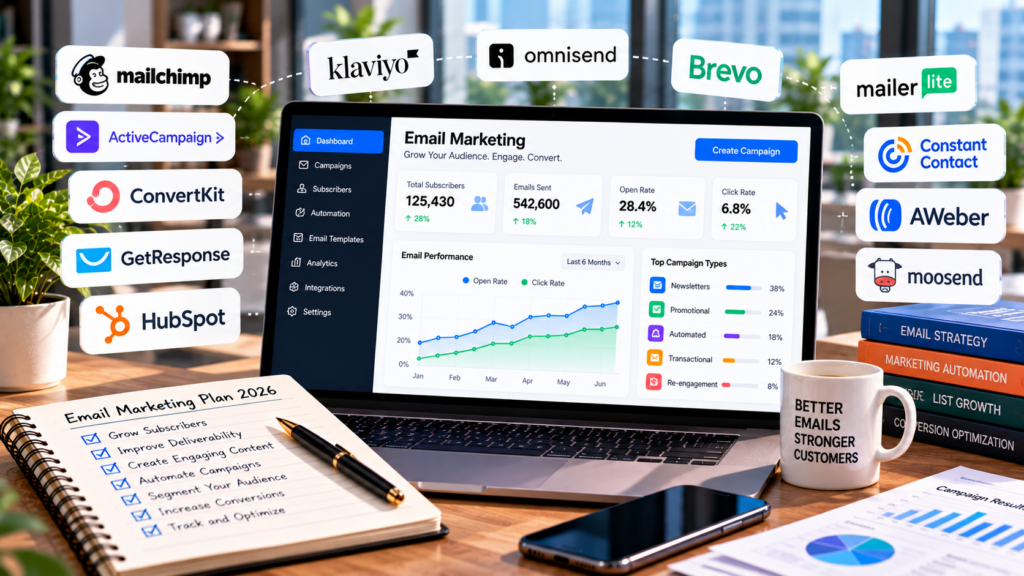
Choosing email marketing software means checking what support each plan actually includes. Vendor pages list different channels, hours and restrictions, so compare the tier you expect to buy.
Support varies: some providers include phone or live chat with an entry paid plan, while others reserve those channels for higher tiers. Free-account support periods also differ.
This guide compares eight email marketing platforms by entry-plan support channels, the tiers where phone help begins, and published support hours. Vendor prices, contact-count limits, discounts, billing and support terms change; figures below are starting examples checked in October 2026, not quotes. Confirm the current offer and renewal terms on each provider page before buying.
Why Support Belongs on Your Shortlist
The Problems That Need a Person
Most email questions can wait for a help article. A few cannot.
A sudden drop in open rates, DNS records that will not verify, an automation that emails the wrong segment, or a list import that triggers a compliance review can each cause disruption. For a deeper look at sender reputation and infrastructure, read our guide to email deliverability agencies.
Phone Access Usually Costs Extra
Mailchimp reserves phone support for Premium, which starts at $350 per month, according to Mailchimp’s support options. Brevo starts phone support on Professional at $499 per month, per Brevo’s help center.
For a small team that only needs phone support occasionally, compare the cost of the higher tier with the expected value of faster help.
Free Support Often Expires
Some providers limit human support for free accounts to an introductory period. Mailchimp lists 30 days of email support, while MailerLite offers a 14-day trial of email and live-chat support; afterward, free accounts rely on self-service resources.
Self-service resources may remain available when live support is limited.
How We Ranked Them
Rank order reflects published vendor pages: entry-plan support channels, the tier where phone access begins, and stated support hours. Feature depth and listed starting price break ties. This is a desk comparison, not a test of response speed; prices and support terms can change.
Comparison Table: Email Marketing Software Support by Plan
| Brand | Entry Plan Support | Phone Support From | Best For | Entry Price |
|---|---|---|---|---|
| Campaigner | Phone, email, chat | $14/mo (Essentials) | Growing businesses | $14/mo |
| Constant Contact | Phone, chat, 1:1 onboarding | $12/mo (Lite) | Owners who want training | $12/mo |
| AWeber | 24/7 email and chat | $30/mo (Plus) | After hours senders | $15/mo |
| Omnisend | 24/7 chat and email | Not listed | Online stores | $16/mo |
| GetResponse | Email and chat | Enterprise only | Guided onboarding | $19/mo |
| Mailchimp | Email and chat | $350/mo (Premium) | Premium phone in business hours | $13/mo |
| MailerLite | 24/7 email | Not listed | Written support | $12/mo |
| Brevo | $499/mo (Professional) | Self serve senders | $9/mo |
Our 8 Picks, Ranked by Support
1. Campaigner
Campaigner gives growing businesses direct access to real people on every plan, paired with features built for teams that have outgrown basic tools. Phone, email, and chat support come with every plan, starting at $14 per month. Support runs weekdays from 4 AM to 9 PM ET, which covers early East Coast sends and late West Coast fixes.
That access matters most when the stakes are highest. A deliverability dip or a broken workflow is faster to fix on a call than in a ticket queue. The Custom plan adds dedicated account management and deliverability consulting, per Campaigner’s pricing page.
The platform holds up behind that support. Upgrading to the $35 Advanced tier unlocks branching automations, deeper segmentation, and more personalization controls. For mid sized teams that want depth and a human on the line, Campaigner is the top pick.
Standout Features
- Every Plan Support: Phone, email, and online chat are included from the entry plan up.
- Dedicated Account Management: Custom plan customers get a named contact who knows their account.
- Deliverability Consulting: Custom plan guidance from Campaigner’s team on reaching the inbox.
- Advanced Workflow Designer: Maps every branch of an automation so you can see where each contact goes next.
- Reputation Defender: Checks your contact lists for problem addresses so your sender score stays healthy.
| ✓ Pros | ✕ Cons |
|---|---|
| Phone support on the $14 entry plan. | No weekend support hours. |
| Long weekday hours, 4 AM to 9 PM ET. | Trial lasts 30 days, with no ongoing free tier. |
| Account management and deliverability consulting on Custom. | Automation workflows require Advanced. |
| Dynamic Content Insertion and multivariate testing. | SMS costs extra and covers US and Canadian numbers only. |
| 900+ templates. |
2. Constant Contact
Constant Contact suits small business owners who would rather learn by talking to someone than by reading documentation. Every paid plan includes live phone and chat support along with live one on one onboarding.
Phone support runs weekdays 8 AM to 8 PM ET and Saturdays 10 AM to 6 PM ET, and chat opens at 3 AM ET on weekdays, per Constant Contact’s support page. Ask a Trainer adds live expert help weekdays from 10 AM to 4 PM ET. Lite starts at $12 per month, Standard at $35, and Premium at $80, according to Constant Contact’s pricing page.
For an owner running marketing alone, that hands on training is the reason to choose it.
Standout Features
- Live Onboarding: One on one setup help is included on Lite and Standard.
- Ask a Trainer: Live expert guidance on campaigns during weekday afternoons.
- Saturday Phone Hours: Phone support stays open Saturdays from 10 AM to 6 PM ET.
| ✓ Pros | ✕ Cons |
|---|---|
| Phone and chat support on the $12 Lite plan. | Lite caps monthly sends at 10 times your contact count. |
| Saturday phone coverage. | Extra sends cost $2 per 1,000. |
| Live one on one onboarding. | SMS is limited to US customers on paid plans. |
| Dedicated priority support team on Premium. | Priority support requires Premium at $80 per month. |
3. AWeber
AWeber can fit teams that send outside office hours: its ticket and chat support are listed as available 24/7, while phone support runs Monday to Friday, 8 AM to 8 PM ET.
Lite starts at $15 per month for 500 subscribers, and Plus starts at $30 per month with priority support; phone hours remain weekdays, while email and chat are available 24/7, per AWeber’s pricing page. Plus also adds segmentation, split testing, and advanced analytics, and it removes AWeber branding. The free plan covers 500 subscribers and 3,000 sends a month with one automation, according to AWeber’s documentation.
For senders outside office hours, AWeber’s 24/7 ticket and chat support is useful; phone support keeps weekday hours.
Standout Features
- 24/7 Ticket and Chat: Email and live-chat support is available around the clock.
- Priority Phone Support: Plus customers move to the front of the queue by phone, chat, and email.
- Hold Package: Pauses an account for $4.99 per month while keeping your data.
| ✓ Pros | ✕ Cons |
|---|---|
| 24/7 email and chat support on the $15 Lite plan. | Segmentation and split testing require Plus. |
| Priority phone support on Plus (weekdays, 8 AM to 8 PM ET). | Free plan includes only one automation. |
| Free plan for up to 500 subscribers. | Lite sends capped at 10 times subscriber count. |
| Low cost option to pause your account. | Paid plans require a credit card. |
4. Omnisend
Omnisend is the support pick for online stores that need answers during weekend sales and holiday rushes. 24/7 live chat and email support come with every plan, including the free one.
Standard starts at $16 per month for 500 contacts and 6,000 emails, and Pro starts at $59 per month for 2,500 contacts with unlimited email, per Omnisend’s pricing page. Pro adds bonus SMS credits equal to the monthly bill. Accounts paying $400 per month or more get a free account expert.
For a store that sells around the clock, support that never closes matches how the business runs.
Standout Features
- 24/7 Chat on Every Plan: Free and paid accounts reach live chat at any hour.
- Account Experts: Free dedicated help for accounts spending $400 or more per month.
- Bonus SMS Credits: Pro customers get SMS credits matching their monthly bill.
| ✓ Pros | ✕ Cons |
|---|---|
| 24/7 chat and email, even on the free plan. | Free plan covers only 250 contacts and 500 emails. |
| Unlimited email on Pro. | Standard caps sends at 6,000 per month. |
| 30% off with a three month prepay. | Phone support not listed. |
| Free account expert at $400 per month. | Priority support reserved for Custom. |
5. GetResponse
GetResponse fits marketers who want guided setup and ongoing help. Marketer and Creator include onboarding sessions. GetResponse lists both live chat and email support; human chat has stated service hours, while its chatbot is available 24/7. Check the current hours for your plan before relying on after-hours help.
Starter begins at $19 per month at 1,000 contacts, Marketer at $59, and Creator at $69, per GetResponse’s pricing page. Phone and Slack support, a dedicated Customer Experience Manager, and priority support are reserved for Enterprise.
For a team that wants a structured start without enterprise pricing, Marketer is the plan to look at.
Standout Features
- Onboarding Session: Marketer and Creator customers get a guided setup session.
- Email and Chat Support: Available on every paid plan.
- Customer Experience Manager: Enterprise accounts get a dedicated contact.
| ✓ Pros | ✕ Cons |
|---|---|
| Email and chat support from Starter up. | Phone support only on Enterprise. |
| Onboarding session on Marketer and Creator. | Starter has no onboarding session. |
| Dedicated manager on Enterprise. | Priority support only on Enterprise. |
| Free account available. | Free accounts lose support after the 14 day trial. |
6. Mailchimp
Mailchimp may suit teams that already use the platform and need phone support on Premium. Mailchimp’s support options list phone availability during business hours and in English; paid tiers also include email and chat support.
Premium starts at $350 per month in the listed example; Essentials ($13) and Standard ($20) include email and chat, but not phone, per Mailchimp’s pricing page. Those promotional prices are for the first 12 months and vary with contact count and billing. Free accounts get email support for 30 days, then can use the Mailchimp Assistant.
For a team already committed to Mailchimp at scale, Premium buys the phone access lower tiers lack.
Standout Features
- Phone on Premium: English-language phone support is available during business hours.
- Chat and Email from Essentials: Technical support on every paid plan.
- Mailchimp Assistant: A chatbot that answers questions for free accounts.
| ✓ Pros | ✕ Cons |
|---|---|
| Phone support in English during business hours on Premium. | Phone support starts at $350 per month. |
| Chat and email on all paid plans. | Listed prices apply to the first 12 months. |
| 14 day trial on Essentials and Standard. | Free plan email support ends after 30 days. |
| Free plan available. | Phone support available in English only. |
7. MailerLite
MailerLite fits budget minded teams that are comfortable with written support. Paid plans include 24/7 email support, and the Power plan adds 24/7 live chat.
Comfort starts at $12 per month with 5,000 emails and three user seats, and Power starts at $25 per month with unlimited emails and seats, per MailerLite. The free plan includes 2,500 emails a month and 24/7 support for the first 14 days.
For a small team that rarely needs a phone call, it delivers round the clock written support at a low entry price.
Standout Features
- 24/7 Email Support: Included on Comfort and Power.
- 24/7 Live Chat: Added on the Power plan.
- Help Library: Remains available to free accounts after the support window.
| ✓ Pros | ✕ Cons |
|---|---|
| 24/7 email support from $12 per month. | Phone support not listed. |
| Live chat on Power at $25 per month. | Comfort caps sends at 5,000 per month. |
| Unlimited user seats on Power. | Live chat requires Power. |
| Free plan available. | Free plan support ends after 14 days. |
8. Brevo
Brevo fits teams that want low cost sending and are comfortable helping themselves. Starter begins at $9 per month, per Brevo’s help center.
Support scales with price. Standard, at $18 per month, adds priority email support, and phone support starts on Professional at $499 per month.
For senders who rarely need a call, the low entry price outweighs the thin support on lower tiers.
Standout Features
- Priority Email Support: Standard and higher plans move to the front of the email queue.
- Phone Support on Professional: Available from $499 per month.
- Free Plan: Lets teams test sending before paying.
| ✓ Pros | ✕ Cons |
|---|---|
| $9 entry price. | No phone support below $499 per month. |
| Free plan available. | Large jump from Standard to Professional. |
| Priority email support on Standard. | Live chat is listed as a sales tool, not a support channel. |
| Phone support available on higher tiers. | Starter support limited to email. |
The Bottom Line on Support
Support is hard to evaluate before a problem occurs. Comparing channels, hours and plan limits helps set expectations before a campaign issue arises.
For teams that prioritize phone access: Campaigner ranks highest in this support-focused comparison because phone, email and chat are listed on its $14 entry plan. Custom adds account management and deliverability consulting; check the current terms and support hours.
For owners who want training: Constant Contact pairs phone and chat with one on one onboarding and Saturday hours.
For after-hours senders: AWeber offers 24/7 email and chat; phone runs weekdays, with priority support on Plus.
For online stores: Omnisend keeps 24/7 chat open on every plan, including free.
Check which support channels sit on the plan you will actually buy, not the one in the headline. That one detail decides how fast you recover when something goes wrong.