
Every independent artist knows the release-day scramble: the mastered single is finally live on Spotify and Apple Music, yet social feeds, YouTube channels, and playlist...
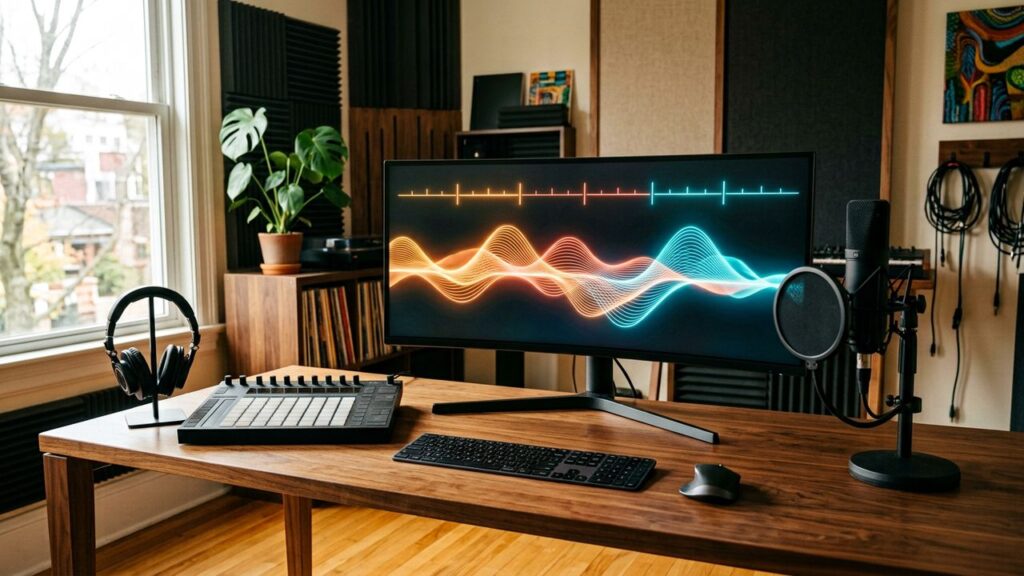
Every independent artist knows the release-day scramble: the mastered single is finally live on Spotify and Apple Music, yet social feeds, YouTube channels, and playlist pitches sit waiting for a compelling visual while a full narrative music video remains weeks or thousands of dollars away. Using a modern AI lyric video maker lets musicians, songwriters, and creative marketers transform an MP3 or M4A track into a tightly synced, phone-readable visual release in minutes without hiring motion-graphics studios.
Grounded in professional workflows inside AI Music Creator’s AI lyric video maker suite, which follows one golden rule (“timing, type, then texture, in that order”) across MP3/M4A uploads up to 100 MB, line-level waveform sync, mobile-first typography, and multi-ratio exports for vertical, square, and widescreen platforms, this guide delivers eight fast pro tips so every word lands right on the vocal beat and reads effortlessly on smartphone screens.
Why Timing Beats Templates Inside Every AI Lyric Video Maker
Most creators open an AI lyric video maker and rush straight toward flashy neon fonts, swirling motion effects, and moody background clips before checking a single timestamp. That backwards habit ruins more release-day lyric videos than anything else: if lyrics trail the singer by even half a second, viewers immediately sense sloppy production regardless of how expensive the typography looks.
Putting timeline precision ahead of visual decoration fixes the entire craft cleanly. Inside a structured AI lyric video maker, editors verify every word in the transcript first, align each phrase against the audio waveform at line level, and only then apply fonts, scale, color contrast, and background textures across the locked timeline. That sequence means experimenting with fresh visual moods later never breaks the vocal timing you already perfected.
The Three-Stage Honest Order of Operations
Treating your AI lyric video maker like a disciplined three-step checklist eliminates tedious rework across verses, bridges, and repeating choruses.
| Production Stage | Exact Action Inside Your AI Lyric Video Maker | Costly Mistake It Prevents |
|---|---|---|
| 1. Verify Words First | Proofread full transcript against final mastered vocal | Styling a glaring typo across three repeated choruses |
| 2. Sync Line by Line | Nudge entrances on waveform, especially fast verses & ad-libs | Half-second vocal drift that makes clips feel amateur |
| 3. Style & Screen-Test | Apply typography, contrast scrim & preview at phone size | Tiny illegible words lost over busy moving footage |
8 Fast Timing and Design Tips for Your AI Lyric Video Maker
Separating polished label-grade lyric releases from cluttered DIY slideshows comes down to eight practical editorial habits inside an AI lyric video maker.
Tip 1: Verify Every Transcript Word Inside Your AI Lyric Video Maker
Automatic speech transcription handles clear pop hooks accurately yet routinely mishears slang, stylized vocal runs, harmonies, or whispered intros. Before touching a single visual control inside your AI lyric video maker, read the complete lyric transcript line by line while listening on studio headphones, fixing punctuation, contractions, and spelling cleanly upfront.
Tip 2: Use Line-Level Waveform Sync in Your AI Lyric Video Maker
Global timing shifts rarely solve subtle vocal phrasing differences where a singer leans slightly ahead of the snare on bar four or lingers over a soulful bridge note. Use line-level timeline controls inside your AI lyric video maker to nudge individual entrances directly against waveform transients so every emotional punch lands right on the vocal attack.
Tip 3: Audit Every Repeated Chorus Inside Your AI Lyric Video Maker
Repeated choruses are where silent sync drift loves to hide. Human vocalists and expressive AI performances rarely phrase Chorus 1, Chorus 2, and the final double-chorus with identical millisecond timing. Play through each chorus independently inside your AI lyric video maker to confirm tight vocal lock from first verse through final fadeout.
Tip 4: Split Long Lines Early Inside Your AI Lyric Video Maker
Viewers listening to music while scrolling on a commuter train need roughly one full second longer than editors expect to absorb a line of lyrics comfortably. Whenever a rapid rap bar or wordy folk line looks cramped inside your AI lyric video maker, split it cleanly into two brisk shorter phrases rather than shrinking the font down to microscopic eye-strain size.
Tip 5: Preview Mobile Typography Inside Your AI Lyric Video Maker
Nearly all modern lyric videos are watched first on six-inch phone displays rather than twenty-seven-inch studio monitors. Shrink your preview window down to true smartphone width before exporting from your AI lyric video maker. If words wrap awkwardly across four lines or fade out before your eyes finish reading comfortably, simplify line breaks and slow text exit transitions immediately.
Tip 6: Stress-Test Frame Contrast Inside Your AI Lyric Video Maker
Crisp white serif type looks effortless against a dark midnight corner yet disappears instantly three seconds later when a bright sunset flare or busy city street flashes underneath. Test legibility over the brightest, busiest frame inside your AI lyric video maker and add a subtle dark gradient scrim or soft drop shadow whenever contrast dips, because visual style never excuses unreadable lyrics.
Tip 7: Reflow 9:16, 1:1, and 16:9 Exports in Your AI Lyric Video Maker
Cropping a widescreen YouTube lyric video blindly down to vertical TikTok or Instagram Reels slices off edge letters and ruins visual balance. Choose an AI lyric video maker that treats aspect ratio as a first-class layout choice: vertical 9:16 keeps lines short, stacked, and bold above mobile caption zones, while 16:9 widescreen lets cinematic typography breathe across full desktop screens without repeating your sync work.
Tip 8: Tighten Hook Pacing Before Exporting From an AI Lyric Video Maker
Punchy three-to-five-word lyric frames hold viewer attention vastly better than dense twelve-word paragraphs flashed across a tiny screen. Quickly check exact line word counts, chorus hook pacing, and accompanying YouTube or TikTok release descriptions using the Nemin Word Counter before finalizing text breaks inside your AI lyric video maker.
Matching Visual Styles Inside an AI Lyric Video Maker to Music Genres
Great styling inside an AI lyric video maker mirrors the sonic texture of the track rather than fighting it. Comparing six proven visual directions helps artists pick tasteful styling swiftly.
| Visual Direction | Typography & Motion Feel | Ideal Music Genres | Readability Rule to Watch |
|---|---|---|---|
| Bold City Hook | High-contrast sans-serif over urban motion | Pop Rock, Anthemic Indie, Hip-Hop | Add dark scrim over bright streetlights |
| Animated Serif Sequence | Spacious classic serif with gentle fades | Alternative R&B, Soul, Acoustic | Give generous breathing margins per line |
| Typewriter Lyric Page | Rhythmic letter-by-letter cadence | Folk, Lo-Fi, Indie Storytelling | Match typing speed strictly to vocal tempo |
| Circular Lyric Spotlight | Dynamic kinetic focus centered on canvas | Synth Pop, K-Pop, Electronic | Keep line counts ultra-short on vertical 9:16 |
| Sunset Collage Window | Warm ambient footage with soft type | Chillwave, Ballads, Dream Pop | Keep text anchored away from bright horizons |
Who Gets Immediate Release Leverage From an AI Lyric Video Maker
Beyond traditional pop singles, three fast-growing creative workflows rely heavily on an AI lyric video maker every week:
- Independent Artists on Release Day: Publish an official, on-brand synced visual across YouTube, Reels, Shorts, and Spotify Canvas teasers on day one while larger music video budgets stay protected.
- Songwriters Pitching Demos to Labels and Sync Supervisors: Turn passive audio links into active visual listening sessions where A&R executives immediately read hook craft alongside melody placement.
- Multilingual Channels Localizing Hits: With proper licensing permissions in place, align translated subtitle lyrics cleanly against original vocals so international fanbases follow every nuance effortlessly.
Planning Safe Zones Across YouTube, TikTok, and Instagram Reels
- Keep Vertical Lyrics Centered in the Middle 60%: Avoid bottom caption overlays, right-side like/share icons, and top navigation bars inside 9:16 exports from your AI lyric video maker.
- Leave Subtle Outer Margins on 16:9 Widescreen: Prevent edge clipping on smart TVs and embedded web players cleanly.
- Hold Final Title Cards for 3 Seconds: Let streaming artwork, song title, and artist handle register cleanly after the last vocal phrase fades out.
Evaluating AI Lyric Video Maker Plans, Credits, and Commercial Rights
Independent musicians and agencies producing multiple releases monthly should inspect credit economics and commercial licensing terms carefully before subscribing to an AI lyric video maker. Integrated suites like AI Music Creator share flexible credit pools across lyric videos, full music videos, vocal removers, song extensions, and MP3/WAV exports, spanning Basic ($9.9/month billed annually), Pro ($19.9/month billed annually), and Max ($39.9/month billed annually) plans with commercial licenses attached to qualifying annual tiers.
Before publishing monetized YouTube lyric videos or pitching sync tracks to commercial advertisers, verify two critical rights details cleanly: first, confirm your chosen subscription tier grants full commercial usage rights for exported visuals, and second, ensure you hold full legal ownership or explicit licensing permission for the underlying audio master and written lyrics uploaded into the AI lyric video maker.
Six-Step Release-Day Workflow Using an AI Lyric Video Maker
Maximizing every single song launch takes less than an hour once your master sync is locked cleanly inside an AI lyric video maker:
- Upload your final mastered WAV/MP3/M4A file (up to 100 MB) and double-check every single lyric word for zero typos.
- Complete line-level waveform sync from intro through outro, auditioning every single chorus separately for natural vocal lock.
- Export a clean 16:9 full-length official lyric video for YouTube complete with keyword-rich description and streaming smart links.
- Reflow the exact same synced timeline into 9:16 vertical cuts targeting the catchiest twenty-to-thirty-second chorus hooks for TikTok, Instagram Reels, and YouTube Shorts.
- Export a crisp 1:1 square teaser cut tailored for album-promo newsletters, Bandcamp updates, or Facebook/X feeds.
- Archive your locked transcript and project timing cleanly so acoustic remixes or translated international lyric versions spin up in minutes later.
Four Common AI Lyric Video Maker Flaws That Kill Watch Time
- Over-Animated Flying Letters: Dizzying bounce and spin effects make viewers abandon a clip inside four seconds inside any AI lyric video maker.
- Ignoring Safe-Zone Overlays: Placing sleek lower-third lyrics straight behind TikTok’s bottom username and caption text renders every word unreadable.
- Mismatched Mood Styling: Pairing aggressive glitch neon visuals with a gentle acoustic ballad breaks emotional immersion immediately.
- Uploading Unmastered Rough Mixes: Swapping audio files later with slightly shifted intro silence forces needless re-syncing; always sync to the final mastered bounce.
Elevating Audience Retention Using an AI Lyric Video Maker
Viewers watch lyric videos far longer than static cover-art uploads because synchronized words invite sing-along participation and deepen emotional connection to your songwriting. When every phrase enters right on the singer’s breath, reads effortlessly at arm’s length on a smartphone, and stands clearly above tasteful visual texture, an AI lyric video maker turns every track release into an engaging, shareable fan experience across every social channel.
Troubleshooting Sync and Typography in an AI Lyric Video Maker
Even disciplined artists hit tricky creative moments on fast rap verses, layered vocal harmonies, duet call-and-response hooks, or dark moody footage. Keeping a practical troubleshooting checklist beside your AI lyric video maker prevents last-minute release-night panic and preserves clean label-grade polish across every genre.
Handling Fast Rap Bars, Spoken Intros, and Overlapping Duets
Rapid vocal passages pack twelve to sixteen syllables inside two seconds, overwhelming standard full-sentence subtitle layouts inside any AI lyric video maker. Break dense bars into punchy rhythmic chunks aligned cleanly to snare hits and vocal breaths, allowing eyes to track rhythm naturally without visual blur.
- Spoken Intros and Whispered Bridges: Use subtle italicized serif typography or gentler opacity fades inside your AI lyric video maker so spoken interludes feel visually distinct from sung choruses.
- Male/Female Duets or Featured Verses: Differentiate vocalists cleanly using two cohesive accent hues (for example, crisp ivory for Lead Vocal and soft warm gold for Featured Verse) rather than jarring rainbow font switches.
- Layered Ad-Libs and Echo Harmonies: Only place essential hook ad-libs on screen; transcribing every faint background echo clutters smartphone framing and weakens main lyric readability inside an AI lyric video maker.
Building Cohesive Album Visuals With an AI Lyric Video Maker
Listeners recognize professional artists instantaneously when single one, single two, and full album lyric releases share a unified visual world. Inside your AI lyric video maker, save one cohesive typography pairing (one distinctive display headline font plus one ultra-legible body weight), consistent corner pacing margins, and a matched color grading palette drawn straight from your cover artwork.
That simple art-direction discipline pays off handsomely across YouTube playlists and TikTok artist tabs. When fans click through three tracks back to back and experience crisp timing, unmistakable brand mood, and effortless phone readability across every clip exported from your AI lyric video maker, casual listeners convert into loyal subscribers and playlist savers at markedly higher rates.
Final 60-Second Pre-Upload Quality Inspection Checklist
Before scheduling YouTube Premieres or dropping vertical Reels teasers, run one swift end-to-end watch-through on your physical smartphone with sound at normal listening level:
- Verify Song Title and Artist Credits: Confirm intro and outro title cards spell artist features, producer credits, and streaming handles cleanly.
- Spot-Check Chorus 1, Chorus 2, and Final Outro: Confirm zero lingering drift on repeated vocal entries exported from your AI lyric video maker.
- Inspect Mobile Overlay Safe Zones: Preview vertical 9:16 exports inside TikTok and Instagram Reels draft screens before posting so zero lyric lines hide behind bottom usernames or right-side action buttons.
- Confirm Clean Audio Export Loudness: Listen carefully for crisp, undistorted vocal clarity matching your original mastered MP3 or M4A upload with zero accidental clipping or awkward end cutoffs.
Running that quick sixty-second verification transforms every pass inside your AI lyric video maker into a confident, release-ready visual asset you can publish proudly across every global music platform.
Repurposing One Synced Lyric Master Across Streaming Canvas and Ads
Beyond official YouTube premieres and organic TikTok teasers, smart music marketers stretch every single synced timeline inside their AI lyric video maker across Spotify Canvas eight-second loops, paid Instagram Story pre-save ads, and tour announcement countdowns. Because every line is already locked cleanly to waveform peaks, exporting fresh cropped hook cuts takes under two minutes instead of booking extra motion-design billing hours.
Keeping one tidy archive folder containing your final WAV master, verified plain-text lyrics, and saved project template inside your AI lyric video maker ensures deluxe remixes, slowed acoustic editions, and international subtitled drops launch with effortless visual consistency.
FAQ’s
What audio formats work best inside an AI lyric video maker?
Most browser tools, including AI Music Creator’s AI lyric video maker, accept standard MP3 and M4A audio files (up to 100 MB) alongside tracks generated or stored directly inside your workspace. Always upload your final mastered mix so intro silence and chorus timing stay locked permanently.
Why should I sync lyrics before picking fonts and backgrounds?
Inside an AI lyric video maker, fixing typos and aligning line-level waveform timing first guarantees exact vocal synchronization across verses and repeated choruses. Applying visual styles afterward lets you test different fonts, colors, and motions cleanly without disturbing locked timing.
Can one synced project export for both YouTube widescreen and TikTok vertical?
Yes. A purpose-built AI lyric video maker reflows typography scale, line wrapping, and screen positioning natively across 16:9 widescreen, 1:1 square, and 9:16 vertical exports from one unified sync pass, eliminating awkward edge cropping.
How do I keep lyrics readable over moving video backgrounds?
Inside your AI lyric video maker, always test text contrast against the brightest and busiest background frame rather than the calmest moment, adding a subtle dark gradient scrim or high-contrast backing whenever letters lose crispness on small phone screens.
How many words should appear on screen at once in a vertical lyric video?
In a vertical 9:16 AI lyric video maker export, keep mobile lines concise at three to six words per beat, splitting rapid vocal passages into brisk consecutive lines so viewers read comfortably without shrinking text below arm’s-length legibility.
Do I get commercial rights to monetize videos exported from an AI lyric video maker?
Check exact plan terms before commercial release: platforms such as AI Music Creator include a Commercial License on qualifying annual plans, provided you also own or legally license the underlying song recording and lyrics used in the project.
Conclusion
Great songs deserve visuals that arrive on release day with precision and taste rather than gathering dust waiting on costly motion-design timelines. Working inside an AI lyric video maker grounded in disciplined order of operations, verify transcript words, lock line-level vocal sync across every chorus, then style cleanly for mobile readability, gives independent artists, songwriters, and labels studio-grade visuals in minutes.
Apply all eight fast timing and layout tips, respect smartphone safe zones and background contrast, reflow one synced timeline across 16:9, 1:1, and 9:16 exports, and let listeners feel every word right on the beat.