
An AI Photo Generator is a powerful creative tool that uses artificial intelligence to produce realistic images, edited visuals, product concepts, portraits, lifestyle scenes, marketing graphics, and...
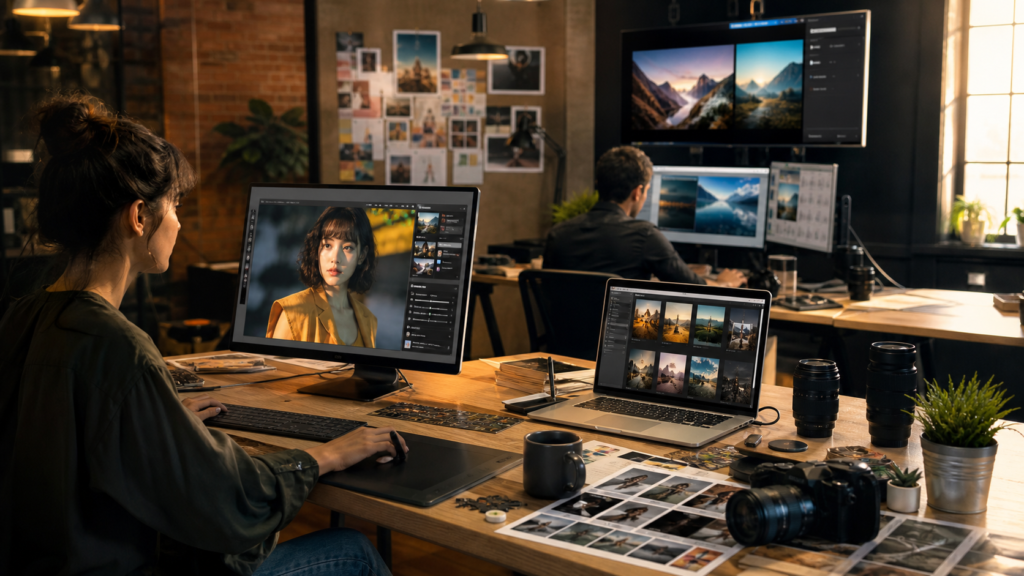
An AI Photo Generator is a powerful creative tool that uses artificial intelligence to produce realistic images, edited visuals, product concepts, portraits, lifestyle scenes, marketing graphics, and brand-ready photography from written prompts or reference images. Instead of relying only on traditional photography, stock libraries, or manual design work, businesses and creators can use AI image generation to develop visual assets faster, test ideas more affordably, and create content tailored to specific campaigns.
The demand for high-quality visuals has never been higher. Websites, social media pages, ecommerce stores, advertising campaigns, presentations, blogs, apps, and digital products all need fresh images to capture attention. However, professional photography can require planning, models, locations, lighting, props, editing, and budget. Stock images may be convenient, but they often feel generic or overused. This is where AI-powered photo generation creates new opportunities.
Still, an AI Photo Generator is not a magic replacement for creative strategy. The best results come from clear prompts, strong visual direction, brand consistency, careful editing, and responsible use. This guide explains how AI photo generators work, what they are useful for, how to write better prompts, where businesses can apply them, and what limitations users should understand before relying on AI-generated images.
What Is an AI Photo Generator?
An AI Photo Generator is a generative AI tool that creates images based on text descriptions, uploaded references, style instructions, or editing requests. The user describes what they want, and the system produces a photo-like image or visual concept based on that prompt.
For example, a user might request a modern kitchen product photo, a lifestyle image of a person using fitness equipment, a realistic office scene, a travel-inspired hero image, or a studio-style portrait. The AI interprets the prompt and generates an image that matches the requested details as closely as possible.
Many AI image tools can also edit existing photos. This may include changing backgrounds, improving lighting, removing objects, replacing products, creating variations, extending image borders, changing colours, or generating new scenes from reference images.
The main purpose of an AI Photo Generator is to make visual creation more flexible. Instead of searching for the closest available image, users can generate something closer to their exact idea. This is especially valuable for marketers, designers, content creators, ecommerce sellers, bloggers, agencies, and startups that need frequent visual content.
How an AI Photo Generator Works
AI photo generators use machine learning models trained on large collections of image and text relationships. These systems learn patterns between visual elements and language. When a user enters a prompt, the model creates an image based on the relationships it has learned.
Text-to-Image Generation
Text-to-image generation starts with a written prompt. The prompt may include subject, setting, lighting, camera angle, mood, style, colours, background, composition, and details. The more clearly the user describes the desired image, the better the tool can understand the request.
A weak prompt might say, “business photo.” A stronger prompt might say, “a realistic editorial photo of a small business owner reviewing sales reports in a bright modern office, natural light, clean desk, professional atmosphere, 16:9 composition.” The second prompt gives the AI much more direction.
Image-to-Image Generation
Some tools allow users to upload a reference image. The AI can then create variations, restyle the photo, change the background, or adjust specific elements while keeping parts of the original image.
This is useful for product mockups, branding experiments, concept art, room design ideas, and campaign visuals.
AI Photo Editing
AI editing tools can remove distractions, enhance image quality, adjust lighting, replace backgrounds, generate missing parts of an image, or create multiple variations. This makes AI useful not only for creating new visuals but also for improving existing ones.
Benefits of Using an AI Photo Generator
AI-generated images can support creative work in several practical ways.
Faster Visual Production
Traditional image creation can take days or weeks when it involves planning, photography, editing, approvals, and revisions. An AI Photo Generator can produce concepts in minutes. This speed is useful when teams need quick drafts, campaign ideas, social media visuals, or blog images.
Lower Creative Testing Costs
Businesses often need to test multiple creative directions before choosing one. AI image generation allows teams to explore different styles, settings, colours, and compositions without paying for a full photoshoot for every idea.
Custom Visuals Instead of Generic Stock Photos
Stock images can be helpful, but they may not match a brand’s exact message. AI-generated photos can be tailored to a specific mood, audience, industry, season, or campaign.
Better Content Scalability
Brands that publish content frequently need a steady supply of visuals. AI tools can help create blog feature images, social media concepts, email graphics, ad variations, presentation visuals, and product lifestyle images at scale.
Creative Flexibility
An AI Photo Generator lets users experiment with ideas that may be difficult or expensive to produce physically. This includes futuristic scenes, rare locations, unusual product settings, or highly specific lifestyle images.
Common Uses of AI Photo Generators
AI photo generators can support many industries and creative workflows.
Marketing Campaigns
Marketers can use AI-generated images for campaign concepts, landing page visuals, paid ads, email banners, social media posts, and promotional graphics. AI makes it easier to create images that match a specific target audience or campaign message.
Ecommerce Product Visuals
Ecommerce sellers can use AI tools to create lifestyle scenes, background variations, product mockups, and seasonal promotional images. For example, a plain product image can be placed into a kitchen, gym, office, bedroom, or outdoor environment.
However, product accuracy matters. AI should not misrepresent the actual product. Final images should be reviewed carefully before use.
Blog and Website Feature Images
Blogs and websites need strong visuals to improve readability and engagement. AI-generated feature images can be customized to match article topics instead of relying on repetitive stock photos.
Social Media Content
Social media requires frequent posting, fresh ideas, and eye-catching visuals. AI can help generate themed image sets, campaign graphics, visual storytelling assets, and post backgrounds.
Brand Mood Boards
Designers can use AI images to explore visual direction before committing to a full campaign. Mood boards can include colour palettes, room styles, model concepts, lighting moods, product environments, and brand atmosphere.
Concept Development
Architects, interior designers, product designers, fashion brands, and creative agencies can use AI photo generation to visualize ideas quickly before moving into production.
How to Write Better AI Photo Prompts
Prompt quality has a major effect on output quality. A strong prompt gives the AI clear instructions without becoming confusing.
Define the Subject
Start with the main subject. This could be a person, product, room, landscape, vehicle, food item, workplace, or object. Be specific about what should appear in the image.
Describe the Setting
The setting gives context. A product can appear in a studio, kitchen, office, gym, retail store, outdoor space, or luxury environment. The setting should match the purpose of the image.
Add Lighting Details
Lighting affects realism and mood. Useful terms include natural light, soft studio lighting, golden hour, bright daylight, cinematic lighting, warm indoor lighting, or diffused window light.
Include Style and Composition
Mention whether the image should feel editorial, commercial, realistic, minimalist, cinematic, premium, lifestyle-focused, or documentary-style. Composition details such as 16:9, close-up, wide shot, centered subject, or shallow depth of field can also help.
Avoid Overloading the Prompt
Too many conflicting details can confuse the model. A prompt should be clear, focused, and balanced. If you need multiple versions, create separate prompts rather than forcing everything into one request.
Example Prompt Structure
A useful AI photo prompt can follow this structure:
Subject + setting + action + visual style + lighting + composition + restrictions.
For example:
A realistic commercial photo of a reusable water bottle on a wooden desk beside a laptop and notebook, modern office setting, soft natural window light, clean minimalist composition, premium lifestyle style, no text, no logos, 16:9 format.
This structure helps the AI understand what to create and what to avoid.
AI Photo Generator for Business Branding
Brand consistency is one of the most important challenges when using AI-generated images. A business should not create random visuals that look disconnected from its identity.
Maintain Colour Consistency
Use brand colours or consistent colour moods in prompts. If your brand uses calm neutrals, bold colours, dark luxury tones, or bright lifestyle imagery, include those preferences.
Use a Consistent Visual Style
Decide whether your images should look realistic, editorial, premium, playful, minimal, corporate, warm, futuristic, or artistic. Repeating this style across prompts helps create a more unified brand presence.
Create Image Guidelines
Businesses should build internal AI image guidelines. These may include approved prompt styles, image ratios, acceptable subjects, privacy rules, editing standards, and restrictions on unrealistic claims.
Review Every Image Before Publishing
AI-generated visuals should be checked for errors, strange details, inaccurate objects, distorted hands, unnatural reflections, incorrect text, or brand misalignment.
AI Photo Generator for SEO, AEO, and GEO
Visual content can support search performance when used correctly. While AI images alone do not guarantee rankings, they can improve engagement, page quality, and topical relevance.
SEO Benefits
AI-generated images can support SEO by making pages more visually useful. Blog posts, service pages, ecommerce listings, and guides often perform better when they include relevant, high-quality visuals.
Images should be compressed, named clearly, and supported with descriptive alt text. For example, an image file named “ai-photo-generator-marketing-visuals.png” is more useful than a random file name.
AEO Benefits
Answer Engine Optimization focuses on answering user questions clearly. AI-generated images can support answers by illustrating concepts, workflows, product examples, or before-and-after ideas.
Generative Engine Optimization
Generative Engine Optimization benefits from structured, clear, and original content. Images that match the topic help reinforce entity relevance. When paired with descriptive headings and accurate explanations, visuals can help AI-powered systems understand the page more clearly.
Limitations of AI Photo Generators
AI photo generation is powerful, but it has limitations.
Accuracy Issues
AI may create unrealistic details, strange hands, incorrect product shapes, odd reflections, or inaccurate text. Always inspect images before publishing.
Brand Risk
If visuals look too generic, artificial, or inconsistent, they may weaken brand trust. AI images should be refined and selected carefully.
Legal and Usage Considerations
Businesses should understand the usage rights of their chosen AI tool. Commercial use, model likeness, trademark concerns, and copyright questions should be reviewed before using AI-generated images in public campaigns.
Ethical Concerns
AI images should not mislead users. For example, a product image should not show features the product does not have. A service business should not create fake customer photos or false results.
Human Creativity Still Matters
AI can generate options, but humans still guide strategy, taste, editing, storytelling, and quality control. The best results come from combining AI speed with human judgment.
How to Choose the Best AI Photo Generator
Different tools serve different needs. Before choosing one, consider your goals.
Image Quality
Look for realistic detail, clean lighting, accurate textures, and strong composition. If outputs often look artificial, the tool may not suit professional use.
Editing Features
Some users need only text-to-image generation, while others need background removal, object replacement, image expansion, or product scene editing.
Commercial Usage Rights
Check whether images can be used for business, advertising, ecommerce, social media, or client projects.
Ease of Use
A good platform should make prompting, editing, downloading, and organizing images simple.
Style Control
The best tools allow users to control realism, lighting, format, composition, and visual tone.
Output Consistency
For branding, consistency matters. If every image looks completely different, it may be harder to build a unified visual identity.
Best Practices for Professional AI Photo Creation
To get better results, follow a structured workflow.
Start with a clear creative brief.
Define the audience and image purpose.
Write focused prompts.
Generate multiple variations.
Choose the strongest option.
Edit details if needed.
Check for visual errors.
Optimize image size.
Add descriptive file names and alt text.
Keep a record of successful prompts.
This process helps turn AI-generated images from random experiments into reliable creative assets.
Common Mistakes to Avoid
One common mistake is using vague prompts. If the prompt lacks detail, the image may look generic.
Another mistake is publishing AI images without reviewing them. Small errors can make a brand look careless.
Some users also overuse AI visuals until every image feels artificial. Balance AI-generated content with real photography, product images, illustrations, and original brand assets where appropriate.
Another mistake is ignoring audience expectations. A luxury brand, healthcare company, technology startup, and children’s product business all need different visual styles.
Finally, businesses should avoid misleading images. AI should support communication, not create false impressions.
FAQs
What is an AI Photo Generator?
An AI Photo Generator is a tool that uses artificial intelligence to create realistic photos or visual content from text prompts, reference images, or editing instructions.
How does an AI Photo Generator work?
It uses generative AI models trained on image and text relationships. When a user enters a prompt, the system interprets the request and creates a new image based on the described subject, style, and details.
Can AI-generated photos be used for business?
Many AI-generated photos can be used for business, but usage rights depend on the tool’s terms. Businesses should check commercial licensing, copyright rules, and platform policies before publishing images.
What can businesses create with AI photo tools?
Businesses can create website images, blog visuals, product mockups, social media graphics, ad concepts, brand mood boards, ecommerce lifestyle images, and campaign visuals.
Are AI photo generators better than stock photos?
AI photo generators can create more customized visuals than stock photos, but stock photography may still be useful for authentic real-world scenes. The best choice depends on the project.
How do I write a good AI photo prompt?
A good prompt should describe the subject, setting, action, style, lighting, composition, and restrictions. Clear, specific prompts usually produce better results than vague instructions.
Can AI photo generators edit existing images?
Yes, many AI tools can edit existing images by changing backgrounds, removing objects, improving lighting, expanding frames, or creating variations from a reference photo.
What are the main limitations of AI-generated photos?
Limitations include inaccurate details, unrealistic objects, inconsistent branding, possible legal concerns, and the need for human review before professional use.
Conclusion
An AI Photo Generator can be a valuable creative tool for businesses, marketers, designers, ecommerce sellers, bloggers, and content creators who need high-quality visuals faster and with more customization than traditional stock photography often allows. It can support campaign planning, product mockups, website imagery, social media content, brand mood boards, and visual storytelling.
However, the best results come from thoughtful use. Clear prompts, strong creative direction, brand consistency, careful editing, and responsible publishing are essential. AI-generated photos should enhance communication, not mislead audiences or replace human judgment. When used strategically, an AI Photo Generator can help teams create professional visual content more efficiently while keeping creativity, accuracy, and brand trust at the center of the process.