
Producing studio-quality portraits, clean ecommerce product shots, and cinematic campaign visuals once demanded expensive camera rigs, lighting crews, and days of retouching. Today, creators, marketers,...
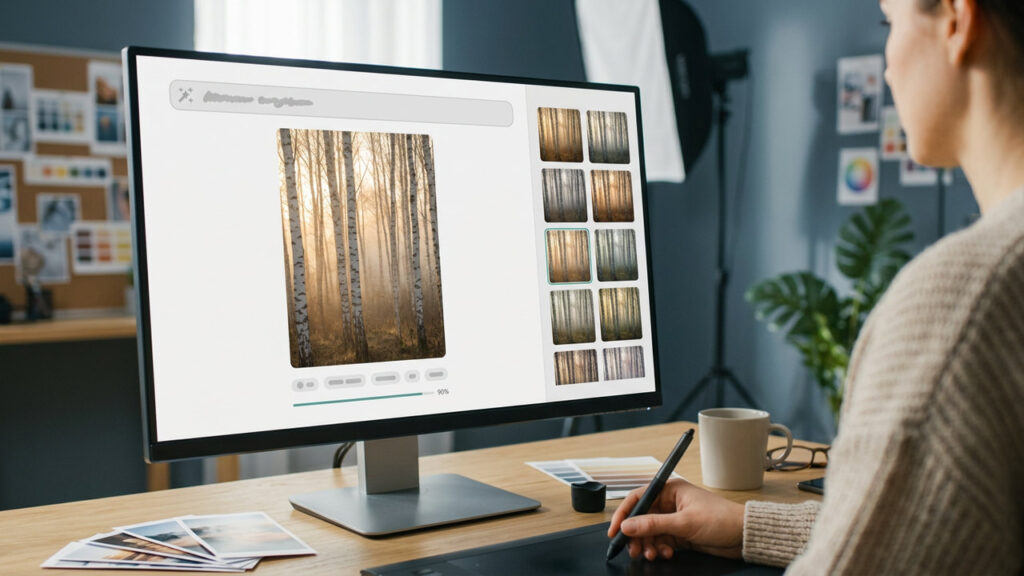
Producing studio-quality portraits, clean ecommerce product shots, and cinematic campaign visuals once demanded expensive camera rigs, lighting crews, and days of retouching. Today, creators, marketers, and solo founders turn to a modern AI Photo Generator to transform plain text descriptions or reference images into polished, high-resolution photography in seconds. With multi-model engines accessible straight inside the browser, professional visual creation is faster and more flexible than ever.
Understanding how an AI Photo Generator interprets lighting cues, lens choices, model styles, and reference photos helps you consistently move beyond generic synthetic artwork toward believable, publication-ready imagery. Whether you are crafting luxury product photography, editorial portraits, social ad creatives, or storyboards, structured prompting unlocks remarkable control.
What Is an AI Photo Generator and How Does It Create Realistic Images
An AI Photo Generator is a generative visual platform powered by advanced diffusion and multimodal image models trained to synthesize detailed photographs from natural-language prompts and optional visual references. Instead of pulling stock photos from a fixed catalog, the AI photo generator builds every pixel from scratch, synthesizing realistic skin texture, material reflections, glass refraction, depth of field, and natural shadows tailored precisely to your brief.
Modern browser-based AI photo generator workspaces unify multiple leading image models inside one interface. Creators can choose among engines such as GPT Image 2, Midjourney, Nano Banana 2, and Seedream 5.0 depending on whether a project demands razor-sharp text accuracy, editorial portrait realism, stylized concept art, or glossy studio product rendering. Starting with free included credits lets users test models side by side before scaling full campaigns.
Text-to-Photo Generation vs Reference-Guided Editing
Most users begin with text-to-photo generation, typing a descriptive scene prompt and watching the AI photo generator assemble the image in seconds. However, pairing text prompts with a reference image unlocks even stronger creative consistency. Uploading a lighting reference, pose guide, or product silhouette lets the AI photo generator preserve facial likeness, brand color palettes, or packaging geometry while swapping backdrops, styling, and atmosphere cleanly.
Why Curated Prompt Galleries Speed Up Creative Discovery
Blank prompt boxes often slow down newcomers who know the visual mood they want but struggle to describe studio lighting terminology. Exploring a built-in prompt gallery inside an AI photo generator lets creators inspect thousands of community-tested portraits, luxury bottle shots, fashion posters, and 3D renders, copy proven prompt structures in one click, or reuse a standout image directly as a style reference.
Choosing the Right AI Image Model Inside an AI Photo Generator
Different underlying image models excel at distinct visual aesthetics. Knowing how top engines inside a multi-model AI photo generator behave helps you select the best model on the first attempt instead of burning credits on trial and error.
| Model Style Profile | Primary Creative Strengths | Ideal Commercial and Creative Uses | Prompting Approach |
|---|---|---|---|
| GPT Image 2 | High prompt fidelity, accurate text, clean layouts | Ad posters, infographics, structured product scenes | Clear direct instructions with exact placement details |
| Midjourney Style Engines | Cinematic lighting, rich editorial texture, artistic mood | Fashion editorials, dramatic portraits, luxury concepts | Evocative photography terms, mood, and lens cues |
| Seedream 5.0 | Crisp photorealistic detail and balanced skin tones | Studio headshots, lifestyle shots, glossy product photos | Natural camera angle, backdrop, and lighting setup |
| Nano Banana 2 | Clean minimalist composition and flexible rapid edits | Wallpapers, clean negative-space headers, social visuals | Concise subject focus with clear composition framing |
Matching Aspect Ratios and Negative Space to Final Placements
Always pick your aspect ratio before clicking generate inside any AI photo generator. Widescreen 16:9 frames suit blog headers and YouTube thumbnails, vertical 9:16 layouts match Instagram Reels and phone wallpapers, and 1:1 or 4:5 ratios fit ecommerce catalogs and feed posts. Explicitly requesting clean negative space on one side makes overlaying headlines or call-to-action buttons effortless in design apps later.
Step-by-Step Framework for Writing High-Precision AI Photo Generator Prompts
Vague two-word prompts yield unpredictable results, whereas a disciplined five-part prompt formula consistently delivers agency-grade visuals from any AI photo generator.
- Subject and Action specifying who or what anchors the frame, including materials, clothing texture, age, or product finish.
- Environment and Backdrop defining exact setting details such as a minimalist plaster studio, sunlit cafe table, or moody dark slate surface.
- Lighting Direction naming soft window daylight, rim backlighting, golden hour warmth, or diffused three-point studio softboxes.
- Camera Lens and Composition specifying medium portrait, macro close-up, 85mm shallow depth of field, or eye-level editorial framing.
- Color Palette and Realism Cues guiding natural film grain, authentic reflections, muted earth tones, and zero artificial plastic sheen.
Crafting Believable Studio Portraits With an AI Photo Generator
When generating human portraits, avoid generic buzzwords like “hyperrealistic” that often trigger over-sharpened, waxy skin. Instead, tell your AI photo generator to shoot with an 85mm lens at natural aperture, soft directional window light, authentic skin texture, and relaxed natural posture. Specifying eye-level framing and subtle background bokeh yields warm editorial portraits indistinguishable from real studio sessions.
Generating High-Converting Ecommerce Product Photography
Small online brands use an AI photo generator to stage skincare bottles, electronics, furniture, and accessories across seasonal environments without renting physical locations. Upload a clean cutout or reference photo of your item, describe tactile surfaces such as matte travertine stone, ribbed black glass reflections, or morning sunlight shadows, and produce cohesive product galleries across dozens of SKUs in a single afternoon.
Iterative Refinement Without Losing Good Composition
Rather than rewriting your entire prompt from scratch when an image is ninety percent right, adjust one variable at a time. Swap only the lighting mood, tighten the camera framing, or upload your favorite draft back into the AI photo generator as a reference image to polish fine details while locking in the winning layout.
High-Impact Use Cases for an AI Photo Generator Across Industries
From solo creators to digital agencies, practical adoption of AI photo generator tools now spans every visual channel.
- Ecommerce and D2C brands using an AI photo generator for clean hero banners, lifestyle staging shots, and seasonal ad variations rapidly.
- Bloggers, publishers, and SEO teams relying on an AI photo generator to produce unique featured images aligned cleanly with article topics instead of overused stock photos.
- Social media managers and influencers using AI photo generation for cohesive thumbnails, vertical story backdrops, and high-impact campaign posters.
- Product designers, architects, and game artists running an AI photo generator to visualize concept prototypes, packaging mockups, and lighting studies before physical fabrication.
- Small local businesses using a web photo generator to create clean website hero photography, menu mood visuals, and promotional flyers without studio budgets.
Across all five workflows, teams find that pairing creative direction with fast AI photo generation shortens campaign review cycles from weeks to hours. Instead of guessing which visual theme resonates with readers or shoppers, marketers generate three distinct mood concepts inside an AI photo generator, review them with stakeholders on the same call, and launch winning creative assets immediately.
Comparing an AI Photo Generator vs Traditional Stock Libraries and Studio Shoots
Understanding when an AI photo generator outperforms stock subscriptions or live photography helps marketing teams allocate creative budgets wisely.
| Comparison Dimension | AI Photo Generator | Traditional Stock Photo Sites | Custom Live Photo Shoot |
|---|---|---|---|
| Turnaround Time | Seconds per variation online | Minutes searching existing catalogs | Days to weeks of booking and editing |
| Visual Uniqueness | Original tailored imagery on demand | Shared by thousands of competing sites | Completely unique bespoke assets |
| Cost Per Asset | Free starter credits to low subscription | Per-download or recurring library fees | High photographer, studio, and prop costs |
| Exact Scene Control | Full prompt control over mood and framing | Limited to whatever photographers uploaded | Exact physical control over real products |
| Best Strategic Role | Concepting, blog visuals, ad tests, staging | Real landmark and documentary photography | Exact physical product detail and team staff |
Pros and Cons of Using an AI Photo Generator
Recognizing both strengths and current technical limits guarantees smart creative workflows that protect brand authenticity.
Key Advantages
- Generates crisp, high-resolution photos in seconds directly inside a browser with free starter credits and zero desktop installation.
- Provides access to multiple leading models including GPT Image 2, Midjourney, Nano Banana 2, and Seedream 5.0 in one workspace.
- Eliminates repetitive stock imagery by letting brands match exact lighting, color palettes, and aspect ratios on demand.
- Built-in prompt galleries and reference image inputs help beginners achieve polished studio results almost immediately.
- Dramatically lowers creative testing costs for social ads, landing page headers, and early product packaging concepts.
Practical Limitations to Respect
- Highly specific real-world physical goods with tiny label typography still benefit from real reference photos or light post-touchups.
- Complex multi-person hand interactions or crowded street backgrounds occasionally require one or two regeneration passes to look spotless.
- Ethical brands avoid generating deceptive images of real private people or misrepresenting actual physical products sold to customers.
Troubleshooting Common AI Photo Generator Artifacts and Visual Flaws
Even with top-tier models inside a modern AI Photo Generator, occasional drafts emerge with subtle visual glitches such as awkward finger angles, slightly mismatched reflections, or overly glossy skin textures. Knowing how to diagnose and correct four recurring generation quirks turns almost every rough output into a sharp final photograph in one or two quick passes.
Fixing Over-Processed Plastic Skin and Artificial Lighting
Synthetic glossiness usually happens when prompts pile on vague buzzwords like “ultra-HD 8K hyperrealistic perfection.” Replace those generic adjectives with concrete real-camera language inside your AI photo generator: specify natural skin pores, soft diffused window light, subtle 35mm film grain, and balanced shadow falloff. Natural photographic cues instantly restore authentic editorial warmth.
Correcting Cluttered Backgrounds and Distracting Props
When an AI photo generator packs too many unrelated objects behind your main subject, tighten your focal length and spatial wording. Requesting a shallow depth of field with an 85mm portrait lens, minimalist plaster wall, or uncluttered studio table directs the image model’s rendering budget squarely onto your subject while leaving clean negative space around the edges.
Resolving Hand, Eye, and Product Label Inconsistencies
Complex multi-hand poses or dense tiny typography remain the hardest details for any AI photo generator. Keep subject poses relaxed and natural rather than convoluted, switch to high-precision engines like GPT Image 2 when clean text matters, or supply an existing product photograph as a reference image so packaging proportions stay faithful across every generated backdrop.
Building Repeatable Brand Visual Systems With an AI Photo Generator
One of the biggest shifts in digital marketing is moving from isolated one-off experiments to cohesive brand libraries powered by an AI Photo Generator. When a website mixes mismatched lighting moods, harsh neon accents on one post, and muted pastel stock photos on the next, readers immediately sense visual inconsistency. Establishing a concise internal prompt library solves that issue permanently.
Standardizing Lighting, Palette, and Framing Templates
Document a reusable base style block shared across your content and design team, specifying consistent color temperature, camera elevation, backdrop materials, and aspect ratios such as 16:9 for blog featured images or 4:5 for social feeds. Pairing that fixed style suffix with topic-specific subjects inside your AI photo generator ensures dozens of articles, ads, and landing pages share one recognizable visual signature.
Organizing Reference Images and Winning Prompt Variations
Whenever an AI photo generator produces an image with ideal brand lighting and texture, save both the exact prompt text and the resulting photo into a shared brand folder. Reusing that approved shot as a style reference inside subsequent AI photo generation sessions dramatically reduces creative drift across seasonal campaigns and multi-author content teams.
Best Practices for Copyright, Disclosure, and Brand Consistency
Responsible visual publishing builds long-term reader trust and aligns cleanly with platform policies. Before deploying AI photo generator assets across commercial ads or websites, review your platform’s commercial usage terms and keep a simple internal brand style sheet defining standard lighting warmth, camera framing, and color accents. Using consistent reference images across an entire website gives AI-generated visuals the cohesive editorial polish of a dedicated art director.
Always inspect generated images at 100 percent zoom before publishing to check eyes, hands, background reflections, and stray textures. Never use synthetic visuals to fake documentary news events or misrepresent real physical team members on medical, legal, or financial trust pages where authentic staff photography belongs.
FAQ’s
What is an AI Photo Generator and how does it work?
An AI Photo Generator uses advanced generative image models to turn written text descriptions or uploaded reference photos into high-resolution, realistic images in seconds right inside your browser.
Can I use a free AI Photo Generator online without installing software?
Yes, modern web-based AI photo generator platforms run completely in the cloud and include free starter credits so you can test prompts and download high-resolution photos without downloads.
Which image model is best inside a multi-model AI Photo Generator?
GPT Image 2 excels at strict prompt accuracy and clean text layouts, Midjourney styles shine for cinematic portraits, Seedream 5.0 delivers crisp realism, and Nano Banana 2 handles clean compositions fast.
How do I write better prompts for realistic AI photo generation?
Combine five clear details: specific subject, concrete environment, natural lighting direction, camera lens framing like 85mm shallow depth of field, and realistic material or color palette cues.
Can I upload a reference image to an AI Photo Generator?
Yes, uploading a reference photo allows the AI photo generator to preserve facial identity, product shape, or lighting mood while transforming the surrounding scene or visual style cleanly.
Are AI-generated photos safe to use for blogs, marketing, and social media?
Yes, AI photo generator visuals work great for blog headers, concept mockups, and ad testing when you respect platform commercial terms, inspect quality closely, and avoid deceptive representations.
Conclusion
A modern AI Photo Generator places multi-model studio photography, creative art direction, and rapid concept visualization within immediate reach of every creator and marketing team. By pairing structured lighting and lens prompts with reference images and curated prompt galleries, you can produce crisp, original visuals in seconds without recurring stock monotony or costly studio shoots.
Whether you are upgrading blog featured images, prototyping luxury product staging, or testing high-converting social creatives, inspecting details carefully and keeping consistent brand styling ensures every AI photo generator image looks authentic, intentional, and ready to publish.