
Every daily email you send from a MacBook, iMac, iPad, or iPhone carries a quiet branding opportunity right beneath your closing line, yet plain-text sign-offs...
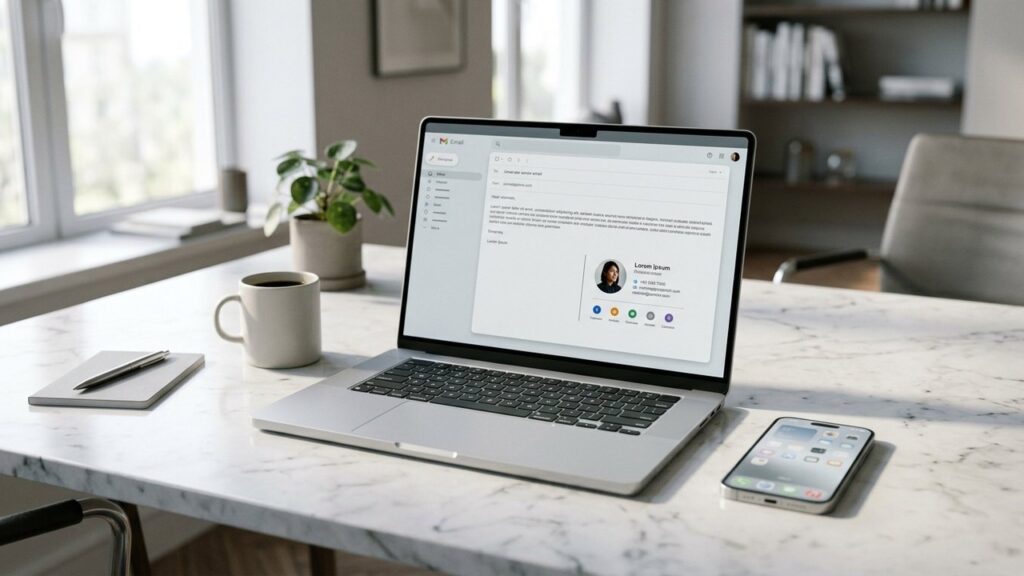
Every daily email you send from a MacBook, iMac, iPad, or iPhone carries a quiet branding opportunity right beneath your closing line, yet plain-text sign-offs look generic and hand-coded templates routinely break across dark mode and Outlook inboxes. Building a clean, responsive apple mail html signature turns routine correspondence into a consistent trust signal featuring your headshot or logo, clickable phone and calendar links, social icons, and a subtle marketing banner without forcing you to debug fragile table markup manually.
Dedicated platforms such as MySignature, rated 4.7 out of 5 across 192 plus verified reviews on G2, Capterra, and Trustpilot with 56 plus designer templates, 110 plus social icons, GDPR compliance, and built-in AI design enhancement, make deploying an apple mail html signature effortless even if you have never written a single line of HTML.
Apple Mail handles HTML signatures differently from webmail clients like Gmail, which is why copied web snippets frequently lose spacing, distort logos, or convert images into clunky paperclip attachments when installed incorrectly. Learning how an apple mail html signature renders behind the scenes, how to design high-converting layouts cleanly, how to install and preserve rich HTML formatting across macOS and iOS devices, and how to troubleshoot common rendering glitches ensures every message you send looks crisp in every recipient’s inbox.
Why a Professional Apple Mail HTML Signature Matters for Everyday Communication
Professionals send thousands of one-to-one emails every year to prospects, clients, investors, journalists, and job candidates. Unlike paid social ads or cold newsletters, direct emails already earn high open rates and genuine attention from decision-makers who know your name. Upgrading from a plain three-line text footer to a polished apple mail html signature reinforces instant visual credibility, makes dialing your phone or booking a discovery call a single tap on mobile, and promotes timely webinars, case studies, or product launches without feeling intrusive.
Consistency multiplies that impact across growing companies. When a ten-person consulting boutique or a five-hundred-person university team manages every employee’s apple mail html signature from one centralized dashboard, every outbound touchpoint displays unified brand colors, current legal disclaimers, accurate job titles, and active campaign banners rather than outdated logos and broken phone extensions.
Essential Anatomy of a High-Converting Apple Mail HTML Signature
Great email signature design practices restraint: packing every detail onto the footer creates visual noise and triggers spam filters. The cleanest apple mail html signature layouts balance five crisp elements.
- Clear Identity Block displaying your full name, exact role, and company name in readable web-safe typography with clean visual hierarchy.
- High-Resolution Headshot or Company Logo hosted reliably over HTTPS (sized neatly for Retina displays at 2x resolution and constrained via HTML width attributes so images never balloon in Outlook).
- Direct Contact Details limited to the two or three channels you actually monitor, such as direct phone, website URL, and an interactive calendar booking link inside your apple mail html signature.
- Focused Social Media Icons capped cleanly at four or five active profiles (such as LinkedIn, X, YouTube, or Instagram) rather than cluttering the footer with ten abandoned social channels.
- One Optional CTA Banner or Legal Disclaimer aligned around a single measurable objective, whether booking a product demo, downloading an annual guide, or displaying required GDPR confidentiality wording.
Why Email Deliverability Depends on Clean Inline HTML Code
Bloated HTML signatures stuffed with oversized embedded base64 images, external CSS stylesheets, or excessive tracking links push emails straight into Gmail Promotions tabs or corporate spam quarantines. Purpose-built apple mail html signature generators output lightweight, table-based inline HTML that respects email deliverability standards, keeps message weight tiny, and renders reliably across Apple iCloud Mail, Gmail, Microsoft Outlook, Office 365, and Thunderbird.
Step-by-Step Guide to Creating and Installing an Apple Mail HTML Signature on Mac
Installing an apple mail html signature takes under five minutes once you know Apple Mail’s specific paste-formatting quirk (specifically the Always Match My Default Message Font checkbox that silently strips HTML styling if left ticked).
| Setup Stage | Exact Action Required | Pro Tip to Preserve Clean Formatting |
|---|---|---|
| 1. Design Your Signature | Pick a template in MySignature, add details, logo, social icons, and CTA | Click Enhance with AI to balance color harmony and layout spacing |
| 2. Copy Clean HTML | Click Copy to Clipboard using Google Chrome or Mozilla Firefox | Avoid copying from Safari, which sometimes alters inline table styles |
| 3. Open Apple Mail Settings | Open Mail app on Mac, go to Mail Settings, and click the Signatures tab | Select your exact email account in the left column first |
| 4. Uncheck Font Override | Click plus (+) to add a new signature and uncheck Always match my default message font | This single checkbox preserves custom HTML fonts, colors, and borders |
| 5. Paste and Test Send | Paste into the right pane (Cmd + V), assign as default, and send a test mail | Images may appear blank in preview pane yet display properly in real emails |
Installing Your Apple Mail HTML Signature on iPhone and iPad (iOS)
Many professionals polish a stunning Mac signature only to send plain Sent from my iPhone messages whenever replying on the road. Installing the exact same apple mail html signature on iPhone or iPad preserves seamless brand polish across devices.
Simply email your newly created apple mail html signature to yourself, open that message in the iOS Mail app, tap and hold to select the full signature block, tap Copy, then navigate to Settings, scroll to Apps and Mail, tap Signature, choose Per Account or All Accounts, and paste cleanly. Immediately after pasting on iOS, if Apple auto-strips formatting, gently shake the iPhone and tap Undo Change Attributes (or tap the three-finger undo gesture) so iOS restores full rich HTML layout intact.
Comparing Apple Mail HTML Signature Creation Methods
Deciding whether to hand-code HTML, use Apple Mail’s basic native editor, or generate an apple mail html signature via a specialized platform depends on team size, technical comfort, and campaign tracking goals.
| Creation Approach | Setup Speed | Cross-Client Reliability | Best Fit User |
|---|---|---|---|
| Dedicated Generator (MySignature) | 3 to 5 minutes | High (tested on Apple Mail, Outlook, Gmail, iOS) | Professionals, SMBs, agencies, and enterprise teams |
| Custom Hand-Coded .mailsignature | 1 to 3 hours + testing | High only if developer knows email table quirks | Front-end email developers with niche custom layouts |
| Native Apple Mail Rich Text Editor | 2 minutes | Low for columns, logos, and Outlook rendering | Minimalist plain-text personal correspondence |
| Single Full-Image Graphic Footer | 10 minutes in Canva | Poor (unclickable text, blocked images, spam risk) | Not recommended for professional business email |
Design Best Practices That Keep Every Apple Mail HTML Signature Sharp
Even great templates lose effectiveness when overloaded with bright clashing fonts, massive banners, or unoptimized dark-mode logos. Applying six practical design principles keeps every apple mail html signature clean, accessible, and clickable.
Six Visual and Marketing Rules Used by Top Brand Teams
Measure how strongly your footer converts clicks into pipeline alongside an email campaign ROI calculator while enforcing six timeless visual standards.
- Focus on One Clear Goal per signature by pairing contact details with at most one primary banner CTA rather than asking recipients simultaneously to follow six networks, read a blog, book a call, and buy a ticket.
- Limit Color Palettes to Two Brand Colors plus neutral dark charcoal or slate body text so your apple mail html signature looks executive rather than noisy.
- Design for Dark Mode Resilience by exporting logos as transparent PNG files with subtle contrast buffers or clean circular badges so dark lettering never vanishes completely against black dark-mode backgrounds on macOS and iOS.
- Keep Total Signature Width Between 320px and 600px so multi-column desktop signatures scale gracefully on narrow smartphone screens without forcing horizontal scrolling.
- Use Web-Safe System Fonts such as Arial, Helvetica, Verdana, Georgia, or Trebuchet MS so recipients on Windows Outlook see the exact clean spacing you approved inside your apple mail html signature.
- Host All Images Externally via Fast HTTPS Servers rather than dragging raw image files from your Desktop into Apple Mail, preventing annoying paperclip attachment icons on every email you send.
Why You Should Never Use One Giant Graphic as Your Signature
Uploading a single JPEG business card instead of a real apple mail html signature creates four immediate problems: recipients cannot copy-paste your phone number, links cannot point to individual profiles, corporate firewalls blocking remote images leave your entire footer completely blank, and high image-to-text email ratios hurt inbox deliverability.
Troubleshooting Common Apple Mail HTML Signature Glitches
When macOS updates roll out or recipients view your mail in legacy Windows Outlook, minor display quirks occasionally surface. Knowing how to diagnose the five most common apple mail html signature issues solves them in under two minutes.
Fast Fixes for Broken Images, Font Shifts, and iCloud Sync Overwrites
Run through five targeted checks whenever an apple mail html signature looks unexpected during test sends.
- Blank Box Inside Apple Mail Preview Pane: Apple Mail routinely hides externally hosted remote images inside the Settings preview box for privacy. Send a real test email to a Gmail and Outlook address first; in almost every case, images load cleanly inside actual delivered emails.
- Fonts or Colors Resetting Immediately After Paste: Re-open Mail Settings, click Signatures, verify that Always Match My Default Message Font is unchecked, delete the pasted draft, copy fresh from Chrome or Firefox, and paste again.
- Apple Mail Converting Signature Logo Into a Paperclip Attachment: This happens when an image is dragged locally from Finder instead of referenced via hosted HTTPS img tags inside an apple mail html signature generator. Switch to hosted image URLs cleanly.
- iCloud Drive Overwriting Locked Custom .mailsignature Files: Advanced users editing raw files inside Library/Mail/V10/MailData/Signatures must lock the file via Get Info (Locked checkbox) if iCloud Drive sync is turned on, or better yet use a generator copy-paste workflow that needs zero manual file locking.
- Blue Underlined Auto-Links on Phone Numbers in iOS: iOS automatically styles telephone numbers and addresses blue; wrapping contact text cleanly inside inline CSS color spans inside your apple mail html signature preserves exact brand typography across iPhones and iPads.
Rolling Out Unified Apple Mail HTML Signatures Across Remote Teams
Managing signatures individually across twenty, fifty, or two hundred MacBooks wastes IT hours every time a company updates its brand tagline, moves offices, or launches a seasonal trade show banner. Centralized platforms let marketing managers maintain one master apple mail html signature template in a shared dashboard, update promotional banners once across every employee profile, monitor link click engagement, and send instant preview-and-install invitations to each teammate’s inbox with zero manual HTML tinkering.
Measuring Clicks, Rotating Campaign Banners, and Keeping Replies Clean
Once your apple mail html signature goes live across Mac and iOS devices, treat the footer like a living micro-marketing channel rather than a static business card you forget for three years. Adding clean UTM parameters to the single primary CTA banner inside your apple mail html signature lets Google Analytics track exactly how many webinar sign-ups, case study downloads, or demo bookings originate directly from everyday one-to-one employee emails. Sales teams frequently rotate a timely customer review or booking link inside their apple mail html signature, while recruiting teams swap in an active careers banner during hiring pushes and customer success leads feature a quick onboarding resource link inside their apple mail html signature.
Just as important is maintaining smart reply etiquette. Configure Apple Mail so your full visual apple mail html signature appears automatically on fresh outbound messages, while creating a streamlined compact version (name, role, direct phone, and website link) for rapid back-and-forth internal reply threads. Testing every seasonal banner update across macOS Mail, iOS Mail, Gmail web, and Windows Outlook in both light and dark mode ensures your apple mail html signature stays crisp, fast-loading, and genuinely helpful across every conversation. Reviewing your apple mail html signature quarterly to verify updated job titles, active phone numbers, crisp Retina logos, and fresh seasonal links keeps every apple mail html signature performing cleanly all year long.
Pros and Cons of Using an Apple Mail HTML Signature Generator
Reviewing both the major branding benefits and subtle maintenance habits of an apple mail html signature helps individuals and teams get lasting mileage from their email footer.
Pros of Deploying a Dedicated Apple Mail HTML Signature
- An apple mail html signature transforms every everyday business email into a high-trust, clickable brand touchpoint across Mac, iPhone, iPad, Outlook, and Gmail.
- Building an apple mail html signature eliminates fragile manual HTML table coding with 56 plus tested templates, 110 plus crisp social icons, and optional AI layout enhancement.
- A well-coded apple mail html signature protects email deliverability with lightweight inline code and hosted HTTPS assets instead of bulky embedded image attachments.
- Centralized dashboards for managing every employee’s apple mail html signature make updating promotional banners, legal disclaimers, and new-hire details effortless at scale.
Cons and Practical Limitations to Watch
- Copying an apple mail html signature from Safari instead of Chrome or Firefox can occasionally alter pasted inline styles in macOS Apple Mail unless you follow the recommended browser copy step.
- Highly strict corporate recipients whose email servers block all external images still rely on clean alt text and readable HTML text fallbacks inside your apple mail html signature, making balanced text-plus-image design essential.
- Promotional banners inside your apple mail html signature require periodic refreshing every quarter so recipients do not see expired event dates or stale holiday offers.
FAQ’s
How do I add an apple mail html signature without losing formatting?
Generate your apple mail html signature in Chrome or Firefox, click Copy to Clipboard, open Apple Mail Settings then Signatures, uncheck Always Match My Default Message Font, paste with Cmd + V, and send a test email to confirm rendering.
Why do images look missing inside the Apple Mail signature settings box?
Apple Mail often blocks remote hosted images inside its local settings preview window for privacy, yet those exact hosted images display cleanly once you compose and send an actual test message.
Can I use the same apple mail html signature on iPhone and iPad?
Yes, email your finished signature to yourself, copy it from the iOS Mail app, paste it under Settings then Mail then Signature, and shake your iPhone to tap Undo Change Attributes if iOS strips initial styling.
How many social media icons should I include in an apple mail html signature?
Keep your footer uncluttered by including a maximum of four to five active social channels relevant to your audience rather than linking every network you own.
Does an apple mail html signature hurt email deliverability?
No, a clean apple mail html signature built with lightweight inline HTML, hosted HTTPS images, and balanced text-to-image ratios is friendly to email deliverability and avoids spam triggers.
Why should I avoid pasting a single JPG graphic as my Apple Mail signature?
A single image prevents recipients from copying phone numbers, breaks individual clickable links, appears completely blank if images are blocked, and can trigger spam filters due to high image-to-text ratios.
Conclusion
A crisp, responsive apple mail html signature elevates every message leaving your Mac, iPhone, or iPad from an ordinary note into a polished brand impression that drives clicks, calls, and instant credibility. Using a dedicated generator such as MySignature removes fragile HTML coding, preserves clean compatibility across Apple Mail, Gmail, and Outlook, and makes centralized team rollouts fast and consistent.
Stick to one focused call to action, limit social icons cleanly, uncheck Apple Mail’s default font override when pasting, and verify both light and dark mode rendering on a quick test email so your apple mail html signature looks sharp in every recipient’s inbox.