
Unplanned production line breakdowns, scrambling technicians hunting lost paper work orders, surprise OSHA audit gaps, and emergency overnight spare-parts shipping silently drain hundreds of thousands...
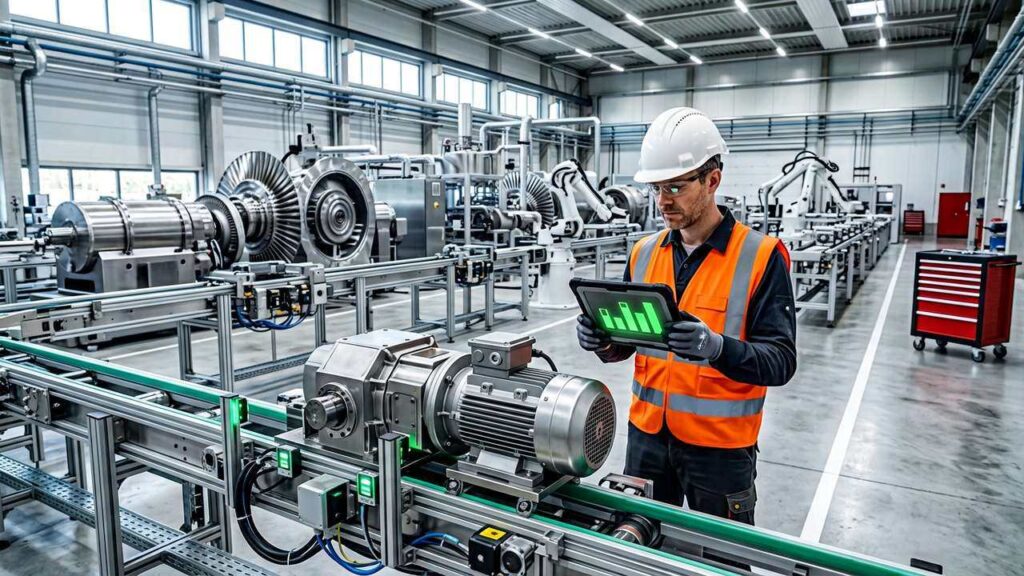
Unplanned production line breakdowns, scrambling technicians hunting lost paper work orders, surprise OSHA audit gaps, and emergency overnight spare-parts shipping silently drain hundreds of thousands of dollars from manufacturing plants, hotels, and multi-site facilities every single year. Modernizing maintenance operations with AI-native CMMS software like UpKeep, trusted by 4,000+ companies including Unilever, PepsiCo, Chevron, Caterpillar, Yamaha, McDonald’s, Marriott, and Aramark, replaces chaotic firefighting with connected, predictable asset reliability.
Backed by 2,000+ five-star reviews across G2, Capterra, and Apple, UpKeep unites mobile-first CMMS software, Nova AI (voice-capable field intelligence that generates work orders and catches bad data), Health & Safety (EHS permits and lockout/tagout), UpKeep Learn (SOP-driven technician training), and Edge IIoT sensors inside one unified asset record where nothing ever gets entered twice. This practical 2026 maintenance leadership guide breaks down how AI-native CMMS software works and shares eight proven uptime wins.
Why AI-Native CMMS Software Outperforms Legacy Clipboards and Siloed Spreadsheets
Legacy desktop maintenance databases failed on the factory floor for one brutal reason: technicians walking across 200,000-square-foot plants hated returning to a dusty desktop PC at 5:00 PM just to key in twenty cryptic error codes, so asset histories went blank, recurring failure patterns stayed hidden, and preventive maintenance slipped behind schedule.
Modern mobile and AI-native CMMS software like UpKeep flips that entire dynamic by putting effortless field tools straight into technicians’ hands while unifying five core pillars onto one single asset record:
- Mobile-First CMMS Core: Technicians create, update, attach completion photos, scan QR asset tags, check parts availability, and close work orders right on the plant floor from any smartphone or tablet, slashing end-of-day administrative drag.
- Nova AI Action Engine: Rather than acting like a passive search bar, UpKeep’s Nova AI works straight on your live asset records, generating structured work orders, catching dirty data anomalies, building custom workflow apps, and answering technician field questions hands-free by voice.
- Integrated Health & Safety (EHS) Compliance: Permits, lockout/tagout (LOTO) verification, QR-code incident reports (no login needed), and safety inspections live straight inside maintenance work orders so airtight audit trails build themselves automatically.
- Edge IIoT Condition Monitoring Sensors: Wireless sensors monitor live equipment temperature, vibration, and runtime around the clock, automatically opening a priority work order inside your CMMS software the moment a bearing overheats or vibration drifts before catastrophic failure halts production.
- UpKeep Learn (Built-In LMS): Converts your real completed work orders and approved SOPs automatically into structured hands-on technician training courses matching how your actual equipment operates.
When sensors, safety permits, parts inventory, training, and mobile work orders share one live truth inside your CMMS software, maintenance shifts permanently from reactive cost center to measurable operational advantage.
Comparing Paper/Excel Logs vs Legacy Desktop CMMS vs AI-Native CMMS Software (UpKeep)
Evaluating technician adoption, downtime prevention, and audit readiness side by side clarifies why global brands across manufacturing, facilities, and food and beverage standardize on modern CMMS software.
| Maintenance Operations Factor | Paper Work Orders & Spreadsheets | Legacy Desktop-Only CMMS | AI-Native Mobile CMMS Software (UpKeep) |
|---|---|---|---|
| Floor Technician Adoption | Low; lost clipboards & missing notes | Frustrating end-of-shift PC typing | High (instant mobile photos, checklists & voice AI) |
| Preventive vs Reactive Mix | 80%+ chaotic emergency firefighting | Static calendar reminders only | Automated usage-based PMs + Edge IIoT sensor triggers |
| Safety / EHS Audit Readiness | Panicked binder hunting before audits | Separate disconnected safety silo | LOTO, permits & QR incident logs linked directly to WOs |
| Data Hygiene & Asset History | Fragmented tribal knowledge | Incomplete, inconsistent manual logs | Nova AI catches bad data & logs unified asset history |
| Technician Onboarding Speed | Slow verbal shadowing only | Static out-of-date PDF manuals | UpKeep Learn builds courses straight from live SOPs |
Before pitching an enterprise maintenance upgrade to plant controllers or operations VPs, quantifying how reducing unplanned line downtime, overtime labor, and rush spare-parts freight pays back CMMS software licensing inside our ROI Calculator builds a rock-solid executive business case in minutes.
8 Proven Maintenance AI Wins With CMMS Software in 2026
Buying great software never fixes broken plant habits automatically, disciplined rollout turns modern CMMS software into massive uptime gains inside ninety days. Apply these eight proven wins modeled on top UpKeep deployments.
1. Prioritize Technician Mobile UX First During Vendor Selection
No matter how impressive an executive dashboard looks inside a sales demo, CMMS software fails completely if floor technicians refuse to open it daily. Hand test accounts directly to two lead mechanics on standard smartphones during trials, confirming they can snap a photo, log parts used, tick safety checklists, and close a work order in under forty seconds right beside the machine.
2. Tag Your Top 20% Critical Assets With Durable QR Codes in Week One
Do not stall launch for six months trying to catalog every breakroom toaster across five buildings. Rank your top 20% production-critical assets, compressors, chillers, packaging lines, HVAC rooftops, conveyors, affix durable scannable QR codes straight onto machine frames, and link OEM manuals, parts lists, and PM schedules inside your CMMS software right away.
3. Convert Emergency Breakdown Patterns Into Automated Preventive Schedules
After thirty days of mobile logging inside your CMMS software, pull a top-ten repeat failure report. Convert every recurring breakdown, worn belts, clogged filters, dry bearings, into automated time-based or runtime-meter preventive maintenance (PM) checklists so crews catch subtle wear during planned Tuesday windows instead of midnight shift blowouts.
4. Connect Wireless IIoT Edge Sensors to High-Cost Bottleneck Machinery
Calendar-based PMs still occasionally over-maintain healthy pumps while missing sudden bearing fatigue on heavily loaded lines. Deploying UpKeep Edge IIoT vibration, temperature, and runtime sensors on single-point-of-failure equipment triggers automated condition-based work orders straight inside your CMMS software the instant telemetry drifts out of normal range.
5. Put Nova AI to Work Eliminating Admin Drudgery and Dirty Data
Technicians excel at diagnosing hydraulics and electrical faults, not typing formal administrative narratives. Let AI-native assistants like UpKeep’s Nova AI inside your CMMS software draft clean work orders from brief voice notes, flag missing failure-code fields automatically, and answer technician troubleshooting queries right from historical machine logs on the spot.
6. Embed Lockout/Tagout (LOTO) and Safety Permits Inside Every Maintenance Checklist
Separating safety compliance onto clipboards guarantees skipped signatures during rush repairs. Building mandatory LOTO verification, hot-work permits, and QR-code no-login incident reporting directly into maintenance work orders inside your CMMS software protects workers live while keeping OSHA and FDA auditors effortlessly satisfied.
7. Link Critical Spare Parts Inventory Directly to Work Order Closeouts
Nothing extends a two-hour motor repair into a three-day shutdown faster than walking into the stockroom only to discover the last spare seal was used last month without updating a spreadsheet. Tie spare-parts deductions and automated minimum-stock reorder alerts directly into work order completion inside your CMMS software so critical MRO shelves never run dry.
8. Turn Tribal Senior Technician Knowledge Into Structured UpKeep Learn Courses
Experienced master mechanics retiring over the next five years carry decades of irreplaceable machine intuition in their heads. Using integrated LMS modules like UpKeep Learn right beside your CMMS software converts completed repair logs and proven SOPs into repeatable hands-on training courses so junior hires ramp cleanly in half the time.
Industry Use-Case Matrix for Modern CMMS Software
See how distinct physical-asset industries tailor modern AI-native CMMS software like UpKeep around their sharpest operational risks.
| Industry Vertical | Top Costly Failure Risk | Highest-ROI CMMS Software Feature | Primary Operational KPI |
|---|---|---|---|
| Manufacturing Plants | Unplanned production line halts | Edge IIoT sensors + automated PMs + mobile WOs | OEE lift & reduced Mean Time To Repair (MTTR) |
| Multi-Site Facilities & Hospitality | Guest complaints & scattered HVAC repairs | Unified multi-property asset hub + QR requests | On-time WO completion & asset life extension |
| Food & Beverage Processing | Sanitation gaps & cold-chain spoilage | Integrated EHS safety checks + temp sensors | 100% audit pass rate & zero batch spoilage |
| Logistics, Fleets & Warehouses | Forklift, dock & conveyor downtime | Meter-based PMs + MRO parts auto-reorder | Lower emergency repair & rush-freight spend |
Running a Smooth 90-Day CMMS Software Rollout Without Floor Resistance
Change management determines whether CMMS software delivers transformative reliability or gathers digital dust.
1. Appoint Two Respected Floor Technician Champions Early
Involve veteran hands-on mechanics during configuration rather than handing down software decrees from corporate offices. When respected floor peers help shape clear checklists and see how mobile photo logs save them thirty minutes of nightly paperwork, whole-team buy-in follows naturally.
2. Track Five Plain Executive Reliability Metrics Monthly
Focus leadership reviews cleanly around five hard indicators straight from your CMMS software dashboards: Preventive Maintenance Compliance percentage, Planned vs Reactive Work Ratio (targeting 75%-80%+ planned), Mean Time Between Failures (MTBF), Mean Time To Repair (MTTR), and total MRO emergency parts spend.
3. Integrate Seamlessly With Existing ERP, Purchasing, and BI Systems
Once field adoption stabilizes cleanly during quarter one, connect your CMMS software via API straight into procurement and accounting platforms so approved spare-parts purchase orders, vendor invoices, and asset depreciation schedules sync cleanly with zero double data entry.
Avoiding Four Classic Mistakes When Implementing CMMS Software
Even top-rated platforms like UpKeep stumble if leadership falls into four avoidable rollout traps during month one.
Pitfalls to Dodge From Day One
Keep your rollout brisk, practical, and laser-focused by sidestepping these four common implementation mistakes.
- Over-Complicating Work Order Forms With 25 Mandatory Fields: Forcing hurried technicians wearing safety gloves to tap through twenty tedious dropdown menus guarantees sloppy junk entries. Keep required mobile closeout fields crisp (asset, failure cause, parts used, time spent, photo/safety check) and let Nova AI enrich structured reporting quietly underneath.
- Importing Ten Years of Dirty Legacy Spreadsheets Uncleaned: Migrating duplicate equipment IDs, retired scrapped machines, and misspelled parts names straight into fresh CMMS software pollutes reporting immediately. Clean and standardize your top active asset hierarchy cleanly before bulk import.
- Skipping Standardized Failure-Code Taxonomies: Letting technicians type free-text notes like “fixed it” or “busted again” hides actionable reliability trends. Define 10 to 15 crisp standard failure codes inside your CMMS software so six months later you see instantaneously whether electrical relays, bearing lubrication, or operator calibration causes 60% of plant downtime.
- Forgetting Non-Maintenance Requesters: Give machine operators, kitchen managers, and property staff dead-simple QR-code work request portals (no complex logins required) so minor leaks, frayed cords, and safety near-misses enter your CMMS software early while repairs still cost $50 instead of $15,000.
Uniting intuitive mobile technician adoption, Nova AI automation, built-in EHS safety compliance, UpKeep Learn training, and real-time Edge IIoT sensor triggers inside modern CMMS software moves operations permanently from stressful breakdown firefighting into calm, profitable world-class reliability.
Connecting CMMS software Data Directly Into Plant Reliability Decisions
Installing modern CMMS software like UpKeep is only step one; turning clean mobile work orders, Nova AI insights, and Edge IIoT sensor triggers into smarter capital budgeting and higher Overall Equipment Effectiveness (OEE) is where maintenance leaders earn executive influence. When every repair hour, spare seal, and safety check lives inside one unified CMMS software record, plant directors replace gut feelings with airtight reliability math.
Quarterly Reliability Review Playbook Inside Your CMMS software
Run one focused 45-minute reliability review each quarter using live dashboards exported straight from your CMMS software.
- Rank Your Top Ten Bad-Actor Assets in CMMS software: Sort equipment by combined unplanned downtime hours plus total parts and labor spend inside your CMMS software so engineering attacks the 10% of machines driving 65% of plant disruption first.
- Optimize Over-Maintained Preventive Schedules: Use historical failure codes inside your CMMS software to spot monthly calendar PMs that never uncover wear, shifting low-risk tasks to meter-based intervals or UpKeep Edge IIoT vibration/temperature alerts instead.
- Audit Spare-Parts Stockouts and Slow-Moving Capital: Cross-check MRO usage reports inside your CMMS software to raise safety stock on critical breakdown parts while stopping unnecessary reorders on retired machinery spares.
- Close Skill Gaps Automatically With UpKeep Learn: Notice repeat electrical or pneumatic rework on specific lines inside your CMMS software? Convert your senior technician’s clean repair checklists directly into hands-on UpKeep Learn modules for newer shift hires.
Sustaining Long-Term Adoption Across Multi-Shift Teams
Long-term success with CMMS software depends on keeping everyday friction near zero: keep QR tags scannable, celebrate technicians who log crisp root-cause notes and LOTO safety verifications, let Nova AI handle repetitive data cleanup and voice lookups, and share concrete downtime savings back with the crew. That closed reliability loop keeps modern CMMS software delivering compounding uptime, safety, and profit across every facility throughout 2026.
Preparing Multi-Site Facilities for Enterprise Scale With CMMS software
Expanding maintenance discipline smoothly from one flagship plant across ten regional warehouses, hotels, or processing facilities demands clean standardization early rather than patching ten mismatched local databases together later. Modern cloud platforms like UpKeep make multi-site governance straightforward when leadership locks common asset taxonomy, user permissions, and reporting rules upfront.
- Standardize Asset Categories and Failure Codes Across Sites: Use identical naming rules for air compressors, HVAC rooftop units, forklifts, and conveyor drives across every location so corporate reliability directors can benchmark uptime fairly plant by plant inside your CMMS software.
- Enable Cross-Site Spare Parts Visibility: Let neighboring regional sites search shared critical MRO inventory before paying overnight emergency air freight for a rare PLC module or specialized motor seal already sitting on a sister facility shelf.
- Tier User Roles Cleanly for Security and Simplicity: Give operators simple QR-code request forms, field technicians crisp mobile execution views with built-in LOTO checklists, and plant managers unified cost and compliance dashboards inside one CMMS software workspace.
- Connect ERP Purchasing and BI Analytics via Open APIs: Automate approved spare-parts purchase orders, vendor billing syncs, and executive reliability scorecards so finance and operations share live verified numbers with zero manual CSV exports.
Sustaining Continuous Improvement Beyond Month Three
True operational excellence happens after initial rollout excitement fades. Schedule brief monthly continuous-improvement reviews examining completed work orders, Nova AI data-hygiene flags, UpKeep Learn training completion, and Edge IIoT sensor alerts together with floor leads.
Adjust preventive schedules quarterly based on genuine observed wear rather than guesswork, retire chronic high-cost legacy assets using clean lifecycle cost history, and recognize technicians openly for spotless safety and documentation habits. Treating modern CMMS software as a living reliability backbone protects equipment lifespan, worker safety, and operating margins across every shift throughout 2026.
FAQ’s
What is CMMS software used for?
CMMS software (Computerized Maintenance Management System) centralizes equipment asset histories, work orders, preventive maintenance schedules, spare-parts MRO inventory, safety compliance checklists, and reliability reporting into one unified platform to cut unplanned downtime and extend machinery life.
What makes UpKeep different from older legacy CMMS software?
Trusted by 4,000+ companies including Unilever, PepsiCo, Chevron, and Caterpillar, UpKeep is an AI-native mobile-first platform unifying CMMS, Nova AI voice/workflow automation, Health & Safety (EHS), UpKeep Learn technician training, and Edge IIoT condition sensors onto one shared asset record with zero duplicate entry.
How does Nova AI actually help maintenance technicians on the plant floor?
UpKeep’s Nova AI connects directly to your live equipment records to generate structured work orders, flag inaccurate data automatically, build custom operational apps, and answer field technician questions hands-free by voice right beside machinery.
Can CMMS software integrate with IoT temperature and vibration sensors?
Yes. Solutions like UpKeep Edge pair wireless IIoT sensors monitoring real-time temperature, vibration, and runtime directly with your CMMS software, automatically triggering priority maintenance work orders the moment readings drift before breakdowns stop production.
How long does it take a facility or plant to roll out modern CMMS software?
Teams starting cleanly with their top 20% critical assets, mobile QR tagging, and core preventive maintenance schedules routinely go live on modern cloud CMMS software within 30 to 60 days, capturing measurable reductions in reactive firefighting right inside quarter one.
Does CMMS software help with OSHA safety audits and lockout/tagout compliance?
Yes. Embedding permits, lockout/tagout (LOTO) steps, safety inspections, and no-login QR incident reporting directly inside maintenance work orders builds verifiable time-stamped compliance records automatically for every external audit.
Conclusion
Running modern manufacturing plants, multi-site properties, or food-processing lines on scattered clipboards and siloed desktop trackers guarantees costly surprises and burned-out crews. Upgrading to AI-native CMMS software like UpKeep, connecting mobile work orders, Nova AI automation, integrated EHS safety compliance, UpKeep Learn training, and Edge IIoT condition sensors onto one living asset record, gives maintenance teams total operational visibility and control.
Start cleanly with QR-tagged critical assets, empower floor technicians with fast mobile closeouts, convert recurring breakdowns into automated preventive schedules, and let modern CMMS software compound uptime, safety, and bottom-line plant ROI throughout 2026.