
Almost every construction software brochure promises the exact same three bullet points: mobile app, GPS tracking, and ERP sync. Yet out on an active concrete...
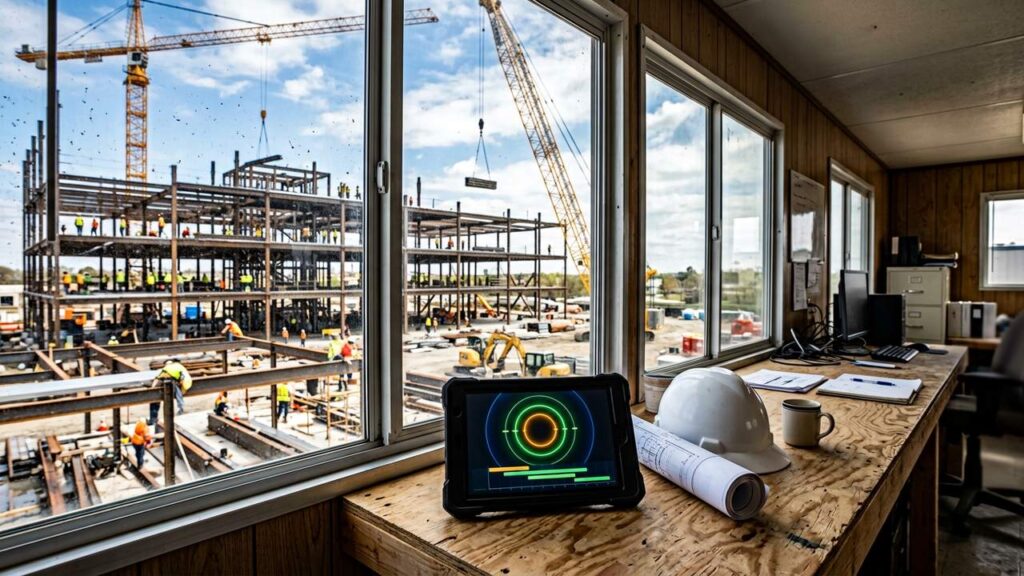
Almost every construction software brochure promises the exact same three bullet points: mobile app, GPS tracking, and ERP sync. Yet out on an active concrete pour or dusty commercial electrical site with zero Wi-Fi, those shiny feature pages collapse fast unless you evaluate vendors against a field-tested construction time tracking checklist built specifically for self-perform general contractors and specialty trades in 2026.
When direct crews, temp labor, and rotating hourly trades clock in across three, ten, or fifty simultaneous jobsites, tiny gaps in identity proof, offline reliability, or cost coding silently bleed thousands of dollars in buddy punching, miscoded labor hours, and Friday payroll disputes. Drawing directly from SmartBarrel’s real-world field buyer criteria, this comprehensive 2026 guide breaks down what separates genuine jobsite timekeeping from generic office apps and delivers eight proven checks before you sign any vendor contract.
Who Needs a Field-Built construction time tracking checklist
Not every construction company shares identical payroll risks. A general contractor managing exclusively lump-sum subcontractor invoices has different priorities than a self-perform GC or specialty contractor (electrical, mechanical, concrete, drywall, framing, or civil) supervising direct hourly crews, temp workers, and hourly subs across multiple active sites.
Why Generic Office Apps Collapse on Real Jobsites
White-collar time apps assume reliable office Wi-Fi, uniform English fluency, corporate smartphones, and clean air-conditioned hands. Real construction jobsites involve multilingual English and Spanish crews, leather work gloves, jobsite dust, dead phone batteries, unfinished concrete basements with zero Wi-Fi, and rotating morning lineups where foremen cannot waste forty minutes troubleshooting forgotten logins.
Applying a rigorous construction time tracking checklist exposes those field blind spots during a live vendor demo before your crews ever reject a clunky system on day one.
Construction Time Tracking Checklist Comparison: Field Systems vs Basic Apps vs Paper
Understanding how specialized jobsite platforms outperform generic smartphone apps and paper sign-in sheets makes procurement decisions using a construction time tracking checklist crystal clear. The matrix below summarizes key operational gaps across real field conditions.
| construction time tracking checklist Criterion | Field-Ready Construction Platform (SmartBarrel) | Generic Mobile Time App | Paper Sheets / Shared Foremen Logs |
|---|---|---|---|
| Worker Clock-In Friction | Phone number + photo under 1 minute, zero app login | Requires app install, passwords, training | Manual handwriting and illegible sheets |
| Identity Verification | 1-to-1 biometric facial verification every punch | PIN or shared login easily buddy-punched | Zero proof of who signed in |
| Location Enforcement | 50m-1,500m unlimited geofences paired with ID | GPS dot only; phone can be handed to buddy | No location verification |
| Zero-WiFi Reliability | Built-in cellular + local offline storage & auto-sync | Stalls or drops punches without strong Wi-Fi | No real-time visibility until Friday |
| Cost Coding Accuracy | Tied to project phase & cost code right at clock-in | Total shift hours only; manual Monday recoding | End-of-week guesswork and margin leaks |
| Worker Trust & Proof | Instant SMS confirmation sent straight to worker | Opaque back-office edits causing disputes | Lost notebooks and payday arguments |
As electrical contractor Prism Electric (2,000 employees across Texas and Oklahoma) demonstrated after switching to clock-in-level verification, capturing verified identity and accurate cost codes right at the source eliminates chronic miscoded labor almost immediately instead of catching errors weeks later in payroll corrections.
8 Proven Field Checks Inside Your construction time tracking checklist
Before signing a multi-year contract or rolling hardware onto twenty sites, require every software vendor on your construction time tracking checklist to demonstrate these eight concrete capabilities live under realistic field conditions.
1. Demand One-Minute Frictionless Punch-Ins Without Forgotten Logins
If an hourly laborer needs a thirty-minute classroom walkthrough, an email password reset, and a 200 MB app store download over weak cellular bars just to start a shift, adoption will stall by Wednesday. Your construction time tracking checklist should verify that clock-in takes nothing more than a phone number and a quick photo, where the very first punch doubles as the entire training.
2. Require Multiple Punch Modes Plus Instant SMS Receipts for Workers
Phones break, batteries die, and temp workers arrive unexpectedly, so every construction time tracking checklist demands flexibility. Verify that crews can punch in smoothly via shared jobsite kiosk, rugged device, or personal phone, and confirm the system sends an instant SMS confirmation straight to each worker’s phone after every punch so employees hold the exact same verified record as payroll leadership.
3. Enforce True Biometric Facial Verification Over Easy-to-Share PINs
Logging a timestamp with a 4-digit PIN or badge tap proves a punch occurred, not who stood there. Insist on one-to-one biometric facial verification inside your construction time tracking checklist, confirming directly with vendors that identity matching runs consistently on every punch across every device without silent fallback to shareable PINs.
As SmartBarrel founder Albert Bou Fadel notes, initial crew skepticism vanishes within week one once workers see it is simply a fast clock-in photo match rather than all-day surveillance, and foremen finally stop playing detective over buddy-punching disputes.
4. Pair Configurable Geofencing Directly With Identity Proof
Standalone GPS tracking merely confirms a smartphone sat near the jobsite trailer, not which worker carried it. Confirm your construction time tracking checklist pairs customizable geofences (for example, 50 to 1,500 meters across unlimited active sites managed from one dashboard) directly with biometric facial verification at the exact second of clock-in to block off-site punches proactively.
5. Verify Built-In Cellular Connectivity and True Offline Sync
Greenfield builds, highway stretches, and concrete cores rarely have functioning jobsite Wi-Fi on day one. Your construction time tracking checklist must confirm built-in cellular connectivity plus true local offline storage that queues punches securely during signal drops and syncs automatically the moment coverage returns without forcing error-prone manual timesheet reconstruction.
6. Test Hardware Performance Under Dust, Gloves, and Harsh Sunlight
A practical construction time tracking checklist flags that optical fingerprint scanners and fragile barcode badges routinely fail when hands are covered in drywall dust, mortar, grease, or winter work gloves, pushing frustrated foremen straight back to paper clipboards. Verify contactless photo-based verification performs smoothly outdoors in bright glare and pre-dawn low light.
7. Capture Granular Phase and Cost Codes at the Exact Point of Clock-In
Total daily shift hours tell payroll what to pay, yet leave project managers completely blind on whether rough-in, framing, underground conduit, or punch-list rework blew the estimate. Include clock-in-level cost coding inside your construction time tracking checklist so live labor budgets update phase by phase in real time instead of becoming a Friday guessing game.
8. Quantify Labor Margin Protection Against Software Cost Clearly
Using a construction time tracking checklist to eliminate just 2% to 5% in buddy punching, rounded timesheets, and miscoded labor hours across a 100-person specialty trade crew saves tens of thousands of dollars every single quarter. Plug your exact crew payroll leakage savings into our free profit margin calculator to verify concrete job-margin lift before approving rollout.
Rolling Out Your Construction Time Tracking Checklist Without Crew Pushback
Even the sharpest jobsite technology from a construction time tracking checklist stumbles if rolled out like a secretive corporate crackdown. Self-perform contractors win fast crew buy-in by communicating three honest realities during week-one toolbox talks.
Lead With Paycheck Accuracy and Instant Worker SMS Proof
Frame the new clock-in workflow around protecting workers’ hard-earned paychecks: instant SMS receipts ensure zero missed hours, zero illegible superintendent handwriting, and zero Friday paycheck surprises. Multilingual English and Spanish onboarding posters right beside the kiosk remove anxiety immediately.
Clarify Privacy Boundaries Plainly From Day One
Explain openly that clock-in facial verification checks identity strictly at punch-in and punch-out to verify accurate hours, not continuous off-the-clock GPS stalking. Clear honesty wins foreman and laborer respect inside the very first shift.
Pilot on Two Contrasting Active Sites Before Full Fleet Rollout
Deploy your chosen solution from your construction time tracking checklist on one large multi-phase commercial job and one fast-moving smaller service site for two pay cycles first. Validate ERP payroll export accuracy, cost-code mapping, and superintendent approval speed before scaling across every active site.
Five Construction Time Tracking Checklist Red Flags During Any Vendor Demo
Keep these five diagnostic warning signs right beside your construction time tracking checklist whenever sitting through vendor sales calls.
- “Workers just download the app and log in with email”: High failure rate among rotating temp labor and field crews.
- “Facial verification is optional, it falls back to a PIN”: Leaves the door wide open to buddy punching whenever crews want a shortcut.
- “Just connect the tablet to the trailer Wi-Fi”: Fails immediately on new sites, remote jobs, and unfinished interiors.
- “Superintendents assign cost codes at the end of the week”: Guarantees reconstructed estimates instead of true real-time job costing.
- “We can show a quick slide instead of a live 60-second worker punch”: Always demand a live unscripted one-minute worker clock-in demo before signing.
Spotting even two red flags from this construction time tracking checklist upfront prevents costly six-month implementation headaches and wasted subscription fees.
Protecting Field Margins With a Rigorous construction time tracking checklist
Labor is the largest controllable cost, and the biggest profit swing factor, on every self-perform construction project. Evaluating vendors ruthlessly against a field-grounded construction time tracking checklist ensures you pick software built for real dirt, gloves, zero-WiFi concrete slabs, and multilingual crews rather than sleek office brochures.
Follow this construction time tracking checklist: demand one-minute zero-login clock-ins, verify identity and geofence boundaries together, insist on built-in cellular offline sync, capture cost codes at the source, and turn clean field data into stronger job profitability on every project you build.
Pilot Rollout Scorecard Using Your construction time tracking checklist
Evaluating field timekeeping inside a live 14-day crew pilot reveals real jobsite truth far faster than watching polished sales slides. Score every shortlisted vendor directly against this four-stage construction time tracking checklist before signing an annual agreement.
| Pilot Verification Phase | Real Field Test to Execute | Pass Criteria on construction time tracking checklist | Accountable Reviewer |
|---|---|---|---|
| Day 1-3: Crew Onboarding | Clock in 25 mixed-language field workers at 6:00 AM | Under 60 seconds per punch, zero app installs or emails | Field Superintendent |
| Day 4-6: Offline & Geofence | Test concrete basement / remote trench without Wi-Fi | Built-in cellular + local offline cache syncs 100% clean | Project Engineer |
| Day 7-10: Verification & Cost Codes | Audit 1-to-1 photo logs + clock-in cost-code selection | Zero buddy-punch gaps; accurate phase/task hours daily | Project Manager |
| Day 11-14: Payroll Export | Push live verified hours into ERP / payroll software | Zero Friday spreadsheet re-typing; instant SMS receipts | Payroll & Finance Lead |
Running a Smooth Crew Rollout With Your construction time tracking checklist
Even rock-solid hardware fails when office teams drop a new kiosk onto a jobsite trailer without five minutes of respectful crew communication. Pair your technical construction time tracking checklist with three field-proven adoption habits.
1. Explain How Verified Time Protects Every Worker’s Paycheck
Field crews welcome clear time tracking immediately once superintendents explain that instant SMS punch confirmations protect workers from missed hours, lost paper cards, and frustrating payroll disputes. Transparency turns your construction time tracking checklist into a trust-building upgrade for both labor and management.
2. Place Rugged Cellular Kiosks Right Along Natural Morning Walk Paths
Position weatherproof, dust-sealed units directly beside the main jobsite gate, tool gangbox, or safety huddle board so workers tap in naturally within thirty seconds while holding coffee or wearing work gloves. Following this simple placement rule from our construction time tracking checklist eliminates morning bottlenecks completely.
3. Close Daily Cost-Code Exceptions Before 4:00 PM Each Shift
Instead of dumping 400 unresolved punches onto payroll every Friday afternoon, empower foremen to clear missed punch alerts inside two minutes each evening. Combined with clock-in cost coding highlighted in this construction time tracking checklist, project executives gain accurate labor burn visibility every morning, mirroring how Prism Electric streamlined 2,000 field employees seamlessly across busy commercial jobsites.
Avoiding Hidden Total-Cost Surprises in Your Construction Time Tracking Checklist
When comparing vendor quotes using your construction time tracking checklist, look past tempting $4/user app fees that silently require purchasing fragile consumer tablets, paying separate mobile hotspot SIM bills, replacing sun-baked iPads every nine months, and burning twelve payroll hours per week reconciling manual edits. Purpose-built cellular hardware with rugged dust protection and clean ERP sync routinely delivers far lower true cost across active construction seasons.
Evaluating ERP, Payroll, and Union Compliance Using Your Construction Time Tracking Checklist
Before finalizing software selection from your construction time tracking checklist, invite your controller and payroll administrator to audit three compliance workflows directly against real company rules. First, verify whether your shortlisted vendor on the construction time tracking checklist handles prevailing-wage rates, Davis-Bacon certified payroll exports, and multi-state overtime formulas cleanly without manual spreadsheet overrides.
Second, check subcontractor and temp-labor visibility inside your construction time tracking checklist. General contractors running twenty active trades simultaneously need clean daily headcount logs proving exact crew presence for safety audits, insurance documentation, and owner progress billing without forcing trade workers to download proprietary apps.
Third, confirm automated meal-break attestations and bilingual prompt clarity inside your construction time tracking checklist so every worker signs off accurately on rest breaks and injury-free shifts at clock-out. Documenting clean signed attestations daily shields contractors effortlessly during state labor audits and wage-and-hour disputes.
Pairing strong back-office compliance verification with rugged 60-second jobsite usability completes your construction time tracking checklist end to end, giving CFOs audit-ready payroll exports, giving project managers real-time cost-code visibility, and giving field crews instant SMS proof of every honest hour worked through one reliable construction time tracking checklist.
Maintaining Multi-Project Consistency Using Your Construction Time Tracking Checklist
Regional general contractors and large specialty trades managing ten active sites across different municipalities quickly lose payroll accuracy when each superintendent invents separate spreadsheet shortcuts. Turning your construction time tracking checklist into one company-wide mobilization standard solves that inconsistency permanently from day one on every new bid award.
Include your construction time tracking checklist right inside the project startup binder alongside safety orientation sheets and site utility plans. Before ground breaks, the project engineer confirms cellular coverage, mounts the weatherproof clock-in kiosk from your construction time tracking checklist beside the primary entrance, loads active job cost codes straight from ERP accounting, and verifies live SMS receipt delivery with the foreman.
Reviewing quarterly field adoption scores against your construction time tracking checklist keeps every active jobsite aligned, cuts Friday payroll reconciliation down to minutes, and delivers accurate labor job costing across your entire construction portfolio via one unified construction time tracking checklist.
FAQ’s
Who benefits most from using a construction time tracking checklist?
Under any field construction time tracking checklist, self-perform general contractors and specialty trade contractors managing their own direct hourly crews, temp labor, and rotating workers across multiple active jobsites gain the highest operational and payroll-accuracy return.
Why does a construction time tracking checklist say GPS tracking alone cannot stop time theft?
GPS tracking and geofencing only confirm a phone was inside jobsite boundaries, not who was holding it; pairing configurable geofences directly with one-to-one biometric facial verification prevents buddy punching and ghost shifts reliably.
How fast does a construction time tracking checklist require workers to clock in on site?
A truly field-ready tool passing this construction time tracking checklist lets workers punch in under one minute using nothing more than a phone number and a quick photo, with zero app download or password memorization, so the very first punch requires no formal training.
Why does a construction time tracking checklist warn against fingerprint scanners on site?
Dust, concrete residue, grease, moisture, work gloves, and harsh outdoor glare routinely disrupt fingerprint sensors and badge readers, pushing crews back to manual paper workarounds whereas contactless photo verification works cleanly in real field conditions.
How does a construction time tracking checklist handle sites with no Wi-Fi or weak signal?
Field-built construction time clocks include built-in cellular connectivity plus local offline storage so punches record seamlessly during signal drops and sync automatically to payroll and ERP systems once coverage returns.
Why is clock-in cost coding essential on every construction time tracking checklist?
Tying hours directly to exact project phases and cost codes at clock-in gives superintendents live labor visibility across rough-in, framing, and finish work instead of reconstructing fuzzy estimates days later at payroll close.
Conclusion
Construction margins are won and lost quietly in field labor accuracy, making timekeeping software far too vital to pick based on slick office demos alone. Applying a rigorous, field-tested construction time tracking checklist, covering sub-minute no-app clock-ins, true 1-to-1 facial verification, flexible 50m-to-1,500m geofencing, built-in cellular offline sync, glove-ready rugged durability, and clock-in cost coding, protects payroll integrity on every active site.
Test shortlisted solutions live with real crews at 6:00 AM, demand crisp SMS punch receipts and verified ERP exports, and let this construction time tracking checklist turn weekly payroll chaos into clean, job-costed profit across every project in 2026.