
Running a busy community theatre, multi-site park district, or active house of worship takes far more coordination than simply penciling dates onto a shared wall...
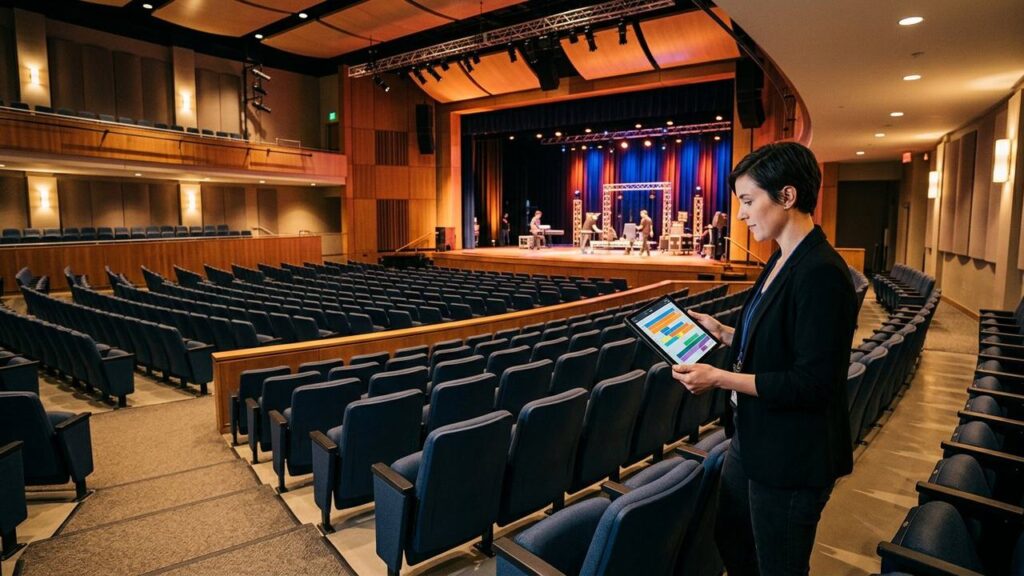
Running a busy community theatre, multi-site park district, or active house of worship takes far more coordination than simply penciling dates onto a shared wall calendar. One missed audio-visual note, one unconfirmed room layout, or one double-booked main hall can turn months of volunteer preparation into stressful event-day chaos. Modern Event management software replaces scattered spreadsheets, buried email threads, and handwritten sticky notes with one unified operational workspace covering bookings, holds, staffing, room setups, and post-event closeout. Purpose-built venue platforms like VenueArc illustrate how clean Event management software keeps community-facing facilities running effortlessly from initial inquiry through final settlement across six connected stages: Inquiry, Hold, Confirmed, Setup, Execution, and Closeout.
Many venue directors mistakenly assume generic corporate conference apps or basic shared calendars can handle community spaces, only to watch parallel spreadsheets creep straight back in once rehearsals, external paid rentals, committee approvals, and rotating volunteers collide. Understanding what distinguishes venue-ready Event management software from simple calendars and conference-ticket apps, how smart hold management stops double bookings permanently, and how unified setup timelines align staff and volunteers transforms daily operations while unlocking higher space utilization.
Why Simple Calendars Break Down and Event Management Software Wins
A shared calendar only records one flat fact: that Room B is occupied on Tuesday at 6:00 PM. It cannot hold signed rental contracts, stage lighting plots, catering drop-off schedules, chair-row diagrams, volunteer shift assignments, or security door-unlock instructions. When critical execution details hide inside individual email inboxes or one coordinator’s head, the entire production stalls the moment that staff member calls in sick.
Dedicated Event management software attaches every operational instruction directly to the booking record itself so every crew member sees the exact same live plan. Whether managing a 400-seat community playhouse, six neighborhood park pavilions, or a multi-building church campus, clean Event management software ensures every event executes to the exact same professional standard regardless of who is working the shift.
Six Essential Tools Inside High-Performing Event Management Software
Evaluating venue platforms such as VenueArc highlights six operational capabilities that separate dependable Event management software from bloated conference apps.
- Centralized Event Records uniting client contacts, booking history, floor plans, contracts, notes, and uploaded files directly on each event card inside your Event management software with zero hunting through email folders.
- Smart Hold Management displaying real-time space availability so coordinators can place soft holds during inquiries, release expired holds automatically, and convert confirmed dates cleanly without ever causing double bookings inside Event management software.
- Staff and Volunteer Alignment assigning clear tasks across operations, AV tech, facilities, front-of-house ushers, and part-time volunteers so everyone knows what is happening, where it happens, and what remains pending in Event management software.
- Setup Requirement Tracking capturing room seating layouts, audio-visual gear, catering staging, security access, and teardown notes cleanly so no microphone or projector ever gets forgotten on event morning.
- Detailed Run-of-Show Timelines coordinating vendor load-ins, rehearsal cues, doors-open milestones, and strike times chronologically inside Event management software for calm, clockwork execution.
- Post-Event Closeout and Instant Reporting archiving attendance notes, damage checks, financial settlements, and one-click filtered Excel (.xlsx) exports straight out of Event management software without manual end-of-month re-typing.
How Smart Hold Management Eliminates the Number-One Double-Booking Trap
Most painful venue double bookings occur inside the quiet gap between an early inquiry and a signed deposit. Coordinator A tells a local choir Tuesday looks open, waits four days for committee approval, and never logs the tentative conversation; meanwhile Coordinator B rents that same auditorium to a corporate seminar on Wednesday morning. Smart Hold Management inside modern Event management software visibly marks tentative dates from minute one without locking them permanently, letting teams convert approved holds smoothly or release expired inquiries immediately back to open inventory.
Comparing Shared Calendars vs Corporate Apps vs Venue Event Management Software
Reviewing how three common tools handle everyday community-venue realities clarifies immediately why specialized Event management software stops parallel spreadsheet sprawl.
| Operational Requirement | Shared Calendar + Excel | Generic Corporate Event App | Venue-Focused Event Management Software |
|---|---|---|---|
| Preventing Double Bookings | Manual checking; frequent human clashes | Built for single conferences, not space holds | Real-time Smart Hold Management across all rooms |
| Internal + Paid External Mix | Separate disconnected color-coded sheets | Assumes paid ticketed attendee funnels only | Balances recurring programs & external rentals seamlessly |
| AV, Catering & Room Setups | Buried in scattered email threads & PDFs | Limited facility-ops and setup task tracking | Dedicated setup checklists tied straight to each booking |
| Multi-Site & Volunteer Sync | Breaks down past one single building | Priced per corporate seat; complex for volunteers | Unified cross-site visibility & clear role tasking |
The Six-Stage Booking Lifecycle Inside Modern Event Management Software
Moving every reservation cleanly through six standardized statuses gives directors instant portfolio clarity across dozens of simultaneous events.
| Pipeline Stage | Primary Coordinator Action | Operational Benefit Inside Event Management Software |
|---|---|---|
| 01. Inquiry | Log client name, event type, category & preferred dates | Captures every rental lead cleanly in five guided steps |
| 02. Hold | Reserve tentative space while awaiting committee or deposit | Prevents accidental clashes while keeping unconfirmed dates clear |
| 03. Confirmed | Lock contract, schedule & financial terms definitively | Triggers crew scheduling and vendor access notifications |
| 04. Setup | Finalize room layouts, AV gear, catering & security checks | Surfaces pending items days early so zero requests slip |
| 05. Execution | Run live minute-by-minute schedule across staff & techs | Keeps front-of-house, stagehands, and vendors synchronized |
| 06. Closeout | Record outcomes, finalize settlement & archive history | Builds instant repeatable templates for next year’s events |
How Three Community Facility Sectors Thrive With Event Management Software
Community venues face unique operational rhythms: recurring weekly rehearsals and worship services coexist side by side with paid weekend weddings, touring recitals, and municipal league tournaments. Purpose-built Event management software adapts effortlessly across all three major facility profiles.
Real-World Wins Across Theatres, Park Districts, and Houses of Worship
Observing how specialized venues deploy Event management software highlights clear time and revenue gains across every campus.
- Community Theatres and Performing Arts Centers coordinating multi-week rehearsal blocks, tech load-ins, orchestra pit setups, paid venue rentals, and box-office front-of-house volunteers smoothly inside Event management software without stage-schedule overlaps.
- Municipal Park Districts and Recreation Centers juggling dozens of sports fields, fieldhouses, picnic shelters, seasonal youth leagues, and paid citizen rentals across multiple locations from one centralized Event management software view.
- Houses of Worship and Multi-Building Campuses aligning weekly sanctuary services, ministry classes, weddings, memorial receptions, community outreach, and committee approvals calmly inside Event management software so shared fellowship halls never clash.
Growing Venue Revenue Without Hiring Extra Administrative Staff
One of the quietest financial returns of Event management software is higher paid utilization of existing rooms. When coordinators filter open weekday slots across all buildings in two clicks instead of checking three paper binders, they book more corporate meetings, rehearsals, and weekend rentals using the exact same lean team (and venue directors can measure per-booking net contribution clearly using a profit margin calculator). Running more events with lower admin stress turns Event management software directly into a revenue multiplier.
Five-Step Rollout Playbook for Switching Smoothly to Event Management Software
Busy operations managers sometimes delay upgrading because migrating six months of future bookings sounds daunting during peak season. Following a calm five-step rollout transitions your facility onto modern Event management software cleanly in under three weeks.
Launching Event Management Software Without Disrupting Active Bookings
Execute these five straightforward milestones so staff, committees, and volunteers embrace your new Event management software enthusiastically.
- Step 1 Standardize Rooms, Event Types, and Categories listing every bookable auditorium, lobby, pavilion, classroom, and standard setup template cleanly inside Event management software before importing dates.
- Step 2 Import Confirmed Upcoming Bookings and Active Holds First migrating the next 90 to 180 days of live reservations into Event management software while archiving closed historical spreadsheets separately for reference.
- Step 3 Configure Clear Hold Expiration and Approval Rules defining how many days a tentative hold remains open before automatic coordinator review so Event management software keeps prime dates productive.
- Step 4 Run One Practical 30-Minute Hands-On Training Session walking facilities staff, AV techs, and coordinators through adding a booking in five steps, filtering daily setup sheets, and exporting filtered Excel reports inside Event management software.
- Step 5 Retire Legacy Wall Calendars and Parallel Spreadsheets Immediately committing the whole leadership team to one single source of truth inside Event management software so outdated offline notes never confuse event crews again.
Using Filtered Views and One-Click Excel Exports for Board and Finance Reporting
Board committees, city council liaisons, and church finance teams frequently request quarterly summaries comparing internal community hours versus paid external rental income across individual buildings. Modern Event management software featuring instant filters by date range, venue, status, and client plus one-click `.xlsx` Excel export turns what used to be a painful Friday afternoon spreadsheet reconciliation into a ten-second download.
Preventing Costly Event-Day Mistakes Through Standardized Facility Operations
Experienced venue directors know that client reputation rarely hinges on grand architectural marble; it hinges on whether the wireless lapel microphone works at 8:59 AM, whether forty banquet chairs match the agreed diagram, and whether the front-of-house doors unlock fifteen minutes ahead of schedule. When details scatter across handwritten clipboards and personal cell texts, tiny execution cracks turn glowing repeat renters into vocal detractors.
Four High-Stress Operational Scenarios Modern Venue Workflows Solve Smoothly
Observing how real teams eliminate recurring bottlenecks demonstrates why organized digital coordination outperforms improvised checklists across every season.
- Rapid Room Turnovers Between Back-to-Back Bookings alerting custodial and setup teams clearly whenever a 2:00 PM youth rehearsal ends directly before a 4:30 PM paid civic banquet, listing exact table counts, linen colors, and stage clearances in advance.
- Complex Audio-Visual and Lighting Handovers documenting exact channel counts, projector inputs, podium placement, and tech load-in windows right inside the production record so part-time evening technicians never guess which gear stays on stage.
- Committee and Multi-Department Approval Routing keeping pastoral committees, municipal recreation boards, or theatre artistic directors aligned on requested holds before external confirmation emails ever go out.
- Seamless Staff Sick-Day Coverage ensuring that if the lead building coordinator stays home unexpectedly, any backup supervisor opens the morning dashboard, sees every pending setup item and vendor arrival time clearly, and runs the entire day without missed beats.
Measuring Real Operational ROI Across Your Facility Calendar
Ninety days after unifying your booking workflow, compare four concrete metrics against your previous spreadsheet quarter: total administrative coordinator hours spent answering scheduling emails, count of room or AV setup discrepancies per fifty events, percentage of weekday off-peak room hours filled by paid community rentals, and average turnaround time from initial rental inquiry to signed confirmation. Facilities routinely discover that eliminating manual double-checking reclaims eight to twelve hours per week per coordinator while converting 15% to 25% more inquiries simply because staff reply with confirmed open dates in minutes instead of days.
Protecting Long-Term Community Trust With Clean Post-Event Closeout Archives
Every returning annual gala, school recital, or summer sports tournament becomes twice as easy to execute the second year when closeout notes stay archived cleanly alongside past invoices and room layouts. Capturing actual headcount, catering arrival lessons, parking overflow adjustments, and equipment wear immediately after strike lets your crew clone proven plans in thirty seconds next season while giving board treasurers spotless historical utilization records on demand. Over several seasons, that structured institutional memory becomes an invaluable community asset that survives staff turnover smoothly and elevates hospitality quality year after year.
Pros and Cons of Adopting Dedicated Event Management Software
Weighing unmistakable operational reliability against upfront setup work clarifies why growing venues make the switch cleanly.
Pros of Running Venues on Dedicated Venue Platforms
- Eliminates double bookings permanently through real-time Smart Hold Management across single or multi-site facilities.
- Unifies AV requests, catering logistics, seating diagrams, staff roles, and run-of-show timelines inside one shared workspace accessible to every shift.
- Cuts repetitive administrative busywork, letting lean teams host more paid and community events cleanly with happier clients and calmer volunteers.
- Simplifies multi-building resource sharing, settlement closeouts, and instant Excel board reporting without duplicate data entry.
Cons and Practical Considerations to Plan Ahead
- Migrating years of informal calendar habits requires brief upfront standardization of space names, hold rules, and setup checklists.
- Subscription fees require ongoing budgeting compared with free basic calendars, though preventing even one costly double-booked wedding or lost corporate rental typically covers annual platform costs rapidly.
- Success depends on consistent team adoption; if one manager keeps booking dates strictly by email outside the shared system, blind spots can return.
FAQ’s
What is Event management software and how does it differ from a calendar?
While a calendar only blocks out dates and times, Event management software centralizes bookings, holds, client contracts, room layouts, AV requirements, staff/volunteer tasks, run-of-show timelines, and financial closeouts in one shared operational platform.
How does Event management software prevent double bookings?
Smart Hold Management inside Event management software displays real-time space availability from the moment an inquiry begins, allowing teams to place visible tentative holds, release dropped inquiries, or convert confirmed contracts cleanly without scheduling clashes.
Is venue-focused Event management software better than generic corporate event apps?
Yes for theatres, park districts, and houses of worship; generic corporate apps focus on one-off ticketed conferences, whereas venue-focused Event management software handles recurring schedules, mixed internal/external rentals, multi-room setups, and volunteer coordination natively.
Can Event management software manage multiple buildings or park locations at once?
Yes; modern cloud Event management software tracks availability, shared equipment, setup tasks, and staff assignments across multiple theatres, park sites, or campus buildings from one unified dashboard.
Can non-technical staff and volunteers use Event management software easily?
Purpose-built Event management software uses guided five-step booking creation, clear filter views, and straightforward daily task lists so part-time facilities staff, techs, and volunteers check event plans smoothly with minimal training.
Can we still export schedules and reports to Excel from Event management software?
Yes; platforms like VenueArc let coordinators filter events by date range, venue, status, or client and export clean `.xlsx` spreadsheets in one click for board meetings, finance reconciliations, and municipal audits.
Conclusion
Small operational oversights create outsized stress on event day, turning memorable performances, community gatherings, and paid venue rentals into frantic last-minute scrambles. Replacing fragmented spreadsheets and inbox threads with purpose-built Event management software aligns bookings, Smart Hold Management, room layouts, AV specs, volunteer shifts, and clean closeouts inside one reliable source of truth.
Standardize your spaces and booking pipeline cleanly, retire duplicate calendars across every campus site, and empower your team with Event management software that delivers calmer staff, higher room utilization, and five-star event execution every single week.