
Paper invoices, signed vendor agreements, tax receipts, medical charts, and client onboarding packets still arrive in physical stacks across accounting practices, law offices, clinics, and...
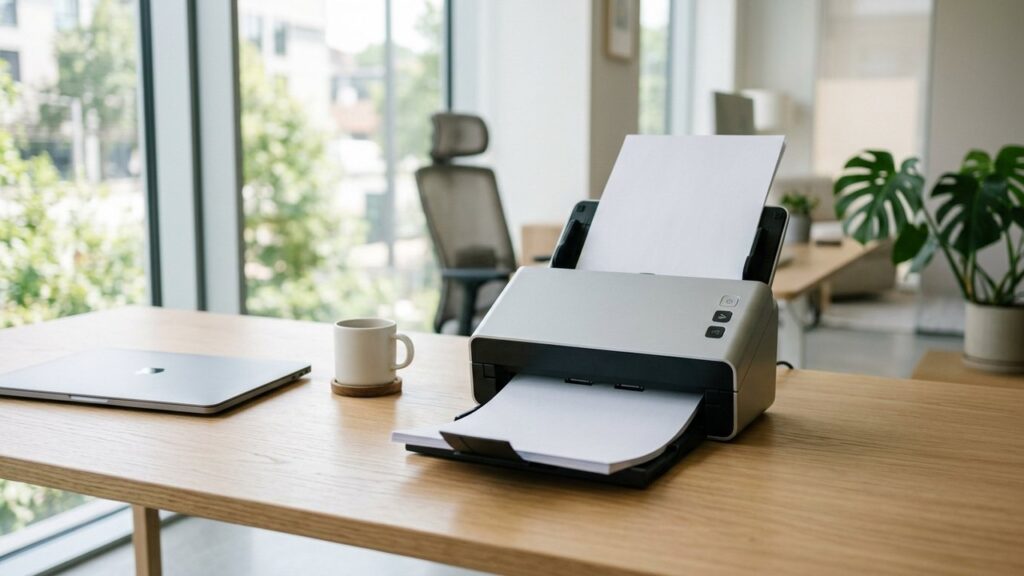
Paper invoices, signed vendor agreements, tax receipts, medical charts, and client onboarding packets still arrive in physical stacks across accounting practices, law offices, clinics, and remote home workspaces every single week. Investing in high-quality document scanners eliminates sluggish smartphone photo workarounds and turns cluttered filing cabinets into searchable, cloud-synced PDF archives inside minutes. As independent hardware roundups like PCMag UK’s best scanner reviews consistently demonstrate, modern high-quality document scanners span compact duplex desktop feeders, featherweight travel wands, dedicated receipt units, and flatbed hybrids designed to handle mixed paper weights, faded thermal slips, embossed ID cards, and double-sided contracts cleanly without constant paper jams.
Choosing poorly costs teams far more than the upfront hardware invoice: cheap single-sided feeders stall on folded edges, produce crooked scans with garbled Optical Character Recognition (OCR), and force staff to hand-type totals into accounting software anyway. Understanding which technical specifications actually drive real productivity in high-quality document scanners, how sheet-fed desktop units compare against portable and flatbed models, which software ecosystems simplify cloud filing best, and how to calculate rapid office ROI ensures you buy dependable hardware that runs effortlessly for five plus years.
What Separates High-Quality Document Scanners From Basic Multifunction Printers
Nearly every small office already owns an all-in-one inkjet or laser printer with a slow flatbed lid on top, so managers reasonably ask why dedicated high-quality document scanners justify extra desk space. The answer shows up immediately on the first twenty-page contract: multifunction office printers typically scan one side at a time at 10 to 15 pages per minute (ppm), stall frequently on mixed receipt sizes, and drop basic unsearchable image PDFs onto a shared folder.
Purpose-built high-quality document scanners, by contrast, use precision straight-through or U-turn ultrasonic rollers, dual-CIS duplex sensors that capture both front and back pages simultaneously in a single pass, and enterprise-grade OCR suites. Feeding a 40-page double-sided lease through one of today’s high-quality document scanners takes under forty-five seconds while automatically removing blank back pages, straightening skewed receipts, and exporting text-searchable PDFs straight into SharePoint, Google Drive, Dropbox, or QuickBooks.
Seven Core Engineering Benchmarks of High-Quality Document Scanners
Before comparing brands such as Epson WorkForce/DS, Ricoh/Fujitsu ScanSnap, Brother ADS, and Canon imageFORMULA, evaluate every shortlisted model against seven practical benchmarks that define genuinely high-quality document scanners.
- Single-Pass Duplex Speed (PPM and IPM) verifying both pages per minute (simplex) and images per minute (duplex), with top desktop high-quality document scanners delivering 30 to 65 ppm (60 to 130 ipm) smoothly at 300 dpi.
- Automatic Document Feeder (ADF) Capacity and Ultrasonic Double-Feed Detection ensuring a 50-to-100-sheet hopper paired with acoustic sensors that pause immediately if two stapled or sticky invoices feed together on high-quality document scanners.
- Mixed-Media Handling and Straight-Path Card Slots supporting wrinkled thermal receipts, thin carbonless forms, thick business cards, and embossed plastic insurance or ID cards without bending rollers inside high-quality document scanners.
- Bundled Optical Character Recognition (OCR) Accuracy converting scanned raster images cleanly into searchable PDFs, editable Microsoft Word documents, and structured Excel tables with 99%+ character precision across high-quality document scanners.
- Recommended Daily Duty Cycle matching hardware durability to real office volume, ranging from 500 pages per day for home-office high-quality document scanners up to 6,000+ sheets daily for busy tax and legal workgroups.
- Flexible Connectivity (USB 3.0, Wi-Fi, Ethernet, Direct-to-Cloud) allowing networked high-quality document scanners to sit centrally in shared offices and transmit encrypted files straight to cloud folders or email without a tethered PC.
- Long-Term Driver Standards (TWAIN, ISIS, WIA) and Replaceable Rollers confirming compatibility with vertical EMR, legal, and bookkeeping software alongside affordable roller maintenance kits that keep high-quality document scanners running like new past 200,000 scans.
Why Optical Resolution Matters Less Than Smart Image Processing
Shoppers often chase inflated 1,200 dpi flatbed ratings when shopping for high-quality document scanners, yet standard text documents and accounting receipts scan cleanest and fastest at 200 to 300 dpi. What genuinely produces razor-sharp archives inside high-quality document scanners is real-time image cleanup: automatic deskew, dynamic background whitening that lifts faint pencil marks off colored paper, punch-hole removal, and automatic color detection that saves monochrome invoices at tiny file sizes while preserving color stamps automatically.
Comparing the Four Main Types of High-Quality Document Scanners
Matching form factor directly to how and where your team handles paper prevents overspending on bulky workgroup machines or bottlenecking busy desks with underpowered portable wands.
| Scanner Category | Typical Speed & Hopper | Best Real-World Use Case | Standout Limitation |
|---|---|---|---|
| Desktop Duplex Sheet-Fed ADF | 35 to 65 ppm; 50 to 100 sheets | Accounting, legal, clinics, daily high-volume paperless offices | Cannot scan thick bound books or fragile heirloom photos |
| Portable / Mobile Sheet-Fed | 10 to 25 ppm; 1 to 20 sheets | Field auditors, real estate agents, remote consultants on travel | Smaller battery duty cycles and lighter feed hoppers |
| Dedicated Receipt & Expense Units | 15 to 35 ppm; bundled receipt OCR | Freelancers, sales reps, small retail bookkeeping teams | Specialized software often duplicates full desktop suite features |
| Flatbed & Combo ADF Hybrids | 25 to 40 ppm ADF + glass bed | Passports, bound ledgers, fragile historical deeds, high-res art | Larger desk footprint and higher price than pure sheet-fed units |
Matching High-Quality Document Scanners to Realistic Office Budgets
Understanding clear pricing tiers ensures small businesses and enterprises buy durable high-quality document scanners without paying for unused enterprise network features.
| Budget Tier | Daily Volume Fit | Expected Features in High-Quality Document Scanners | Ideal Buyer Profile |
|---|---|---|---|
| Entry Portable ($150 to $280) | Up to 300 pages/day | USB/Wi-Fi battery power, single-sheet or 20-page ADF, basic OCR | Solo consultants, mobile inspectors, home tax filing |
| Mid-Range Desktop ($300 to $550) | 1,500 to 4,000 pages/day | 35 to 45 ppm duplex, 50-sheet ADF, touchscreen, strong OCR | Small businesses, CPA desks, medical reception stations |
| Workgroup Pro ($600 to $1,200+) | 5,000 to 10,000+ pages/day | 60+ ppm duplex, 100-sheet ADF, Ethernet/LDAP, TWAIN/ISIS | Law firms, logistics hubs, centralized mailroom digitization |
Designing a Paperless Office Workflow Around High-Quality Document Scanners
Dropping brand-new hardware onto a front desk only creates digital chaos unless paired with consistent naming rules, cloud folder structures, and one-touch button profiles. Leading paperless offices turn their high-quality document scanners into effortless zero-typing intake stations where every staff member hits one labeled touchscreen icon and walks away while software files the document automatically.
Five Workflow Habits That Multiply Returns From High-Quality Document Scanners
Pair your hardware purchase with these five disciplined intake routines so high-quality document scanners save hours every single week.
- Configure One-Touch Touchscreen Profiles by Document Type assigning dedicated buttons for Vendor Invoices, Client Contracts, Expense Receipts, and HR Records on high-quality document scanners so files route automatically to exact cloud folders with zero manual drag-and-drop.
- Enforce Standardized ISO Date File Naming Rules (YYYY-MM-DD_Vendor_DocType.pdf) using automated barcode or OCR title extraction built into modern high-quality document scanners so any employee finds a 2024 invoice in three seconds.
- Enable Searchable PDF/A Archival Output as Default saving clean dual-layer files that preserve visual legal authenticity while making every paragraph full-text searchable across Windows, macOS, and cloud drives via high-quality document scanners.
- Connect Direct Integrations to Bookkeeping and Document Management Apps syncing scanned receipts straight into QuickBooks, Xero, Dext, Expensify, SharePoint, or Clio cleanly right from high-quality document scanners.
- Follow a Consistent Daily Zero-Inbox Paper Ritual clearing physical mail trays every afternoon at 4:30 PM on desktop high-quality document scanners, verifying legible scans quickly, and shredding non-essential duplicates cleanly under your retention schedule.
Calculating Hard Payback Time on High-Quality Document Scanners
Suppose a two-person bookkeeping office spends 35 minutes every weekday fighting a sluggish printer lid, manually renaming PDFs, and re-keying crumpled receipts. Upgrading to a $420 desktop unit among proven high-quality document scanners trims that work down to 7 minutes daily, reclaiming roughly 10 hours per month in paid staff capacity (and finance leads can project exact hardware payback speed cleanly using an ROI calculator). Most busy offices recover 100% of the purchase price of high-quality document scanners inside sixty to ninety days.
Security, Maintenance, and Longevity Tips for High-Quality Document Scanners
Because legal contracts, payroll tax forms, and patient intake charts pass straight through shared office desks, security and preventive care matter just as much as raw scan speed. Treating high-quality document scanners as managed network endpoints protects confidential client data and stretches hardware lifespans past seven years.
Six Essential Security and Care Practices for High-Quality Document Scanners
Protect sensitive archives and prevent mechanical roller wear across every branch operating high-quality document scanners.
- Require PIN Login or LDAP Authentication on Shared Network Units ensuring unauthorized visitors cannot scan sensitive HR packets or route confidential files to external personal email addresses from networked high-quality document scanners.
- Enable TLS/SSL Encryption and Automatic Temp-Cache Purging confirming that network transfers from high-quality document scanners encrypt documents in transit and wipe onboard memory immediately after delivery confirmation.
- Clean Glass Imaging Strips and Pickup Rollers Monthly using lint-free isopropyl wipes to prevent vertical streaks, faint lines, and rubber slippage across high-quality document scanners.
- Inspect Staples, Paper Clips, and Sticky Notes Before Loading preventing scratched glass plates and torn feed rollers, the number-one avoidable cause of service calls on high-quality document scanners.
- Keep Spare Roller Consumable Kits on Hand swapping rubber separation pads cleanly at manufacturer intervals (typically every 100,000 to 200,000 pages) so aging high-quality document scanners maintain brand-new feeding reliability.
- Update Scanner Firmware and OCR Companion Apps Quarterly securing wireless Wi-Fi chipsets cleanly and preserving full compatibility across Windows 11, macOS, and cloud API updates on high-quality document scanners.
When to Pair a Desktop Sheet-Fed Unit With a Compact Flatbed
Medical clinics, immigration attorneys, and estate planners frequently encounter thick stapled passports, embossed notarized seals, or delicate forty-year-old property deeds that should never pass through curved feed rollers. Rather than buying an oversized multifunction copier, pairing one speedy sheet-fed machine from top high-quality document scanners with a slim USB flatbed (or selecting a hybrid flatbed-ADF model) handles 95% of everyday stacks at 50 ppm while keeping rare bound originals completely safe.
Comparing Top Brand Ecosystems and Long-Term Support Across Office Hardware
Beyond raw ppm benchmarks and hopper capacity, experienced IT buyers evaluate software stability, macOS and Windows driver longevity, and regional warranty support before rolling out twenty units across accounting or clinic desks. Leading hardware families each bring distinct everyday strengths worth matching to your team’s habits.
How Major Scanner Families Differ in Everyday Office Environments
Understanding real-world ecosystem strengths helps office managers pick machines staff genuinely enjoy operating every single afternoon.
- Ricoh and Fujitsu ScanSnap Series prized widely by accountants, solo attorneys, and small offices for rock-solid ultrasonic paper feeding, intuitive one-button cloud profiles, and reliable receipt auto-cropping right out of the box.
- Epson WorkForce and DS Desktop Lineup praised for ultra-fast duplex throughput, crisp TWAIN/ISIS enterprise software compatibility, affordable replacement roller kits, and sharp competitive pricing across mid-range workgroups.
- Brother ADS Networked Models favored by multi-person medical front desks and logistics hubs for built-in color touchscreens, direct Ethernet/Wi-Fi cloud routing without a connected PC, and compact vertical footprints.
- Canon imageFORMULA Workgroup Units respected across legal, government, and banking mailrooms for rugged heavy-duty daily cycles, consistent mixed-thickness feeding, and quiet mechanical operation under sustained batch loads.
Testing One Pilot Unit Before Buying Hardware for an Entire Department
Before ordering ten identical machines for a multi-branch CPA firm or clinic group, buy a single pilot unit and run your ugliest real-world paper stack through it for five working days: faded thermal gas receipts, folded carbonless delivery slips, thick laminated insurance cards, and thirty-page double-sided contracts. Confirming smooth TWAIN integration with your exact bookkeeping or EMR software during a five-day pilot removes buyer regret completely.
Pros and Cons of Investing in Dedicated High-Quality Document Scanners
Weighing undeniable workflow speed against honest desk-space and setup considerations clarifies when dedicated hardware makes unmistakable business sense.
Pros of Upgrading to Dedicated Office Scanning Hardware
- Single-pass duplex feeders scan both sides of 35 to 65 pages per minute with ultrasonic double-feed protection, outperforming all-in-one printers by 4x to 6x.
- High-accuracy OCR and automatic deskew turn messy stacks of receipts, contracts, and mixed forms into clean, searchable cloud PDFs instantly.
- Handles tricky media seamlessly including flimsy thermal receipts, business cards, and rigid plastic ID cards without jamming.
- Slashes physical filing-cabinet rent, cuts document retrieval time to seconds, and strengthens remote-team collaboration through instant digital archives.
Cons and Practical Limitations to Keep in Mind
- Dedicated desktop units cost $300 to $900+ upfront, requiring clear weekly scan volume to justify over occasional smartphone scanning apps.
- Pure sheet-fed models cannot capture thick bound books, stapled booklets, or fragile curled photographs without an accompanying flatbed.
- Proprietary desktop capture apps sometimes differ across Windows, macOS, and Linux, so buyers should verify TWAIN/ISIS and OS driver compatibility before ordering.
FAQ’s
Why buy high-quality document scanners instead of using a smartphone scanning app?
Phone apps work fine for one single receipt on the road, yet dedicated sheet-fed scanners feed 50 double-sided pages automatically inside a minute with uniform studio lighting, zero crooked fingers, ultrasonic jam detection, and far superior batch OCR accuracy.
What scanning speed and resolution should I look for in office document hardware?
For daily office work, prioritize 30 to 50 ppm single-pass duplex speeds and crisp 300 dpi optical scanning paired with strong built-in OCR and automatic blank-page removal rather than chasing unnecessary 1,200 dpi specs.
Can high-quality document scanners handle crumpled receipts and thick plastic ID cards?
Yes; most modern desktop units include dedicated carrier sheets or straight-through card paths engineered specifically to scan thin thermal receipts, business cards, and embossed plastic IDs smoothly.
Do high-quality document scanners work without being connected to a computer?
Many mid-range and workgroup Wi-Fi and Ethernet models include built-in color touchscreens that scan and upload encrypted PDFs directly to Google Drive, OneDrive, Dropbox, SharePoint, or email with zero PC required.
What is the difference between TWAIN, ISIS, and proprietary scanner drivers?
TWAIN and ISIS are universal industry driver standards letting third-party accounting, legal, or medical software trigger scans directly, whereas consumer units sometimes rely strictly on vendor apps; always confirm TWAIN support if you use specialized office software.
How long do office document scanners typically last with regular maintenance?
With simple monthly glass cleaning and occasional replacement of inexpensive rubber feed rollers every 100,000 to 200,000 pages, reliable desktop units routinely serve busy offices cleanly for five to eight years.
Conclusion
Paper bottlenecks drain far more payroll time, desk space, and team focus than most managers realize until they watch a fifty-page double-sided stack vanish into neatly named, searchable cloud PDFs in under a minute. Choosing the right model among today’s high-quality document scanners aligns daily volume, mixed-media versatility, accurate OCR software, and network security into one quiet workhorse that pays for itself rapidly.
Audit your real weekly paper intake, match sheet-fed speed or portable mobility to how your team works, set up clean one-touch cloud profiles on day one, and let high-quality document scanners transform physical clutter into fast, searchable digital clarity every single day.