
Unplanned printer downtime, rush toner orders, and scattered desktop devices quietly drain office budgets while distracting IT teams. Adopting proactive print fleet management replaces break-fix...
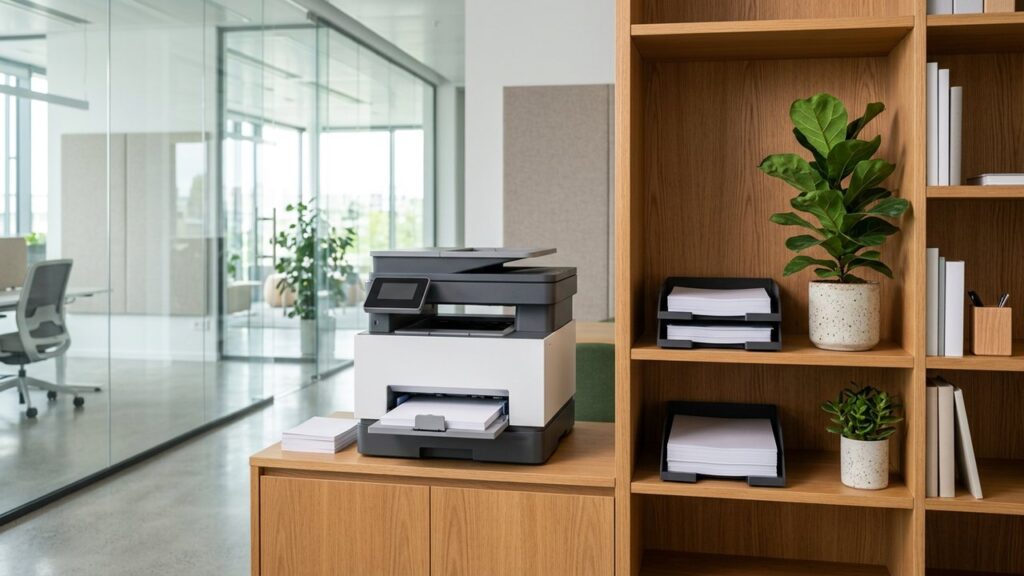
Unplanned printer downtime, rush toner orders, and scattered desktop devices quietly drain office budgets while distracting IT teams. Adopting proactive print fleet management replaces break-fix firefighting with cloud-monitored visibility across every copier and production unit. Backed by 30+ years since 1991 and a 4.9-star Google rating in PA and NJ, Altek delivers Azure-hosted print fleet management with zero on-prem server headaches.
Hybrid offices rarely operate a single printer brand cleanly; departments accumulate Epson, Kyocera, Canon, and Xerox hardware over time. Unified print fleet management consolidates multi-brand fleets inside one dashboard, predicting toner and wear-part needs early, pushing after-hours security patches, and balancing print loads across floors. This guide explains how proactive print fleet management works and how to deploy it cleanly.
The Hidden Operational Drain of Unmanaged Office Print Fleets
Ask most CFOs or IT directors exactly how much their organization spends annually on printing, and they typically guess only the monthly lease payment on main hallway copiers. The true total cost of ownership hides across four overlooked leaks: department credit-card ink purchases for mismatched desktop printers, IT helpdesk tickets spent troubleshooting jams and drivers, unpatched firmware exposing network entry points, and idle hours when critical billing or clinic intake printers fail mid-morning.
Reactive maintenance waits until a fuser cracks or a cyan cartridge runs dry right before a board meeting. Transitioning to structured print fleet management flips office printing from a noisy cost mystery into a transparent, proactively serviced utility where supplies arrive automatically and wear parts get replaced before users notice a single paper jam.
Multi-Manufacturer Chaos Solved Under One Centralized Dashboard
Growing businesses inherit mixed printer fleets naturally as regional branches merge or departments buy specialty machines. Managing four separate vendor consoles for Epson, Kyocera, Canon, and Xerox devices wastes IT hours and obscures real usage patterns across floors.
Altek’s print fleet management unifies multi-manufacturer office and production fleets inside a single cloud-hosted monitoring dashboard. Administrators track exact page volumes, toner levels, service alerts, and device health across Epson, Kyocera, Canon, Xerox, and companion network printers in one clean view regardless of badge on the front panel.
Zero On-Premise Servers With Microsoft Azure Cloud Hosting
Legacy print management suites forced IT departments to provision, patch, and maintain dedicated local Windows servers just to collect meter reads and device alerts. Altek hosts its print fleet management platform directly on Microsoft Azure, eliminating on-premise server hardware costs, simplifying multi-branch rollouts, and keeping enterprise security resilience managed continuously in the cloud.
Core Capabilities of Proactive Cloud Print Fleet Management
Comparing reactive office printing against modern proactive print fleet management shows why established Elite Dealer and BLI Reliability Certified partners like Altek save both hard supply dollars and dozens of weekly IT support hours.
| Operational Area | Unmanaged Reactive Printing | Proactive Print Fleet Management (Altek) | Direct Business Benefit |
|---|---|---|---|
| Monitoring Infrastructure | Manual meter checks or bulky on-prem print servers | Cloud-hosted on Microsoft Azure across all branches | Zero local server maintenance and instant multi-site visibility |
| Hardware Compatibility | Siloed vendor portals per brand and model | Single dashboard covering Epson, Kyocera, Canon, and Xerox | Unified governance across mixed office and production fleets |
| Toner and Supplies | Panic orders, hoarding closets, and empty-tray downtime | Automated low-toner telemetry triggering just-in-time delivery | Eliminates stockouts and cuts wasted expired supply inventory |
| Parts and Maintenance | Wait until jams or fuser failures halt departments | Proactive wear-part alerts paired with onsite technician visits | Prevents unplanned outages during critical operational windows |
| Security and Firmware | Forgotten factory firmware exposing network vulnerabilities | Scheduled after-hours firmware and security patching | Hardens network endpoints with zero daytime staff disruption |
Combining remote cloud diagnostics with skilled local onsite technician service ensures software alerts translate directly into clean mechanical upkeep rather than leaving office managers stranded with raw error codes.
Balancing Device Utilization to Eliminate Overworked and Idle Hardware
Walk into almost any mid-sized office and you will spot an expensive imbalance: one hallway copier near accounting churns through 45,000 pages a month and constantly needs rollers replaced, while a nearly identical machine down the west wing prints fewer than 800 pages monthly. Unmanaged fleets burn leases on underused equipment while prematurely grinding down overworked units.
Usage analytics inside print fleet management surface exact per-device volume, color versus monochrome ratios, and peak-hour bottlenecks. Fleet specialists then redistribute existing devices across floors, retire wasteful personal desktop inkjets, and right-size monthly print allowances cleanly so every asset operates right inside its designed duty cycle.
Quantifying Print Fleet Savings and Break-Even Payback
Consolidating high-cost desktop cartridges, cutting color waste via smart policies, and eliminating IT troubleshooting hours often trims total print spend by 20 to 30 percent within the first year. Finance controllers comparing current scattered supply invoices against a unified print fleet management contract can verify exact payback timelines clearly inside our break-even calculator.
Security Patching, Automated Document Handling, and Smart Print Policies
Modern multifunction printers are full network computers equipped with internal storage, email scan relays, and active directory links. Leaving fleet firmware unpatched for three years creates an easy lateral-movement target for ransomware attackers probing corporate subnets.
After-Hours Firmware Updates Without Daytime Disruption
IT teams hesitate to patch office printers manually during workdays because rebooting shared devices interrupts billing runs, HR onboarding, or clinic check-ins. Through Altek’s Azure-hosted print fleet management, critical firmware and security updates deploy systematically during scheduled after-hours windows, keeping every Epson, Kyocera, Canon, and Xerox node hardened without breaking daytime productivity.
Enforcing Smart Print Policies and Automated Document Routing
Hardware monitoring alone captures only half of potential operational savings; software-enforced print policies and automated document handling unlock the rest cleanly across every department.
| Policy or Automation Lever | How It Works Inside Print Fleet Management | Operational and Financial Impact |
|---|---|---|
| Default Duplex and Monochrome Rules | Routes standard internal emails and drafts to double-sided black-and-white | Slashes unnecessary paper and expensive color toner spend instantly |
| Secure Pull Printing (Follow-Me) | Holds sensitive jobs until staff badge or authenticate at any printer | Protects confidential HR, legal, and HIPAA documents from sitting on trays |
| Automated Document Handling | Scans invoices, forms, and records directly into cloud workflows with OCR | Eliminates manual filing errors and speeds accounts payable turnaround |
| Department Cost Allocation | Tracks exact monochrome and color output by cost center or project code | Creates transparent budget accountability across multi-department teams |
For healthcare practices, law firms, accounting offices, and school districts handling confidential records daily, combining secure badge release with automated document handling strengthens regulatory compliance while eliminating stacks of abandoned printout waste beside shared machines.
Five-Step Blueprint for Transitioning to Managed Print Fleet Management
Switching away from ad-hoc printer purchasing does not require ripping out working copiers overnight. Experienced regional partners like Altek Business Systems follow a calm five-step rollout that respects existing leases while capturing quick savings immediately.
- Run a Non-Intrusive Fleet Assessment: Deploy lightweight Azure cloud telemetry across your network to map every active copier, desktop printer, production unit, monthly page count, and supply cost baseline.
- Right-Size and Rebalance Placement: Identify overworked hallway workhorses and idle machines, retire expensive consumer desktop inkjets where appropriate, and align device duty cycles with real department workloads.
- Unify Multi-Brand Monitoring and Auto-Supply: Bring Epson, Kyocera, Canon, and Xerox assets onto one centralized print fleet management dashboard with automated low-toner replenishment and wear-part tracking.
- Activate After-Hours Security and Smart Print Policies: Schedule off-hours firmware patching, enable default duplex rules, and configure secure pull-printing plus automated document scan workflows for sensitive teams.
- Hold Quarterly Fleet Optimization Reviews: Inspect quarterly volume trends, color ratios, uptime metrics, and onsite technician service logs so fleet sizing adapts smoothly as your headcount or hybrid schedule evolves.
Because Altek combines 30+ years of regional service reliability since 1991 with Elite Dealer and BLI Reliability certifications, organizations across Eastern Pennsylvania and Southern New Jersey gain both enterprise cloud telemetry and responsive local onsite engineers who actually know their buildings.
Industries Seeing Fastest Payback From Proactive Print Fleet Management
While every multi-printer office benefits from predictable costs and zero toner panics, four document-intensive industries experience particularly sharp ROI after adopting structured print fleet management:
- Healthcare Clinics and Medical Networks: High daily patient-intake and insurance-form volume paired with strict HIPAA privacy rules makes secure release, uptime reliability, and automated document routing essential.
- Legal, Accounting, and Financial Advisory Firms: Client-matter cost tracking, confidential badge printing, and heavy tax-season or litigation peaks demand balanced fleets that never stall on deadline days.
- Manufacturing, Logistics, and Distribution Hubs: Shipping labels, pick tickets, and warehouse production printing require proactive wear-part replacement and fast onsite technician coverage to avoid dock bottlenecks.
- Schools, Nonprofits, and Multi-Branch Municipalities: Tight annual budgets benefit massively from multi-manufacturer visibility, color-quota policies, and Azure cloud management requiring zero local server upkeep.
Comparing Internal IT Print Upkeep vs Managed Print Fleet Management
Many growing organizations hesitate to bring in an external specialist for print fleet management because they assume internal helpdesk technicians can handle occasional jams and toner swaps cheaply. Auditing true ticket volume and hidden supply waste tells a dramatically different story.
Reclaiming IT Helpdesk Bandwidth and Ending Supply Hoarding
Helpdesk studies consistently show printer issues consume a disproportionate slice of tier-one IT tickets, because driver conflicts, stalled queues, empty fusers, and frantic supply searches interrupt engineers who should be focusing on cybersecurity, cloud migrations, and employee onboarding. Offloading monitoring, supply fulfillment, after-hours firmware patching, and mechanical servicing to dedicated print fleet management returns dozens of skilled IT hours to core business initiatives every single month.
At the same time, finance teams frequently uncover closets full of obsolete, dried-out toner cartridges bought piecemeal on department cards for retired desktop printers. Automated just-in-time supply telemetry inside Altek’s Microsoft Azure print fleet management ships the exact right cartridge right before depletion, slashing wasted supply capital and freeing storage closets across every regional office.
Sustaining Hybrid and Multi-Branch Print Reliability
When employees split schedules across home offices, satellite branches, and headquarters, static print assumptions fail quickly. One regional office sees print volume drop 40 percent while a warehouse or medical intake branch surges 60 percent. Continuous cloud reporting inside print fleet management tracks real monthly shifts across Epson, Kyocera, Canon, and Xerox devices so leadership reallocates hardware smoothly before leases renew.
Evaluating Long-Term Value in a Print Fleet Management Partner
Software dashboards alone cannot replace a worn pickup roller or tune a production press at 10:00 AM on payroll day. Choosing the right print fleet management partner means scoring both cloud software maturity and regional onsite engineering depth together:
- Verify true cloud architecture: Confirm print fleet management runs natively in enterprise cloud infrastructure like Microsoft Azure rather than requiring bulky on-premise Windows servers at every branch.
- Check multi-manufacturer depth: Ensure technicians and dashboards natively support mixed Epson, Kyocera, Canon, and Xerox office and production units without forcing premature hardware buyouts.
- Audit independent reliability credentials: Prioritize established partners holding Elite Dealer and BLI Reliability certifications backed by decades of verified service history (such as Altek’s 30+ years since 1991 and 4.9-star Google reviews across Eastern PA and Southern NJ).
- Confirm proactive security governance: Verify that scheduled after-hours firmware patching, secure badge pull-printing, and automated document handling policies come standard inside your print fleet management plan.
- Inspect SLA transparency and quarterly reviews: Demand clear first-time fix rates, transparent cost-per-page reporting, and recurring fleet balancing sessions so overused and underused print waste never creeps back in.
When cloud telemetry, automated supplies, proactive wear-part alerts, after-hours security updates, and seasoned local onsite technicians operate inside one disciplined print fleet management program, office printing fades peacefully into the background. Teams walk up to any floor copier expecting crisp output, secure document routing, and near-zero interruptions, while leadership enjoys lower, fully predictable monthly print costs.
Whether you oversee twenty devices across one headquarters or hundreds of mixed-brand printers spanning regional clinics, law offices, and distribution centers, modern print fleet management delivers immediate financial clarity and lasting operational calm. Scheduling an objective fleet visibility audit is the smartest first step toward retiring unmanaged print waste for good.
Quarterly KPI Scorecard for Ongoing Print Fleet Management Success
Once your Microsoft Azure dashboard goes live across Epson, Kyocera, Canon, and Xerox hardware, holding concise quarterly business reviews ensures your print fleet management program keeps tightening operational efficiency year after year. Track five straightforward KPIs alongside your Altek account specialist to verify compounding ROI across every branch:
- First-Time Fix Rate and Uptime Percentage: Measure how reliably proactive wear-part alerts and onsite technician visits eliminate surprise outages inside your print fleet management environment.
- Color-to-Monochrome Output Ratio: Confirm smart print fleet management policies such as default duplex and black-and-white routing steadily curb avoidable color waste without hindering client-facing presentations.
- Device Duty-Cycle Balance: Review per-machine volume quarterly inside your print fleet management portal so overloaded hallway units and underused wing copiers get rotated cleanly before mechanical wear accelerates.
- Supply Fulfillment Accuracy: Verify automated toner telemetry inside print fleet management eliminates rush shipping fees and dead supply closets across all locations.
- Firmware Patch Currency and Secure Release Adoption: Confirm 100 percent of networked devices stay updated via after-hours print fleet management patching and sensitive departments actively use badge pull-printing.
Tracking those five clear benchmarks keeps finance directors, IT leaders, and branch managers completely aligned around measurable savings, strong endpoint security, and friction-free everyday print fleet management.
Migrating Existing Leases Smoothly Into Print Fleet Management
A common myth stops office managers from adopting print fleet management: the assumption that you must break existing copier leases or buy all-new hardware on day one. In practice, experienced partners like Altek enroll your current Epson, Kyocera, Canon, and Xerox machines straight into Azure-hosted print fleet management monitoring immediately while current contracts stay active.
As individual leases mature organically over the next twelve to thirty-six months, real usage telemetry inside print fleet management guides smart right-sizing decisions. You replace end-of-life devices only where page volume justifies it, consolidate costly desktop inkjets gracefully, and build a balanced, low-waste environment backed by proactive print fleet management, automated supplies, and reliable local onsite support across Eastern Pennsylvania and Southern New Jersey.
FAQ’s
What is print fleet management and how does it reduce office expenses?
Print fleet management is the proactive monitoring, servicing, and optimization of every printer and copier across an organization. By tracking usage through one cloud print fleet management dashboard, automating toner replenishment, replacing worn parts early, balancing overused versus idle machines, and applying duplex or monochrome print fleet management policies, businesses eliminate waste and unplanned downtime.
Can print fleet management handle mixed printer brands in the same office?
Yes. Modern print fleet management platforms like Altek’s monitor multi-manufacturer office and production fleets including Epson, Kyocera, Canon, and Xerox inside one centralized print fleet management dashboard without forcing you to replace functional hardware prematurely.
Do we need to buy local servers to run cloud print fleet management?
No. Altek hosts its print fleet management platform directly on Microsoft Azure, eliminating on-premise server hardware purchases, local Windows patching headaches, and complex multi-branch VPN setups across your print fleet management deployment.
How does proactive print fleet management prevent sudden printer breakdowns?
Continuous print fleet management telemetry tracks component wear cycles, fuser life, error codes, and toner thresholds in real time. Instead of waiting until a copier jams during a deadline, technicians receive early wear alerts and schedule preventive onsite part replacements and after-hours firmware updates cleanly.
How does print fleet management improve office cybersecurity?
Networked printers are frequently overlooked endpoints. Proactive print fleet management deploys firmware and security patches systematically during after-hours windows while supporting secure pull-printing so confidential documents never sit exposed in open paper trays.
What credentials should businesses check when selecting a print fleet management partner?
Look for proven longevity, verified client satisfaction, independent reliability recognition, and local onsite technician strength alongside cloud software. Partners like Altek Business Systems bring 30+ years since 1991, a 4.9-star Google rating, Elite Dealer and BLI Reliability certifications, and Microsoft Azure cloud infrastructure.
Conclusion
Treating office printers as an unmanaged afterthought guarantees rising supply waste, frustrated teams, unpatched security risks, and expensive emergency repair calls. Proactive print fleet management powered by Microsoft Azure cloud monitoring unites multi-manufacturer Epson, Kyocera, Canon, and Xerox hardware inside one clear dashboard backed by automated supply replenishment, proactive wear-part maintenance, after-hours security patching, onsite technician care, and intelligent document policies.
Start with a full fleet visibility assessment to uncover hidden desktop print costs and imbalanced workloads across your offices. Partnering with an experienced, reliability-certified provider like Altek turns everyday printing into a quiet, secure, budget-predictable asset across every branch.