
A Razer gaming mechanical keyboard combines dedicated mechanical switch technology with gaming focused features that can include programmable controls, RGB lighting, high polling rates, onboard profiles, media...
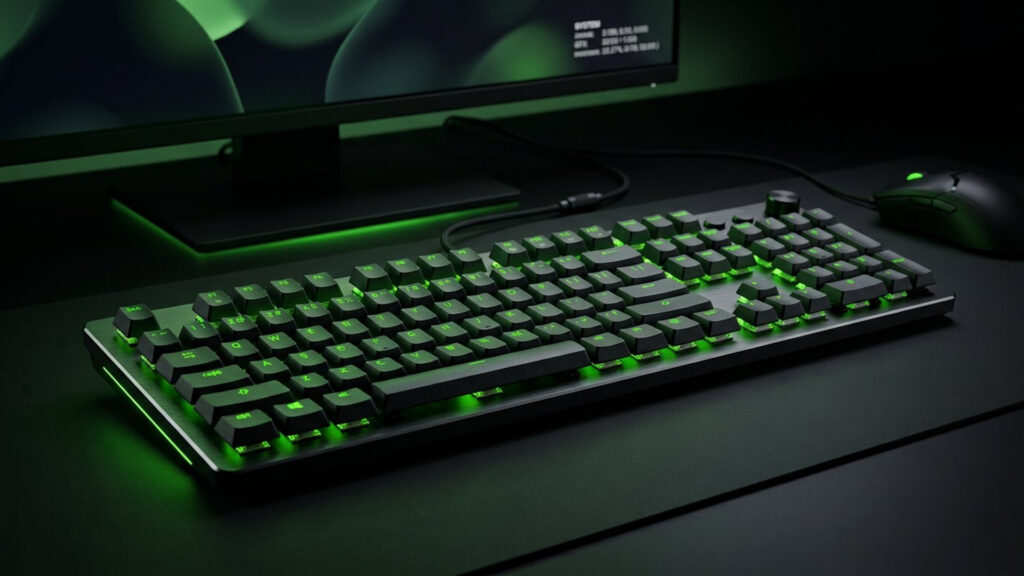
A Razer gaming mechanical keyboard combines dedicated mechanical switch technology with gaming focused features that can include programmable controls, RGB lighting, high polling rates, onboard profiles, media functions, and different keyboard layouts. Razer offers multiple keyboard families and switch technologies, so the best model depends on whether a user prioritizes competitive responsiveness, tactile feedback, quieter operation, compact dimensions, wireless connectivity, or everyday typing comfort. Product specifications vary by model and generation, making it important to compare the exact keyboard rather than assuming every Razer mechanical keyboard provides the same features.
What Is a Razer Gaming Mechanical Keyboard?
A mechanical keyboard uses individual switch mechanisms beneath its keys rather than the membrane designs commonly found in inexpensive keyboards.
When a key is pressed, the switch registers the input at a particular point in its travel. Different switch designs can change how a keyboard feels, sounds, and responds.
Razer is a gaming hardware manufacturer known for peripherals including keyboards, mice, headsets, controllers, and related accessories. Its keyboard catalog has included full size, tenkeyless, compact, wired, and wireless models across several product families.
Some Razer gaming keyboards use traditional mechanical switches, while others use optical or analog optical technologies. These mechanisms should not automatically be treated as identical simply because they appear in the same gaming keyboard category.
9 Powerful Benefits of a Razer Gaming Mechanical Keyboard
The value of any keyboard depends on the user and specific product. However, several characteristics explain why mechanical Razer keyboards attract gamers and other demanding keyboard users.
1. Razer Gaming Mechanical Keyboard Switches Provide Defined Feedback
Traditional mechanical switches use individual mechanisms to register key presses.
Depending on the switch, users may experience linear movement, a tactile bump, or an audible click.
This gives buyers greater control over keyboard feel compared with devices offering only one fixed membrane experience.
Switch preference is subjective. A switch that feels ideal for rapid gaming may be uncomfortable for another person during extended typing sessions.
2. Multiple Switch Types Support Different Preferences
Razer has offered different mechanical switch styles across its keyboard lineup.
Its traditional color coded mechanical options have included Green, Yellow, and Orange switch variants on compatible models and generations.
Broadly, Green switches are associated with tactile and clicky feedback, Yellow with linear operation, and Orange with tactile feedback without the same pronounced click characteristic.
Razer Gaming Mechanical Keyboard Switch Selection
Buyers should pay attention to actuation feel, total travel, sound, and resistance.
Check Specifications for the Exact Keyboard Generation
Switch specifications and availability can change between products and generations. Verify current technical information on Razer’s official product page before purchasing rather than relying on specifications from an older model.
3. RGB Lighting Offers Extensive Customization
Razer Chroma RGB is a recognizable feature across much of the company’s gaming peripheral ecosystem.
Compatible keyboards can provide individually configurable lighting effects, although functionality varies by model and software support.
Lighting can be used primarily for appearance or configured around games and desktop setups.
RGB does not inherently make keyboard input faster. It is a customization feature rather than a substitute for switch performance or typing quality.
4. Programmable Controls Can Improve Gaming Workflows
Compatible Razer keyboards can offer programmable key functionality through supported software.
Users may remap certain controls or create macros for appropriate applications.
This can be useful in games involving repeated commands and for non gaming workflows such as editing or productivity.
Macro use should comply with the rules of the game, tournament, service, or competitive environment. Automation that provides prohibited advantages can violate game policies even if the keyboard technically supports macro functionality.
5. Different Layouts Fit Different Gaming Desks
Not everyone needs a full numeric keypad.
Razer offers or has offered keyboards across several layouts, including full size and more compact designs.
Removing sections of a conventional keyboard can free valuable mouse space.
This can be particularly useful for players who use low mouse sensitivity and need a large uninterrupted surface for movement.
6. Selected Models Offer High Performance Input Technology
Some performance oriented Razer keyboards support polling rates above those of conventional keyboards.
Polling rate describes how frequently a connected device reports information to the computer.
Higher polling can reduce one component of input latency under suitable conditions.
However, overall responsiveness depends on much more than polling rate, including switch behavior, keyboard processing, game engine, CPU performance, frame rate, display refresh rate, and end to end system latency.
7. Onboard Features Can Support Multiple Uses
Some models include onboard memory or profile functionality.
This can make it easier to preserve selected settings when switching games or computers, although exactly which settings can be stored without software varies.
Users who move between multiple systems should investigate this detail carefully.
Software dependent features might not behave identically when a keyboard is connected to another device without the relevant application installed.
8. Dedicated Media Controls Add Convenience
Some larger Razer keyboards include media keys, multifunction controls, or volume adjustment.
These features allow users to change audio without navigating away from a game or application.
For streaming, entertainment, and general desktop use, physical media controls can be particularly convenient.
Compact keyboards may omit these dedicated controls or assign equivalent functions to key combinations.
9. Gaming and Everyday Typing Can Share One Keyboard
A gaming keyboard does not need to be used exclusively for games.
Mechanical models can also be suitable for writing, programming, studying, editing, and general computer use.
The best crossover keyboard usually comes down to switch preference, noise tolerance, layout, ergonomics, and software requirements.
Users working around other people should pay particular attention to noise, especially when considering clicky switches.
Razer Gaming Mechanical Keyboard Switch Types
Switch selection has one of the greatest effects on the physical experience of using a mechanical keyboard.
Understanding the major categories makes purchasing easier.
Linear Mechanical Switches
Linear switches are designed to move without a deliberate tactile bump during the primary keystroke.
Many gamers prefer this smooth motion for repeated key presses.
Razer Yellow Mechanical Switches have been offered as a linear option in relevant keyboard models.
Linear does not objectively mean better for gaming. Preference depends on typing style, game genre, and individual comfort.
Tactile Mechanical Switches
Tactile switches provide physical feedback around actuation.
This feedback can help some users recognize a registered press without pushing the key completely to the bottom of its travel.
Razer Orange Mechanical Switches
Orange mechanical switches have been marketed as a tactile option on selected Razer products.
Tactile Versus Linear for Gaming
Neither mechanism automatically produces better in game results. Competitive performance involves skill, system latency, game conditions, and individual familiarity in addition to switch characteristics.
Clicky Mechanical Switches
Clicky switches combine tactile feedback with an audible clicking mechanism.
Razer Green Mechanical Switches are associated with this category.
Many users enjoy the distinct feedback for typing.
The major drawback is noise. Clicky keyboards may be disruptive in shared offices, bedrooms, streaming environments, or late night gaming setups.
Mechanical Versus Optical Razer Keyboards
Consumers sometimes use mechanical keyboard as a broad term for gaming keyboards with individually actuated key mechanisms, but technical distinctions matter.
Traditional mechanical switches generally use physical electrical contact mechanisms.
Optical switches use light based sensing to register actuation.
Razer Optical Gaming Keyboards
Selected Razer products, particularly within performance focused families, use optical switch technologies.
Optical sensing can offer certain technical advantages, but a keyboard should still be evaluated as a complete system.
Analog Optical Switches
Some high end gaming keyboards use analog optical technology capable of detecting different levels of key travel.
Adjustable Actuation and Rapid Trigger
Compatible analog models may provide adjustable actuation and features such as Rapid Trigger. Availability and supported behavior vary by keyboard, firmware, and software, so buyers should verify current specifications for the exact model.
Razer BlackWidow Mechanical Keyboards
BlackWidow is one of Razer’s established mechanical gaming keyboard families.
Different generations have introduced changes to switches, construction, controls, connectivity, lighting, and layouts.
That makes the model suffix and generation particularly important when comparing prices.
A discounted older BlackWidow and a current premium version may carry the same family name while offering meaningfully different features.
Is a Razer BlackWidow Right for Gaming?
BlackWidow models can be suitable for users who specifically want traditional mechanical switches and Razer’s gaming ecosystem.
The exact value depends on switch choice, layout, current pricing, desired features, and competing keyboards.
Buyers should evaluate the specific BlackWidow model rather than the family reputation alone.
Razer Huntsman Versus Mechanical Keyboards
Razer’s Huntsman family is strongly associated with optical keyboard technologies.
This creates an important distinction for people specifically searching for conventional mechanical switches.
A Huntsman model may still offer the physical key movement and gaming focused experience people associate with mechanical keyboards, but its underlying actuation technology can be different.
Which Keyboard Technology Is Better?
There is no universal answer.
Traditional mechanical switches can offer familiar switch characteristics and may appeal to users who value a particular tactile or clicky feel.
Optical and analog technologies may appeal to competitive users seeking features such as adjustable actuation on supported models.
Price and practical needs should influence the decision alongside technical specifications.
Razer Gaming Mechanical Keyboard Sizes
Keyboard dimensions affect ergonomics and available desk space.
Full Size Gaming Keyboard
A conventional full size keyboard includes a numeric keypad.
This layout is useful for users who perform frequent numerical entry or simply want every standard key available directly.
The tradeoff is width.
A large keyboard places the mouse farther from the body’s center and leaves less horizontal desk area for mouse movement.
Tenkeyless Gaming Keyboard
A tenkeyless keyboard removes the numeric keypad while retaining most primary navigation and function controls.
It can provide a useful compromise between familiar desktop functionality and compact dimensions.
Compact Gaming Keyboards
More compact layouts remove or combine additional keys.
Consider Productivity Before Choosing the Smallest Layout
A very small keyboard can create excellent mouse space but require more key combinations for navigation, function keys, or other commands. Consider everything you do on the computer, not gaming alone.
Wired and Wireless Razer Gaming Mechanical Keyboard Options
Wired keyboards remain straightforward: connect the keyboard and use it without monitoring battery charge.
Wireless keyboards offer cleaner desk layouts and easier movement between compatible devices.
Selected Razer products support proprietary low latency wireless technology and may also provide Bluetooth or wired connectivity.
Exact connection options vary.
Wireless Gaming Latency
Modern gaming oriented wireless technology can provide responsive performance, but latency depends on implementation and environmental conditions.
For best results, follow the manufacturer’s receiver placement and connection guidance.
Battery Life and RGB Lighting
Lighting can meaningfully affect wireless keyboard battery runtime.
Compare Battery Claims Under Similar Conditions
Manufacturer battery figures can be measured with particular settings. When comparing products, check whether lighting, brightness, connection method, and power saving behavior are equivalent.
Razer Synapse and Keyboard Customization
Razer Synapse is used to configure many compatible Razer peripherals.
Depending on the product, software options can include key assignments, macros, lighting, profiles, performance features, and device settings.
Available functionality varies between hardware generations and software versions.
Users should consult the current compatibility information for their operating system and intended keyboard.
Do You Need Software to Use the Keyboard?
Basic keyboard functions may operate without continuously using customization software, but advanced functionality can depend on software configuration.
The exact behavior differs by device.
If software independence matters, investigate what can be stored in onboard memory and what requires Synapse to remain active.
Razer Gaming Mechanical Keyboard Performance
Keyboard performance should be considered across the complete input pipeline.
Switch actuation is only one stage.
After a key is actuated, the keyboard’s electronics process the signal, communicate it to the computer, and the operating system and game respond before the result appears on the display.
Polling Rate Explained
Polling rate is expressed in hertz.
Higher rates mean the computer can receive input reports more frequently.
Does a Higher Polling Rate Make You a Better Gamer?
No. Higher polling can reduce a portion of technical input delay, but it does not replace reaction time, aiming ability, decision making, positioning, or practice.
Competitive Gaming Depends on the Entire System
Frame rate, display latency, mouse performance, network conditions, game engine behavior, and individual skill all contribute to competitive responsiveness.
Razer Gaming Mechanical Keyboard for Esports
Competitive gamers often prioritize predictable inputs, compact layouts, responsive switches, and sufficient mouse space.
A keyboard that works exceptionally well for one player may not suit another.
Tournament competitors should also check event rules before using macros, custom automation, or unusual input behavior.
Some game publishers and competitive organizations restrict particular input functions even when they are built into commercially available hardware.
Comfort and Ergonomics
Mechanical keyboards can feel comfortable, but no switch or wrist rest can guarantee ergonomic safety.
Desk height, chair position, keyboard angle, typing habits, session duration, and wrist posture all matter.
Some Razer keyboards include detachable wrist rests, while others do not.
Wrist Position During Gaming
Try to keep the keyboard in a position that avoids unnecessary wrist extension.
Very steep keyboard angles are not comfortable for everyone.
Long Gaming Sessions
Regular movement and changes in posture can be beneficial during extended computer use.
Persistent Pain Should Not Be Ignored
If keyboard or computer use is associated with persistent pain, numbness, weakness, or similar symptoms, obtain advice from an appropriately qualified healthcare professional.
Keycaps and Keyboard Construction
Keycap material influences texture, sound, durability, and appearance.
Some Razer models feature doubleshot keycaps, but the material and manufacturing specifications vary between products.
Buyers interested in replacement keycaps should also check layout compatibility and switch stem requirements.
Build Quality
Keyboard construction can involve combinations of metal top plates and polymer housings.
Weight alone does not prove quality.
Stabilizers, keycap consistency, switch feel, case rigidity, electronics, firmware, and quality control all contribute to the overall experience.
Maintaining a Razer Gaming Mechanical Keyboard
Regular cleaning helps keep the keyboard functional and visually presentable.
Disconnect the keyboard before significant cleaning and follow the manufacturer’s instructions.
Loose debris can often be removed carefully with suitable air cleaning methods or a soft brush.
Cleaning Mechanical Keycaps
Where removable keycaps and manufacturer guidance permit, keycaps can be cleaned separately.
Avoid Excess Liquid Around Electronics
Do not apply cleaning liquid directly into switches or electronic components.
Check Warranty Conditions Before Disassembly
Extensive disassembly can potentially affect warranty coverage or damage components. Follow Razer’s current support documentation for the specific model.
How to Choose the Best Razer Gaming Mechanical Keyboard
Start with switch feel.
Choose between linear, tactile, and clicky characteristics based on gaming preferences, typing requirements, and acceptable noise.
Next, select the layout. Competitive players may value compact dimensions, while productivity focused users may need a numeric keypad.
Then consider connectivity, advanced actuation features, media controls, wrist rest, RGB customization, onboard profiles, software compatibility, and price.
Buying Checklist
Before ordering, verify:
• Exact model and generation
• Switch technology
• Switch type
• Keyboard layout
• Regional key arrangement
• Wired or wireless connectivity
• Software compatibility
• Onboard memory capabilities
• Keycap specifications
• Included accessories
• Warranty terms
• Current official specifications
This is especially important when comparing products from third party marketplaces, where older and newer generations can appear in the same search results.
Is a Razer Gaming Mechanical Keyboard Worth It?
It can be a good fit for gamers who value switch choice, configurable lighting, gaming focused features, and integration with other compatible Razer peripherals.
It may provide less value to someone who needs only basic typing functionality or does not intend to use its software features.
Rather than choosing solely by brand, compare the specific model with alternatives at a similar price.
The best keyboard is the one whose switch feel, layout, features, software, and cost fit the user’s actual requirements.
Frequently Asked Questions
Is a Razer gaming mechanical keyboard good for gaming?
Razer mechanical keyboards can provide responsive switches, programmable controls and gaming focused features, but the best model depends on layout, switch preference, budget and intended games.
Which Razer mechanical switch is best for gaming?
There is no universally best switch. Linear switches appeal to many gamers for smooth movement, while tactile and clicky alternatives suit users who prefer stronger feedback.
What is the difference between Razer Green and Yellow switches?
Razer Green switches are associated with tactile, clicky feedback, while Razer Yellow switches provide linear movement. Specifications can vary by generation, so verify the exact product.
Does a Razer gaming mechanical keyboard have RGB lighting?
Many Razer gaming keyboards support Chroma RGB, but lighting capabilities vary between models. Check the specifications of the keyboard you intend to purchase.
Are Razer Huntsman keyboards mechanical?
Huntsman models commonly use optical or analog optical technologies rather than conventional mechanical electrical contacts, although they share many physical characteristics with mechanical gaming keyboards.
Can a Razer mechanical keyboard work without Synapse?
Basic operation may be available without Synapse, while advanced customization can depend on software. Onboard capabilities vary by keyboard model and generation.
Conclusion
A Razer gaming mechanical keyboard can combine distinct switch feedback with programmable controls, customizable lighting, multiple layouts, and gaming oriented performance features. Choosing the right model requires comparing the exact switch technology, size, connectivity, software support, and current product specifications rather than relying on the brand name alone. Competitive gamers may prioritize responsiveness and mouse space, while everyday users may place greater value on typing feel and comfort. Careful comparison helps ensure the keyboard suits both the gaming setup and the user’s broader computing needs.