
Whether you need captions, research notes, searchable text, accessibility support, or reusable content, Transcribing a YouTube video converts spoken audio into written text that can be reviewed,...
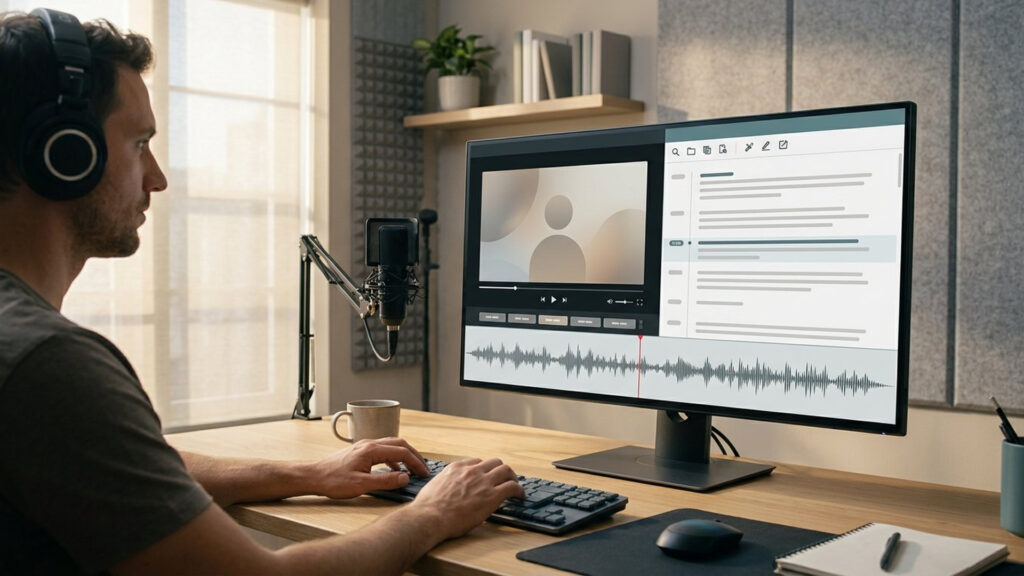
Whether you need captions, research notes, searchable text, accessibility support, or reusable content, Transcribing a YouTube video converts spoken audio into written text that can be reviewed, searched, edited, translated, or repurposed. YouTube provides transcripts for many videos when captions are available, while automatic speech recognition tools can process audio with increasing speed. Accuracy, however, varies with audio quality, speakers, accents, technical terminology, background noise, and language. Copyright, privacy, and permission also matter when working with content created by other people, particularly if you intend to republish or commercially reuse the resulting transcript.
What Does Transcribing a YouTube Video Mean?
Video transcription is the process of representing spoken dialogue and, where appropriate, other meaningful audio information as text.
A basic transcript contains the words spoken in the recording.
More detailed versions can include speaker names, timestamps, pauses, music cues, and descriptions of relevant sounds.
Transcripts and captions are closely related but serve different functions.
A transcript can exist as a continuous text document. Captions are synchronized with video playback so text appears at the appropriate time.
Subtitles are often discussed in the same context but can involve translation into another language as well as transcription.
Why Transcribe a YouTube Video?
A transcript makes information easier to navigate.
Instead of repeatedly watching a long recording to locate one statement, users can search the text for a keyword or phrase.
Creators can also use transcripts as the foundation for accurate captions, articles, show notes, summaries, translations, and educational materials.
For viewers who are deaf or hard of hearing, well produced captions can substantially improve access to video content.
9 Powerful Methods for Transcribing a YouTube Video
The best method depends on whether you own the video, caption availability, accuracy requirements, budget, language, and intended use.
1. Use YouTube’s Built In Transcript Feature
For videos with available captions, YouTube may provide an accessible transcript interface.
On supported videos and interfaces, users can open the transcript and follow the spoken content as text.
This is usually the easiest option when you need to read or reference an existing transcript.
Availability and interface location can change as YouTube updates its products.
Transcribing a YouTube Video With Existing Captions
Open the video’s available transcript controls and review the displayed text.
Automatic Captions Need Verification
If the transcript was generated through automatic speech recognition, names, technical terms, punctuation, and similar sounding words may be incorrect.
2. Use YouTube Studio for Your Own Videos
Creators can manage subtitles and captions for videos they control through YouTube Studio.
Existing automatic captions can provide a starting point when available.
The creator can then review and correct the text.
Editing Transcripts in YouTube Studio
Correction is particularly important for brand names, names of people, locations, numbers, and specialized vocabulary.
Review Before Publishing
A transcript that is mostly accurate can still contain serious errors where one incorrect word changes the meaning of a statement.
3. Use AI Transcription Software
Automatic speech recognition, commonly abbreviated ASR, converts speech into text using machine learning.
Many transcription platforms can process uploaded video or audio.
Some can distinguish speakers, generate timestamps, or export caption files.
AI Tools for Transcribing a YouTube Video
The appropriate service depends on language support, accuracy, privacy, pricing, and export requirements.
AI Transcription Is Not Perfect
No reputable tool should be expected to produce flawless text under every recording condition. Human review remains important for consequential or publication ready transcripts.
4. Transcribe the Video Manually
Manual transcription means listening to the recording and typing the spoken words.
It can be slower than automation but gives the transcriber direct control over interpretation.
This is useful when recordings contain specialized terminology that automated systems repeatedly misunderstand.
5. Combine AI Transcription With Human Editing
A hybrid workflow can provide a useful balance between speed and quality.
Software generates an initial draft, and a person reviews it against the original recording.
Hybrid YouTube Video Transcription
The editor corrects wording, punctuation, speaker attribution, and formatting.
This Is Often More Efficient Than Starting From Zero
For clear recordings, editing a reasonably accurate machine transcript can require less effort than manually entering every word.
6. Use Professional Human Transcription Services
Professional transcription can be appropriate for material where accuracy and formatting requirements are demanding.
Examples may include interviews, research, professional education, media production, and some legal or business contexts.
Service capabilities vary, so customers should verify confidentiality, quality control, turnaround, and subject matter expertise.
7. Use Speech to Text Software for Your Own Content
Creators can run supported speech recognition tools on audio or video files they are authorized to process.
Local transcription software can appeal to users who prefer not to upload sensitive recordings to a third party cloud service.
Local AI for Transcribing a YouTube Video
Open source and locally deployed speech recognition systems can process compatible media on suitable hardware.
Local Processing Still Requires Security
Files, transcripts, logs, and backups need appropriate protection when the source contains confidential or personal information.
8. Create a Timestamped Transcript
Timestamps connect sections of text to particular moments in the video.
This is useful for interviews, lectures, podcasts, and long form educational content.
Timestamps can appear at fixed intervals or when speakers and topics change.
9. Create Captions From the Transcript
Once a transcript has been reviewed, it can be converted into timed captions.
Caption formats such as SRT and WebVTT are widely used.
Caption Timing
Text should appear when corresponding dialogue occurs and remain visible long enough to be read.
Transcript Accuracy Alone Is Not Enough
Captions also require readable segmentation, synchronization, speaker clarity where needed, and treatment of meaningful non speech audio.
How to Transcribe a YouTube Video Step by Step
A reliable workflow begins with defining the intended output.
If you only need searchable notes, a basic transcript may be sufficient.
If the text will become public captions, greater editing and timing accuracy are required.
Step 1: Confirm You Have Appropriate Access
Determine whether the video is yours, licensed for your intended use, or otherwise permitted to be processed.
Watching a publicly accessible video does not automatically transfer copyright.
Public Availability and Copyright
A video can be free to watch while its underlying audiovisual content remains protected.
Transcription Does Not Automatically Create New Ownership
Converting someone’s spoken content into text does not necessarily give you the right to republish that text in full.
Step 2: Check for an Existing Transcript
Before creating a new transcript, determine whether YouTube already provides captions.
If a usable transcript exists, it may save significant time.
Step 3: Choose Automatic or Manual Transcription
Consider recording quality and accuracy requirements.
Clear single speaker audio is usually easier for automatic systems than overlapping conversation in a noisy environment.
Step 4: Generate a Draft
Process the authorized media using the selected tool or transcribe it manually.
Step 5: Review Against the Video
Play the recording while reading the draft.
Correct errors instead of assuming the software heard everything correctly.
Step 6: Add Speakers and Timestamps
Add these elements when the intended use requires them.
Step 7: Format the Transcript
Break large blocks into readable paragraphs.
Step 8: Perform a Final Accuracy Check
Check names, numbers, quotations, technical language, and any sections the software marked as uncertain.
How YouTube Automatic Captions Work
YouTube uses automatic speech recognition to generate captions for many videos and languages.
Availability can depend on video characteristics and platform support.
Automatic captions are useful but can make errors.
Factors Affecting Automatic Caption Accuracy
Performance can be influenced by:
• Audio quality
• Background noise
• Multiple speakers
• Overlapping dialogue
• Accent and dialect
• Speech speed
• Specialized terminology
• Proper names
• Microphone quality
• Language support
No universal accuracy percentage applies to every YouTube video.
AI Tools for Transcribing a YouTube Video
AI transcription services vary widely in function.
Some focus on meetings, while others are designed for podcasts, video production, captioning, or developers.
Important AI Transcription Features
Look for:
• Appropriate language support
• Speaker identification
• Timestamp generation
• Caption export
• Search and editing
• Security controls
• Data retention settings
• API access where required
• Custom vocabulary support where available
• Transparent pricing
Choose based on actual workflow rather than the number of advertised AI features.
Free Versus Paid YouTube Transcription
A free solution can be sufficient for occasional personal use.
YouTube’s own transcript functionality may provide everything needed when captions already exist.
Paid services become more relevant when users require batch processing, collaboration, advanced editing, higher usage limits, integrations, or professional support.
Understand Usage Limits
Free tiers can restrict minutes, file size, export options, or storage.
Privacy Can Differ by Plan
Some providers offer more advanced security controls only on business or enterprise packages.
Read Current Terms
Pricing and feature limits change regularly, so verify the provider’s current plan before uploading content.
Manual Transcription Techniques
Manual work becomes easier with a structured workflow.
Use headphones and a quiet environment.
Playback Speed
Reducing playback speed can help with rapid dialogue.
YouTube provides playback speed controls, though available settings and interfaces can evolve.
Short Playback Segments
Listen to a manageable section before typing.
Keyboard Shortcuts
Efficient playback controls can reduce constant mouse use.
Save Frequently
For long transcripts, protect progress with regular saving or automatic version history.
Verbatim Versus Clean Transcription
Not every transcript needs to reproduce speech in precisely the same style.
Full Verbatim
A full verbatim transcript may preserve filler words, false starts, repetitions, and other spoken features.
This can be relevant in some research or professional contexts.
Clean Verbatim
Clean transcription removes selected speech disfluencies while preserving meaning.
Edited Transcript
A more editorial version may improve readability substantially.
Do Not Change Meaning
Editing should never transform a speaker’s actual statement into a materially different claim.
Adding Speaker Labels
Multiple speaker recordings become difficult to read when the transcript does not indicate who is talking.
Labels can use actual names where appropriate or neutral identifiers such as Speaker 1 and Speaker 2.
Verify Speaker Identity
Do not infer names when uncertain.
Consistency Matters
Use the same label for each speaker throughout the transcript.
Protect Privacy Where Necessary
Public transcripts should not unnecessarily identify private individuals when there is no legitimate reason to do so.
Adding Timestamps
Timestamps help users navigate the source.
A common timestamp appears as hours, minutes, and seconds where appropriate.
Fixed Interval Timestamps
These can be added periodically.
Speaker Change Timestamps
A timestamp can appear when a new speaker begins.
Topic Based Timestamps
These are useful for lectures and tutorials.
Choose the Method Before Editing
A consistent timestamp convention makes long documents easier to use.
Transcribing YouTube Interviews
Interviews commonly contain overlapping speech and conversational interruptions.
Automatic speaker identification can therefore make mistakes.
Interview Transcription
Listen carefully when participants speak simultaneously.
Names and Titles
Verify how each interviewee identifies themselves.
Do Not Invent Missing Words
When speech is unintelligible, marking uncertainty can be more accurate than guessing.
Transcribing YouTube Lectures
Lecture recordings are valuable candidates for searchable transcripts.
Technical vocabulary creates a major challenge.
Subject Specific Terminology
Prepare a vocabulary list where the transcription platform supports custom terminology.
Equations and Visual Information
Audio transcription cannot automatically represent every diagram or formula shown on screen.
A Transcript May Need Visual Notes
For educational accessibility, meaningful visual information may require separate description.
Transcribing Podcasts Published on YouTube
Many podcasts distribute episodes on YouTube as well as audio platforms.
A transcript can improve navigation and content reuse.
Long Form Audio
An automated first pass can be particularly useful because manual transcription of lengthy conversations takes substantial time.
Speaker Diarization
Diarization is the process of identifying which speaker is talking at different points.
Verify Speaker Labels
AI can confuse voices, particularly during interruptions.
Turning a YouTube Transcript Into a Blog Post
A transcript can provide source material for an article when you own or have appropriate rights to reuse the underlying content.
An effective blog post should not simply publish raw spoken text.
Restructure the Information
Organize ideas around headings and reader questions.
Remove Repetition
Natural speech frequently repeats ideas.
Add Context and Verification
Facts stated casually during a video should be fact checked before being presented as authoritative written claims.
YouTube Transcription for SEO
Search engines can process text more readily than information locked exclusively inside video audio.
A written page can provide context around video content.
Use Relevant Headings
Organize the transcript or related article around meaningful topics.
Avoid Keyword Stuffing
Repeating search terms artificially harms readability.
Focus on Search Intent
The written content should answer the questions people have rather than existing solely to repeat phrases from a video.
Search visibility is only half of discovery. On YouTube itself, early view counts shape whether new visitors click, which is why some channels pair transcripts with a modest boost in YouTube views at launch.
Transcripts and GEO
Generative Engine Optimization focuses on making information understandable and useful to AI powered search systems.
Well structured transcripts can help by turning spoken knowledge into searchable text.
Improve Transcript Structure
Speaker identification, clear paragraphs, headings, and accurate terminology improve interpretability.
Add Source Context
Identify the video’s speaker, date, and subject where appropriate and permitted.
Accuracy Improves Citability
Incorrect transcripts can propagate misinformation when AI systems or readers reuse them.
YouTube Transcription for Accessibility
Captions can support viewers who cannot access spoken audio fully or conveniently.
Accurate captions should communicate meaningful information rather than merely approximate dialogue.
Non Speech Audio
Relevant sounds can sometimes need description.
Examples can include meaningful music, laughter, alarms, or sounds necessary to understand the content.
Accessible Captioning
Accessibility standards and legal requirements vary by jurisdiction and organization.
Follow Applicable Guidance
Organizations subject to accessibility requirements should use current official standards rather than assuming automatic captions are always sufficient.
Translating a YouTube Transcript
A verified source language transcript makes translation easier.
Translating a faulty transcript can multiply errors.
Machine Translation
AI and automated translation can provide useful drafts.
Human Review
Professional or consequential content may require review by a qualified translator.
Localization Goes Beyond Translation
Names, cultural references, measurements, terminology, and idioms may require adaptation for the target audience.
SRT Caption Files
SubRip Subtitle, or SRT, is a widely used caption file format.
An SRT file contains numbered caption entries, timestamps, and text.
Why SRT Is Useful
It can be imported into many video editing and hosting systems.
Timing Accuracy
Incorrect timestamps cause captions to appear too early or late.
Preview Before Publishing
Watch the full video with captions enabled to identify timing and text errors.
WebVTT Files
WebVTT is another common timed text format, particularly for web video.
It supports caption timing and additional web oriented functionality.
The appropriate format depends on the destination platform.
A transcription tool should ideally export the formats required by your video workflow.
Improving YouTube Transcription Accuracy
Start with the source recording whenever you control it.
Clear audio dramatically improves automatic transcription.
Use a Suitable Microphone
Position microphones appropriately and reduce unnecessary environmental noise.
Reduce Overlapping Speech
Multiple people talking at once is difficult for humans and machines alike.
Verify Proper Nouns
Names are frequent sources of transcription errors.
Check Numbers Carefully
Dates, percentages, prices, measurements, and phone numbers deserve manual verification.
Editing AI Generated Transcripts
Do not review only for spelling.
A grammatically correct sentence can still represent the wrong spoken words.
Listen While Editing
Compare text directly with the audio.
Flag Uncertain Sections
Revisit difficult sections separately.
Use Context Without Guessing
Context can help interpret unclear speech, but it should not justify inventing words unsupported by the recording.
Copyright When Transcribing a YouTube Video
Copyright considerations depend on ownership, intended use, jurisdiction, and the nature of the material.
Creating a transcript for private study is different from publishing someone else’s entire video as text on a commercial website.
Fair Use and Other Exceptions
Some jurisdictions provide copyright exceptions for purposes such as commentary, criticism, research, or education under particular circumstances.
These Rules Are Context Specific
No simple word count determines whether reuse is lawful.
Obtain Legal Advice for Important Uses
For commercial republication or substantial copyrighted content, qualified legal advice may be appropriate.
Privacy and Confidentiality
A public YouTube video can still contain personal information.
Private or unlisted recordings require additional care.
Cloud Transcription Services
Uploading a recording to a third party means that provider may process the content.
Review Data Terms
Check retention, training, deletion, security, and sharing policies.
Sensitive Content Requires Stronger Controls
Legal, medical, employment, financial, or confidential business recordings can require specialized handling.
Can You Download a YouTube Video for Transcription?
Downloading content may be governed by YouTube’s terms, copyright law, available platform functionality, and the content owner’s permission.
Use official download features or authorized source files where available.
Avoid assuming that a third party downloader is permitted simply because it technically works.
For your own content, retaining original media files generally provides the cleanest transcription workflow.
Common YouTube Transcription Mistakes
Blindly publishing automatic captions is a major mistake.
Another is ignoring speaker labels in multi person content.
Editors can also change meaning when attempting to make spoken language more polished.
Poor timestamps make captions frustrating.
Finally, transcription does not remove copyright or privacy obligations attached to the original material.
How Long Does Transcribing a YouTube Video Take?
Automatic transcription can generate a draft much faster than manual typing.
Total completion time depends on editing requirements.
A clear single speaker video can be relatively straightforward.
Noisy interviews with technical language and multiple participants require substantially more review.
Human transcription often takes several times the video’s duration, but there is no universal ratio.
How Much Does YouTube Transcription Cost?
Costs vary according to method.
Existing YouTube transcripts may be available without an additional fee.
AI platforms can charge per minute, hour, subscription, or usage volume.
Human services typically cost more because they require substantially more labor.
Specialist transcription, timestamps, strict formatting, difficult audio, and rapid turnaround can increase costs.
Choosing a YouTube Transcription Service
Compare more than advertised accuracy percentages.
Accuracy claims may be based on controlled datasets that do not resemble your recordings.
Transcription Service Checklist
Consider:
• Supported languages
• Speaker identification
• Timestamping
• Editing interface
• SRT and WebVTT export
• Privacy controls
• Data retention
• Human review options
• API availability
• Customer support
• Pricing
• Security requirements
Testing a representative sample is often the best comparison method.
Frequently Asked Questions
What is the easiest way of transcribing a YouTube video?
If the video already has captions, YouTube’s transcript feature is usually the easiest starting point. Review automatic text carefully for errors.
Can AI transcribe a YouTube video?
Yes. AI speech recognition tools can generate transcripts quickly, but accuracy varies with audio quality, speakers, language, accents, and terminology.
Can I get a transcript directly from YouTube?
Many videos with captions provide a transcript through YouTube’s interface. Availability depends on the video, caption status, and current YouTube features.
Is transcribing a YouTube video legal?
It depends on ownership, jurisdiction, and intended use. Creating text does not automatically grant the right to republish copyrighted content commercially.
How can I improve YouTube transcription accuracy?
Use clear source audio where possible, minimize background noise, verify names and numbers, identify speakers, and manually compare the draft with the original video.
Can a YouTube transcript improve SEO?
A useful, authorized transcript or well developed article based on video content can make information textually searchable, but search visibility depends on overall quality and relevance.
Conclusion
Transcribing a YouTube video can turn spoken content into accessible, searchable, and reusable text for captions, research, publishing, or content workflows. YouTube’s existing transcripts offer the fastest starting point when available, while AI can accelerate work for videos without usable captions. Human review remains essential when accuracy matters, particularly for names, numbers, specialist terminology, and multiple speakers. Before republishing a transcript, also confirm that your intended use respects copyright, privacy, and any applicable platform requirements.