
Most small business owners put real effort into hiring. There are job posts, interviews, trial tasks, and a welcome message in Slack. Then someone resigns,...
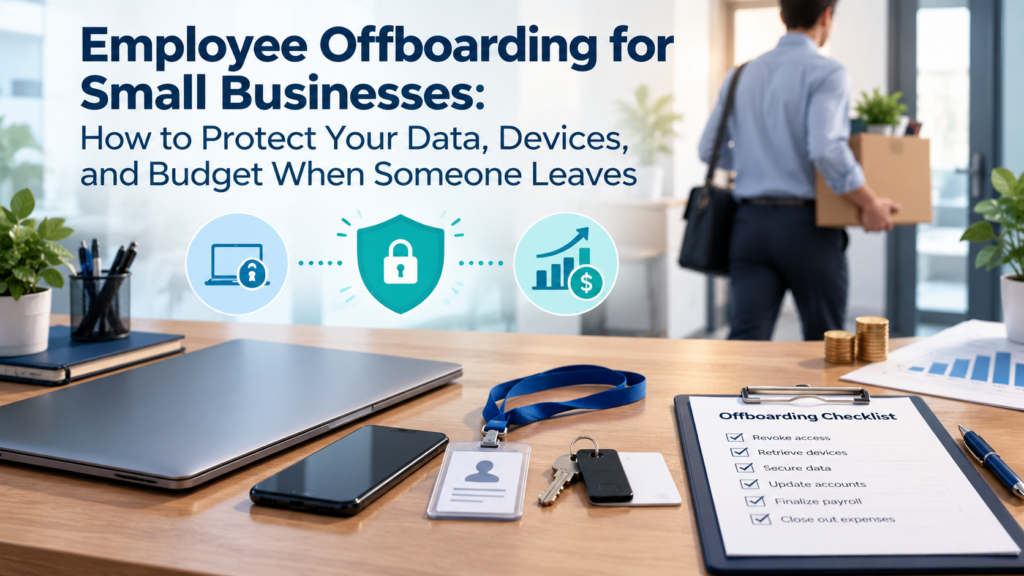
Most small business owners put real effort into hiring. There are job posts, interviews, trial tasks, and a welcome message in Slack. Then someone resigns, and the whole thing turns into a scramble. The laptop is “somewhere in the mail,” the shared password list still has their name on it, and nobody is sure who owns the company’s social media login.
That gap between a careful hire and a messy exit is where money and security quietly leak out of small teams. This guide covers what a good offboarding process looks like when you don’t have an HR department or a full-time IT person, and how to set one up without much overhead.
Why offboarding gets ignored
The reason is simple: nothing is on fire. When a new employee starts, they can’t work until they have a laptop and logins, so onboarding gets done by necessity. When someone leaves, the business keeps running whether or not you remove their access. The cost builds up slowly and stays invisible until it becomes a problem.
Small teams also tend to be informal. People wear several hats, accounts get shared, and permissions are handed out on the fly because someone needed to finish a project by Friday. Two years later, no one can say who has access to what.
None of this is a character flaw. It’s what happens when a team grows faster than its processes. The fix is a repeatable routine that doesn’t depend on anyone’s memory.
What actually goes wrong
Here are the situations I see most often in small companies.
Former employees keep access to live systems. A designer leaves in March, and in September their login still works on your project management tool, your cloud storage, and the staging site. They may never touch any of it, but the door is still open. If their personal email is later compromised, so is your data.
You keep paying for seats nobody uses. SaaS subscriptions are billed per user. If you have eight people and fourteen paid seats across your tools, the difference is money going out every month. Over a year, across five or six tools, it adds up to a figure you would have noticed on a budget line.
Devices disappear. Laptops, phones, monitors, and even security keys walk out the door more often than anyone admits. Usually it isn’t theft. People simply forget, you forget to ask, and the item ends up in a drawer at home.
Knowledge leaves with the person. If one employee was the only one who knew how the invoicing automation worked, or where the client’s domain was registered, you’ve lost something harder to replace than hardware.
Clients and teammates get confused. If a former employee’s email address keeps bouncing, or worse, keeps going to a dead inbox, clients start wondering how organized you really are.
Start before the last day
The best offboarding begins the moment you learn someone is leaving, not the afternoon they hand in their badge. Even a week of notice gives you room to work in an orderly way. Here is a sensible order of operations.
1. Decide who owns the process
Pick one person. It might be the founder, an operations manager, or whoever handles admin in your team. If three people each assume another is handling it, nothing gets done. Give that person a short written list and the authority to follow up.
2. Take stock of what the person has
Make two lists: what they hold and what they can reach.
What they hold means physical and assigned items such as a laptop, phone, charger, headset, access cards, keys, and any company credit card.
What they can reach means software, shared drives, admin panels, social accounts, client portals, and anything else with a login. For this second list, check your own records rather than asking the employee. People forget what they signed up for, and some of the most dangerous accounts are the ones set up quickly and never documented.
If you don’t have a current inventory of your software and hardware, this is a good moment to start one. A simple spreadsheet is enough at first.
3. Plan the knowledge handover
Ask the departing person to write down the essentials: recurring tasks, passwords that live outside your manager, vendor contacts, and the status of open projects. Even half a page per project helps. Then schedule a short call or two where the successor or manager can ask questions while the person is still reachable.
4. Schedule access removal for the right moment
Timing matters here, and it depends on the situation. For a friendly resignation with two weeks’ notice, you may keep access in place until the final day, while limiting admin rights early. For a sensitive departure, access should be cut at the same time the conversation happens. Either way, decide in advance and don’t improvise.
The day they leave
On the final day, work through a short list rather than relying on memory.
- Disable or suspend their main company account (email, single sign-on, or directory login).
- Remove them from every tool in your inventory, including the ones that don’t use single sign-on.
- Change shared passwords they knew, and rotate API keys or tokens they had access to.
- Transfer ownership of documents, folders, calendars, and recurring meetings.
- Set up email forwarding or an auto-reply for a defined period, so clients get a clear message.
- Collect hardware, and wipe or reset it once data has been backed up.
- Update your team on who now covers their work and who clients should contact.
If you want a ready structure rather than building one from scratch, this checklist for employee offboarding covers the IT side of things, from account removal to device return, in a format you can adapt to a team of any size.
Don’t forget contractors and freelancers
Small businesses lean heavily on freelancers, and they are often missing from offboarding entirely. A contractor finishes a project, the invoice is paid, and everyone moves on. But their access to your shared drive, your CMS, or your ad accounts often stays active for months.
Treat the end of a contract the same way you’d treat an employee leaving. Remove access, collect any company materials, and confirm in writing that project files have been delivered. It takes ten minutes and prevents awkward surprises later.
Handling hardware properly
Devices deserve their own few lines, because they carry the most data in the smallest package.
Before a laptop is handed to someone else, back up anything the company needs and then erase it properly. Simply deleting a user account is not the same as wiping a drive. If the machine had full-disk encryption turned on, a factory reset is a reasonable baseline; for older machines without it, use a proper secure-erase tool.
Record the return in your inventory with a date and the condition of the item. If a device doesn’t come back, you’ll want that record for insurance, accounting, or a polite reminder email.
For personal phones used for work (the “bring your own device” setup), don’t wipe the whole phone. Remove only the company’s apps, email profile, and data using mobile device management or the app’s own remote sign-out option.
Keep the paperwork light but real
You don’t need a thick policy manual. A one-page document is plenty: who owns offboarding, what gets removed, what gets collected, and who signs off. Store it where the team can find it, and keep a completed copy for each departure.
That completed copy is useful for more than tidiness. If you ever need to show a client, auditor, or insurer that you handle access responsibly, a dated record of what was removed and when is far more convincing than a verbal assurance.
Make it a habit, not a project
The first time you build a process like this, it feels like extra work. By the third departure, it takes under an hour and runs almost on autopilot. A few habits help it stick:
- Review your software list every quarter. Remove anyone who no longer needs access, even if nobody has left.
- Give new hires only the access they need. Narrow permissions at the start mean less cleanup at the end.
- Use a password manager. It makes rotating shared credentials a five-minute job instead of a hunt.
- Keep your inventory current. Every purchase and every assignment gets logged when it happens.
The real payoff
Good offboarding is rarely noticed when it works. Nothing dramatic happens, no data leaks, no mystery charges show up, and clients keep getting answers. That quiet outcome is the whole point.
For a small business, it also protects the people who stay. A team that sees departures handled calmly and respectfully learns that the company is organized and fair, which matters when you’re trying to keep good people.
So the next time someone gives notice, resist the urge to just say thanks and deal with the details later. Open your list, assign an owner, and work through it step by step. Your future self, and your bank balance, will thank you.