
Making a video used to mean cameras, lighting, actors, and hours of editing. The Vidnoz AI Video Generator changes that by turning a script, a...
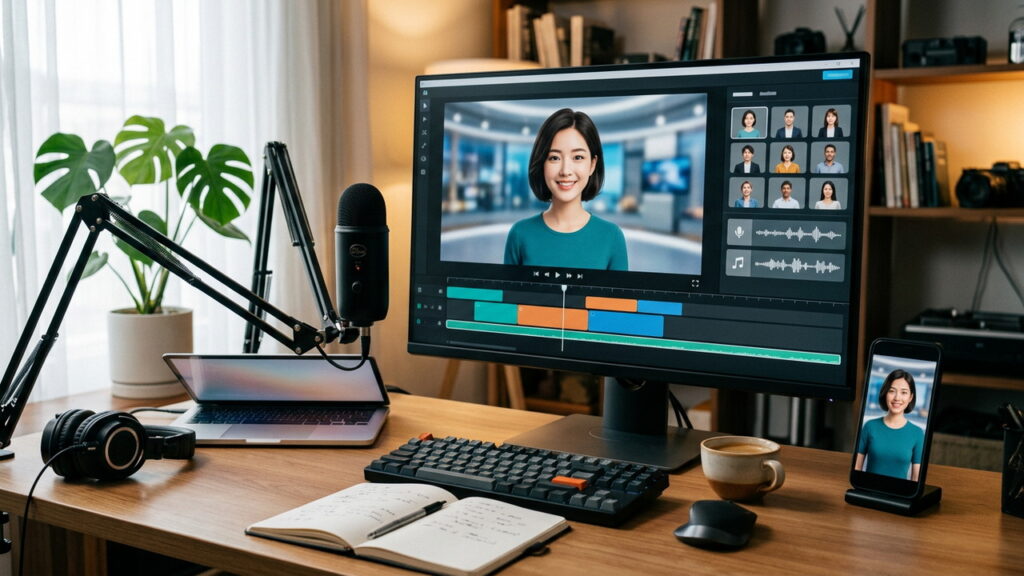
Making a video used to mean cameras, lighting, actors, and hours of editing. The Vidnoz AI Video Generator changes that by turning a script, a few slides, or a short idea into a finished clip with a digital presenter and a natural sounding voice.
This guide explains how the Vidnoz AI Video Generator works, which features matter, how to write better scripts, and how to use it responsibly. It offers general information, so confirm current features, limits, and pricing on the official Vidnoz website before you commit.
Key Takeaways About Vidnoz AI Video Generator
- The Vidnoz AI Video Generator is built to create videos from text, with avatars, voices, and templates handling the production work.
- A clear, short script has more effect on quality than any setting inside the tool.
- Check the free plan limits, watermark rules, and export options before you plan a project around them.
- Get written consent before using anyone’s face or voice, and disclose AI generated content where it matters.
- Always review the final video for pronunciation, timing, and factual errors.
- Compare Vidnoz AI with two other tools using the same script before you pay.
What Is Vidnoz AI Video Generator?
The Vidnoz AI Video Generator is an online tool that creates videos with artificial intelligence. You type or paste a script, choose a digital presenter and a voice, pick a template or background, and the platform renders a video that you can preview, edit, and download.
Vidnoz AI belongs to a growing group of tools that remove the need for filming. It is commonly used for explainer videos, product walkthroughs, training lessons, social media clips, and short marketing messages. Because features and plans change, treat this guide as a framework and check the official site for the current list of tools.
Quick Answer About Vidnoz AI Video Generator
- It converts text and slides into videos that feature AI presenters and voiceovers.
- It is browser based, so most work happens on the website without installing heavy software.
- It suits beginners, marketers, teachers, and small businesses with little video experience.
- Free access, watermarks, video length, and export quality depend on the plan, so verify them first.
- Human review is still needed for accuracy, tone, and brand fit.
Who Can Use Vidnoz AI Video Generator
Many people can gain from the Vidnoz AI Video Generator, especially those who need frequent videos without a production budget.
- Small business owners who need product and service videos
- Marketers who test short ads and social clips
- Teachers and trainers who build lessons and onboarding material
- Freelancers who create videos for clients
- Customer support teams that need how to videos
- Content creators who want faster publishing
How Vidnoz AI Video Generator Works
Most AI video tools follow a similar pipeline. The platform reads your text, converts it to speech with an AI voice, matches the speech to an avatar’s lip movement and gestures, and combines everything with your chosen visuals. The Vidnoz AI Video Generator follows this general model, though the exact steps and names inside the tool may change over time.
Text to Speech in Vidnoz AI Video Generator
The voice layer turns your script into spoken audio. Good tools offer a range of voices, accents, and languages, and let you adjust speed and pauses. Listen carefully to the first draft, because AI voices can mispronounce names, brands, and technical terms.
Avatars and Visuals in Vidnoz AI Video Generator
An avatar is a digital presenter who appears to speak your script. Vidnoz AI offers a library of presenters, and some tools in this category also let you build a custom avatar from your own footage. Backgrounds, slides, and text overlays complete the scene, so you can match the video to your brand colors and topic.
Lip Sync and Timing in Vidnoz AI Video Generator
Lip sync aligns mouth movement with the audio. Quality varies with the script, the language, and the chosen presenter. Short sentences usually sync better than long, winding ones, which is another reason to keep your writing simple.
Key Features to Look for in Vidnoz AI Video Generator
Platforms list many tools, so focus on the ones that match your project. The table summarizes common feature types found in AI video tools and why each matters. Confirm which are included in your Vidnoz plan.
| Feature | Why it matters |
|---|---|
| AI avatars | Give your video a human presenter without filming |
| Text to video | Turns a script into scenes automatically |
| AI voices and languages | Supports global audiences and accessibility |
| Voice cloning | Lets you use your own voice, with proper consent |
| Templates | Speed up layout, branding, and structure |
| Talking photo | Animates a still image with speech |
| Subtitles and captions | Helps viewers who watch without sound |
| Media library | Provides backgrounds, images, and clips |
| Export options | Controls resolution, format, and watermark |
| Team and sharing tools | Support review and collaboration |
Templates in Vidnoz AI Video Generator
Templates give you a ready made structure for promos, tutorials, announcements, and social posts. They are the fastest route for beginners, because layout, fonts, and transitions are already chosen. Replace the placeholder text and visuals with your own, and keep the design consistent across a series of videos.
Languages and Translation in Vidnoz AI Video Generator
Multi language support lets you reach audiences in more than one market. If you translate a script, ask a fluent speaker to review the text and the spoken result. Automatic translation can miss tone, idioms, and cultural context, which can hurt a message you worked hard to polish.
Captions and Accessibility With Vidnoz AI Video Generator
Many viewers watch on mute, and some rely on captions. Turn on subtitles where the tool allows it, check spelling, and keep the text readable against the background. Accessible videos also help your search visibility, since text can be indexed more easily than audio.
Step by Step Guide to Creating a Video With Vidnoz AI Video Generator
Follow a repeatable workflow so every project stays on track.
- Define the goal, audience, and the single action you want viewers to take.
- Write a short script in plain language.
- Open the Vidnoz AI Video Generator and start a new project from a template or a blank canvas.
- Choose an avatar and a voice that fit your audience and topic.
- Paste or type your script and split it into short scenes.
- Add visuals, such as slides, screenshots, or stock media, to support each point.
- Preview the video, fix pronunciation, and adjust pacing.
- Add captions, branding, and a clear closing message.
- Export in the right resolution and check the final file before you publish.
Writing Scripts for Vidnoz AI Video Generator
The script is the foundation. Write the way people speak, using short sentences and one idea per scene. A good AI video script has a clear hook in the first few seconds, a simple middle that explains the point, and a closing line that tells viewers what to do next.
- Keep sentences short, ideally under twenty words.
- Spell out acronyms the first time or use phonetic spelling when needed.
- Write numbers and dates the way you want them spoken.
- Read the script aloud before you paste it into the Vidnoz AI Video Generator.
- Cut anything that does not support the main message.
Pacing and Length in Vidnoz AI Video Generator
Short videos usually hold attention better, especially on social platforms. For a first project, aim for under two minutes, then adjust based on viewer feedback and analytics. Longer training videos can work if you break them into short chapters.
Vidnoz AI Video Generator Use Cases
The table shows common ways different groups use AI video tools. Choose one use case first, then expand once you trust the workflow.
| Use case | Typical video | Helpful features |
|---|---|---|
| Marketing | Product promos and short ads | Templates, captions, branding |
| Education | Lessons and explainers | Clear voices, slides, subtitles |
| Corporate training | Onboarding and policy updates | Multiple languages, team review |
| Customer support | How to and troubleshooting clips | Screen visuals, step by step scripts |
| Social media | Short clips and announcements | Vertical formats, quick templates |
| Sales | Personalized outreach videos | Talking avatars, short scripts |
Marketing With Vidnoz AI Video Generator
Marketers can test several versions of a message quickly, changing only the hook, voice, or call to action. Keep a record of which version performs best, and avoid making claims in your script that you cannot support. Follow advertising rules in your region, including requirements for disclosure.
Training and Education With Vidnoz AI Video Generator
Trainers can update a lesson by editing the script instead of reshooting. That makes the Vidnoz AI Video Generator useful for content that changes often, such as software walkthroughs and policy updates. Add quizzes or a short summary after the video so learners can check their understanding.
Plans and Pricing Checks for Vidnoz AI Video Generator
This guide does not quote prices, because plans and limits change. Visit the official pricing page and compare the details in the table before you choose.
| What to check | Why it matters |
|---|---|
| Free plan limits | Shows how many minutes or videos you can make |
| Watermark rules | Affects whether the output is ready for public use |
| Export resolution | Determines quality for web, ads, or presentations |
| Commercial use rights | Confirms whether you can use videos for business |
| Avatar and voice access | Some options may be limited to paid plans |
| Credits or minutes | Defines how much you can create each month |
| Cancellation and refund terms | Protects you if the tool does not fit |
Free Plan Versus Paid Plan in Vidnoz AI Video Generator
A free plan is a good way to test the interface and output quality. Watch for limits on duration, watermarks, and available features. If you plan to publish videos for a business, confirm that your plan allows commercial use and removes branding you do not want.
Quality Tips for Better Results With Vidnoz AI Video Generator
Good output comes from good input. A few habits improve almost every project.
- Use a strong hook in the first sentence of your script.
- Choose a presenter whose style fits your audience and brand.
- Match the voice to the topic, with a calm tone for training and a lively one for promotions.
- Add visuals that support the spoken point instead of repeating it.
- Keep text on screen short and large enough to read on a phone.
- Add captions and check them for errors.
- Watch the whole video at normal speed before you export.
Avoiding the Robotic Look in Vidnoz AI Video Generator
AI presenters can feel stiff when the script is dense or the pacing is flat. Break long passages into short scenes, vary the visuals, and add natural pauses. Cutting away to screenshots, charts, or product shots keeps viewers engaged and reduces the time the avatar spends on screen.
Brand Consistency With Vidnoz AI Video Generator
Keep colors, fonts, logo placement, and voice choice consistent across videos. A simple brand template saves time and builds recognition, so create one early and reuse it for every Vidnoz AI project.
Ethics, Consent, and Legal Points for Vidnoz AI Video Generator
AI generated video raises real questions about permission and honesty. Treat them seriously, because mistakes can harm people and damage your reputation.
- Get written consent before cloning anyone’s voice or using their likeness.
- Never create misleading videos that put words in a real person’s mouth.
- Disclose that content is AI generated where rules or good practice require it.
- Respect copyright for music, images, and clips you add.
- Follow platform policies on synthetic media for each site where you publish.
- Check advertising and privacy rules in your country.
Disclosure and Trust With Vidnoz AI Video Generator
Viewers value honesty. A short note such as “This video was created with AI tools” can build trust, and some platforms now ask creators to label synthetic content. Check the current rules on each platform you use.
Privacy and Security When Using Vidnoz AI Video Generator
Scripts, images, and audio can include private or commercial information. Before you upload anything to the Vidnoz AI Video Generator, read the privacy policy and terms of service.
- Find out how long your files are stored and how to delete them.
- Check whether your content may be used to improve the provider’s models.
- Avoid uploading confidential contracts, personal data, or unreleased product details.
- Use strong, unique passwords and turn on extra login protection where it is offered.
- Share finished videos through links you can control or revoke.
Vidnoz AI Video Generator Compared With Other Options
Several routes lead to a finished video. The table gives a general comparison, and the right choice depends on budget, speed, and the level of realism you need.
| Option | Strengths | Limits |
|---|---|---|
| Vidnoz AI Video Generator | Fast, no filming, easy for beginners | Less personal than a real presenter |
| Filming with a real presenter | Authentic and personal | Higher cost, time, and equipment needs |
| Traditional video editor | Full creative control | Steeper learning curve |
| Other AI video tools | Different avatars, pricing, and styles | Features and quality vary |
| Hiring a freelancer or agency | Professional polish | Higher cost and slower turnaround |
Many teams combine methods. They might use the Vidnoz AI Video Generator for quick explainers and hire a crew for flagship brand videos that need a human touch.
Pros and Cons of Vidnoz AI Video Generator
Pros
- Creates videos quickly without a camera or studio
- Lowers production cost for frequent content
- Easy updates by editing the script
- Supports multiple voices and languages
- Friendly for beginners with templates
Cons
- Avatars can look less natural than real people
- Free plans usually have limits
- Output still needs careful review
- Privacy and consent require attention
- Features and pricing can change
7 Tips for Getting the Most From Vidnoz AI Video Generator
| Tip | What to do |
|---|---|
| 1. Start with a goal | Define the audience and one action for viewers |
| 2. Write for the ear | Use short, spoken style sentences |
| 3. Pick the right presenter | Match avatar and voice to your brand |
| 4. Use visuals well | Support each point with a relevant image or slide |
| 5. Add captions | Help viewers who watch without sound |
| 6. Review everything | Check names, numbers, and pronunciation |
| 7. Test and improve | Compare versions and learn from analytics |
Common Mistakes With Vidnoz AI Video Generator
- Pasting a long article instead of writing a short script
- Ignoring pronunciation checks for names and brands
- Using a voice or avatar that does not suit the audience
- Publishing a draft with a watermark on a paid campaign
- Skipping captions and accessibility checks
- Cloning a voice without permission
- Making claims in the video that cannot be supported
- Changing style in every video and weakening brand recognition
Trust and Transparency About Vidnoz AI Video Generator
Rely on the official website, help center, and current terms for facts about features and pricing. Independent reviews and hands on testing give a clearer picture than promotional pages alone. Run a small trial project with your own script, and compare the output with at least one other tool.
This article gives general information and cannot confirm the current features, limits, or pricing of the Vidnoz AI Video Generator. Verify details with the provider, read the terms of use, and consult a qualified professional for legal advice about consent, copyright, and advertising rules.
FAQ’s
What is Vidnoz AI Video Generator?
It is an online tool that turns text scripts into videos using AI avatars, voices, and templates.
Is Vidnoz AI Video Generator free to use?
It may offer a free plan with limits such as duration and watermarks, so check the official site for current terms.
Do I need editing skills to use Vidnoz AI Video Generator?
No. Templates and a simple editor make it beginner friendly, though planning and reviewing still matter.
Can I use Vidnoz AI videos for business?
That depends on your plan and its commercial use terms, so confirm the rights before you publish.
Is it safe to upload content to Vidnoz AI Video Generator?
Read the privacy policy first, avoid confidential material, and check how files are stored and deleted.
Can I clone my voice with Vidnoz AI Video Generator?
Voice tools may be available, but only clone voices you own or have written permission to use.
Conclusion
The Vidnoz AI Video Generator can turn a simple script into a polished clip in far less time than traditional production. The best results come from a clear goal, a short and natural script, the right avatar and voice, and a careful review before you publish.
Check the plan limits, respect consent and privacy, and tell viewers when content is AI generated. With realistic expectations and steady testing, Vidnoz AI becomes a dependable part of your video workflow.