
Modern residential technology has evolved far beyond novelty gadgets into a cohesive ecosystem of connected hardware designed to simplify daily routines. Deploying smart home devices allows homeowners...
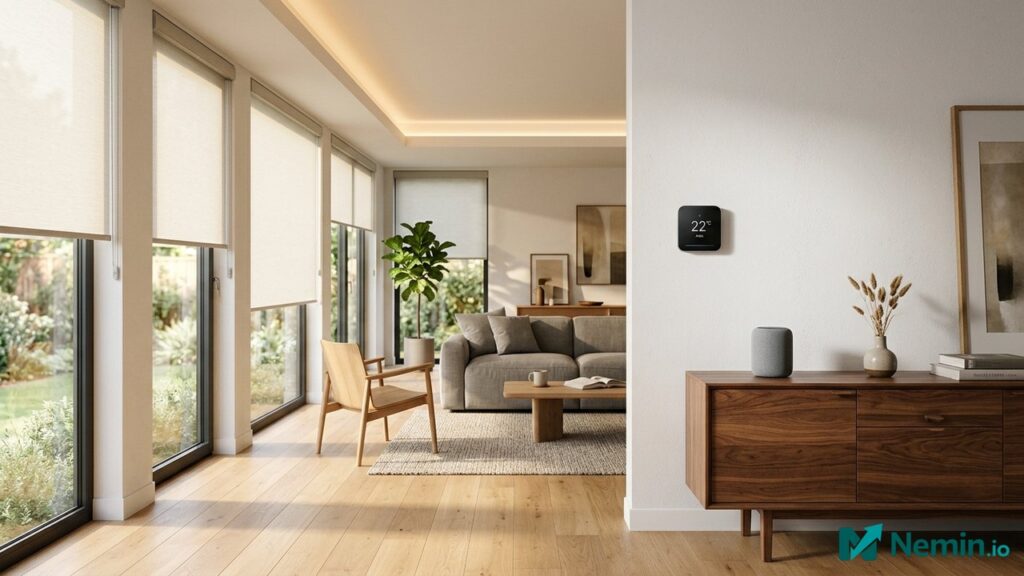
Modern residential technology has evolved far beyond novelty gadgets into a cohesive ecosystem of connected hardware designed to simplify daily routines. Deploying smart home devices allows homeowners to automate lighting, regulate climate, monitor residential security, and optimize household energy consumption from a centralized interface. Whether you manage your living environment through voice commands, smartphone applications, or automated conditional routines, intelligent hardware provides unprecedented convenience, comfort, and peace of mind. As interoperability standards expand, building a dependable network of connected equipment has become accessible for both beginners and experienced technology enthusiasts. Before automating your garage door, make sure it’s maintained well. You can contract a professional garage door company like Door Pro America to help with garage door repairs and maintenance.
Understanding Wireless Standards and Communication Protocols for Smart Home Devices
The foundation of any successful automated residence lies in the wireless protocols that allow connected equipment to communicate. Selecting the appropriate communication standards ensures that your smart home devices operate reliably, respond without noticeable latency, and do not congest your primary home network.
Different hardware categories utilize distinct frequencies and transmission methods depending on their power requirements, bandwidth demands, and operational range.
Matter and Thread: The Modern Unified Standard
Matter is an open-source interoperability protocol developed by major technology manufacturers to unify fragmented platforms. It operates as an application layer over existing network technologies, allowing smart home devices from competing brands to communicate directly over local networks.
Thread functions as a low-power, low-latency wireless mesh networking protocol designed specifically for connected hardware. Unlike conventional Wi-Fi connections that require every single accessory to communicate directly with a central router, Thread-enabled smart home devices form a self-healing mesh network. If one node goes offline, data packets automatically route through alternative neighboring nodes, maintaining network integrity without burdening your broadband router.
Zigbee and Z-Wave: Proven Low-Power Mesh Solutions
Before the emergence of Matter, Zigbee and Z-Wave served as the gold standard for dedicated smart home devices requiring minimal energy consumption and exceptional range.
- Zigbee: Operates primarily on the 2.4 GHz frequency band and supports thousands of connected nodes in a single mesh network. Zigbee is widely used in smart light bulbs, motion detectors, and door sensors due to its low power draw and rapid signal transmission.
- Z-Wave: Operates on dedicated sub-gigahertz radio frequencies (around 908 MHz in North America and 868 MHz in Europe). Because it avoids the crowded 2.4 GHz frequency band used by standard Wi-Fi and Bluetooth, Z-Wave smart home devices experience minimal signal interference from household appliances.
Wi-Fi and Bluetooth Low Energy (BLE)
Wi-Fi remains the most common connection method for high-bandwidth smart home devices such as security cameras, video doorbells, and smart displays. Because Wi-Fi accessories connect directly to your home router, they eliminate the need for a dedicated proprietary hub. However, connecting dozens of Wi-Fi smart home devices can quickly congest consumer-grade routers unless supported by modern dual-band or tri-band mesh Wi-Fi systems.
Bluetooth Low Energy is frequently utilized for initial device commissioning, proximity detection, and battery-powered smart locks. While BLE offers limited transmission range, it provides instant peer-to-peer communication when a smartphone is physically near the hardware.
| Protocol | Operational Frequency | Power Consumption | Transmission Range | Hub / Bridge Required | Best Suited Smart Home Devices |
|---|---|---|---|---|---|
| Matter over Thread | 2.4 GHz (Mesh) | Extremely Low | 30 meters per node | Thread Border Router | Sensors, smart plugs, light switches, smart locks |
| Zigbee | 2.4 GHz (Mesh) | Extremely Low | 10–20 meters per node | Yes (Zigbee Coordinator) | Smart bulbs, contact sensors, radiator valves |
| Z-Wave | 800–900 MHz (Mesh) | Extremely Low | 30–100 meters per node | Yes (Z-Wave Hub) | In-wall switches, motorized deadbolts, sirens |
| Wi-Fi (2.4/5 GHz) | 2.4 GHz / 5 GHz | Moderate to High | 45 meters (line of sight) | No (Connects to Router) | Video doorbells, indoor/outdoor cameras, smart displays |
| Bluetooth Low Energy | 2.4 GHz | Low | 10–15 meters | Optional (for remote access) | Smart padlocks, proximity beacons, portable sensors |
Key Categories of Smart Home Devices and Top Recommended Hardware
A fully integrated living space consists of several specialized equipment tiers working in synchronization. To build an effective setup, consider how individual smart home devices fulfill specific functional requirements across security, environmental control, lighting, and power management.
| Functional Tier | Primary Equipment | Core Automation Objective |
|---|---|---|
| Security and Access Control | Smart locks, video doorbells, contact sensors, motion detectors | Automated perimeter monitoring, guest access management, instant intruder alerts |
| Climate and Energy | Smart thermostats, smart radiator valves, environmental sensors | Occupancy-based heating/cooling schedules, multi-zone thermal balancing |
| Intelligent Illumination | Smart bulbs, in-wall light switches, ambient LED strips | Circadian rhythm synchronization, hands-free presence lighting |
| Power Management | Smart plugs, electrical sub-panel monitors, load controllers | Vampire power elimination, real-time kilowatt-hour tracking |
| Interface and Entertainment | Smart displays, voice assistant speakers, audio streamers | Centralized voice control, camera stream viewing, multi-room audio |
| Household Maintenance | Robot vacuums, automated mops, smart water shutoff valves | Scheduled floor cleaning, automated water leak protection |
1. Smart Home Devices for Residential Security and Access Control
Protecting physical property and controlling access points represent the primary reason many homeowners invest in smart home devices. Modern security hardware allows real-time surveillance, encrypted remote unlocking, and immediate notification dispatch during unusual activity.
Video Doorbells and Smart Locks
Video doorbells serve as the front line of home security, combining high-definition video recording, two-way audio communication, and passive infrared motion detection. When integrated with smart locks, homeowners can visually identify visitors and unlock entrance doors remotely through a single smartphone dashboard.
Leading motorized deadbolts feature biometric fingerprint scanners, encrypted numeric keypads, and temporary guest passcode generation. These smart home devices eliminate physical key management while maintaining detailed access logs indicating exactly when family members or service providers enter the premises.
Motion Detectors and Contact Sensors
Contact sensors installed on door frames and windows provide baseline physical perimeter security. When paired with passive infrared motion detectors, these compact smart home devices can trigger audible alarms, flash smart lights to deter intruders, and send instant alerts to mobile devices whenever unexpected entry occurs.
2. Smart Home Devices for Intelligent Lighting and Atmosphere
Automated illumination enhances interior aesthetics, improves sleep hygiene, and reduces electricity consumption. Smart home devices focused on lighting range from individual color-changing bulbs to sophisticated in-wall control modules.
Smart Light Bulbs and Light Strips
Smart light bulbs allow users to adjust brightness levels, color temperatures, and full-spectrum RGB hues. By scheduling cooler daylight tones during morning working hours and warmer amber tones in the evening, these smart home devices support natural circadian rhythms. Accent light strips mounted beneath kitchen cabinets or behind entertainment centers add ambient depth to living areas.
In-Wall Smart Light Switches and Dimmers
For rooms containing multi-bulb chandeliers or recessed ceiling fixtures, replacing standard wall switches with smart light switches is significantly more cost-effective than replacing dozens of individual bulbs. In-wall smart home devices ensure that light fixtures remain reachable via automation routines even if someone physically flips the wall toggle.
Structural Hierarchy for Intelligent Lighting Implementation:
- Level 1 (Entry-Level Accentuation): Smart light bulbs for standalone floor lamps and reading fixtures where custom RGB color effects and dimming are desired.
- Level 2 (Hardwired Infrastructure): In-wall smart light switches and dimmers for multi-bulb ceiling fixtures, ensuring uninterrupted network connectivity.
- Level 3 (Sensor-Driven Automation): Passive infrared motion and occupancy sensors in hallways, staircases, and bathrooms for automated, hands-free lighting activation.
- Level 4 (Circadian Rhythm Tuning): Automated time-based routines adjusting color temperature from 6500K daylight white during noon to 2200K warm amber at night.
3. Smart Home Devices for Climate Control and Energy Management
Heating and cooling represent the largest portion of residential utility expenses. Deploying energy-focused smart home devices optimizes thermal comfort while minimizing unnecessary HVAC operation.
Smart Thermostats and Remote Room Sensors
Smart thermostats learn household occupancy patterns and adjust heating or cooling cycles automatically. By utilizing geofencing technology on family smartphones, these smart home devices detect when everyone has departed the property, transitioning the HVAC system into an energy-saving eco mode.
Remote room temperature and humidity sensors placed in secondary bedrooms allow the thermostat to balance airflow based on actual living space occupancy rather than reading temperatures solely from an isolated hallway wall.
Smart Plugs and Electrical Sub-Panel Monitors
Smart plugs convert standard electrical appliances—such as coffee makers, space heaters, and table fans—into automated accessories. Advanced smart home devices in this category feature integrated power monitoring hardware, tracking real-time kilowatt-hour consumption to help homeowners identify energy-draining vampire loads.
Whole-home energy monitors installed inside main electrical service panels track real-time circuit-level consumption, providing actionable insights into major appliances such as heat pumps, electric vehicle chargers, and water heaters.
4. Smart Home Devices for Entertainment and Multi-Room Audio
Centralized audio-visual distribution allows media to follow occupants from room to room, enhancing leisure and everyday productivity.
Smart Speakers and Interactive Displays
Smart speakers and touchscreen smart displays act as interactive hubs for home control. In addition to streaming music, podcasts, and audiobooks, these smart home devices display live video feeds from security cameras, show step-by-step cooking recipes, and provide visual status updates on pending automation routines.
Multi-Room Audio Synchronization
Modern wireless streaming protocols allow multiple smart home devices across different rooms to play perfectly synchronized audio. Users can broadcast announcements across all rooms, initiate ambient background music during dinner parties, or transfer active playback seamlessly as they move throughout the house.
| Hardware Category | Recommended Equipment | Primary Automation Value | Average Standby Power | Ideal Connectivity Protocol |
|---|---|---|---|---|
| Security & Access | Smart Locks & Doorbells | Keyless entry, visitor logging, active perimeter alerts | 2–5 Watts | Thread / Wi-Fi |
| Intelligent Lighting | Bulbs, Switches & Dimmers | Scheduled dimming, presence lighting, circadian tuning | 0.5–9 Watts | Zigbee / Matter |
| Climate Control | Thermostats & Radiator Valves | Occupancy-based scheduling, zone-specific temperature regulation | 3–10 Watts | Wi-Fi / Zigbee |
| Energy Management | Smart Plugs & Monitors | Vampire load elimination, appliance power tracking | 0.3–1.5 Watts | Matter / Wi-Fi |
| Audio/Visual | Smart Displays & Speakers | Central voice control, multi-room audio, visual camera feeds | 4–18 Watts | Wi-Fi (5 GHz) |
| Home Maintenance | Robot Vacuums & Water Sensors | Automated cleaning, flood detection, auto-shutoff valves | 15–45 Watts (Active Charging) | Wi-Fi / Z-Wave |
Selecting the Best Central Ecosystem for Your Smart Home Devices
Before purchasing connected hardware, selecting a central smart home platform is essential. The central ecosystem acts as the brain that interprets sensor data, coordinates cross-brand hardware interactions, and executes conditional logic.
Apple Home and HomeKit
Apple Home is engineered around end-to-end encryption, local network execution, and strict data privacy standards. All automation logic runs locally on an Apple TV 4K or HomePod serving as a dedicated home hub, ensuring that your smart home devices execute commands without delay even if your external internet service is temporarily interrupted.
- Strengths: Industry-leading user privacy, refined interface design, robust Apple Watch and Siri integration, local video analysis for security cameras via HomeKit Secure Video.
- Considerations: Requires an Apple Home hub hardware device for remote access and enforces strict hardware certification requirements.
Google Home
Google Home excels at natural language voice processing and predictive recommendations. Powered by Google AI, the platform understands complex multi-part voice queries and integrates directly with Google Calendar, Maps, and Android mobile devices.
- Strengths: Superior conversational voice comprehension, seamless integration with Nest smart home devices, rich interactive controls on Android mobile lock screens.
- Considerations: Some advanced multi-step automations require custom script editor configurations, and cloud dependency is higher than Apple Home.
Amazon Alexa
Amazon Alexa provides the widest third-party hardware support in the consumer market. Nearly every commercial manufacturer builds accessories compatible with Alexa, making it an excellent choice for users seeking maximum hardware variety at diverse price points.
- Strengths: Unmatched device catalog, affordable Echo smart speakers, versatile routine creation tools within the mobile app, widespread third-party Alexa Skills.
- Considerations: Interface contains occasional promotional content on smart displays, and complex logic conditions can be limited compared to specialized platforms.
Home Assistant
Home Assistant is an open-source, locally hosted home automation platform designed for users who demand absolute privacy, complete data ownership, and unrestricted customization. Running on dedicated mini-PCs or Raspberry Pi hardware, Home Assistant bridges disparate smart home devices across hundreds of different communication protocols.
- Strengths: 100% local operation, zero subscription fees, unlimited multi-conditional automations, compatibility with virtually every brand and custom hardware build.
- Considerations: Steeper learning curve requiring basic technical troubleshooting and initial configuration setup.
| Ecosystem | Best Suited User Profile | Initial Setup Effort | Cloud Reliance | Hardware Compatibility Range |
|---|---|---|---|---|
| Apple Home | Apple device owners seeking premium privacy | Low to Moderate | Minimal (Local Execution) | Moderate (Curated Matter/HomeKit) |
| Google Home | Android users and smart display enthusiasts | Very Low | Moderate to High | Extensive |
| Amazon Alexa | Budget-conscious users wanting maximum choice | Very Low | Moderate to High | Industry-Leading |
| Home Assistant | Tech enthusiasts and privacy advocates | Moderate to High | Zero (Fully Local) | Near Universal |
Practical Setup Guide: Deploying Smart Home Devices Seamlessly
Deploying connected equipment requires a systematic installation strategy to prevent connection drops, IP address conflicts, and automation failures. Follow this four-phase deployment plan to configure your smart home devices properly.
Phase 1: Network Optimization and Band Separation
Most budget-friendly smart home devices operate exclusively on the 2.4 GHz Wi-Fi band due to its superior range through walls and structural materials.
- Access your home router admin settings and verify that the 2.4 GHz and 5 GHz network bands use distinct SSIDs (network names), or ensure your router features robust band steering.
- Disable AP isolation settings to allow smart home devices to communicate with local hub controllers.
- Reserve static IP addresses (DHCP reservations) for primary bridges, smart hubs, network video recorders, and smart displays to prevent disconnection during router reboots.
Phase 2: Installing Hubs and Dedicated Bridges
If your automation architecture incorporates Thread, Zigbee, or Z-Wave smart home devices, install and position your central coordinator hardware before adding individual accessories.
- Position your primary smart hub in a central location within the residence, away from dense metal obstructions, microwave ovens, or thick concrete walls.
- Connect main hubs directly to your router using a physical Ethernet cable whenever possible to minimize latency.
- Ensure that mains-powered smart home devices (such as smart plugs and in-wall switches) are distributed evenly throughout the home to serve as active repeater nodes for the mesh network.
Phase 3: Pairing Accessories Room by Room
When adding new smart home devices to your management application:
- Pair hardware sequentially by physical room (e.g., Kitchen, Master Bedroom, Living Room) rather than unboxing all devices at once.
- Assign clear, descriptive names to each accessory that avoid repetitive phrasing (for example, name a fixture “Kitchen Overhead Light” rather than “Light 1”).
- Check for and apply immediate firmware updates through the manufacturer application before building automated schedules.
Phase 4: Constructing Advanced Conditional Automations
Basic scheduling turns equipment on or off at fixed times, but advanced home automation relies on conditional logic based on multiple sensor triggers.
Practical Examples of High-Impact Automation Recipes:
- Welcome Home Routine: When the first family member arrives within the geofenced perimeter after sunset, unlock the front door, disarm perimeter motion sensors, and illuminate the entryway lights to 50% warm white.
- Goodnight Scene: Triggered by a bedside button or voice command, lock all exterior smart deadbolts, verify that garage doors are closed, adjust the smart thermostat to 68 degrees Fahrenheit, and turn off all interior smart home devices.
- Water Leak Protection: When a moisture sensor beneath the washing machine detects water pooling, immediately send a critical push notification to all smartphones, sound an audible siren, and trigger an automated smart water valve to shut off the main water supply line.
| Automation Recipe | Primary Trigger | Applied Conditions | Automated Execution Actions |
|---|---|---|---|
| Welcome Home | Smartphone enters geofenced zone | Sun is below horizon | Unlock deadbolt, disarm alarm, set foyer lighting to 50% |
| Nighttime Lockdown | Bedside button pressed or voice prompt | Time between 10:00 PM and 6:00 AM | Lock exterior doors, set thermostat to eco mode, shut off interior lighting |
| Emergency Flood Defense | Moisture sensor detects standing water | Continuous 24/7 monitoring | Send emergency phone alert, flash lighting red, close main smart water valve |
| Departure Energy Saver | Motion sensors detect zero movement for 45 min | Residence status set to away | Power down entertainment consoles, adjust HVAC to energy-saving baseline |
Hardening Cybersecurity and Protecting Privacy on Smart Home Devices
Because smart home devices collect environmental data, audio recordings, and access logs, securing your IoT infrastructure against unauthorized access is a crucial responsibility. Implementing standard network hardening techniques ensures that your connected home remains private and resilient against external threats.
1. Isolate Accessories on an IoT Virtual Local Area Network (VLAN)
The most effective method to protect personal computers, smartphones, and network storage drives from potential vulnerabilities in low-cost smart home devices is network segmentation.
- Configure an isolated IoT VLAN or dedicated Guest Wi-Fi network on your router specifically for connected hardware.
- Restrict IoT network clients from communicating with devices on your primary secure network, preventing compromised accessories from accessing sensitive financial or personal data.
2. Enforce Robust Authentication and Local APIs
- Enable Two-Factor Authentication (2FA) on every manufacturer account connected to your smart home devices.
- Generate unique, high-entropy passwords for each management platform rather than reusing credentials across services.
- Whenever available, choose smart home devices that support local API control (such as local HomeKit, Matter, or MQTT) to minimize the transmission of usage data to remote cloud servers.
3. Maintain Regular Firmware Updates and Disable Unused Features
Manufacturers periodically release security patches to remediate discovered software vulnerabilities. Enable automatic firmware updates on all smart home devices, and periodically audit connected services to revoke permissions from third-party integrations that are no longer in active use.
Essential IoT Security Hardening Checklist:
- Create a dedicated IoT Guest Network or segmented VLAN strictly for connected equipment.
- Enforce Two-Factor Authentication (2FA) across all manufacturer apps and hub accounts.
- Change default administrator credentials and passcodes on all cameras, routers, and hubs.
- Disable Universal Plug and Play (UPnP) in your primary home router configuration.
- Prioritize Matter, Thread, and local-control smart home devices to minimize cloud exposure.
- Enable automatic over-the-air firmware updates to patch newly identified security vulnerabilities.
Frequently Asked Questions
What are the best smart home devices for beginners to start with?
Beginners should start with smart plugs, smart light bulbs, and a smart speaker, as these devices are affordable, easy to configure without complex wiring, and provide immediate daily utility.
Do all smart home devices require a dedicated hub to function?
No, Wi-Fi and Bluetooth smart home devices connect directly to your router or smartphone without a hub, whereas Zigbee, Z-Wave, and Thread devices require a compatible bridge or border router.
Will my smart home devices still work if my internet goes down?
Devices operating on local protocols like Matter, Thread, Zigbee, Apple Home, or Home Assistant continue running local automations, while cloud-dependent accessories will lose remote and voice control features.
How do smart home devices help reduce monthly electricity bills?
Smart home devices reduce utility costs by automatically adjusting thermostats during unoccupied hours, eliminating vampire power draw through smart plugs, and scheduling lighting based on presence.
Can smart home devices from different brands work together in one system?
Yes, multi-brand interoperability is achieved by connecting accessories to universal platforms like Apple Home, Google Home, Amazon Alexa, or Home Assistant using the Matter protocol.
How many smart home devices can a standard Wi-Fi router handle simultaneously?
Standard consumer Wi-Fi routers generally struggle after connecting 25 to 35 active devices, making mesh Wi-Fi systems or dedicated Zigbee and Thread networks recommended for larger installations.
Conclusion
Transforming your living space with intelligent technology is an incremental journey that delivers substantial returns in convenience, peace of mind, and long-term energy efficiency. By carefully selecting unified protocols like Matter and Thread, choosing an ecosystem that aligns with your privacy preferences, and deploying reliable hardware across security, climate, and lighting, you can build a resilient automated residence tailored to your lifestyle.
As the industry continues to standardize around interoperability and local network execution, investing in high-quality connected hardware has never been more practical. Start by automating high-impact daily touchpoints, maintain disciplined network security practices, and expand your ecosystem systematically to enjoy the full potential of modern connected living.