
Modern video production has changed rapidly as browser-based tools replace complex desktop editing suites. Creators, marketers, and everyday users now rely on AI face swap...
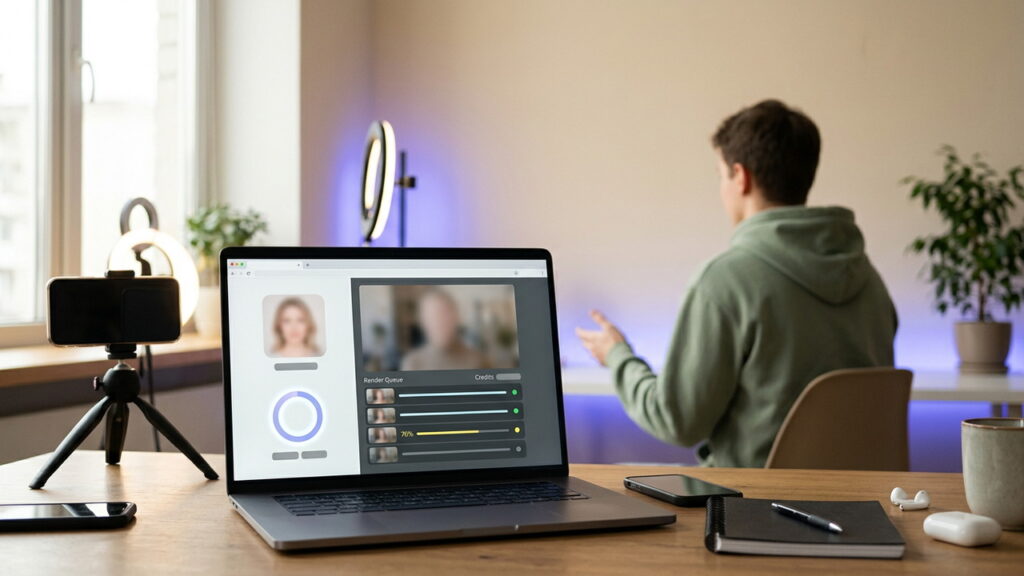
Modern video production has changed rapidly as browser-based tools replace complex desktop editing suites. Creators, marketers, and everyday users now rely on AI face swap video online free unlimited platforms to transform clips in seconds without installing heavy software or paying recurring studio fees. By combining automated facial detection with realistic lighting and skin tone alignment, an online video face swap brings studio-style effects to any laptop or mobile browser.
Understanding how an AI face swap video online free unlimited workflow operates helps you produce sharper, more believable clips while avoiding flickering edges or mismatched shadows. Whether you are reimagining short-form social reels, testing creative parody concepts, or localizing presenter demos, choosing the right AI video face swap process saves hours of manual frame tracking.
How AI Face Swap Video Online Free Unlimited Tools Work Behind the Scenes
An AI face swap video online free unlimited system relies on deep learning models trained to map human facial geometry across continuous motion. Instead of pasting a flat photograph onto each frame, the AI face swap engine identifies key landmarks including eyes, eyebrows, nose bridge, jawline, and lip contours. It tracks how those landmarks shift as the subject turns, talks, or blinks throughout the face swap video.
Once the system maps the original motion, it aligns the target portrait to the exact head angle and expression of every frame. Modern AI face swap video online free unlimited platforms run on cloud GPUs, meaning your local device never slows down during rendering. This cloud architecture lets browser users finish an AI video face swap rapidly from virtually any computer or smartphone.
Facial Landmark Tracking and Motion Synchronization
Accurate landmark tracking separates a realistic video face swap from distracting, jittery edits. When a subject nods, laughs, or glances sideways, the AI face swap model recalculates facial geometry frame by frame to preserve natural expressions. Even inside crowded backgrounds, a dependable AI face swap video online free unlimited tracker locks onto the chosen person so the face swap video never jumps onto nearby bystanders.
Handling Occlusions and Side Profiles
Partial occlusions occur whenever a hand, microphone, pair of glasses, or strand of hair passes across the face during an online video face swap. Stronger AI video face swap engines predict hidden contours and mask foreground objects so the swapped face stays behind the obstructing hand. Side profiles require deeper 3D head-pose estimation because half the target face disappears during sharp turns.
Scene-Matched Lighting and Skin Tone Blending
Lighting consistency is usually the first cue viewers notice when judging an AI face swap video. If the target portrait was shot under cool studio lights while the clip takes place in warm evening light, a basic face swap video leaves a visible mask edge around the cheeks. Scene-matched AI face swap blending analyzes ambient color temperature, highlights, and directional shadows on every frame before merging the replacement face.
Preserving Micro-Expressions and Lip Alignment
Viewers focus heavily on the eyes and mouth during spoken scenes. High-quality AI face swap video online free unlimited engines retain the original speaker’s eye gaze, blink cadence, and syllable-level lip motion so audio stays synchronized. Preserving subtle micro-expressions keeps parody edits, sketches, and video face swap demos feeling authentic rather than mechanical.
Key Features in a Reliable AI Face Swap Video Online Free Unlimited Platform
Not every browser-based face swap video generator delivers the same visual realism, clip duration support, or privacy safeguards. Evaluating an AI face swap video online free unlimited tool against clear technical benchmarks helps you avoid hidden paywalls, intrusive watermarks, or blurry exports. The core capabilities below define a dependable AI video face swap service.
- Zero software downloads with full browser support for MP4, MOV, and GIF clips alongside JPG, PNG, JPEG, and WEBP face photos.
- Multiple AI video face swap quality modes including smooth, standard, and HD rendering to balance speed with crisp facial detail.
- Extended video face swap duration support moving beyond short 10-second previews into multi-minute clips for complete social edits.
- Multi-face video face swap detection that maps and swaps several subjects inside the same group clip automatically.
- Batch AI face swap processing so creators and teams can queue multiple face swap video variations simultaneously.
- Clear privacy safeguards with no mandatory registration walls blocking quick browser video face swap testing.
Streamlined browser tools let you upload an origin video, pick a clear target portrait, and start rendering in three steps. If you want a practical way to run single-face, multi-face, GIF, and longer clip projects directly in your browser, trying an AI face swap video online free unlimited platform lets you compare smooth, normal, and HD output modes without desktop setup.
Comparing Online Video Face Swap Modes and Output Quality
Different creative projects call for different AI face swap video settings. A quick meme or looping GIF benefits from rapid turnaround, while a full-screen sketch needs sharp skin texture and clean jawline blending. Comparing common AI video face swap modes clarifies which tier matches each creator workflow.
| Processing Mode | Best Video Face Swap Use Case | Clip Length Support | Visual Detail Level | Render Speed |
|---|---|---|---|---|
| Smooth Mode | Fast social previews and looping GIF face swaps | Up to 10 minutes | Balanced blending for active motion | Fastest turnaround |
| Normal Mode | Everyday Reels, TikTok remakes, and dialogue clips | Flexible extended clips | Clear facial tracking and tone match | Quick cloud render |
| HD Mode | Full-screen presentations, sketches, and YouTube clips | Flexible extended clips | Sharp texture and refined jawline edges | Moderate cloud render |
| Multi-Face Video Mode | Group reactions, duo podcasts, and ensemble scenes | Short to medium clips | Independent tracking per detected face | Scales with subjects |
| Batch Face Swap Mode | Campaign variations and high-volume social testing | Multiple queued clips | Consistent portrait reuse across videos | Parallel cloud queue |
Selecting the Cleanest Format for Face Swap Video Clips
Uploading a clean MP4 or MOV file at 720p or 1080p gives the AI face swap video tracker sharp edges to follow. Repeatedly downloaded social clips often suffer heavy compression around the eyes and jaw, which lowers landmark accuracy. Starting from crisp source footage immediately elevates every AI face swap video online free unlimited export.
Step-by-Step Guide to Creating Realistic Video Face Swap Clips Online
Following a repeatable preparation checklist significantly improves every AI video face swap you render. Even the strongest AI face swap video online free unlimited engine relies on clear input footage and well-lit portrait photos. Spending two minutes checking angles and lighting eliminates most common blending flaws before processing starts.
Step 1 Pick a Well-Lit Source Video
Choose a source video where the original subject’s face stays clearly visible and evenly lit. Front-facing and three-quarter camera angles deliver the steadiest AI face swap tracking across frames. Avoid footage with harsh strobe flashes, severe motion blur, or tiny distant faces occupying just a handful of pixels.
Step 2 Upload a High-Clarity Target Face Photo
Your target photo acts as the visual reference for the entire face swap video. Select a sharp, front-facing portrait captured in neutral lighting with eyes open and no sunglasses, wide hats, or hands blocking the chin. Neutral expressions or relaxed smiles adapt cleanly across spoken dialogue and expressive video face swap scenes.
Matching Head Proportions and Hair Boundaries
Although AI face swap video online free unlimited algorithms automatically resize facial geometry to fit the source head, results look most lifelike when source and target share broadly similar head proportions and lighting directions. Keeping foreheads and jawlines unobstructed helps the AI video face swap blender feather transitions seamlessly.
Step 3 Test a Short Clip Before Rendering Long Footage
When planning a longer face swap video of three to five minutes, test a 30-second or 60-second segment first. A quick preview confirms that skin tone matching, eye alignment, and shadow transitions hold steady under that scene’s lighting before you render the full AI face swap video.
Step 4 Inspect Full-Screen Quality and Download
Review your finished online video face swap at full screen rather than inside a small preview box. Watch closely during rapid head turns, blinking, and fast speech to confirm smooth motion. Once the AI video face swap passes inspection, download the clip and add captions or sound design in your publishing app.
Top Creative Use Cases for Browser Workflows
Browser-based editors now support far more than novelty memes. Content creators, digital educators, and agile marketing teams rely on AI face swap video online free unlimited editors to accelerate visual storytelling without expensive reshoots or studio rentals.
Short-Form Social Media Trends and Remakes
Creators on TikTok, Instagram Reels, and YouTube Shorts depend on speed to catch trending audio clips and comedy formats. Using a fast online tool lets a solo creator play multiple characters in one sketch or adapt classic reaction templates in minutes, helping channels post consistently without timeline burnout.
Dialogue Parodies and Indie Sketch Storytelling
Independent filmmakers and comedy writers use browser platforms to prototype character roles, preview casting concepts, and assemble playful parody edits. Because modern tracking engines preserve spoken lip movements and eyebrow shifts, dialogue sketches retain natural comedic timing.
Marketing Previews and Creative Variation Testing
Small agencies often evaluate multiple creative hooks before booking full commercial shoots. Swapping presenter portraits on authorized internal footage or licensed stock clips lets teams test audience engagement rapidly, while batch queues make side-by-side creative comparison far more efficient than filming every variation separately.
Animated GIFs for Community Channels
Streamers, newsletter authors, and online communities turn short reaction loops into customized GIFs. Compact looping exports preserve smooth alignment across repeating frames, giving creators tailored reaction media for chats and social replies.
Comparing Browser Platforms Against Desktop Software
Creators frequently compare browser-based services against downloadable open-source desktop editors. Each option serves a distinct workflow depending on available GPU hardware, technical skill, and turnaround urgency.
| Comparison Factor | Online Browser Platforms | Desktop Open-Source Software |
|---|---|---|
| Hardware Requirements | Works on any laptop, tablet, or phone browser | Requires dedicated high-VRAM GPU and large disk space |
| Setup Time | Instant browser access with zero installation | Hours of package setup and driver troubleshooting |
| Learning Curve | Simple three-step upload and swap flow | Technical configuration and manual parameter tuning |
| Rendering Speed | Rapid cloud GPU processing for online clips | Limited directly by local graphics card power |
| Best Audience | Creators, marketers, and everyday social editors | VFX engineers building custom local pipelines |
Why Cloud Workflows Suit Most Creators
Unless you already maintain a dedicated workstation GPU and enjoy configuring Python environments, an AI face swap video online free unlimited platform offers far better efficiency. Cloud engines update facial tracking models automatically, giving browser users steady visual improvements with zero manual maintenance.
Pros and Cons of Browser Face Swap Editors
Reviewing both the advantages and practical boundaries of browser-based editors sets clear expectations before launching a content campaign.
Advantages
- Accessible from any web browser with no large installations or expensive desktop graphics hardware required.
- Rapid cloud rendering allows creators to test multiple portraits, quality tiers, and clip variations in minutes.
- Automated skin tone blending and landmark tracking eliminate manual frame-by-frame compositing work.
- Flexible support for single-face, multi-face, photo, GIF, and batch workflows fits varied creative goals.
- Extended video length support removes strict 10-second duration barriers found in restrictive trial apps.
Limitations
- Extreme side profiles, strobe lights, or objects covering the mouth can still soften facial edges occasionally.
- Large high-definition uploads require reliable broadband upload speed and take longer to finish in the cloud.
- Free online tiers may face brief processing queues during global peak hours compared to private render clusters.
- Responsible creators must obtain clear permission before swapping any real person’s face to protect privacy.
Ethics, Consent, and Safe Publishing Practices
Trustworthy digital publishing always puts consent and transparency first. Whenever you create an AI face swap video online free unlimited clip, use your own portrait, licensed models, or collaborators who explicitly approved the edit. Avoid generating misleading media that impersonates private individuals or public figures without permission.
Major social networks including YouTube, TikTok, and Instagram provide clear disclosure toggles for altered or synthetic media. Turning on those labels for realistic parodies protects your account standing, builds audience confidence, and aligns with evolving transparency standards. Checking how a platform handles temporary uploads and file deletion also safeguards personal footage.
Troubleshooting Common Blending Glitches
When a rendered edit looks slightly softer or warmer than intended, small input tweaks almost always resolve the issue immediately.
- If skin tones mismatch the scene, replace the target photo with a portrait captured in neutral daylight without colored reflections.
- If edges flicker during motion, pick a sharper MP4 clip and switch rendering from fast preview to HD mode.
- If tracking shifts in crowded scenes, switch from single-subject mode to multi-person detection.
- If glasses distort eye alignment, use an unobstructed target photo without eyewear and trim extreme hand-over-face frames.
FAQ’s
How do I make an AI face swap video online free unlimited without installing software?
Open a cloud-based browser video face swap tool, upload an MP4, MOV, or GIF clip, add a clear front-facing portrait, choose your quality mode, and download the rendered result directly.
Can an AI face swap video online free unlimited tool process longer videos?
Yes, modern online video face swap platforms support clips up to 10 minutes in smooth mode and extended durations in standard or HD modes without restrictive 10-second caps.
Why does my AI video face swap look blurry around the jaw or eyes?
Soft edges usually come from compressed source clips, heavy motion blur, or shadowed target photos; switching to a crisp front-facing portrait and HD rendering fixes most visual flaws.
Is creating an online video face swap legal and safe for social media?
Yes, creating face swap video content is safe and permitted for personal fun, parodies, and authorized media when you secure consent and enable platform synthetic-media disclosures.
Can free online tools swap multiple faces in the same video simultaneously?
Yes, platforms with multi-face video face swap detection identify each subject inside group footage so you can assign a separate target portrait to every face in one pass.
What target photo gives the most realistic AI face swap video result?
A sharp, evenly lit, front-facing portrait in JPG, PNG, or WEBP format with open eyes, neutral expression, and no glasses or hair covering facial features yields the cleanest blend.
Conclusion
Adopting an AI face swap video online free unlimited workflow puts accurate facial tracking, natural skin blending, and multi-format editing into any standard web browser. By pairing clean, evenly lit footage with high-clarity portraits and choosing the appropriate render mode, creators produce believable video face swap clips without desktop VFX overhead.
As cloud AI video face swap models keep advancing across longer clips, group scenes, and batch queues, prioritizing strong source inputs and ethical consent ensures your projects stay engaging and trustworthy. Start with a short test clip, verify lighting consistency, and scale your creative face swap video workflow online with confidence.