
Missed phone calls, double-booked time slots, and endless text message tag silently drain revenue from local service providers every week. Modern scheduling software for small...
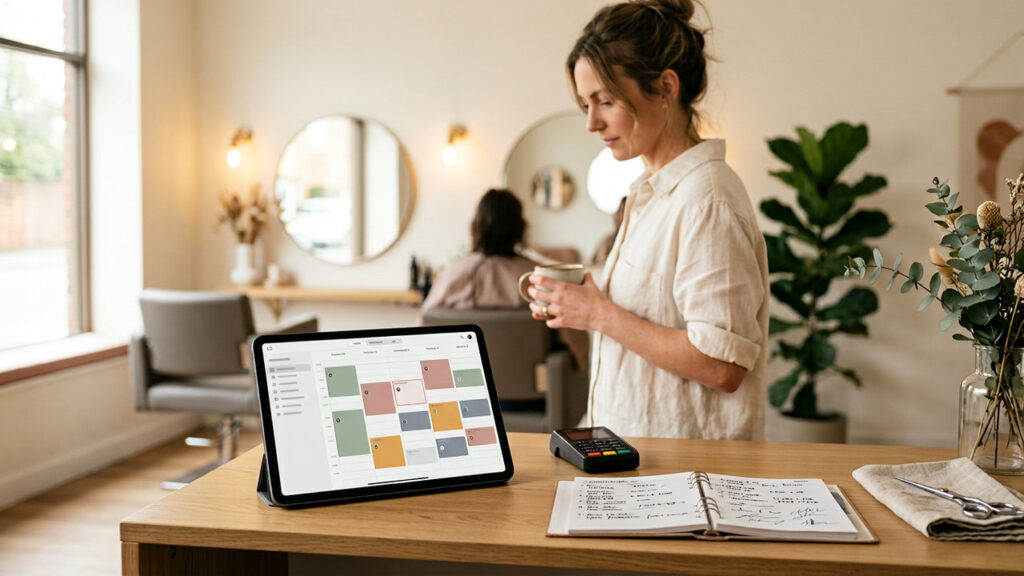
Missed phone calls, double-booked time slots, and endless text message tag silently drain revenue from local service providers every week. Modern scheduling software for small business teams solves this bottleneck by turning phone calls, web visits, text messages, and social media inquiries into confirmed calendar bookings automatically. Instead of chasing voicemails after closing hours, owners capture demand the moment a customer is ready to book.
Choosing the right scheduling software for small business teams requires looking beyond simple calendar links. Today’s buyers expect instant availability, automated reminders, easy rescheduling, and multi-channel responsiveness across calls, SMS, and direct messages. Understanding how different small business scheduling software handles front-desk communication, pricing models, and industry workflows helps you invest in scheduling software that grows reliably alongside your team.
Why Scheduling Software for Small Business Growth Matters More Than Ever
Customer expectations have shifted permanently toward self-service convenience and rapid replies. When a homeowner needs an urgent repair or a client wants a haircut appointment on Friday afternoon, most callers move on to the next local listing if their call goes to voicemail. Relying on paper appointment books or manual spreadsheets makes missed bookings unavoidable, whereas modern scheduling software for small business operators captures demand around the clock.
Implementing dedicated scheduling software for small business operations creates a single source of truth for your entire calendar. Every online booking, phone reservation, cancellation, and waitlist opening updates in real time across staff devices. That visibility inside your appointment scheduling software reduces administrative stress while protecting revenue from scheduling errors and last-minute no-shows.
The Hidden Cost of Manual Booking and Missed Inquiries
Manual appointment coordination consumes far more time than most founders realize. Answering routine availability questions, confirming addresses by text, and manually sending reminder messages can easily consume five to ten hours per week without small business scheduling software. Worse still, interruptions during client appointments lower service quality and stretch workdays late into the evening.
How Slow Responses Impact Local Conversion Rates
Local service buyers rarely wait twenty-four hours for a callback when competing providers publish live availability online. Small business scheduling software responds instantly whether a prospect clicks a booking link at midnight or sends an Instagram message during lunch. Capturing inquiries immediately through scheduling software converts casual browsers into paying clients before competitors check their messages.
Moving From Basic Calendars to Full Front-Desk Automation
Early appointment apps only offered a static form embedded on a website. While helpful for web visitors, those basic tools still forced owners to answer every phone call and social message manually. Modern scheduling software for small business front desks combines live calendar management with automated reminders, two-way SMS texting, and optional AI receptionists that answer calls and book visits onto your real calendar.
Connecting Calls, Texts, and Social Direct Messages
Clients reach local companies through whichever channel feels easiest at that moment. Some prefer calling a business number, while others send a quick text or direct message on Facebook or Instagram. Unified small business scheduling software routes all of those channels into one connected calendar so follow-up questions about appointment times receive accurate, live answers rather than generic voicemail promises.
Core Features Every Small Business Scheduling Software Should Include
Before committing to a monthly subscription or per-seat contract, evaluate scheduling software for small business operations against practical features that reduce daily manual work. The strongest small business scheduling software combines clean customer booking flows with reliable back-office controls.
- Real-time calendar availability inside your scheduling software synced across staff members to prevent overlapping visits and double-booked rooms.
- Automated SMS and email confirmations plus timed reminders built into appointment scheduling software to reduce forgotten visits and no-shows.
- Self-service rescheduling and cancellation rules letting clients adjust times within your policy window directly through your small business scheduling page.
- Dedicated business phone numbers, two-way texting, and multi-channel inbox support for calls, SMS, and social DMs.
- Built-in booking websites or embeddable widgets optimized for mobile checkouts with optional deposit or card-on-file collection.
- Waitlist automation in your scheduling software that notifies interested clients automatically whenever an earlier slot opens unexpectedly.
Comparing features side by side reveals major differences between simple receptionist tools that only take messages and integrated systems that book appointments end to end. Reviewing a transparent breakdown of scheduling software for small business options helps owners see how free booking pages, pay-as-you-go AI call handling, and full front-desk plans stack up against legacy per-user software.
Comparing Categories of Appointment Scheduling Software
Small companies generally choose among four main software categories depending on whether they run a salon, a field-service trade, a consultancy, or a multi-channel local shop. Comparing how these categories handle front-desk coverage and pricing highlights where hidden add-on costs often appear.
| Platform Category | Typical Examples | Booking Depth | Phone and DM Coverage | Common Pricing Structure |
|---|---|---|---|---|
| All-in-One Front Desk and Booking | Scheduley | Live calendar, reminders, waitlist, jobs mode | 24/7 AI calls, SMS, Instagram and Facebook DMs | Free core booking, pay-as-you-go AI, optional $39/mo Premium |
| AI or Human Answering Services | Smith.ai, Ruby, HeyRosie, Goodcall | Message taking or paid booking add-ons | Calls and SMS, limited social DM support | Per-call, per-minute, or tiered monthly minutes |
| Salon and Wellness Marketplaces | Booksy, GlossGenius, Vagaro, Fresha | Strong self-serve salon booking and POS | Owner answers phone unless paying extra add-ons | Per-staff fees, per-location tiers, or marketplace fees |
| Field Service and Trades Platforms | Jobber, Housecall Pro | Deep estimates, dispatch, and invoicing | AI answering usually sold as separate paid add-on | Per-user monthly subscriptions that scale with crew size |
| Standalone Calendar Schedulers | Square Appointments, Acuity Scheduling | Clean web forms and basic calendar sync | Web-focused with no automated call answering | Free basic tier with paid per-location or feature upgrades |
Watching Out for Per-Staff and Add-On Pricing Traps
Many legacy scheduling apps advertise a low entry fee but charge extra for every additional technician, stylist, or location. Once you add SMS reminder packs, custom website templates, or third-party answering services, the monthly software bill can climb rapidly. Transparent scheduling software for small business budgets keeps core booking accessible while scaling communication usage predictably.
How to Match Scheduling Software for Small Business to Your Industry
Every local service sector has distinct operational rhythms. A barbershop manages rapid thirty-minute chair turns, whereas a plumbing contractor dispatches technicians across neighborhoods with variable job windows. Selecting appointment scheduling software aligned with your daily workflow avoids clunky workarounds.
Salons, Barbershops, Spas, and Wellness Studios
Beauty and wellness clients frequently browse availability on mobile phones after work and message providers directly on Instagram. Effective small business scheduling software for salons lets clients select a specific service, pick their preferred stylist, see accurate duration blocks, and receive automated text reminders twenty-four hours ahead. Protecting no-show slots with card-on-file policies or waitlists inside your appointment scheduling software keeps chairs full during peak weekend shifts.
Home Services, Contractors, and Field Trades
Plumbers, electricians, HVAC teams, and cleaners spend most of the day on ladders, under sinks, or driving between job sites. Answering every incoming phone call live is physically impossible, yet callers with leaking pipes rarely leave voicemails. Trades-friendly scheduling software for small business field crews pairs 24/7 call intake with job dispatch modes so new service requests move smoothly from first call to scheduled technician visit.
Consultants, Clinics, and Local Professional Offices
Accountants, tutors, repair shops, and independent therapists rely on structured intake questions and clean calendar buffers between client sessions. Online scheduling software for small business offices collects client details beforehand, enforces buffer periods for note-taking or sanitization, and allows clients to check or adjust existing appointments without tying up office phone lines.
Step-by-Step Blueprint for Launching Your Small Business Scheduling Software
Transitioning from manual booking to automated scheduling software for small business operations takes less than an afternoon when you follow a clear rollout order. Setting up clean rules inside your small business scheduling software before publishing your booking link ensures clients experience a polished process from day one.
Step 1 Define Services, Durations, and Buffer Windows
List every core service inside your scheduling software along with realistic appointment durations and cleanup or travel buffers. Avoid cramming back-to-back slots without transition room, especially for mobile trades or hands-on treatments. Clear service descriptions also help clients pick the right booking option without calling for clarification.
Step 2 Configure Business Hours and Booking Rules
Set exact working hours, lunch breaks, minimum advance notice windows, and cancellation cutoffs in your appointment scheduling software. Requiring two hours notice for online bookings prevents surprise walk-ins when your crew is already across town. Syncing personal calendars in two-way mode ensures family commitments automatically block off availability across your small business scheduling calendar.
Setting Automated Reminder Cadences That Cut No-Shows
A two-step reminder cadence inside your scheduling software strikes the best balance between helpfulness and simplicity. Send an immediate SMS and email confirmation the moment the booking completes, followed by a friendly text reminder twenty-four hours prior with a one-tap reschedule link. Giving clients a frictionless way to move a conflict turns potential no-shows into retained revenue.
Step 3 Publish Your Booking Link Across Every Customer Touchpoint
Your new scheduling software for small business bookings only works when customers can find it effortlessly. Add the link to your Google Business Profile, website header, Instagram bio, Facebook page button, email signature, and missed-call text replies. If your small business scheduling software includes a dedicated business phone number and AI call answering, connect call forwarding during busy shifts and after hours so zero inquiries slip away.
Step 4 Review Calendar Metrics Weekly
Track simple front-desk metrics inside your scheduling software during your first month: total completed bookings, after-hours bookings captured, no-show rate, and busiest call windows. Reviewing these numbers helps you adjust staffing schedules, extend popular booking hours, and verify return on your small business scheduling software investment.
Pros and Cons of Modern Scheduling Software for Small Business Teams
Evaluating both operational gains and practical trade-offs helps owners choose the right rollout pace for their scheduling software and clientele.
Advantages
- Scheduling software for small business teams captures appointments twenty-four hours a day across web links, phone calls, texts, and social DMs without extra payroll.
- Appointment scheduling software reduces missed visits substantially through automated SMS confirmations, reminders, and easy self-rescheduling links.
- Small business scheduling software eliminates double bookings and messy manual calendar reconciliation across growing multi-person teams.
- Improves customer professionalism with dedicated business numbers, branded booking pages, and instant answers to status questions.
- Offers flexible entry models, including free core booking pages and predictable pay-as-you-go AI usage rather than steep per-seat minimums.
Potential Drawbacks to Plan Around
- Long-time repeat customers who prefer talking only to the owner may need a gentle transition period when online scheduling software launches.
- Complex custom-quoted jobs still require brief human review after initial intake to finalize materials or specialized estimates.
- Pay-as-you-go AI call minutes and outbound SMS messages require monitoring during unusually high seasonal call spikes to keep budgets predictable.
Common Mistakes When Choosing Scheduling Software for Small Business Operations
Even strong scheduling software underperforms when selected hastily or configured poorly. Avoiding four common pitfalls protects your small business scheduling setup from early frustration.
- Choosing an answering service that only collects messages instead of booking directly onto your live calendar, leaving you with callbacks to chase every evening.
- Ignoring mobile checkout usability inside your appointment scheduling software even though most local service clients book from smartphones on the go.
- Overcomplicating service menus with dozens of nearly identical options that confuse first-time visitors into abandoning the booking form.
- Paying for bulky enterprise CRM suites filled with unused features while missing essentials like SMS reminders and multi-channel small business scheduling coverage.
Evaluating Total Value Beyond Monthly Subscription Price
Sticker price alone rarely reflects the true cost of scheduling software for small business teams. A free calendar widget that misses five phone bookings every week costs far more in lost revenue than streamlined front-desk scheduling software that books those callers automatically. Similarly, a platform with a free core booking page and optional $39 monthly upgrades for field-service dispatch and bundled AI call minutes often delivers higher value than fragmented apps cobbled together through third-party connectors.
Look closely at how small business scheduling software pricing scales when you add a second staff member or increase seasonal volume. Calculate how many recovered bookings per month pay for your entire scheduling software stack. For most salons, clinics, and local trades, saving just one or two missed jobs per month covers annual technology expenses several times over.
FAQ’s
What is the best scheduling software for small business owners starting on a tight budget?
Platforms that offer a free business number, branded booking page, and core appointment calendar with optional pay-as-you-go AI answering or low flat monthly upgrades provide the strongest starting value.
Can small business scheduling software answer phone calls and book appointments automatically?
Yes, modern front-desk booking platforms pair live calendars with AI receptionists that answer calls, texts, and social DMs 24/7 and confirm bookings directly onto your real schedule.
How much does scheduling software for small business typically cost per month?
Core online booking tools range from free starter plans up to $39 per month for full features like website templates and dispatch, while legacy per-user trade or answering plans often cost much more.
Does online appointment scheduling software really reduce customer no-shows?
Yes, automated SMS confirmations, 24-hour reminders, and one-tap self-rescheduling links remind clients proactively and let them move conflicts instead of simply failing to show up.
What is the difference between an answering service and full scheduling software?
Basic answering services mainly take messages for you to call back later, whereas integrated scheduling software checks live availability, books the slot immediately, and sends automated reminders.
Can field-service trades like plumbers and cleaners use standard small business booking apps?
Yes, look for scheduling software offering a dedicated jobs or field-service mode that handles job intake, technician dispatch, travel buffers, and multi-channel customer updates in one workspace.
Conclusion
Investing in dependable scheduling software for small business workflows turns chaotic phone tag and missed messages into a predictable, self-running booking engine. By uniting live calendar sync, automated SMS reminders, and multi-channel communication across calls, texts, and social DMs, owners deliver faster service while reclaiming valuable hours every week.
Start by mapping your core services, verifying transparent pricing without hidden per-staff traps, and launching a clean booking link across your Google profile and social channels. When your front desk responds immediately and confirms appointments on the spot, small business growth becomes smoother, calmer, and far more profitable.