
Typing out interviews, meetings, and lectures by hand takes hours that most people never get back. An audio transcriber AI listens to a recording and...
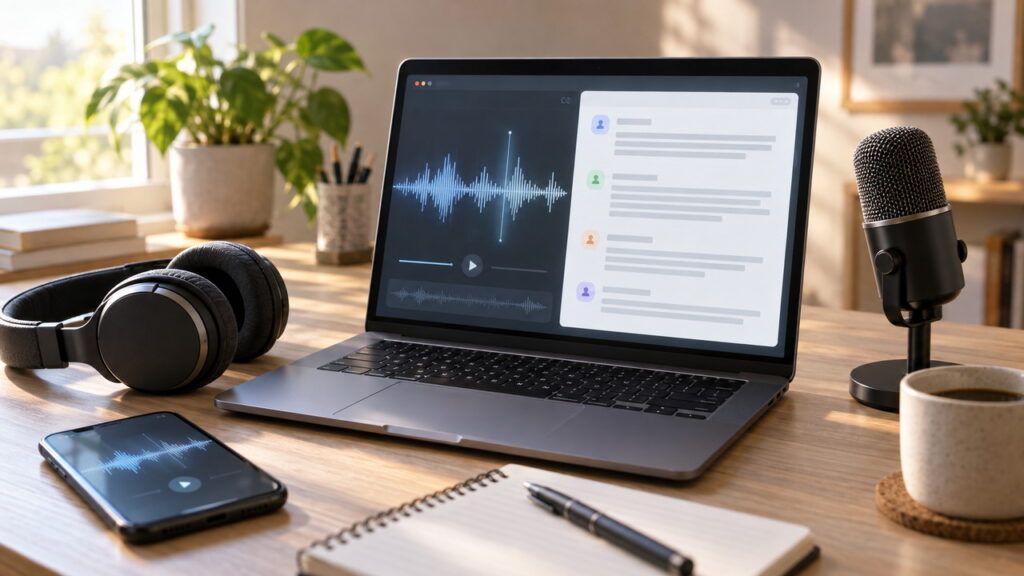
Typing out interviews, meetings, and lectures by hand takes hours that most people never get back. An audio transcriber AI listens to a recording and converts the speech into written text in minutes, which makes your notes searchable, shareable, and easy to edit.
This guide explains how an audio transcriber AI works, which features matter, how accuracy is measured, and how to protect private recordings. It offers general information, so confirm current features and pricing with each provider before you commit.
Key Takeaways About Audio Transcriber AI
- Audio quality has the biggest effect on how accurate an audio transcriber AI will be.
- Always review the transcript, since no AI audio transcriber is perfect.
- Test two or three tools with the same short recording before paying.
- Check privacy terms before uploading interviews, medical talks, or legal calls.
- Get consent before recording anyone, because laws differ by location.
- Choose features such as speaker labels and timestamps based on your actual workflow.
What Is an Audio Transcriber AI?
An audio transcriber AI is software that uses speech recognition models to turn spoken words in an audio or video file into text. You upload a recording or capture audio live, and the tool returns a transcript you can read, search, and export.
This kind of audio transcription AI is built on machine learning models trained on large amounts of speech. Modern systems handle natural conversation far better than older dictation software, though results still vary with audio quality, accents, and subject matter.
Quick Answer About Audio Transcriber AI
- It converts spoken audio into written text automatically.
- It works on meetings, interviews, podcasts, lectures, and voice notes.
- Accuracy depends on recording quality, accents, background noise, and vocabulary.
- A human review is still needed for anything important or public.
- Pricing, language support, and privacy terms differ by tool, so verify them first.
Audio Transcriber AI Compared With Dictation Software
Dictation tools are designed for one person speaking clearly to a device, often with a trained voice profile. An AI audio transcriber is built for recorded or live conversations with several speakers, interruptions, and natural pauses. If you need meeting notes or interview text, an audio transcriber AI is usually the better fit.
How an Audio Transcriber AI Works
Most tools follow the same basic steps. The audio is cleaned and split into small segments, a speech model predicts the words in each segment, and a language model helps fix grammar, spelling, and punctuation. The tool then assembles the text into a readable transcript.
Speech Recognition Behind an Audio Transcriber AI
The core of any audio transcriber AI is an automatic speech recognition model. It learns patterns between sounds and words from huge sets of recorded speech. Some models run in the cloud, while others can run locally on your computer or phone, which affects both speed and privacy.
Speaker Labels and Timestamps in an Audio Transcriber AI
Many tools add speaker labels, which mark who is talking, and timestamps, which link each line to a point in the recording. These features make long transcripts much easier to navigate, but speaker detection can be wrong when voices sound similar or people talk over each other.
Punctuation and Formatting by an AI Audio Transcriber
A good AI audio transcriber adds commas, periods, and paragraph breaks automatically. Some tools can also remove filler words such as um and uh, while others keep every word for a strict verbatim record. Check which style your project needs.
Who Uses an Audio Transcriber AI
An audio transcriber AI helps anyone who works with spoken information. The table shows common groups and how they use it.
| User | Common use | Helpful features |
|---|---|---|
| Journalists and researchers | Interview transcripts and quotes | Timestamps, speaker labels |
| Students | Lecture notes and study material | Search, summaries |
| Podcasters and video creators | Captions, show notes, blog posts | Subtitle export |
| Business teams | Meeting notes and action items | Live transcription, sharing |
| Customer support teams | Call review and training | Speaker labels, keyword search |
| Writers and authors | Voice memos turned into drafts | Fast turnaround, easy editing |
Key Features to Look for in an Audio Transcriber AI
Not every tool suits every job. Match features to your needs instead of choosing the longest feature list. The table covers the main points to compare.
| Feature | Why it matters |
|---|---|
| Accuracy on your audio | Determines how much editing you will do |
| Language and accent support | Needed for multilingual or international content |
| Speaker identification | Essential for interviews and meetings |
| Timestamps | Makes it easy to verify quotes |
| Editing tools | Lets you correct text while listening |
| Export formats | Text, document, and subtitle formats save time |
| Custom vocabulary | Helps with names, brands, and technical terms |
| Live transcription | Useful for meetings and events |
| File size and length limits | Matters for long recordings |
| Privacy controls | Protects sensitive material |
Editing Tools in an Audio Transcriber AI
A good editor plays the audio while highlighting the matching text, so you can fix errors quickly. Look for keyboard shortcuts, playback speed controls, and search and replace. These small features often save more time than a slight accuracy gain.
Export and Integration Options in an Audio Transcriber AI
Check which formats the tool exports. Plain text and word processor files suit documents, while subtitle files suit video. Some audio transcriber AI platforms connect with meeting apps, cloud storage, and note-taking tools, which can remove manual steps from your workflow.
Custom Vocabulary for an Audio Transcriber AI
Names, product terms, and industry jargon are common sources of errors. Some tools let you add a custom word list so the audio transcription AI spells them correctly. This helps most in legal, medical, technical, and academic work.
How Accurate Is an Audio Transcriber AI?
Accuracy varies widely, and any provider that promises perfect results should be treated with caution. Accuracy is often measured with word error rate, which counts the share of words that are wrong, missing, or added compared with a correct human transcript. A lower rate means better performance.
What Affects Audio Transcriber AI Accuracy
Several factors shape the results you will see. The table lists the most common ones.
| Factor | Effect on accuracy |
|---|---|
| Background noise | Lowers accuracy, especially with music or crowds |
| Microphone quality | Clear, close audio improves results |
| Overlapping speakers | Often causes missed or mixed words |
| Accents and dialects | Results vary by model and training data |
| Technical vocabulary | May cause misspellings without a custom list |
| Speaking speed | Very fast speech can reduce accuracy |
| Audio compression | Heavily compressed files lose detail |
Testing an Audio Transcriber AI Yourself
Published accuracy figures come from specific test conditions, so they may not match your recordings. The best approach is a simple test.
- Choose a two to five minute clip that represents your typical audio.
- Run it through two or three audio transcriber AI tools.
- Listen to the clip while reading each transcript.
- Count obvious errors, missing words, and wrong speaker labels.
- Compare how much editing each transcript would need.
Why Human Review Still Matters for an Audio Transcriber AI
Errors in names, numbers, dates, and quotes can change meaning. For legal, medical, journalistic, or public content, always review the transcript against the audio. Treat the AI output as a strong first draft rather than a final record.
How to Get Better Results From an Audio Transcriber AI
Clean input produces cleaner output. A few habits before and during recording improve any AI audio transcriber result.
Recording Tips for an Audio Transcriber AI
- Record in a quiet room and close windows and doors.
- Place the microphone close to each speaker.
- Use an external microphone instead of a laptop microphone when possible.
- Ask people to speak one at a time and avoid interruptions.
- Do a short test recording and listen back before starting.
- Save audio in a high quality format when you can.
File Preparation for an Audio Transcriber AI
Trim long silences and remove unrelated sections before you upload. If a file contains heavy noise, light noise reduction can help, but aggressive filtering can distort speech and make accuracy worse. Keep the original file in case you need to try another tool.
Choosing the Right Language Setting in an Audio Transcriber AI
If the tool allows you to choose the language or dialect, set it before you start instead of relying on automatic detection. For recordings that mix languages, check whether the audio transcription AI supports code switching, since many tools handle only one language at a time.
Step by Step Workflow for an Audio Transcriber AI
- Define the purpose, such as notes, captions, or a formal record.
- Record clean audio with permission from everyone involved.
- Upload the file or start live transcription in your chosen audio transcriber AI.
- Select the language and turn on speaker labels if needed.
- Review the transcript while listening, and fix names and numbers first.
- Export in the format you need and store the file securely.
- Delete the original upload from the tool if you no longer need it.
Types of Audio Transcriber AI Tools
Tools fall into a few categories, each with trade-offs. The table gives a general comparison.
| Type | Strengths | Limits |
|---|---|---|
| Cloud based web apps | Easy to start and often feature rich | Audio is sent to external servers |
| Meeting assistants | Join calls and produce notes automatically | Need permission from participants |
| Built in phone and computer tools | Convenient and often free | Fewer editing and export options |
| Open source models | Can run locally and offer more control | Require technical setup |
| API services for developers | Flexible and can be built into products | Need development skills |
Cloud Versus Local Audio Transcriber AI
A cloud audio transcriber AI usually offers the easiest setup, while a local tool keeps recordings on your own device. If your audio contains private or regulated information, a local option or a provider with strong data controls may be the safer choice.
Pricing Models for an Audio Transcriber AI
Pricing differs a great deal, so this guide does not quote figures. Compare the model as well as the price, because the cheapest headline rate may not be the best value.
| Model | How it works | Watch for |
|---|---|---|
| Free tier | Limited minutes or features | Caps on length and export options |
| Monthly subscription | Fixed plan with included minutes | Unused minutes may not roll over |
| Pay as you go | Pay per minute of audio | Costs can grow with heavy use |
| Team or enterprise plan | Shared accounts and admin controls | Contract terms and minimum seats |
Read the fine print on file length limits, overage charges, and whether features such as speaker labels cost extra.
Privacy, Security, and Consent With an Audio Transcriber AI
Recordings often contain personal, financial, or confidential details. Before you upload anything to an audio transcriber AI, read the privacy policy and look for clear answers to a few questions.
- Where is the audio stored, and for how long?
- Can you delete files and transcripts permanently?
- Is your content used to train the provider’s models?
- Does the provider offer encryption and access controls?
- Does it meet standards that your industry requires?
Recording Consent and Audio Transcriber AI
Laws about recording conversations differ by country and region. Some places require consent from only one party, while others require everyone to agree. Always tell participants that you are recording and transcribing, and check local rules if you are unsure.
Sensitive Content and an AI Audio Transcriber
Medical, legal, and financial conversations may be covered by privacy laws and professional rules. Before using an AI audio transcriber for this material, confirm with your compliance team or legal advisor that the tool and its data handling are allowed.
Audio Transcriber AI Compared With Human Transcription
Both approaches have a place. The table summarizes the main differences.
| Factor | Audio transcriber AI | Human transcriber |
|---|---|---|
| Speed | Minutes | Hours or days |
| Cost | Usually lower | Usually higher |
| Difficult audio | May struggle | Often handles context better |
| Specialized terms | Needs custom vocabulary | Can research terms |
| Consistency | High at scale | Varies by person |
| Best for | Drafts, notes, captions | Legal, medical, and published records |
Many teams combine both. They use an audio transcriber AI for the first draft and a human editor to check names, numbers, and tone.
Pros and Cons of an Audio Transcriber AI
Pros
- Very fast turnaround
- Lower cost than manual work
- Searchable text from any recording
- Easy to scale for long or numerous files
- Works with many formats and languages
Cons
- Accuracy drops with noise and overlapping speech
- Needs review for important content
- Privacy risks if the provider is not trustworthy
- Names and technical terms can be wrong
- Features and language coverage vary
7 Tips for Choosing an Audio Transcriber AI
| Tip | What to do |
|---|---|
| 1. Define your use | Decide if you need notes, captions, or formal records |
| 2. Test with real audio | Compare tools on your own recordings |
| 3. Check language support | Confirm your languages and accents are covered |
| 4. Review privacy terms | Look at storage, deletion, and training policies |
| 5. Compare editing tools | Prefer a fast, audio synced editor |
| 6. Check export formats | Make sure output fits your workflow |
| 7. Understand pricing | Look at limits, overages, and renewals |
Common Mistakes With an Audio Transcriber AI
- Trusting the transcript without listening to the audio
- Uploading private recordings without reading the privacy policy
- Recording without telling participants
- Using poor audio and expecting perfect results
- Choosing a tool on price alone
- Ignoring custom vocabulary for names and terms
- Forgetting to back up transcripts and original files
Trust and Transparency When Using an Audio Transcriber AI
Choose providers that explain their data handling, list supported languages clearly, and offer a way to contact support. Be cautious of claims of perfect accuracy or unlimited free use with no stated terms. Independent reviews and a free trial can help you judge quality before you rely on any audio transcriber AI.
This article gives general information and cannot confirm the current features, pricing, or accuracy of any specific product. Verify details with each provider and consult a qualified professional about legal or compliance requirements.
FAQ’s
What is an audio transcriber AI?
It is software that uses speech recognition to convert spoken audio into written text automatically.
How accurate is an audio transcriber AI?
Accuracy depends on audio quality, accents, noise, and vocabulary, so review every transcript before using it.
Can an audio transcriber AI identify different speakers?
Many can label speakers, but results may be wrong when voices are similar or overlap.
Is it safe to upload private audio to an AI audio transcriber?
It depends on the provider, so read the privacy policy, check storage and deletion rules, and consider a local tool for sensitive recordings.
Do I need permission to transcribe a recording?
Often yes. Recording consent laws vary by location, so tell participants and check local rules.
Can an audio transcriber AI replace a human transcriber?
It can handle drafts and everyday notes, but legal, medical, and published content should be reviewed by a person.
Conclusion
An audio transcriber AI can save hours by turning recordings into searchable text. The best results come from clean audio, a tool tested on your own files, and a careful review of the final transcript. Compare features, pricing, and language support before you choose.
Protect your recordings by reading privacy terms and getting consent from everyone involved. With good habits and realistic expectations, an audio transcriber AI becomes a dependable part of your work.