
Video creation no longer necessarily starts with a camera, a physical set, or a conventional editing suite. A free AI video generator can help creators and marketers...
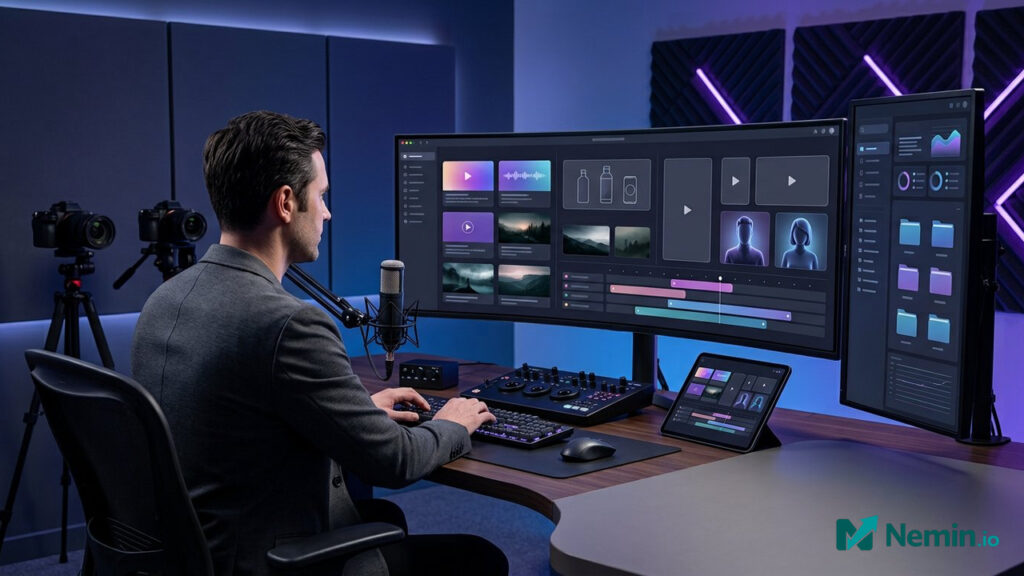
Video creation no longer necessarily starts with a camera, a physical set, or a conventional editing suite. A free AI video generator can help creators and marketers turn text prompts, images, scripts, product assets, or existing footage into video while reducing some of the time involved in traditional production. In 2026, major AI and creative-software companies offer tools spanning cinematic text-to-video, image animation, talking avatars, social videos, automated editing, and marketing content. The catch is that “free” rarely means unlimited: free tiers commonly include generation credits, watermarks, lower resolutions, shorter clips, queues, restricted models, or limits on commercial functionality.
That makes choosing the right platform more complicated than searching for the tool capable of creating the most impressive demonstration.
A YouTube creator may prioritize image-to-video quality and editing flexibility. A performance marketer may need rapid ad variations. A small business may prefer templates and easy social-media exports. A filmmaker could value camera control, visual consistency, and cinematic motion above everything else.
The best choice therefore depends on the job.
This guide examines 10 notable AI video platforms relevant to creators and marketers in 2026, explains their strengths and limitations, and provides a practical framework for evaluating free access without assuming that every “free” product provides the same experience.
Current-data notice: AI video is one of the fastest-changing software categories. Free credits, pricing, model access, output limits, watermarks, geographic availability, and commercial-use terms can change without notice. The descriptions below reflect the broader product landscape as of August 2026, but users should verify exact current allowances on each provider’s official website before choosing a platform. Where a live numerical allowance cannot be verified in this environment, it is deliberately not presented as a real-time fact.
What Is a Free AI Video Generator?
A free AI video generator is an artificial intelligence tool that allows users to create or transform video without paying for at least some level of access.
The word “free,” however, needs qualification.
Some providers offer a recurring free plan. Others provide introductory credits, trial generations, limited access to particular models, or promotional allowances. In some cases, downloading without a watermark or using the output commercially requires a paid subscription.
AI video generators can also perform very different tasks.
Common categories include:
- Text-to-video generation
- Image-to-video animation
- AI avatar and presenter videos
- Script-to-video production
- Generative video editing
- Product and advertising videos
- Video translation and dubbing
- Short-form social content
- Cinematic video generation
- Existing-video transformation
Understanding the category is essential because a powerful cinematic model might be inconvenient for producing a five-minute training presentation, while an avatar platform may be inappropriate for cinematic visual effects.
Quick Answer: What Are the Best Free AI Video Generator Tools in 2026?
Creators and marketers evaluating AI video in 2026 should consider platforms such as Adobe Firefly, Canva, CapCut, Google Gemini/Veo access where available, Kling AI, Luma AI, Pika, Runway, Synthesia, and HeyGen.
Their strengths vary considerably.
Runway, Kling, Luma, Pika, Firefly, and Google’s video-generation ecosystem are particularly relevant to generative visual production. Canva and CapCut combine AI with broader editing and social-content workflows. Synthesia and HeyGen specialize more strongly in avatar-led and presenter-style video.
The best free option is therefore determined by the content format you actually need.
How We Evaluated Free AI Video Generator Tools
A meaningful comparison requires more than watching impressive promotional clips.
For creators and marketers, practical criteria include generation quality, prompt adherence, ease of use, image-to-video capability, consistency, editing tools, generation speed, format support, commercial usability, watermark policy, free-access restrictions, and integration with broader production workflows.
Another important consideration is repeatability.
A generator that occasionally creates an extraordinary clip but requires many failed attempts may be less useful for everyday marketing than a platform producing consistent, editable results.
The comparison below therefore focuses on use cases rather than declaring one universal winner.
1. Runway: A Versatile Free AI Video Generator Option for Creative Production
Runway has been one of the prominent companies in generative video development, combining AI generation with creative video-production tools.
It is especially relevant to filmmakers, creative teams, agencies, and marketers who want more than basic template-based automation.
Why Runway Stands Out
Runway’s broader appeal comes from combining generative media with production-oriented workflows.
Depending on current model and account access, its ecosystem can support tasks involving text-driven generation, image-to-video, video transformation, and other generative creative techniques.
For a marketer, that might mean turning a campaign key visual into motion.
For a filmmaker, it could mean creating concept shots before committing resources to conventional production.
For a social creator, it may provide unusual visual sequences that would otherwise require complex effects work.
Runway Free AI Video Generator Limitations
Free access should be evaluated carefully.
Generative video is computationally expensive, so providers commonly restrict free generations through credits or feature limitations. Model availability can also differ by account or subscription level.
Users should verify Runway’s current pricing page for:
Free credits
Models available on the free tier
Export restrictions
Resolution
Watermarks
Commercial-use conditions
Credit consumption per generation
Those details change more frequently than the core product category.
Best For
Runway is worth evaluating for creative professionals who prioritize sophisticated generative video experimentation and want AI tools within a broader creative production environment.
2. Pika: Free AI Video Generator for Fast Creative Experiments
Pika has attracted attention by making generative video creation approachable for users who want quick visual experiments.
Its appeal is particularly clear for short-form content, stylized clips, transformations, and creative social-media concepts.
What Pika Is Good At
Rather than requiring a full filmmaking workflow, tools in this category are useful for quickly exploring an idea.
A creator can start from text or imagery and generate motion-oriented concepts that can later be assembled into a broader edit.
This makes Pika relevant to:
Social-media creators
Meme and entertainment content
Visual brainstorming
Music-video concepts
Short advertising sequences
Creative transitions
Experimental visual effects
It can also serve as a previsualization tool. Creators can test the visual direction of an idea before spending more time on final production.
Pika Free AI Video Generator Restrictions
As with most generative platforms, the exact meaning of free access can change.
Generation credits, queues, available models, watermark rules, resolution, or download options may differ between free and paid users.
Creators should also check commercial-use terms before incorporating generated footage into paid client campaigns or advertising.
Best For
Pika is particularly attractive for creators who want to experiment quickly rather than build an entire corporate video from a single prompt.
3. Kling AI: Free AI Video Generator for Realistic Motion
Kling AI has become another significant name in the generative-video market, particularly for users interested in realistic movement and image-to-video generation.
AI video systems often struggle with physical consistency. Hands can deform, background objects can shift unexpectedly, and subjects can change appearance during motion.
Improving temporal consistency is therefore an important competitive area.
Why Creators Consider Kling AI
Image-to-video is valuable because it offers more control than starting entirely from text.
A creator can establish the composition through a still image and then instruct the model to introduce camera movement, subject motion, environmental animation, or another action.
That is useful for product concepts, cinematic sequences, fashion imagery, story scenes, and social content.
Using Kling AI for Marketing
Marketers could use this type of tool to explore motion from existing campaign visuals.
For example, a static concept of a product in an outdoor environment could become a short establishing shot.
The generated material still needs review.
AI can alter products, packaging, logos, text, faces, or small visual details. If precise product representation matters, every frame should be checked before publication.
Best For
Kling AI is worth considering for creators who prioritize image-to-video generation, visually realistic motion, and cinematic-style experimentation.
4. Luma AI: Free AI Video Generator for Cinematic Ideas
Luma AI is another major participant in generative visual technology and has developed video-generation capabilities aimed at producing dynamic visual scenes.
Its tools can be particularly useful in creative ideation and cinematic experimentation.
Where Luma AI Fits
The platform can be useful when the objective is visual storytelling rather than presenter-led content.
Potential applications include:
Concept trailers
Establishing shots
Visual prototypes
Atmospheric B-roll
Product concepts
Music visuals
Social media sequences
Story development
One advantage of generative systems is that they allow creators to visualize shots that would be expensive or impractical to capture conventionally.
A small creator can experiment with fantasy environments, unusual camera movements, or imaginary objects before deciding which concepts deserve further production.
Free AI Video Generator Reality: Generation Is Not Final Editing
It is important to distinguish generating shots from producing a finished video.
A complete advertisement or YouTube video may still require:
Scriptwriting
Shot selection
Editing
Voiceover
Music
Sound design
Captions
Brand graphics
Color treatment
Fact checking
Final quality assurance
Generative models create media components. They do not automatically replace the entire production discipline.
Best For
Luma AI is useful to evaluate for visually ambitious creators seeking cinematic or imaginative generative footage.
5. Adobe Firefly: Free AI Video Generator Within a Creative Ecosystem
Adobe’s Firefly family places generative artificial intelligence inside a broader professional creative ecosystem.
For existing Adobe users, integration can be an important advantage.
A video-generation system does not exist in isolation. Assets often move between image editing, graphics, video editing, audio production, and final export.
Why Adobe Firefly Matters for Marketers
Marketing teams frequently need more control after generation.
A generated clip might need brand typography, product graphics, captions, music, color adjustment, or incorporation into a longer campaign video.
A broader creative suite can make that process easier than downloading individual generations from disconnected tools.
Adobe has also publicly emphasized commercially oriented generative-AI workflows and approaches to training data and content credentials. Businesses considering commercial usage should still review the latest Firefly-specific terms and documentation for the exact feature they plan to use.
Firefly Free AI Video Generator Access
Adobe’s generative features may use credits, and access can vary by plan and feature.
Because credit allocations and product packaging can change, creators should verify:
Current free access
Generation limits
Eligible models
Video resolution
Generation duration
Premium-generation requirements
Commercial usage terms
These details should come from Adobe’s official documentation rather than old comparison articles.
Best For
Firefly is particularly relevant to marketers, designers, agencies, and creators who already use Adobe applications and want generative video connected to a larger professional content workflow.
6. Google Veo: Advanced AI Video Generation Through Google’s Ecosystem
Google’s Veo models represent Google’s push into advanced generative video.
By 2026, access to Google’s video-generation capabilities can occur through different Google products, plans, developer offerings, or experimental services depending on location and account type.
This is an important example of why the term “free AI video generator” should be handled carefully.
The model may be highly capable while completely free access to its strongest configuration is not guaranteed.
Why Google Veo Is Significant
Google has focused on increasingly sophisticated video generation, including prompt interpretation, visual realism, motion, and—in newer generations of video models—tighter integration of audiovisual generation.
These capabilities make the technology relevant to professional creative experimentation.
For marketers, native audio generation can potentially reduce the need to construct every sound element separately, although generated speech, sound effects, and music still require quality and rights review.
Is Google Veo a Free AI Video Generator?
Free or limited access may depend on the product, region, promotional offering, or subscription available at the time you use it.
Do not assume that access described in an older article remains current.
Visit Google’s official Gemini, AI, or Cloud documentation for the exact availability applicable to your account.
Best For
Google’s video-generation ecosystem is worth evaluating for creators seeking high-end generative capabilities and people already using Google’s AI products.
7. Canva: Free AI Video Generator for Everyday Marketing
Not every creator wants cinematic generative footage.
Many businesses need something more practical:
Create a social video.
Add text.
Apply brand colors.
Insert stock content.
Animate elements.
Resize it.
Export it.
Publish it.
Canva’s strength is its accessible visual-content workflow.
Why Canva Works for Marketers
Canva combines templates, graphics, text, stock media, editing, collaboration, and AI-assisted capabilities inside an interface designed for non-specialist users.
That can be more useful to a small marketing team than a sophisticated text-to-video model with no convenient editing environment.
Marketing speed depends on the whole process, not just generation speed.
If users can move from idea to approved social asset without transferring files between several applications, the workflow can become more efficient.
Canva Free AI Video Generator Limitations
Canva has free and paid functionality, but particular AI capabilities may have separate usage limits or plan requirements.
Users should check current account-specific access before assuming that every AI video feature is unlimited on the free plan.
Premium templates, stock assets, brand features, and certain AI tools may also have restrictions.
Best For
Canva is a strong candidate for small businesses, social-media managers, educators, content teams, and marketers who prioritize ease of production over highly cinematic generation.
8. CapCut: Free AI Video Generator and Editor for Social Creators
CapCut is widely associated with short-form video editing and creator workflows.
Its relevance to AI video comes from combining generation and automation capabilities with an established editing environment designed around social formats.
For many creators, editing matters as much as generation.
Why CapCut Is Useful
A creator may generate only a few seconds of AI footage but still need to combine it with conventional recordings, captions, transitions, music, voiceover, graphics, and other elements.
An editing-first platform makes this hybrid workflow practical.
AI-assisted functions may also help with processes such as captions, scripts, translation, background manipulation, or other editing operations, depending on the current version and region.
Free Does Not Mean Every CapCut Feature Is Free
CapCut’s product structure has evolved, and specific features can be restricted to particular plans.
Availability may also differ across platforms or regions.
Users should therefore inspect current feature labels and terms rather than assume that something demonstrated online is included in the free version.
Best For
CapCut is particularly relevant to TikTok-style vertical video, Reels, Shorts, creator content, fast-paced edits, and marketers who want AI assistance alongside familiar social editing tools.
9. HeyGen: Free AI Video Generator for Avatar-Led Content
HeyGen represents a different category from cinematic text-to-video platforms.
Its focus includes AI avatars, virtual presenters, translation, and business-oriented video creation.
This makes it useful for content where a person—or synthetic presenter—needs to communicate information directly to the viewer.
Why HeyGen Can Work for Marketing
Presenter-led video is useful for:
Product explainers
Sales videos
Training
Localization
Internal communications
Customer education
Marketing messages
Instead of arranging a physical shoot for every script update, teams can potentially modify text and regenerate the presentation.
Localization is another important use case. AI-assisted translation and dubbing can reduce some of the production friction involved in delivering content across languages.
Human language review remains advisable for important customer-facing material.
HeyGen Free AI Video Generator Limits
Avatar generation can be computationally intensive, so free access commonly has restrictions.
Verify the current plan for information about:
Video duration
Number of videos
Avatar options
Resolution
Watermarks
Voice access
Translation
Commercial use
Export capabilities
Do not rely on historical allowance numbers because plans can change.
Best For
HeyGen is best considered by businesses and creators who need synthetic presenters, multilingual videos, or repeatable talking-head-style production rather than cinematic filmmaking.
10. Synthesia: AI Video Generator for Professional Presenter Content
Synthesia is well known for business-oriented avatar video.
It is particularly relevant to corporate learning, onboarding, training, explainers, and standardized communication.
Its workflow typically emphasizes turning written scripts into presenter-led videos.
Why Synthesia Is Different
Consider a company with hundreds of employees across multiple countries.
Producing traditional training videos can be difficult to update whenever policies or software interfaces change.
Synthetic presenters can simplify some updates because new scripts or sections may be generated without organizing another full filming session.
The same principle can apply to product education and customer onboarding.
Is Synthesia a Free AI Video Generator?
The exact availability of free generation, demonstrations, trials, or limited plans should be checked directly with Synthesia.
Its value proposition differs from tools designed primarily for free consumer experimentation.
Businesses should evaluate total workflow value, enterprise functionality, security, collaboration, languages, and governance—not simply the number of free generated minutes.
Best For
Synthesia is most relevant to structured presenter videos, workplace learning, customer education, and organizations that value repeatable business communication.
Which Free AI Video Generator Is Best for Different Users?
Rather than selecting a platform according to overall popularity, match the tool to the output.
For cinematic generation, investigate Runway, Kling AI, Luma AI, Adobe Firefly, Google’s video-generation options, and Pika.
For social-media creation and editing, Canva and CapCut are particularly practical candidates.
For AI avatars and presenter-led videos, HeyGen and Synthesia belong on the shortlist.
For marketers already invested in a creative software ecosystem, integration can matter more than isolated model quality.
For experimental creators, maintaining access to several tools can also be useful because different generative models can interpret the same concept very differently.
How to Choose a Free AI Video Generator in 2026
Begin with the intended output.
Do you need a five-second cinematic shot, a 30-second advertisement, a product demo, an avatar presentation, a YouTube sequence, or a vertical social clip?
Then assess the complete workflow.
Generation quality is important, but consider editing, audio, captions, export options, brand assets, collaboration, commercial rights, storage, and iteration costs.
A practical evaluation framework is:
Purpose → source material → generation quality → editing → commercial rights → export → distribution → measured result.
Run the same representative project through several platforms.
For example, provide each suitable tool with the same product image and creative brief. Record how many generations are needed to achieve one publishable result.
This reveals something promotional demos cannot: workflow reliability.
How to Write Better Free AI Video Generator Prompts
AI video prompts benefit from visual specificity.
Instead of:
“Make a cool coffee advertisement.”
Try a structured description specifying subject, environment, action, composition, lighting, camera movement, mood, and visual style.
For example:
“Close-up commercial shot of a ceramic coffee cup on a dark wooden café table at sunrise, realistic steam rising naturally, warm window light, slow camera push-in, shallow depth of field, premium lifestyle advertising aesthetic, natural colors.”
This tells the model what should happen visually.
Control One Variable at a Time
If the camera movement is wrong, revise the camera instruction while keeping the rest of the prompt stable.
If character consistency fails, consider beginning from a reference image where supported.
If motion is excessive, explicitly request subtle or restrained movement.
Systematic iteration makes AI generation less random.
Use Image-to-Video for Greater Control
Text-to-video gives a model substantial freedom to determine composition.
Image-to-video establishes the initial visual state first.
For marketing, that can be especially valuable because brands often need products, colors, layouts, or characters to begin from an approved appearance.
However, generation can still distort the reference image during motion.
Always inspect final footage carefully.
Free AI Video Generator Tools for Marketing Campaigns
Marketers should view generative video as a creative-testing tool as well as a production tool.
A single approved concept can potentially produce several hypotheses:
Product-focused opening
Problem-focused opening
Lifestyle opening
Demonstration
Customer-benefit message
Feature-driven message
Different call to action
Different duration
The ability to produce these variations quickly can make creative experimentation easier.
Still, more videos do not automatically create better advertising.
Good testing requires a clear hypothesis and meaningful measurement.
If every visual and message changes simultaneously, marketers may struggle to understand why one ad outperformed another.
Generative speed works best alongside disciplined experimentation.
Free AI Video Generator Tools for Content Creators
Creators have different priorities from enterprise teams.
A YouTuber might use AI for establishing shots, backgrounds, transitions, visual explanations, story sequences, or B-roll.
A short-form creator might generate visually unusual hooks.
A musician might experiment with abstract sequences.
An educator might use generated visuals to illustrate difficult concepts.
A filmmaker could use AI for previsualization before shooting anything physically.
The most sustainable use is often hybrid.
Human footage supplies personality and authenticity. Generative footage expands what is visually possible. Traditional editing brings the pieces together into a coherent story.
Can a Free AI Video Generator Replace Traditional Video Production?
Sometimes it can replace specific production steps.
It rarely eliminates every requirement.
Traditional video remains valuable when exact physical reality matters, authentic human performance is required, real product operation must be demonstrated, a specific event needs documentation, or legal and evidentiary authenticity is important.
AI video excels in different situations:
Concept visualization
Impossible or fictional scenes
Rapid creative iterations
Synthetic presenters
Previsualization
Backgrounds
Transitions
Stylized sequences
Certain forms of localization
Low-cost experimentation
The most effective production workflow can combine conventional footage and generated media rather than insist on using only one.
Important Limitations of Free AI Video Generator Technology
AI video can look convincing while containing subtle failures.
Watch for:
Unnatural hands or faces
Changing identities
Objects appearing or disappearing
Incorrect text
Distorted product packaging
Impossible physics
Inconsistent lighting
Unexpected background changes
Incorrect logos
Lip-sync problems
Audio artifacts
Continuity errors
These problems matter more in commercial marketing because inaccurate imagery can misrepresent a product.
A visually beautiful generation is not automatically ready for publication.
Commercial Rights and Free AI Video Generator Content
Before using generated video commercially, check the provider’s current terms.
Questions worth answering include:
Can free-tier output be used commercially?
Does the free version add a watermark?
Do licensing conditions change on paid plans?
What restrictions apply to uploaded reference material?
How does the service handle your inputs?
Can custom voices or likenesses be generated?
What consent requirements apply?
Are generated assets retained?
The answer can vary significantly between platforms.
Brands working on high-value campaigns should obtain appropriate legal guidance where rights are unclear.
Free AI Video Generator Safety, Likeness, and Disclosure
AI video creates powerful impersonation capabilities.
Do not use someone’s face or voice to imply participation or endorsement without appropriate consent and rights.
This includes celebrities, influencers, employees, customers, executives, and private individuals.
Platforms and jurisdictions may also impose requirements relating to synthetic or manipulated media.
Political content, deceptive impersonation, advertising, and realistic depictions of people may receive particular scrutiny.
Check current laws and distribution-platform policies for your market and use case.
For audiences, transparency is often good practice when realistic synthetic media could otherwise create a materially false impression.
Free AI Video Generator Pricing: Why “Free” Needs Careful Checking
There is no meaningful way to publish a permanent list of exact free credits in a fast-moving category and guarantee that those figures remain current.
Vendors can change:
Monthly credits
Daily generation limits
Model access
Queue priority
Watermarks
Maximum duration
Resolution
Audio availability
Export rules
Commercial rights
Instead of choosing solely by headline credit numbers, calculate the cost of producing a usable asset.
Suppose Tool A provides more free generations but requires eight attempts for one acceptable clip, while Tool B offers fewer generations but produces acceptable results after two attempts.
Tool B could provide more practical value.
This is why generation efficiency matters alongside nominal free allowances.
How to Verify Real-Time Free AI Video Generator Data
For genuinely current information in August 2026 or later, use first-party sources.
Check the official pricing, documentation, and terms pages for Runway, Pika, Kling AI, Luma AI, Adobe Firefly, Google, Canva, CapCut, HeyGen, and Synthesia before relying on any free-plan claim.
Pay particular attention to the date and region.
A pricing screenshot from six months earlier may no longer represent the product.
Likewise, an AI search result can summarize old information. Open the underlying vendor page before making a purchasing or production decision.
This verification process is essential whenever exact numbers matter.
Future of Free AI Video Generator Technology
AI video is moving toward greater control, longer temporal consistency, improved character persistence, stronger reference-image adherence, integrated audio, and more precise editing.
The direction is also increasingly multimodal.
Instead of using separate software for scripts, imagery, voice, animation, and editing, creators may be able to coordinate more of the production process through interconnected AI systems.
That does not necessarily mean creative skill becomes less valuable.
When technically impressive footage becomes easier to generate, differentiation moves toward storytelling, taste, original concepts, branding, editing, audience understanding, and distribution.
Generating video may become commonplace.
Generating video that people actually care about remains the harder challenge.
FAQs
1. What is the best free AI video generator in 2026?
There is no universal winner. Runway, Kling AI, Luma AI, Pika, Firefly, Google tools, Canva, CapCut, HeyGen, and Synthesia serve different needs ranging from cinematic generation to avatars and social editing.
2. Is there a completely free AI video generator without limits?
Most high-quality AI video services impose some combination of credits, generation limits, queues, model restrictions, watermarks, or feature limits. Check current official pricing before assuming unlimited access.
3. Can I use a free AI video generator for commercial videos?
Commercial-use rights vary by provider and plan. Read the current license and terms for the specific tool before using generated footage in advertisements, client projects, or monetized content.
4. Which free AI video generator is best for YouTube?
The best choice depends on the workflow. Cinematic generators can create B-roll and visual sequences, while CapCut or Canva may be more convenient for editing, captions, and social-oriented production.
5. Which free AI video generator is best for marketing?
Marketers should prioritize brand control, fast variations, commercial rights, editing, product accuracy, and export options. Canva, Adobe Firefly, CapCut, Runway, and avatar platforms can each fit different marketing tasks.
6. Can a free AI video generator create videos from images?
Many modern generative-video platforms support image-to-video workflows. These can provide stronger composition control than text-only generation, although the model may still alter details while animating the image.
Conclusion
A free AI video generator can dramatically expand what creators and marketers are able to experiment with before committing to expensive production, but the best platform depends on the job rather than a single leaderboard. Runway, Pika, Kling AI, Luma AI, Adobe Firefly, Google’s video ecosystem, Canva, CapCut, HeyGen, and Synthesia represent different approaches to generative video—from cinematic scenes and image animation to social editing and synthetic presenters. Free access also comes with an important qualification: credits, watermarks, resolution, model availability, usage rights, and generation limits can change rapidly, so current details should always be verified through official vendor sources.
In 2026, the smartest way to choose a free AI video generator is to test several tools with the same real project, measure how efficiently each produces publishable footage, confirm commercial rights, and select the workflow that combines AI generation with strong storytelling, editing, brand accuracy, and human quality control.