
Building a fast, responsive website from raw blank stylesheets takes dozens of engineering hours that solo developers, agencies, and small business owners rarely have to...
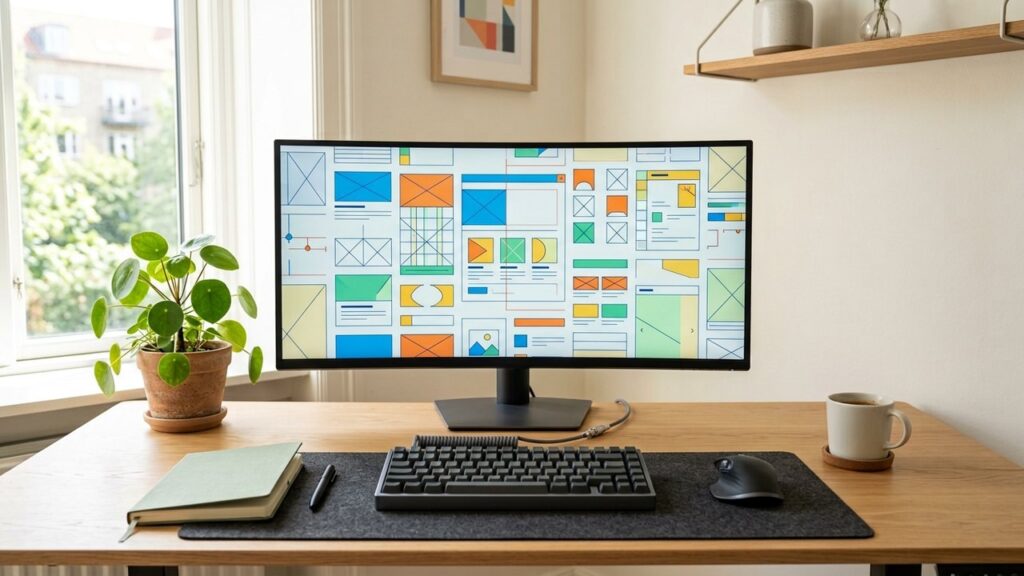
Building a fast, responsive website from raw blank stylesheets takes dozens of engineering hours that solo developers, agencies, and small business owners rarely have to spare. Starting with free CSS templates gives builders immediate access to proven CSS Grid structures, responsive Flexbox navigation, and cross-browser typography ready for brand customization. Repositories like Nicepage maintain more than 15,000 open-source customizable CSS website templates spanning portfolios, agencies, restaurants, real estate portals, and ecommerce storefronts.
Even with thousands of polished layouts available at zero upfront cost, turning free CSS templates into high-converting, accessible, search-friendly production websites demands thoughtful code hygiene. This practical guide walks through selecting clean templates, customizing styles safely with CSS custom properties, protecting Core Web Vitals, and avoiding common layout bloat.
Why Free CSS Templates Remain Essential for Modern Web Builds
Despite the explosion of heavyweight JavaScript frameworks and proprietary drag-and-drop ecosystems, clean HTML5 and CSS architecture remains the fastest, most resilient foundation on the open web. Well-structured free CSS templates strip away unnecessary client-side runtime dependencies, helping pages render near-instantly across budget mobile phones and variable cellular connections.
Designers and front-end engineers also use free CSS templates to accelerate discovery workshops and client sign-offs. Showing stakeholders a working responsive prototype built on clean CSS Grid beats static wireframe boxes every time because teams can test real viewport breakpoints, hover states, and visual hierarchy immediately in any browser.
Exploring Category Depth Across Modern Template Libraries
Mature collections such as Nicepage organize over 15,000 free CSS templates into practical vertical patterns so teams avoid forcing a blog layout onto an appointment-driven business. Choosing a starter built for your exact conversion model cuts structural refactoring time dramatically.
- Portfolio and creative agency layouts highlight full-bleed project galleries, case study grids, and minimalist editorial typography.
- Hospitality, restaurant, and hotel starters feature structured menu tables, visual room cards, and prominent reservation callouts.
- Ecommerce and shopping cart templates organize filterable product grids, pricing badges, and uncluttered checkout forms cleanly.
- Service business and booking layouts cover salons, dental clinics, fitness studios, legal offices, and real estate listings with trust proof blocks.
- Component-focused free CSS templates isolate clean pricing tables, multi-column contact forms, FAQ accordions, and responsive CSS Grid showcases.
HTML5 Semantic Structure as a Built In SEO Advantage
High-quality free CSS templates respect semantic HTML landmarks including header, nav, main, article, section, and footer tags rather than burying every block inside nested generic div wrappers. Clean semantics improve screen-reader navigation immediately while helping search engine crawlers map topical hierarchy accurately.
Evaluating Free CSS Templates Before Downloading Any Code
Not every layout labeled free deserves a place in your production repository. Spending ten minutes auditing technical fundamentals before customizing free CSS templates prevents inheriting fragile float hacks, broken mobile menus, or bloated third-party script bundles.
| Technical Audit Criterion | Healthy Modern Template Signal | Red Flag Worth Skipping | Impact on Live Website |
|---|---|---|---|
| Layout Engine | Native CSS Grid and Flexbox rules | Legacy float grids or layout tables | Simplifies responsive edits cleanly |
| Stylesheet Footprint | Modular, readable CSS under 60 KB | Monolithic unorganized 500 KB CSS dumps | Accelerates First Contentful Paint |
| Mobile Breakpoints | Fluid clamp typography and touch targets | Horizontal scrollbars at 375px width | Protects mobile rankings and conversions |
| Asset Dependencies | Zero mandatory jQuery or heavy sliders | Ten blocking external CDN scripts | Eliminates layout shift and lag |
| License Clarity | Explicit commercial customization rights | Ambiguous attribution or locked footers | Prevents client legal headaches |
Checking Mobile Responsiveness and Touch Ergonomics
Open any candidate from your free CSS templates shortlist inside browser developer tools and inspect viewport widths at 360px, 768px, 1024px, and 1440px. Verify that headlines scale cleanly without overflowing containers, navigation menus collapse gracefully, and clickable buttons maintain comfortable finger spacing for thumb browsing.
Pay close attention to pricing tables and comparison matrices inside free CSS templates. Clean implementations wrap wide data tables inside horizontally scrollable containers or stack cards neatly on narrow viewports so mobile shoppers never lose critical product details.
Verifying Open Source and Commercial Usage Permissions
Before deploying free CSS templates on a commercial client website, read the accompanying license notice carefully. Confirm whether commercial resale is permitted, whether footer attribution links are optional, and whether bundled stock photographs require replacement with properly licensed brand imagery prior to launch.
Customizing Free CSS Templates Cleanly Without Creating Messy Overrides
The fastest way to break maintainability when modifying free CSS templates is sprinkling random inline styles and heavy important flags across fifty HTML pages. Adopting a clean CSS custom-properties layer keeps brand customization centralized, reversible, and effortless to extend later.
- Audit the existing stylesheet and define root CSS variables for primary brand color, accent color, surface background, ink text, and font stacks.
- Create a dedicated custom overrides stylesheet loaded cleanly after the base theme rather than hacking scattered rules unpredictably.
- Replace all placeholder stock photographs with compressed WebP or progressive JPEG images matched to exact rendered container dimensions.
- Prune unused sections, redundant demo CSS classes, and extra icon libraries that your finished site never renders.
- Validate heading order so each page contains one descriptive H1 title followed by logical H2 and H3 subheadings.
Refactoring Typography With Fluid Modern CSS Sizing
Many starter free CSS templates hardcode rigid pixel sizes across four separate media queries, creating jarring headline jumps between tablet and laptop screens. Swapping rigid font rules for fluid modern CSS sizing creates smooth proportional scaling across every display while reducing lines of stylesheet code.
Limit external web font weights strictly to two or three essential styles such as regular, medium, and bold, or pair crisp system font stacks with a single distinctive display face. Trimming excessive font downloads cuts hundreds of kilobytes off initial load payloads while preventing distracting text flashes.
Applying Visual Editors Versus Direct Code Workflows
Platforms like Nicepage pair thousands of free CSS templates with visual drag-and-drop editing capable of exporting clean HTML and CSS bundles. Non-technical founders can adjust section layouts visually and export static files, while seasoned developers can drop straight into a code editor to integrate those same free CSS templates with static site generators, WordPress themes, or lightweight headless frontends.
Optimizing Free CSS Templates for Core Web Vitals and Accessibility
Search visibility and user satisfaction hinge heavily on how fast a page paints and how comfortably every visitor interacts with it. Even clean free CSS templates benefit from a structured pre-launch optimization sweep before pointing live DNS records.
| Optimization Layer | Concrete Pre-Launch Action | Core Metric Improved | Recommended Target |
|---|---|---|---|
| Hero Media | Compress hero image, add explicit width and height | Largest Contentful Paint & CLS | LCP under 2.5s, CLS under 0.1 |
| Unused CSS Pruning | Remove demo page styles not used in production | Render-blocking transfer weight | Lean critical CSS payload |
| Color Contrast | Check text-to-background ratios across buttons and cards | WCAG AA visual accessibility | Minimum 4.5:1 body text contrast |
| Keyboard Focus | Preserve visible outline rings on links and form inputs | Keyboard navigation usability | 100% tabbable interactive controls |
| Form Semantics | Bind explicit label elements to every input field | Accessibility & mobile autofill | Zero unlabeled form controls |
Eliminating Cumulative Layout Shift Across Responsive Grids
Visual jumping as images or web fonts finish loading frustrates readers and penalizes search performance. Always declare explicit aspect ratios or width and height attributes on every image inside your free CSS templates, reserve fixed container space for embedded maps or widgets, and apply font display swap cleanly.
If your chosen free CSS templates include decorative hero carousels, consider replacing auto-advancing sliders with a single crisp hero value proposition and clear primary call-to-action button. Static focused heroes load dramatically faster and consistently convert higher percentages of first-time visitors.
Budgeting Total Website Launch Costs Beyond Zero Cost Code
Choosing free CSS templates eliminates upfront theme licensing fees, yet real-world launches still involve domain registration, reliable hosting, custom copywriting, brand photography, analytics setup, and occasional developer customization. Planning the complete launch budget early using the Nemin website cost calculator helps business owners invest savings from free CSS templates into high-ROI conversion copy and SEO fundamentals.
Comparing Free CSS Templates Against Frameworks and Website Builders
Selecting the right front-end approach depends on how frequently your team edits pages, how much custom interactive logic you need, and who maintains the site after launch. Free CSS templates occupy a sweet spot for speed, ownership, and portability.
- Complete code ownership distinguishes free CSS templates from closed SaaS website builders that lock layouts inside recurring monthly subscriptions.
- Minimal runtime overhead lets free CSS templates outperform bloated multi-purpose themes loaded with dozens of unused plugins and page-builder wrappers.
- Zero vendor lock-in means HTML and CSS files host reliably anywhere from static edge CDNs to standard shared hosting or headless CMS pipelines.
- Learning value remains unmatched because reading clean free CSS templates teaches responsive Grid patterns, media queries, and modular spacing directly in real code.
Integrating Free CSS Templates Into CMS and Static Pipelines
Developers rarely stay confined to static five-page brochure sites forever. Because clean free CSS templates rely on standard markup and modular stylesheets, splitting header, footer, and card partials into Eleventy, Astro, Hugo, or lightweight WordPress templates preserves blazing frontend performance while giving editors easy content publishing workflows.
Keep custom business logic separated neatly from presentation stylesheets during integration. That clean boundary allows your team to refresh visual styling later without rewriting backend templates or breaking structured schema data.
Avoiding the Generic Template Look With Authentic Brand Craft
The biggest criticism aimed at free CSS templates is visual sameness, yet sameness only happens when builders leave default palettes, stock portraits, and generic lorem-style layouts untouched. Swapping in genuine team photography, crisp brand typography, purposeful spacing rhythm, and sharp customer-specific copy transforms recognizable free CSS templates into bespoke digital experiences.
Advanced Responsive Customization Patterns for Free CSS Templates
Once basic brand colors and typography are dialed in, applying a few clean modern CSS techniques elevates free CSS templates from neat starter layouts into genuinely bespoke digital products. Modern browsers support powerful native layout and styling capabilities that eliminate dozens of fragile third-party JavaScript plugins previously bundled inside older free CSS templates.
Native CSS smooth scrolling, container queries for self-adapting sidebar cards, CSS aspect-ratio locks for zero-shift gallery grids, and subtle prefers-reduced-motion media rules all integrate cleanly inside lightweight free CSS templates without adding a single kilobyte of script overhead.
Transforming Static Free CSS Templates Into Reusable Component Partials
Copying identical navigation bars and footer links manually across fifteen static HTML files becomes painful the moment you add a new service page or update a phone number. Converting your chosen free CSS templates into clean header, footer, and CTA partials inside a lightweight static generator or simple server include workflow preserves one hundred percent of the clean markup while making site-wide edits instantaneous.
Keep CSS class names descriptive and semantic whenever refactoring free CSS templates for team handoff. Replacing cryptic demo classes like box-3 or section-blue with clear structural tokens such as feature-grid or pricing-card makes future updates effortless for every developer touching the repository.
Auditing Print Styles, Dark Mode Support, and Cross Browser Rendering
Many overlooked usability wins inside free CSS templates take less than twenty minutes to implement yet delight real visitors daily. Adding a subtle dark-mode custom property override for technical audiences, defining clean print rules for service menus or spec sheets, and testing live layouts across Chrome, Safari, and Firefox ensures your customized free CSS templates behave dependably everywhere.
- Verify Safari flexbox gap rendering and sticky header offsets on real iOS devices before pushing customized free CSS templates to production.
- Replace bloated icon font suites bundled inside legacy free CSS templates with crisp inline SVG icons for the ten or fifteen symbols your pages actually display.
- Add descriptive Open Graph social sharing metadata, clean favicon packages, and structured JSON-LD organization markup alongside your semantic HTML5 free CSS templates.
- Run automated HTML validation and Lighthouse performance checks after every major customization pass so free CSS templates stay lightning fast as content expands over time.
Maintaining Long Term Performance Discipline After Launch
Clean free CSS templates launch fast on day one, yet sites gradually slow down when marketing teams upload uncompressed four-megabyte photographs or pile on six redundant chat and heatmap scripts. Document clear image-size rules and run quarterly Lighthouse checks so your streamlined free CSS templates keep delivering sub-second mobile speeds year after year.
Auditing Third Party Embeds and Form Security Before Publishing
Even the cleanest HTML5 layout loses speed and user trust if a heavy third-party map embed, chat widget, or unsecured contact form drags load time past four seconds or dumps spam into your inbox. Lazy-load below-the-fold embedded maps cleanly, connect static HTML contact forms to reputable spam-filtered form endpoints with honeypot fields, and confirm HTTPS redirection works seamlessly across both root and www hostnames.
Before announcing your refreshed site publicly, test live form submissions from both desktop Chrome and mobile Safari, verify confirmation messages display clearly, and inspect social link previews across LinkedIn and messaging apps. Finishing those final polish checks ensures visitors experience speed, reliability, and professional finish on every single visit.
Keeping Documentation Simple for Future Team Handovers
Include a brief plain-text README inside your project repository recording your custom CSS root variables, breakpoint widths, image compression targets, and hosting deployment steps. Clean documentation turns solo side projects into maintainable long-term company assets that any future developer can extend confidently in minutes.
Building a Lightweight Deployment and Backup Routine
Connecting your clean static HTML and CSS repository to automated edge hosting lets every minor copy tweak or seasonal banner update deploy globally in under thirty seconds with zero manual FTP drag-and-drop risks. Keep version history clean inside Git so rolling back an accidental layout edit takes one single command while maintaining ninety-nine-point-nine percent uptime effortlessly.
FAQ’s
Are free CSS templates safe to use for commercial client websites?
Most reputable libraries such as Nicepage provide open-source customizable free CSS templates suitable for personal and commercial builds, provided you verify each template’s specific license notes before launch. Always replace bundled placeholder stock images with properly licensed assets and strip out any unnecessary third-party tracking scripts.
How many industries do modern free CSS template libraries cover?
Large curated repositories like Nicepage feature over 15,000 free CSS templates spanning portfolios, web agencies, restaurants, hotels, salons, ecommerce shops, booking portals, real estate agencies, education sites, and specialized CSS Grid or form components. Picking a niche-matched template minimizes structural editing.
Do free CSS templates rank well on Google compared to custom coded sites?
Yes, clean free CSS templates frequently rank very well because lightweight HTML5 and CSS pages deliver rapid load speeds, strong Core Web Vitals, and clear semantic heading structures. Search engines evaluate page experience, crawlability, and content relevance rather than whether a stylesheet started from a blank file.
Can beginners customize free CSS templates without deep coding experience?
Beginners can adjust colors, text, and images easily using visual editors such as Nicepage that export clean HTML and CSS, or by editing well-commented CSS variables inside a basic code editor. Starting with modular CSS Grid templates makes learning responsive design far less intimidating.
What should I remove from free CSS templates before launching live?
Before publishing, strip out unused demo HTML pages, unreferenced CSS utility blocks, legacy jQuery sliders you do not need, oversized placeholder photography, and redundant external font weights. Running a quick Lighthouse audit confirms lean payload size, crisp accessibility contrast, and clean mobile layout behavior.
Should I use CSS Grid templates or Flexbox templates for modern layouts?
The strongest modern free CSS templates combine both standards naturally: CSS Grid governs overarching two-dimensional page sections and card matrices, while Flexbox handles one-dimensional alignment inside navigation bars, buttons, and icon rows. Both enjoy full support across all current desktop and mobile browsers.
Conclusion
Starting a build with thoughtfully engineered free CSS templates removes repetitive layout scaffolding while keeping total control over page speed, semantic markup, and hosting portability. With expansive libraries offering thousands of responsive Grid, portfolio, booking, and ecommerce designs, solo creators and agile teams can focus creative energy on messaging, photography, and conversion performance.
Audit every candidate stylesheet for modern CSS Grid hygiene and mobile responsiveness, customize cleanly through centralized CSS variables, and run thorough contrast and Core Web Vitals checks before going live. Treated as a clean engineering springboard rather than a rigid shortcut, free CSS templates deliver studio-quality web performance without unnecessary cost or platform lock-in.